AI Teammates in Asana: A Leadership Guide (2026)
Asana
¿No sabes por dónde empezar con la IA?Evalúa preparación, riesgos y prioridades en menos de una hora.
➔ Descarga nuestro paquete gratuito de preparación para IA
AI teammates are software agents that join work like a colleague: they can discuss tasks, pick up assignments and complete routine actions inside a work management platform. They’re most valuable when the platform provides context (projects, owners, deadlines) and when leaders add governance—permissions, audit trails, evaluation and human approval for high‑risk steps. (fastcompany.com)
Most organisations have experimented with copilots that help an individual write, summarise or draft. The next shift is bigger: AI that participates in work as a shared team resource—able to receive feedback from multiple people, act inside workflows, and keep pace with changing priorities.
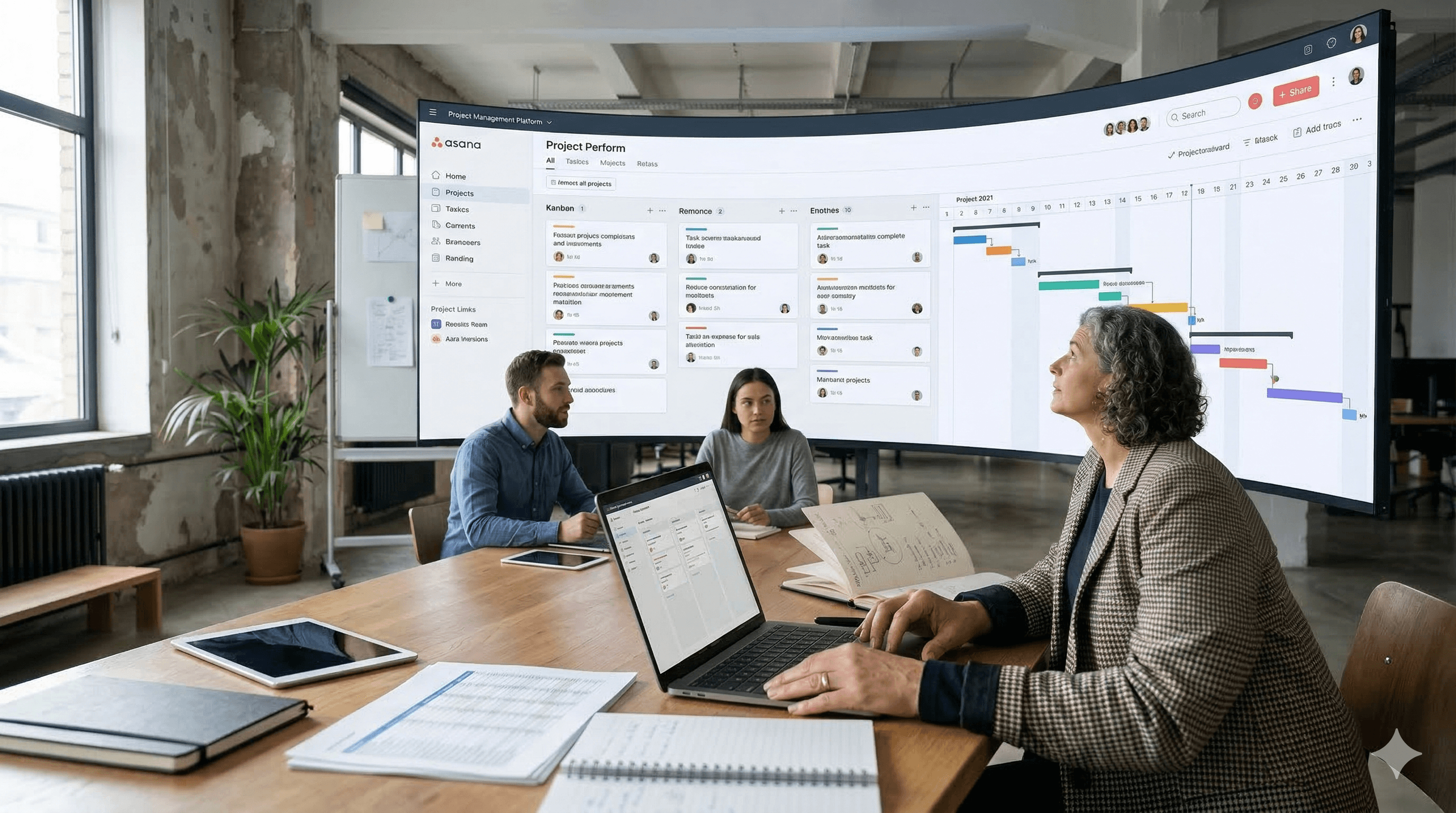
That’s the idea behind Asana’s new AI teammates: bots that can be added into projects and conversations, behave like a team member, pick up tasks, and be coached by everyone involved. (fastcompany.com)
For leaders, the point isn’t novelty. It’s whether work management can become the control layer for agentic AI—making AI activity visible, governed and measurable.
What’s different about “AI teammates” (and why it matters)
Traditional assistants are often tethered to one person. Asana is positioning its AI teammates as multi-user agents that operate within shared projects and workflows. That shared context matters because work is social: priorities change, approvals happen in threads, and accountability sits with a team—not an individual.
As described in the launch coverage:
AI teammates can participate in handling and discussing work via Asana. (fastcompany.com)
They can be treated like a project participant: assigned tasks and given feedback by multiple humans. (fastcompany.com)
The initial rollout includes 21 prebuilt teammates for common use cases (product launches, marketing briefs, IT service queues, coding web content), plus the option to create custom teammates with prompts. (fastcompany.com)
They draw on Asana’s Work Graph, which maps relationships among projects, people and tasks—providing context to suggest collaborators or relevant files. (fastcompany.com)
They can be scheduled to scan boards regularly to flag issues affecting deadlines. (fastcompany.com)
They can read and write to cloud files in systems such as Google Drive and Microsoft SharePoint. (fastcompany.com)
The strategic implication: when AI can read, write and coordinate work inside your collaboration environment, you must manage it as a workforce capability—with policies, permissions, auditability and performance management.
The leadership decision: where should agents be allowed to act?
A practical rule is to separate AI work into three tiers:
Tier 1: Low-risk assist (safe to start)
drafting briefs and summaries
reformatting and templating
surfacing project risks and missing information
These are high-value but low-risk because the output is reviewed anyway.
Tier 2: Operational support (requires controls)
updating tasks, owners and due dates
chasing status updates
preparing ticket responses for approval
generating first drafts from existing strategy documents
Here, the risk is operational disruption and decision distortion—so you need role-based permissions and clearly defined “can/can’t do” scopes.
Tier 3: Action-taking (treat as critical)
changing systems of record (CRM, service management)
approving spend or commitments
sending external communications automatically
This tier requires strict human approval, strong authentication, full logging, and careful rollback planning.
Start with Tier 1, prove reliability in Tier 2, and only then discuss Tier 3.
Governance: what you must insist on before scaling
If AI teammates are going to act like colleagues, you need a governance model that matches:
1) Identity and permissions (least privilege)
Do agents have individual identities?
Can permissions be scoped per project, team, or workspace?
Are there explicit boundaries for reading/writing files in SharePoint/Drive? (fastcompany.com)
2) Auditability and traceability
Can you see what the agent did, when, and why?
Can the agent cite the source documents used?
Are there immutable logs for compliance and incident response?
3) Safety and adversarial testing
Before allowing agents to interact with files and workflows, test for:
prompt injection via task comments
data exfiltration attempts
malicious instructions hidden in documents
“authority confusion” (following the wrong user or thread)
4) Accountability and escalation
Who owns the teammate’s behaviour?
What is the escalation path when it makes a mistake?
How quickly can you disable it or roll back changes?
The headline: AI needs a line manager and a risk owner.
The implementation playbook (30/60/90 days)
Days 1–30: Pick one workflow and build the control surfaces
Choose one high-volume workflow with measurable impact (e.g., IT intake triage, marketing brief creation, sprint planning hygiene).
Define what the agent can do and cannot do (Tier 1–3).
Create a small evaluation set (good cases, edge cases, “expensive mistakes”).
Decide where the agent can access files (Drive/SharePoint scope). (fastcompany.com)
Days 31–60: Pilot with human-in-the-loop
Deploy to one team with training and clear guidance.
Require approvals for any write actions beyond Asana task updates.
Monitor for failure modes: wrong owner assignment, missing context, hallucinated references.
Days 61–90: Harden and scale
Expand to 2–3 adjacent workflows.
Add scheduled routines (board scanning for risks) where useful. (fastcompany.com)
Implement reporting: quality, adoption, cost, and risk.
Document a governance playbook and onboarding kit.
If, after 90 days, you can’t show measurable improvement and controlled risk, pause and fix the operating model—not the prompts.
Metrics that show whether AI teammates are working
Leaders should ask for a simple dashboard across:
Business outcomes: cycle time reduction, throughput, backlog burn-down, SLA adherence
Quality: rework rate, escalation rate, accuracy on evaluation set
Operations: latency, error rate, cost per task completed
Risk: policy breaches, data access anomalies, audit exceptions
Adoption: weekly active users, tasks touched by AI, satisfaction score
What this means for PMOs and Operations leaders
If AI can live inside your work hub, the PMO’s job changes from “reporting status” to designing safe, scalable operating systems:
clearer definitions of done
better workflow hygiene (owners, deadlines, dependencies)
stronger standards for documentation and handoffs
Ironically, AI tends to reward organisations with good basics.
Next steps
If you want to explore AI teammates in work management tools (Asana or otherwise):
Identify one workflow where shared context is your current bottleneck.
Define your permission model and audit requirements before any deep integrations.
Build an evaluation harness and run a 90‑day pilot with human-in-the-loop controls.
FAQs
Q1. What are AI teammates in Asana?
AI teammates are bots that can join projects, discuss work and pick up tasks inside Asana, using contextual data from the Work Graph and integrating with tools like Drive or SharePoint. (fastcompany.com)
Q2. How are AI teammates different from copilots?
Copilots typically assist a single user. AI teammates are designed to be shared across a team, receiving feedback and assignments from multiple people inside a project. (fastcompany.com)
Q3. What’s the safest way to start with AI agents?
Start with low-risk assist (drafting, summarising, surfacing risks). Add human approval for operational updates and strict governance for any action-taking steps.
Q4. What governance do we need for AI agents in a work hub?
Least-privilege permissions, audit logs, adversarial testing (prompt injection and exfiltration), clear ownership, and the ability to quickly disable or roll back.
Q5. What should we measure in an AI teammate pilot?
Business impact (cycle time/SLA), quality (rework/escalations), operations (cost/latency), risk (policy breaches), and adoption (active use).
Recibe noticias y consejos sobre IA cada semana en tu bandeja de entrada
Al suscribirte, das tu consentimiento para que Generation Digital almacene y procese tus datos de acuerdo con nuestra política de privacidad. Puedes leer la política completa en gend.co/privacy.



Generación
Digital

Oficina en Reino Unido
Generation Digital Ltd
33 Queen St,
Londres
EC4R 1AP
Reino Unido
Oficina en Canadá
Generation Digital Americas Inc
181 Bay St., Suite 1800
Toronto, ON, M5J 2T9
Canadá
Oficina en EE. UU.
Generation Digital Américas Inc
77 Sands St,
Brooklyn, NY 11201,
Estados Unidos
Oficina de la UE
Software Generación Digital
Edificio Elgee
Dundalk
A91 X2R3
Irlanda
Oficina en Medio Oriente
6994 Alsharq 3890,
An Narjis,
Riad 13343,
Arabia Saudita







Número de la empresa: 256 9431 77 | Derechos de autor 2026 | Términos y Condiciones | Política de Privacidad