GPT‑5.4 Thinking: The New Reasoning Model Explained
ChatGPT
¿No sabes por dónde empezar con la IA?Evalúa preparación, riesgos y prioridades en menos de una hora.
➔ Descarga nuestro paquete gratuito de preparación para IA
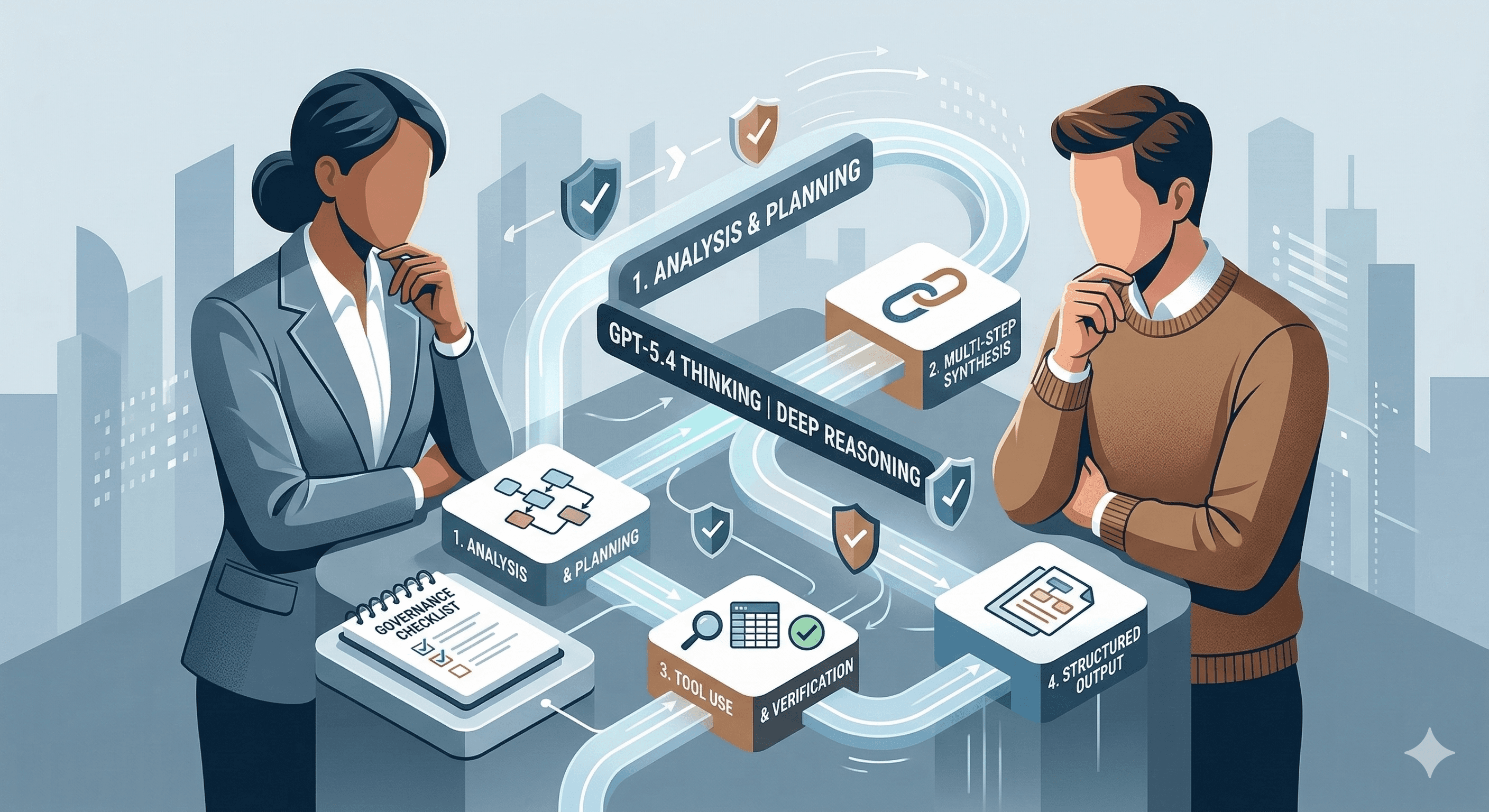
GPT‑5.4 Thinking is OpenAI’s latest reasoning model in the GPT‑5 family, built for multi‑step tasks that need stronger planning, longer context, and more reliable execution. In ChatGPT it can share an upfront plan you can steer, while in the API it supports agent workflows and tool use — making it a strong fit for complex analysis, automation, and decision support.
AI has reached a point where “can it answer?” is no longer the question.
The real differentiator is whether a model can:
hold context across messy, real-world inputs,
reason through multi‑step work without drifting,
use tools safely and predictably,
and deliver outputs you can trust in business settings.
That’s the promise of GPT‑5.4 Thinking: a new “reasoning-first” model in the GPT‑5 series designed for deeper analysis and more disciplined execution — with a clearer path to governance and safe deployment.
This guide explains what GPT‑5.4 Thinking is, how it differs from other GPT‑5 variants, and how to apply it to real workflows without turning AI into an uncontrolled black box.
What is GPT‑5.4 Thinking (and what does “Thinking” actually mean)?
GPT‑5.4 Thinking is a model variant optimised for tasks that benefit from longer, more structured reasoning.
In practical terms, “Thinking” typically means:
it spends more compute on multi-step problems,
it maintains coherence across long inputs,
it behaves more predictably when you define a clear output contract,
and it’s better suited to complex synthesis and agent workflows.
If you’ve ever had an AI assistant give a plausible answer that falls apart under scrutiny, that’s often a reasoning and verification problem — not a language problem. GPT‑5.4 Thinking aims to close that gap.
GPT‑5.4 Thinking vs Instant vs Pro (which should you use?)
A simple way to choose:
Instant (fast): quick answers, drafting, lightweight analysis, chat speed.
Thinking (deep): multi-step reasoning, research synthesis, complex planning, longer context.
Pro (maximum): hardest problems where you want peak performance and can trade speed for depth.
Most organisations should use Instant by default, and route heavier tasks to Thinking — then reserve Pro for “this must be right” work (high stakes, complex trade-offs, research-grade outputs).
What’s new in GPT‑5.4 Thinking (what actually changes for teams)
Here are the improvements leaders will notice in practice.
1) Upfront planning you can steer
In ChatGPT, GPT‑5.4 Thinking can surface an upfront plan. That means you can adjust direction mid‑response instead of getting a long output you need to correct afterwards.
This is a subtle change, but it matters for real work: better alignment, fewer iterations, and less prompt “wrestling”.
2) Better deep research for highly specific queries
When your questions require combining multiple sources or maintaining a long train of thought, GPT‑5.4 Thinking is designed to perform more reliably — especially in “niche or complex” research tasks.
3) Stronger long-horizon workflows
GPT‑5.4 is positioned for long-running tasks and agentic workflows, particularly when prompts specify:
the output format,
completion criteria (“what done looks like”),
grounding rules (“use evidence”, “cite sources”),
and tool-use expectations.
Where GPT‑5.4 Thinking fits in business (high ROI use cases)
The best use cases have three traits:
the work is complex enough to benefit from reasoning,
the output has a clear acceptance test,
and humans remain accountable for decisions.
Use case 1: Strategy and decision support
Draft decision briefs with options, trade-offs, risks, and a recommended path.
Summarise customer feedback and extract themes.
Build scenario narratives from structured inputs.
Best practice: require traceability — outputs must reference the underlying sources or data.
Use case 2: Knowledge and operations acceleration
Turn policy sprawl into a navigable knowledge base.
Draft standard operating procedures.
Create role-based playbooks.
Best practice: pair the model with strong retrieval and permissions; don’t let it “guess” policy.
Use case 3: Engineering and agent workflows
Generate implementation plans, test strategies, and documentation.
Build tool-using agents (search, data extraction, workflow automation).
Best practice: use explicit output contracts (schemas) and verification loops.
Use case 4: Regulated environments and controlled automation
Draft first-pass analyses and memos.
Create consistent review checklists.
Automate “safe” routine steps with a human approval gate.
Best practice: define non-negotiables: data classes that cannot be processed, required approvals, and audit trails.
A practical prompt pattern for GPT‑5.4 Thinking
GPT‑5.4 works best when you treat prompting like product design.
The “Contract + Evidence + Done” template
Role & objective
“You are a {role}. Your objective is {goal}.”
Context and constraints
“Use only the provided sources. If uncertain, say what you need.”
Output contract
“Return JSON with fields: …” or “Write a 1‑page brief with headings: …”
Verification
“List assumptions. Flag risks. Provide 3 checks I should run.”
Completion criteria
“You are done when: X, Y, Z.”
This pattern reduces hallucinations, increases consistency, and makes outputs easier to evaluate.
How to deploy GPT‑5.4 Thinking safely (a governance checklist)
The fastest way to lose trust is to deploy a powerful model without guardrails.
1) Choose the right risk boundary
Low risk: drafting, summarisation, internal ideation.
Medium: analysis and recommendations with human sign-off.
High: anything involving regulated decisions, customer-facing advice, or sensitive personal data.
2) Implement access controls
Limit high-capability models (Thinking/Pro) to trained roles first.
Use admin toggles and group-based access.
3) Define data rules
Red lines: secrets, credentials, MNPI, sensitive personal data (unless explicitly approved and protected).
Require redaction or anonymisation for pilots.
4) Require traceability for high-stakes outputs
Outputs must reference sources or provided data.
No “freeform conclusions” without evidence.
5) Build evaluation loops
A fixed test set for core workflows.
Review rubrics: accuracy, completeness, safety, and usefulness.
30-day plan: turn GPT‑5.4 Thinking into measurable value
Week 1: Pick 2–3 workflows
Choose repeatable work with clear acceptance tests:
decision briefs,
knowledge-base drafting,
vendor comparisons,
engineering plans and test cases.
Week 2: Create templates + output contracts
Standardise the prompt structure and define what “good” looks like.
Week 3: Pilot + measure
Track:
time saved,
rework rate,
quality review pass rate,
stakeholder satisfaction.
Week 4: Operationalise
Create a prompt library.
Train the next cohort.
Add governance gates and monitoring.
Where your work tools fit
GPT‑5.4 Thinking delivers the most value when it’s embedded into the systems people actually use:
Asana for operational workflows and delivery tracking
Miro for shared context, planning, and AI workflows
Notion for structured knowledge and repeatable templates
Glean for enterprise search and governed retrieval
Related links:
Learn more about Asana (/asana/)
Explore Miro (/miro/)
Discover Notion (/notion/)
Understand Glean (/glean/)
Summary
GPT‑5.4 Thinking is designed for deeper reasoning and more reliable execution across complex tasks. Used well, it improves quality and reduces iteration — especially when you pair it with:
explicit output contracts,
evidence/traceability requirements,
and governance that enables safe speed.
Next steps
If you want to deploy GPT‑5.4 Thinking responsibly — with workflow selection, evaluation, governance, and tool integration — Generation Digital can help you move from experiments to repeatable outcomes.
FAQs
Q1: What is GPT‑5.4 designed for?
GPT‑5.4 (especially the Thinking variant) is designed for complex tasks that benefit from multi-step reasoning, longer context handling, and more disciplined execution across workflows.
Q2: How does GPT‑5.4 integrate with existing systems?
It can be used via ChatGPT and via API-based integrations. Most organisations integrate it into their existing workflow tools (task management, knowledge bases, search, and collaboration layers) so outputs are trackable and governed.
Q3: What are the primary benefits of using GPT‑5.4 Thinking?
Better reasoning and reduced iteration on complex work: decision briefs, research synthesis, workflow automation, and structured outputs with verification steps.
Q4: When should we use Thinking vs Instant?
Use Instant for fast drafting and lightweight tasks. Use Thinking when tasks require deeper reasoning, long context, multi-step planning, or higher reliability.
Q5: Is GPT‑5.4 safe for regulated industries?
It can be, if you apply access controls, data rules, traceability requirements, and human review gates. Treat it like any high-impact system: define scope, monitor quality, and keep audit trails.
Recibe noticias y consejos sobre IA cada semana en tu bandeja de entrada
Al suscribirte, das tu consentimiento para que Generation Digital almacene y procese tus datos de acuerdo con nuestra política de privacidad. Puedes leer la política completa en gend.co/privacy.



Generación
Digital

Oficina en Reino Unido
Generation Digital Ltd
33 Queen St,
Londres
EC4R 1AP
Reino Unido
Oficina en Canadá
Generation Digital Americas Inc
181 Bay St., Suite 1800
Toronto, ON, M5J 2T9
Canadá
Oficina en EE. UU.
Generation Digital Américas Inc
77 Sands St,
Brooklyn, NY 11201,
Estados Unidos
Oficina de la UE
Software Generación Digital
Edificio Elgee
Dundalk
A91 X2R3
Irlanda
Oficina en Medio Oriente
6994 Alsharq 3890,
An Narjis,
Riad 13343,
Arabia Saudita







Número de la empresa: 256 9431 77 | Derechos de autor 2026 | Términos y Condiciones | Política de Privacidad