Asana contre Miro, et Comment Ils Fonctionnent Ensemble
Asana
Miro
Pas sûr de quoi faire ensuite avec l'IA?Évaluez la préparation, les risques et les priorités en moins d'une heure.
➔ Téléchargez notre kit de préparation à l'IA gratuit
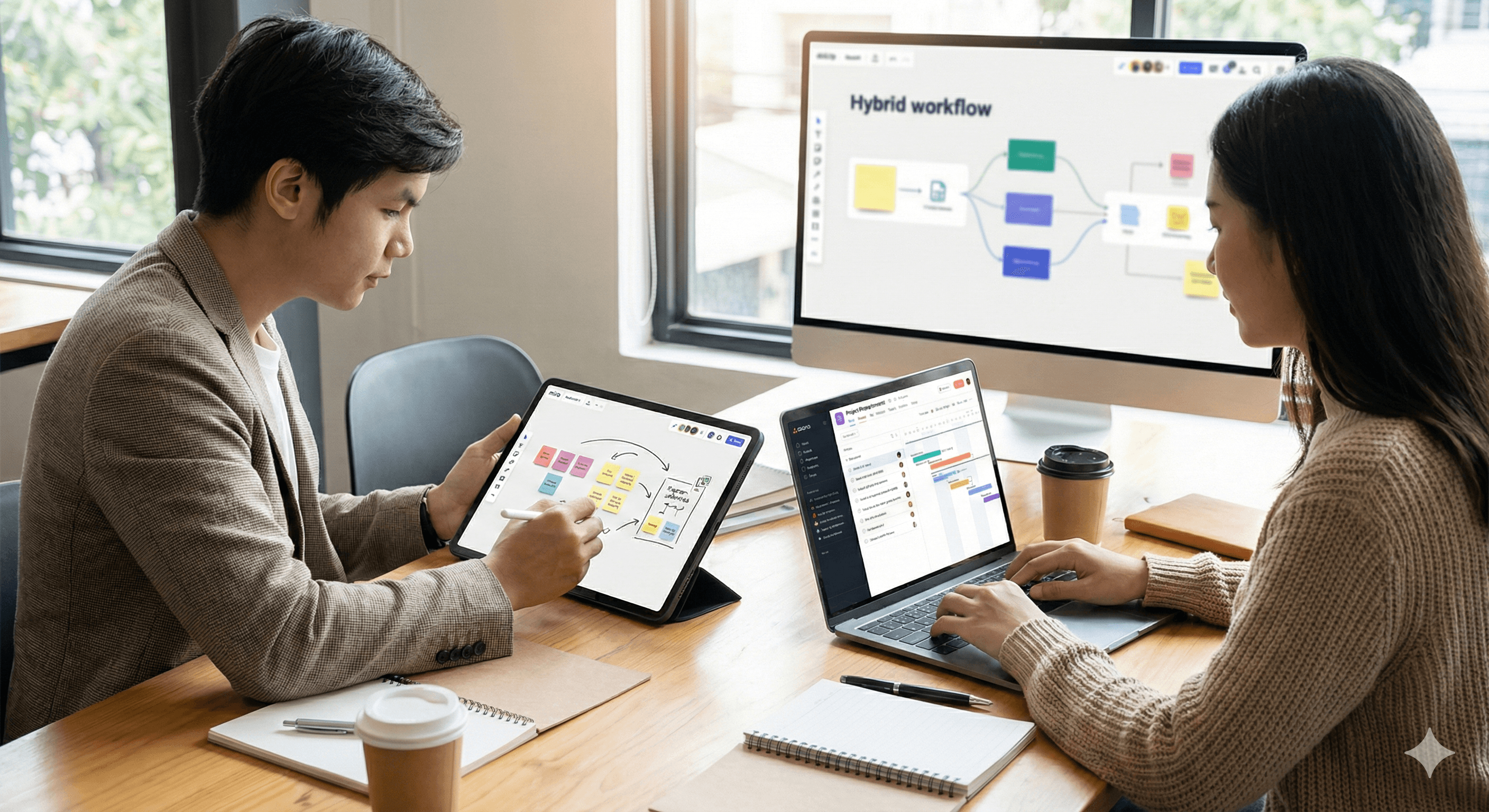
Asana est votre système d'enregistrement pour le travail : propriétaires, dates, dépendances, statut. Miro est votre système de compréhension : découverte, cartographie, décisions. Ils se chevauchent en planification, mais ils sont plus forts ensemble. Utilisez Miro pour créer une clarté partagée, puis poussez le travail priorisé dans Asana pour l'exécution, la gouvernance, le reporting et l'échelle.
À qui s'adresse ce guide
Dirigeants choisissant des outils pour la livraison interfonctionnelle (produit, PMO, Opérations, Ingénierie, Marketing). Nous sommes partenaires des deux plateformes; voici un point de vue sincère sur quand chacune brille, où elles rencontrent des difficultés, et comment les utiliser comme un seul système d'exploitation.
TL;DR : Si vous ne devez retenir qu'un seul schéma
Réfléchir : Miro = toile infinie pour les idées, la structure et les décisions.
Faire : Asana = tâches suivies, propriétaires, dépendances et résultats.
Pont : Les intégrations gardent les preuves ↔ l'exécution en synchronisation (les cadres Miro se lient aux épopées/histoires Asana; les mises à jour Asana refont surface sur le tableau).
Points forts (côte à côte)
Domaine | Forces d'Asana | Forces de Miro |
|---|---|---|
Emploi principal | Orchestration du travail, portefeuilles, approbations, dépendances, SLA, pistes d'audit | Réflexion collaborative : découverte, définition de la portée, cartographie, ateliers |
Valeur IA | Brouillons de mises à jour, résumés de statut, toilettage, IA partenaires pour les suivis de routine | Regroupement des idées, résumés des cadres, ébauche de la portée, contrôles de diagrammes |
Planification | Feuilles de route, capacité, dépendances, jalons | Brainstorming → thèmes → portée ; chronologies visuelles et cartes de dépendances |
Exécution | Épopées/histoires, flux de travail, règles, formulaires, tableaux de bord | Espace de co-création pour les designs, recherches et rituels en direct |
Gouvernance | Permissions, approbations, historique des modifications, reporting | Journal de décisions, traçabilité visuelle jusqu'à la preuve |
Où ça casse | Sur-templateage cause du bruit ; tableau blanc dans Asana est maladroit | Essayer d'exécuter sur le tableau crée le chaos et des statuts périmés |
Point de vue sincère : Vous pouvez planifier dans Asana et vous pouvez capturer des actions dans Miro — mais forcer l'un à faire le travail de l'autre crée des frictions et des signaux faibles.
Quand choisir lequel (guide de décision)
Choisissez Miro lorsque vous devez : explorer des problèmes, aligner les parties prenantes visuellement, regrouper la recherche, cartographier les dépendances, mener des ateliers, enregistrer des décisions avec contexte.
Choisissez Asana lorsque vous devez : assigner des propriétaires, définir des dates, modéliser des dépendances, automatiser des flux de travail, rapporter des statuts et évoluer l'exécution à travers les équipes.
Moment de passation : Une fois que la portée/décisions se stabilisent sur Miro, convertissez les flux de travail en épopées/histoires Asana avec des liens vers les cadres. À partir de ce moment, traitez Miro comme contexte et Asana comme vérité pour la livraison.
L'intégration qui compte (flux minimum viable)
Définir la portée dans Miro : Découverte → Idées → Flux de travail (liens de cadres + journal de décisions).
Transférer à Asana : Créez des épopées/histoires avec des critères d'acceptation et des liens vers les cadres Miro.
Statut miroir : Un script/règle léger publie des mises à jour hebdomadaires d'Asana dans un « cadre Statut » sur le tableau Miro.
Fermer la boucle : Pendant des présentations, passez des tâches Asana aux cadres Miro pertinents pour les preuves ; mettez à jour les décisions si la portée change.
Conseil de gouvernance : Publiez des règles de contribution sur le tableau (« Miro pour les idées et décisions; Asana pour les statuts et dates »).
Jeux que vous pouvez exécuter demain
1) Brainstorming → plan exécutable en 90 minutes
Capturez des post-it, regroupez avec Miro AI, ébauchez la portée et les critères d'acceptation.
Convertissez les flux de travail en épopées Asana avec des sous-tâches; assignez des propriétaires et des dates.
Ajoutez un enregistrement 'Décision' reliant les deux côtés.
2) Planification trimestrielle : un tableau, de nombreuses équipes
Importez les retards des équipes (liens).
Cartographiez les dépendances interéquipes dans Miro; étiquetez le chemin critique.
Créez/ajustez les feuilles de route et vues de portefeuille Asana à partir des flux de travail convenus.
3) Retour d'information en version bêta → mises à jour de la feuille de route
Le tableau public de Miro recueille les retours; résumez chaque semaine avec l'IA.
Convertissez les éléments prioritaires en tâches Asana; accolez-les aux objectifs de feuille de route.
Présentez les progrès en reliant les tâches livrées au cadre public.
Contre-modèles (soyez brutalement honnête)
Exécuter dans Miro : les tableaux pourrissent; les propriétaires/dates dérivent; les rapports meurent. Passez à Asana une fois que la portée est stable.
Découvrir dans Asana : l'idéation en forme de liste cache des nuances; pas de raisonnement spatial; faible alignement. Commencez dans Miro.
Sources de vérité doubles : si le statut vit dans les deux, personne ne fait confiance à aucun des deux. Choisissez Asana pour les statuts.
Absence de journal de décisions : vous allez redébattre. Maintenez un cadre de Décisions Miro liant aux éléments Asana affectés.
Rôles et RACI pour le stack
Produit/GP : Facilite la découverte Miro; gère le journal de décisions; crée les épopées Asana.
Ingénierie/Livraison : Décompose les épopées en histoires/tâches; met à jour le statut dans Asana.
Design/Recherche : Curate les preuves dans Miro; relie les artefacts aux tâches Asana.
PMO/Leadership : Examine les cadres récapitulatifs de Miro; consomme les tableaux de bord de portefeuille Asana.
Metrics qui comptent
Délai de découverte→portée
% tâches avec liens vers preuves Miro
Re-travail après signature
Latence de décision
Fraîcheur du statut dans Asana
Glissement lié aux dépendances
Stratégie de siège et hygiène des coûts
Miro : attribuez des sièges de créateurs aux facilitateurs/design/GP; des visionneurs/commentateurs pour les intervenants; envisagez des tableaux publics pour les retours avec modération.
Asana : sièges complets pour les propriétaires/assignés; invités pour les collaborateurs externes; automatisez l'administration récurrente via des règles au lieu de temps humain supplémentaire.
Sécurité et conformité
Gardez les IIP et les contrats dans votre système de documentation; liez, ne collez pas.
Utilisez le moins de privilèges sur les deux plateformes; séparez les bacs à sable de dév/test pour les intégrations.
Traitez les cadres Miro comme preuves, Asana comme le journal des changements auditable.
FAQs
Pouvons-nous remplacer Miro par des tableaux blancs Asana ?
Vous perdrez en profondeur pour la découverte et l'alignement. Utilisez les tableaux blancs Asana pour des croquis légers, mais gardez la découverte sérieuse dans Miro.
Pouvons-nous gérer des projets uniquement dans Miro ?
Pas à l'échelle. Utilisez Miro pour décider et Asana pour livrer.
Où devrions-nous stocker les spécifications ?
Là où votre équipe rédige en format long (Confluence/Docs/Notion). Lien des deux Miro et Asana.
Comment gardons-nous les liens frais ?
Utilisez un chemin d'intégration : cadre Miro ↔ épique/histoire Asana; ne liez jamais à des zones de tableau aléatoires.
Métadonnées SEO (brouillon)
Titre (57 caractères) : Asana vs Miro en 2026 — et pourquoi vous avez besoin des deux
Méta description (156 caractères) :
Slug : asana-miro
Recommandations de schéma
FAQPage pour les questions courantes.
HowTo pour le flux d'intégration (passation Miro → Asana).
Appel à l'action
Envie d'une revue conjointe de votre stack ?
Nous auditerons vos tableaux Miro et projets Asana, concevrons la passation, connecterons l'intégration, et livrerons une feuille de route de 90 jours avec des métriques et une gouvernance.
Recevez chaque semaine des nouvelles et des conseils sur l'IA directement dans votre boîte de réception
En vous abonnant, vous consentez à ce que Génération Numérique stocke et traite vos informations conformément à notre politique de confidentialité. Vous pouvez lire la politique complète sur gend.co/privacy.



Génération
Numérique

Bureau du Royaume-Uni
Génération Numérique Ltée
33 rue Queen,
Londres
EC4R 1AP
Royaume-Uni
Bureau au Canada
Génération Numérique Amériques Inc
181 rue Bay, Suite 1800
Toronto, ON, M5J 2T9
Canada
Bureau aux États-Unis
Generation Digital Americas Inc
77 Sands St,
Brooklyn, NY 11201,
États-Unis
Bureau de l'UE
Génération de logiciels numériques
Bâtiment Elgee
Dundalk
A91 X2R3
Irlande
Bureau du Moyen-Orient
6994 Alsharq 3890,
An Narjis,
Riyad 13343,
Arabie Saoudite







Numéro d'entreprise : 256 9431 77 | Droits d'auteur 2026 | Conditions générales | Politique de confidentialité