Visualice la investigación con los informes integrados de Gemini (2026)
Géminis
¿No sabes por dónde empezar con la IA?Evalúa preparación, riesgos y prioridades en menos de una hora.
➔ Descarga nuestro paquete gratuito de preparación para IA
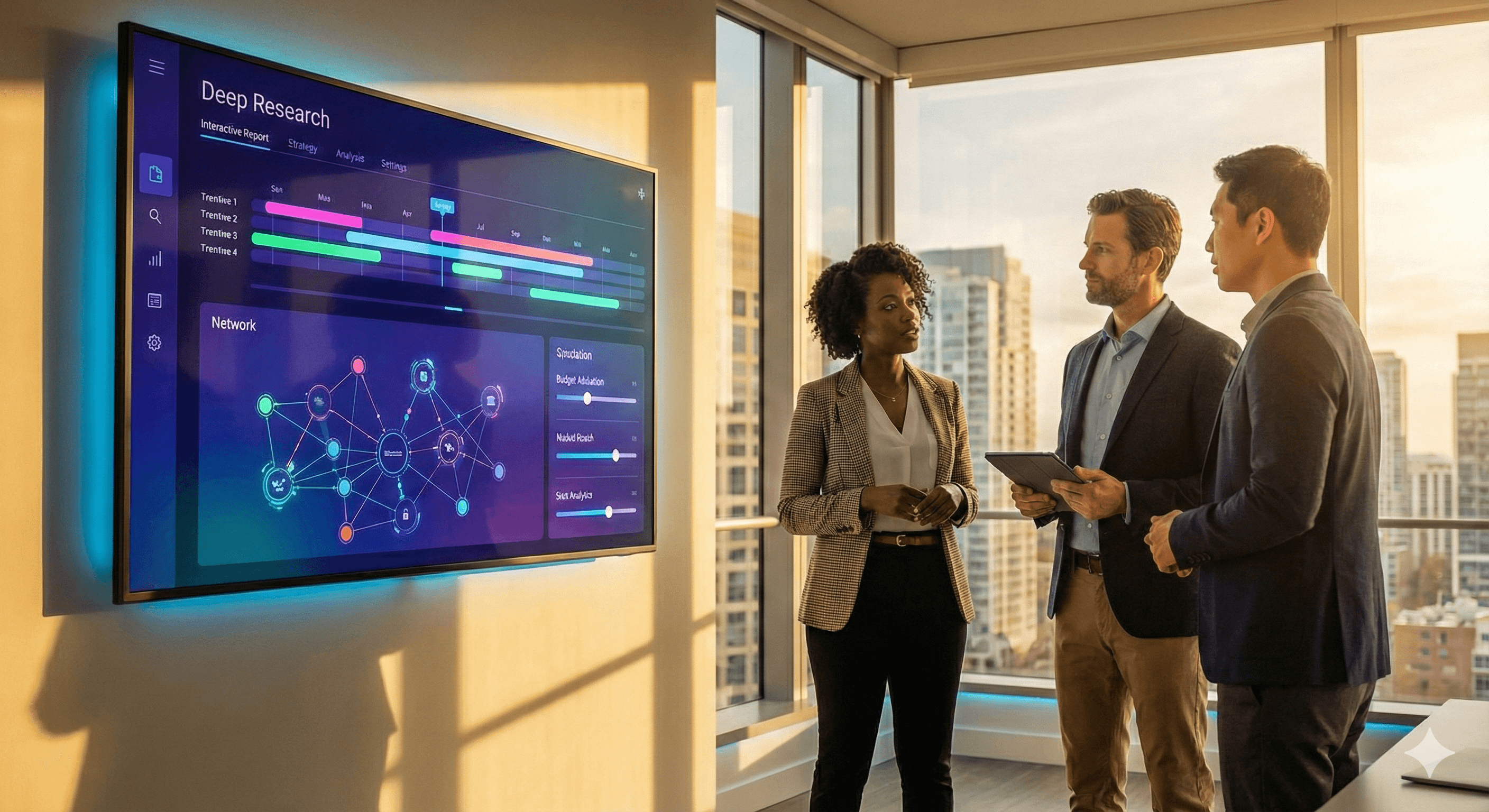
Investigación Avanzada de Géminis ahora convierte informes complejos en reportes visuales e interactivos, incluyendo gráficos, diagramas y simulaciones, para que los equipos puedan captar las ideas de un vistazo. Los reportes visuales están disponibles para miembros de Google AI Ultra, con edición en Canvas y Exportar a Docs para colaboración y aprobación.
Por qué esto importa ahora
Los interesados hoy en día pasan por alto el texto; deciden basándose en lo visual. La Investigación Avanzada de Géminis va más allá del texto extenso para producir reportes visuales integrados, gráficos, diagramas e incluso simulaciones interactivas, para que la evidencia compleja se vuelva visible en segundos. Los reportes visuales están disponibles para miembros de Google AI Ultra, lo que también aumenta los límites y desbloquea nuevas capacidades de agentes.
Qué hay de nuevo realmente
Salidas visuales + interactivas: La Investigación Avanzada puede incorporar imágenes personalizadas, gráficos y simuladores interactivos directamente en el informe, no solo describirlos.
Edición y exportación prioridad Canvas: Perfecciona los visuales en Canvas, luego Exportar a Google Docs para una revisión/aprobación más amplia.
Agente bajo el capó: El Agente de Investigación Avanzada (impulsado por Géminis 3 Pro) planifica, busca y sintetiza en toda la web (y opcionalmente tus datos) para producir informes citados. Los equipos de desarrollo pueden llamarlo a través de la API de Interacciones.
Aviso: Si incluyes Gmail/Drive como fuentes en la misma ejecución, los visuales/animaciones no están actualmente disponibles. Mantenlo solo web cuando necesites visuales interactivos.
La perspectiva de liderazgo
No se trata de "gráficos más bonitos". Se trata de velocidad de decisión: pasar de bloques de prosa a evidencia que puedes explorar. Los equipos que triunfan con Investigación Avanzada tratan los visuales como artefactos comprobables: puedes ajustar suposiciones en un simulador, volver a ejecutar un análisis de sensibilidad y llegar a una decisión más rápido que con cadenas de correo electrónico.
Guía: cómo obtener valor en 5 pasos
Confirma plan y límites
Verifica que tienes Google AI Ultra para reportes visuales/interactivos (Los usuarios Pro todavía reciben Investigación Avanzada, pero los visuales son exclusivos de Ultra).Enmarca el informe como un analista
En Géminis → Investigación Avanzada, define el alcance (pregunta, periodo, regiones, restricciones). Solicita fuentes citadas y un resumen ejecutivo más secciones de “exploración visual”.Visualiza en Canvas
Abre el informe → Canvas → Crear → describe el visual: “gráfico de líneas de adopción por región 2021–2026; añade un control deslizante interactivo de asignación de presupuesto”.Exporta y circula
Compartir Canvas para coedición o Exportar a Docs para incluirlo en tu flujo de trabajo de revisión (modo sugerencias, comentarios, versionado).Instrumenta decisiones
Adjunta el informe y los visuales a tus notas de reunión; registra decisión, responsable, métrica (por ejemplo, CAC, tiempo a la conclusión) y revisa después de 30/60 días.
Casos de uso ejemplo (puedes implementarlo este trimestre)
Simulador de reasignación de presupuesto: Compara tres combinaciones de gasto (por ejemplo, marca/desempeño/retención). Use un modelo interactivo para mostrar bandas de resultados y defender intercambios.
Paquete de diligencia debida: Investigación Avanzada compila un panorama citado; Canvas añade un mapa de calor de riesgos y un diagrama de propiedad; exportar a Docs para anotaciones legales/financieras.
Síntesis de literatura con visuales: Genera un mapa conceptual (quién está publicando, dónde se agrupan las evidencias), además de un cronograma de hitos para alinearse con el estado del arte.
Gobernanza y directrices
Higiene de fuentes: Mantén fuentes solo web cuando necesites visuales interactivos; si incluyes Gmail/Drive, espera un informe centrado en texto.
Atribución por defecto: Pide al agente citas y manténlas visibles en los documentos exportados para auditabilidad.
Separación de datos: Si debes mezclar archivos privados y navegación web, revisa la guía para desarrolladores sobre Búsqueda de Archivos y riesgos de exfiltración; considera ejecutar con datos privados en un pase separado.
Control de cambios: Trata los Docs exportados como el sistema de registro; bloquea los informes finales y archiva los estados de Canvas según la política.
Preguntas Frecuentes
¿Quién tiene acceso a los reportes visuales?
Miembros de Google AI Ultra; los usuarios Pro obtienen Investigación Avanzada con límites más altos pero los visuales/animaciones son exclusivos de Ultra. Google Help+1
¿Qué visuales puedo generar?
Gráficos, diagramas y simuladores interactivos incrustados en el informe; créalos o refínalos desde Canvas → Crear. blog.google+1
¿Puedo exportar y colaborar?
Sí—Compartir Canvas o Exportar a Docs para una revisión más amplia y control de versiones. Google Help
¿Enfoque para desarrolladores?
Llama al Agente de Investigación Avanzada a través de la API de Interacciones (vista previa), impulsado por Géminis 3 Pro, para automatizar la generación de informes en herramientas internas. Google AI for Developers+1
¿Hay límites que debería saber?
Los visuales no están disponibles cuando se usan Gmail/Drive como fuentes en la misma ejecución. Las solicitudes de Investigación Avanzada también tienen límites diarios y de concurrencia (más altos en Pro/Ultra). Google Help
Soluciones de Software
Recibe noticias y consejos sobre IA cada semana en tu bandeja de entrada
Al suscribirte, das tu consentimiento para que Generation Digital almacene y procese tus datos de acuerdo con nuestra política de privacidad. Puedes leer la política completa en gend.co/privacy.



Generación
Digital

Oficina en Reino Unido
Generation Digital Ltd
33 Queen St,
Londres
EC4R 1AP
Reino Unido
Oficina en Canadá
Generation Digital Americas Inc
181 Bay St., Suite 1800
Toronto, ON, M5J 2T9
Canadá
Oficina en EE. UU.
Generation Digital Américas Inc
77 Sands St,
Brooklyn, NY 11201,
Estados Unidos
Oficina de la UE
Software Generación Digital
Edificio Elgee
Dundalk
A91 X2R3
Irlanda
Oficina en Medio Oriente
6994 Alsharq 3890,
An Narjis,
Riad 13343,
Arabia Saudita







Número de la empresa: 256 9431 77 | Derechos de autor 2026 | Términos y Condiciones | Política de Privacidad