Domina la planificación de proyectos con el lienzo inteligente de Miro
Miro
¿No sabes por dónde empezar con la IA?Evalúa preparación, riesgos y prioridades en menos de una hora.
➔ Descarga nuestro paquete gratuito de preparación para IA
El Lienzo Inteligente de Miro combina tableros infinitos, asistencia de IA e integraciones para transformar la lluvia de ideas desordenada en un plan ejecutable. Úselo para estructurar el descubrimiento, agrupar ideas, mapear dependencias, generar cronogramas y trasladar acciones a herramientas como Asana/Jira. Esta guía comparte configuración, patrones de tablero, indicaciones de IA, gobernanza y manuales para líderes de proyecto.
Para quién es esta guía
Líderes de entrega, PMO, gerentes de producto y equipos multifuncionales que desean una manera repetible de pasar de ideas → alcance → hoja de ruta → ejecución usando la IA de Miro. Nos enfocamos en plantillas prácticas, indicaciones y controles de calidad que reducen reprocesos.
Lista de verificación resumida
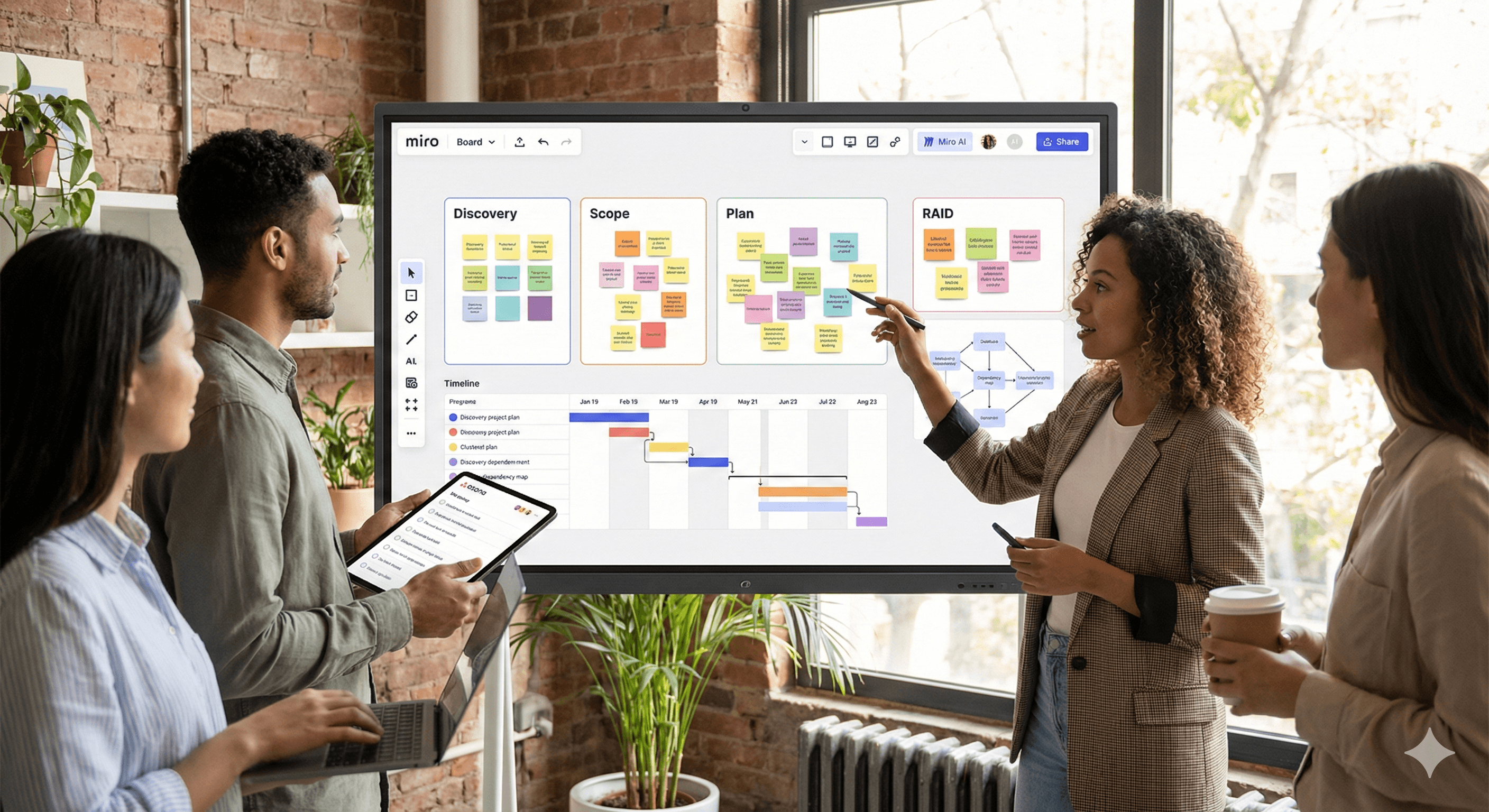
Cree un tablero central de planificación de proyectos con secciones: Descubrimiento, Alcance, Plan, Riesgos, Dependencias, Decisiones.
Activa Miro AI; usa agrupación, resúmenes, chequeo de diagramas y auto-distribución.
Aplica patrones de tablero (flujos de trabajo abajo) y recetas de indicaciones.
Sincroniza acciones con Asana/Jira; mantén fuentes en el tablero para trazabilidad.
Revisa con una frecuencia: revisión de decisiones semanal + barrido de riesgos/dependencias.
Parte 1 — Configuración y estructura
1) Tablero central de planificación de proyectos
Dibuja marcos claramente etiquetados:
Descubrimiento (investigación, citas de usuarios, notas de competencia).
Alcance (metas, fuera de alcance, criterios de aceptación).
Plan (líneas de trabajo, cronograma, hitos).
Riesgos y Suposiciones (tabla RAID).
Dependencias (sistemas, equipos, externos).
Registro de Decisiones (propietario, fecha, razonamiento, enlace a artefactos).
2) Activa Miro AI
Habilita funciones de IA en el tablero. Favoritos:
Agrupación de notas adhesivas por tema/sentimiento.
Resúmenes de marcos grandes en informes concisos.
Asistente de Diagrama (diagrama de flujo/distribución automática, chequeo de errores).
Generación de mapas mentales/esquemas desde notas adhesivas o indicaciones.
3) Integraciones
Asana/Jira: convierte notas adhesivas/tarjetas en tareas, sincroniza estado/asignado, mantiene enlace.
Drive/Confluence: adjunta especificaciones e investigaciones; mantiene una única fuente de verdad.
Calendario/Video: incorpora revisiones de sprint, ceremonias de planificación y repeticiones.
Parte 2 — Patrones de tablero que siempre funcionan
Patrón A — Descubrimiento → Perspectivas → Temas
Meta: comprimir notas en bruto en temas con evidencia.
Pasos:
Captura notas como notas adhesivas con etiquetas (persona, característica, dolor).
Pide a la IA que agrupa por tema; colorea por persona.
Genera un informe de perspectivas de una página con citas de las notas originales.
Mueve los temas principales al marco de Alcance.
Patrón B — Alcance a Líneas de Trabajo (con criterios de aceptación)
Meta: crear un alcance claro y verificable.
Pasos:
Comienza con metas y restricciones.
Utiliza IA para redactar líneas de trabajo y criterios de aceptación iniciales.
Agrega tallas de esfuerzo y riesgos por línea de trabajo.
Convierte a tareas en Asana/Jira.
Patrón C — Mapeo de Dependencias
Meta: exponer bloqueos entre equipos/sistemas temprano.
Pasos:
Mapea sistemas/equipos como nodos; dibuja líneas para datos o secuencias.
Ejecuta chequeo de diagramas de IA para detectar elementos colgantes o caminos circulares.
Etiqueta camino crítico y crea tareas de mitigación.
Patrón D — Cronograma y Hitos
Meta: calendario transparente y realista.
Pasos:
Genera un cronograma inicial desde líneas de trabajo (IA).
Arrastra hitos y añade márgenes; etiqueta dependencias externas.
Ajusta a niveles de zoom Trimestre/Mes/Sprint para revisiones.
Patrón E — RAID (Riesgos, Suposiciones, Problemas, Decisiones)
Meta: mantener la gobernanza ligera pero rigurosa.
Pasos:
Mantén una tabla RAID con propietarios, probabilidad/impacto, próxima acción.
La IA sugiere mitigaciones y escalaciones.
Enlaza decisiones a cambios de alcance/cronograma para auditoría.
Parte 3 — Recetas de indicaciones para Miro AI
Agrupación de perspectivas
“Agrupa estas notas adhesivas en 5–8 temas. Nombra cada tema, enumera los fragmentos de evidencia principales y resalta conflictos.”
Esquema de alcance
“Convierte las perspectivas seleccionadas en un esquema de alcance: metas, no metas, 3–5 líneas de trabajo, criterios de aceptación por línea de trabajo y riesgos iniciales.”
Cronograma inicial
“A partir de las líneas de trabajo y dependencias, propone un cronograma para {periodo}. Marca el camino crítico y sugiere márgenes.”
Riesgos de dependencia
“Analiza este mapa de dependencias. Identifica puntos únicos de falla, dependencias externas y conflictos de secuencia. Sugiere mitigaciones.”
Resumen ejecutivo
“Resume los marcos Descubrimiento, Alcance y Plan en un informe de estado de 200 palabras para ejecutivos. Usa tono neutral e incluye los 3 principales riesgos.”
Entrada de registro de decisiones
“Crea una entrada de decisión con contexto, opciones consideradas, opción seleccionada, razonamiento, fecha y propietario.”
Parte 4 — Manuales
Manual 1: De lluvia de ideas a plan ejecutable en 90 minutos
15 min: Los interesados añaden notas adhesivas (problemas, citas de usuarios, restricciones).
10 min: IA agrupa y etiqueta temas.
15 min: Selecciona los 3 temas principales; IA crea el esquema de alcance.
20 min: Construye el mapa de dependencias y ejecuta chequeos.
20 min: Genera cronograma + márgenes; empuja acciones a Asana/Jira.
Manual 2: Planificación de PI/Trimestral en un solo tablero
Importa registros pendientes del equipo; agrupa automáticamente por valor/esfuerzo.
Alinea objetivos y límites.
Redacta dependencias entre equipos; escala conflictos.
Produce marcos de hoja de ruta trimestral por equipo; sincroniza con herramientas de ejecución.
Registra decisiones + riesgos; exporta un enlace de solo lectura para interesados.
Manual 3: Revisión de Riesgos y Dependencias (semanal)
Filtra tabla de riesgos por Alto/Medio.
Pregunta a la IA por actualizaciones de mitigación y propietarios.
Re-ejecuta chequeos de diagramas en el mapa de dependencias.
Crea/Actualiza tareas en Asana/Jira; comparte un informe ejecutivo de 150 palabras.
Parte 5 — Gobernanza, calidad e higiene del tablero
Marcos como fuente de verdad: Descubrimiento, Alcance, Plan, RAID, Dependencias, Decisiones.
Versionado: duplica el tablero por ciclo de planificación; bloquea marcos antiguos.
Enlaces de evidencia: mantén documentos, investigaciones y especificaciones unidos cerca de las perspectivas.
Roles: Facilitador (maneja el tablero), Escribano (cura), Propietarios (aprueban alcance y cambios).
Definición de terminado: alcance aprobado, cronograma establecido, dependencias capturadas, acciones sincronizadas, RAID actualizado.
Medición del impacto
Rastrea: tiempo de ciclo de planificación, reprocesos (% cambios de alcance después de la aprobación), latencia de decisiones, número de dependencias no mapeadas encontradas posteriormente y horas ahorradas en actualizaciones de estado/RAID. Muestra en un marco de tablero simple de Miro.
Resolución de problemas y preguntas frecuentes
El tablero se vuelve caótico.
Usa marcos, convenciones de colores y plantillas bloqueadas. Mantén una leyenda.
Los resúmenes de IA se sienten genéricos.
Selecciona marcos específicos y proporciona contexto; pide citas de vuelta a las notas adhesivas.
Los interesados prefieren diapositivas.
Utiliza el modo de presentación de Miro o exporta marcos seleccionados a PDF. Mantén el tablero como la fuente viva.
No se sincroniza nada con Asana/Jira.
Reconecta la integración, verifica permisos y confirma el mapeo (proyecto, tipo de problema, campos).
Llamada a la acción
¿Quieres este tablero en tu espacio de trabajo?
Reserva un taller de planificación de 60 minutos. Instalaremos el tablero central, adaptaremos las indicaciones, conectaremos la sincronización de Asana/Jira y realizaremos una sesión en vivo con tus interesados.
Recibe noticias y consejos sobre IA cada semana en tu bandeja de entrada
Al suscribirte, das tu consentimiento para que Generation Digital almacene y procese tus datos de acuerdo con nuestra política de privacidad. Puedes leer la política completa en gend.co/privacy.



Generación
Digital

Oficina en Reino Unido
Generation Digital Ltd
33 Queen St,
Londres
EC4R 1AP
Reino Unido
Oficina en Canadá
Generation Digital Americas Inc
181 Bay St., Suite 1800
Toronto, ON, M5J 2T9
Canadá
Oficina en EE. UU.
Generation Digital Américas Inc
77 Sands St,
Brooklyn, NY 11201,
Estados Unidos
Oficina de la UE
Software Generación Digital
Edificio Elgee
Dundalk
A91 X2R3
Irlanda
Oficina en Medio Oriente
6994 Alsharq 3890,
An Narjis,
Riad 13343,
Arabia Saudita







Número de la empresa: 256 9431 77 | Derechos de autor 2026 | Términos y Condiciones | Política de Privacidad