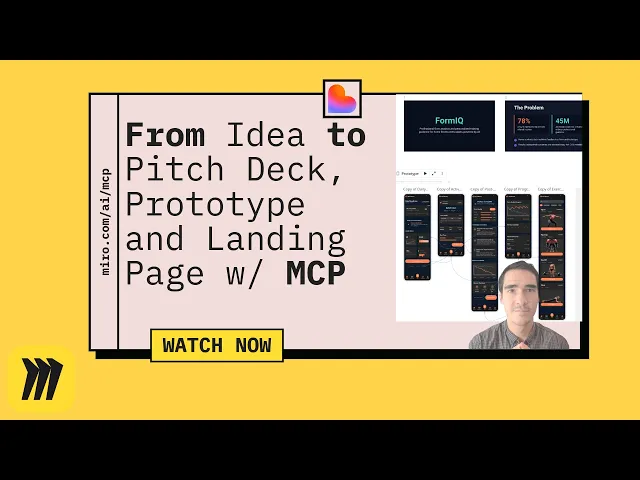
Crea una Página de Aterrizaje Atractiva desde Tu Tablero de Miro
Miro
¿No sabes por dónde empezar con la IA?Evalúa preparación, riesgos y prioridades en menos de una hora.
➔ Descarga nuestro paquete gratuito de preparación para IA
Por qué esto importa ahora
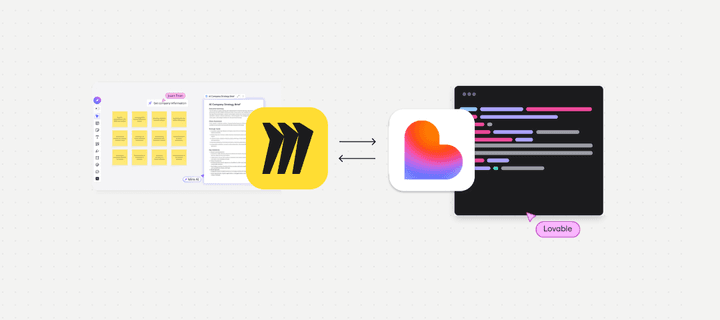
Tu mejor pensamiento de producto ya vive en los tableros de Miro: propuestas de valor, personas, flujos, incluso maquetas improvisadas. Con el MCP de Miro y la IA moderna, el lienzo se convierte en el disparador: puedes enviar el contexto del tablero directamente a un constructor de sitios como Lovable y generar un borrador creíble en minutos. Esta guía muestra un flujo de trabajo seguro y repetible para equipos.
Lo que necesitarás
Un espacio de trabajo Miro con un tablero que contenga tus artefactos de proposición: problema, audiencia, beneficios, pruebas, visuales.
Acceso al MCP de Miro y permiso para conectar un cliente compatible con MCP.
Una cuenta de Lovable (o prueba) para recibir contenido y generar la página.
Activos de marca: guía de voz y tono, logo, paleta, marco de CTA.
El flujo de trabajo en un vistazo
Prepara el tablero → 2) Conecta a través de MCP → 3) Genera desde el contexto → 4) Revisa y fortalece → 5) Publica y mide.
Paso 1: Prepara tu tablero para la generación
Selecciona el contexto: Agrupa notas adhesivas por tema (problema, audiencia, beneficios, características, pruebas). Usa marcos para marcar secciones como “Hero”, “Características”, “Pruebas sociales”, “FAQ”.
Usa etiquetas claras: Renombra marcos y objetos clave para que la IA pueda identificarlos (“Propuesta de valor hero”, “Característica 1: sincronización en tiempo real”).
Incluye activos: Añade visuales clave (pantallas, diagramas) y captura frases importantes, citas de clientes o resultados.
Decide tu CTA: Una acción principal (por ejemplo, “Comienza prueba gratuita”) y una acción secundaria (por ejemplo, “Reserva una demostración”).
Paso 2: Conecta Lovable a tu tablero de Miro a través de MCP
Autoriza una vez, con los alcances mínimos necesarios: Desde Lovable, agrega la integración de Miro MCP y otorga acceso al espacio de trabajo/tablero específico. Confirma que los alcances sean los necesarios (leer elementos y contenido).
Elige el tablero correcto: Usa la URL del tablero o el selector para conectar. Si trabajas con varios tableros, comienza con un solo tablero “fuente de verdad” para evitar señales cruzadas.
Consejo para administradores: Mantén un espacio de “Integraciones Aprobadas” y un flujo estándar de solicitud/aprobación para que los equipos no evadan la gobernanza.
Paso 3: Genera una página de aterrizaje desde el contexto del tablero
Selecciona los objetos correctos: Elige los marcos y elementos que representan la historia central—propuesta hero, puntos de beneficios, características clave, puntos de prueba. Evita los garabatos iniciales.
Ejecuta un desencadenador enfocado:
Crea un borrador de página de aterrizaje para SaaS receptiva. Hero: [propuesta de valor del marco]. Audiencia: [persona]. Beneficios: [lista]. Características: [lista]. Pruebas: [logos, citas]. Tono: confiado, claro, en inglés británico. Secciones de salida: Hero, Beneficios (3), Características (3), Pruebas sociales, Adelanto de precios, FAQ, Pie de página.
Revisa el borrador: Lovable generará un diseño de página y texto. Espera un primer borrador sólido que necesite ediciones de marca y cumplimiento.
Paso 4: Fortalece para la marca, cumplimiento y SEO
Voz de marca: Sustituye frases genéricas por tu lenguaje aprobado. Verifica la longitud de las oraciones y el nivel de lectura.
Accesibilidad (revisiones rápidas):
Las cabeceras son jerárquicas; no se saltan niveles.
El texto del botón es descriptivo (“Reserva una demostración”), no “Haz clic aquí”.
Texto alternativo en imágenes clave; suficiente contraste de color.
SEO básico:
Objetivo de título de 55–60 caracteres y meta descripción de 145–160 caracteres.
Un solo H1; la palabra clave aparece naturalmente en los primeros 100 caracteres.
Usa enlaces internos a páginas clave (soluciones, servicios, precios, estudios de caso).
Análisis y privacidad:
Agrega tu banner de consentimiento y etiquetas de análisis.
Asegúrate de que el seguimiento del formulario funcione (eventos para envíos y clics de CTA).
Paso 5: Publica e itera
Dominio de borrador: Publica en una URL de vista previa para revisión de interesados.
Bucle de retroalimentación: Captura ediciones en el tablero de Miro; regenera secciones específicas (por ejemplo, características o FAQs) en lugar de toda la página.
Entrega: Una vez aprobado, publica en producción y envía la URL para indexación. Agrégala a tu mapa del sitio y enlaza desde páginas relevantes.
Solicitudes que puedes reutilizar
"Resume solo las notas adhesivas amarillas en el marco de 'Beneficios' en tres puntos concisos."
"Reescribe la declaración hero para compradores dirigidos por el crecimiento del producto; mantén menos de 12 palabras."
"Convierte el marco de 'Prueba' en una tira de prueba social con 3 logos y breves leyendas."
Errores comunes (y cómo solucionarlos)
Demasiado contexto seleccionado: El resultado se siente genérico. Solución: Limita a los artefactos finales y los marcos etiquetados.
CTAs débiles: No hay un camino de conversión claro. Solución: Un CTA principal en toda la propuesta hero y un CTA pegajoso en funciones.
Faltas de accesibilidad: Se omitió texto alternativo y contraste. Solución: Usa tu lista de verificación de accesibilidad antes de publicar.
Faltas de gobernanza: Afirmaciones sin revisión. Solución: Añade un carril de revisión de cumplimiento y requiere aprobación antes de publicar en vivo.
Qué hay de nuevo en 2026 para mejorar esto
El lienzo como disparador: Selección más inteligente de objetos del tablero para impulsar la generación.
Ecosistema MCP: Conexiones más fáciles a herramientas como Lovable y asistentes de código.
Traducción y localización: Usa IA para crear variantes para mercados prioritarios, luego que humanos revisen.
Plantilla: esquema de página que puedes pegar en Lovable
Hero: Propuesta de valor, 1–2 oraciones de apoyo, CTA principal, CTA secundario.
Beneficios: Tres puntos escaneables con resultados.
Características: Tres subsecciones con título, 1–2 líneas, imagen de apoyo.
Pruebas sociales: Logos + 2 citas cortas.
Adelanto de precios: Enlace a la página de precios; evita duplicar tablas.
FAQ: 4–6 preguntas que reducen la ansiedad (seguridad, migración, tiempo al valor).
Pie de página: Insignias de confianza, contacto, legal.
Resumen
Convertir un tablero de Miro en una página de aterrizaje no es magia: es una entrega disciplinada desde el descubrimiento hasta la entrega. Con MCP como puente y Lovable como generador, lanzarás páginas validadas más rápido, manteniendo la marca y el cumplimiento intactos.
Habla con Generation Digital sobre Miro, flujos de trabajo de IA y aceleración de sitios web. Podemos ayudarte a configurar MCP de forma segura, diseña tu biblioteca de solicitudes y realizar un sprint de página de aterrizaje de dos semanas.
FAQ
¿Puedo usar múltiples tableros? Sí, pero comienza con un tablero curado para reducir el ruido. Usa marcos como marcadores de sección y regenera secciones selectivamente.
¿Es solo para desarrolladores? No, los equipos no técnicos pueden ejecutar el flujo de trabajo una vez que MCP esté conectado en su espacio de trabajo, con aprobación del administrador.
¿Cómo mantenemos el texto coherente con la marca? Bloquea una guía de voz de marca y frases aprobadas en el tablero; ejecuta solicitudes que los mencionen e incluye una revisión editorial humana.
¿Qué pasa con la seguridad y los permisos? Usa acceso con los privilegios mínimos necesarios al conectar MCP y limítalo a los tableros requeridos. Mantén una lista de verificación de aprobación de integración simple.
Recibe noticias y consejos sobre IA cada semana en tu bandeja de entrada
Al suscribirte, das tu consentimiento para que Generation Digital almacene y procese tus datos de acuerdo con nuestra política de privacidad. Puedes leer la política completa en gend.co/privacy.



Generación
Digital

Oficina en Reino Unido
Generation Digital Ltd
33 Queen St,
Londres
EC4R 1AP
Reino Unido
Oficina en Canadá
Generation Digital Americas Inc
181 Bay St., Suite 1800
Toronto, ON, M5J 2T9
Canadá
Oficina en EE. UU.
Generation Digital Américas Inc
77 Sands St,
Brooklyn, NY 11201,
Estados Unidos
Oficina de la UE
Software Generación Digital
Edificio Elgee
Dundalk
A91 X2R3
Irlanda
Oficina en Medio Oriente
6994 Alsharq 3890,
An Narjis,
Riad 13343,
Arabia Saudita







Número de la empresa: 256 9431 77 | Derechos de autor 2026 | Términos y Condiciones | Política de Privacidad