Créez des prototypes d'applications mobiles rapidement avec Miro (2026)
Miro
Pas sûr de quoi faire ensuite avec l'IA?Évaluez la préparation, les risques et les priorités en moins d'une heure.
➔ Téléchargez notre kit de préparation à l'IA gratuit
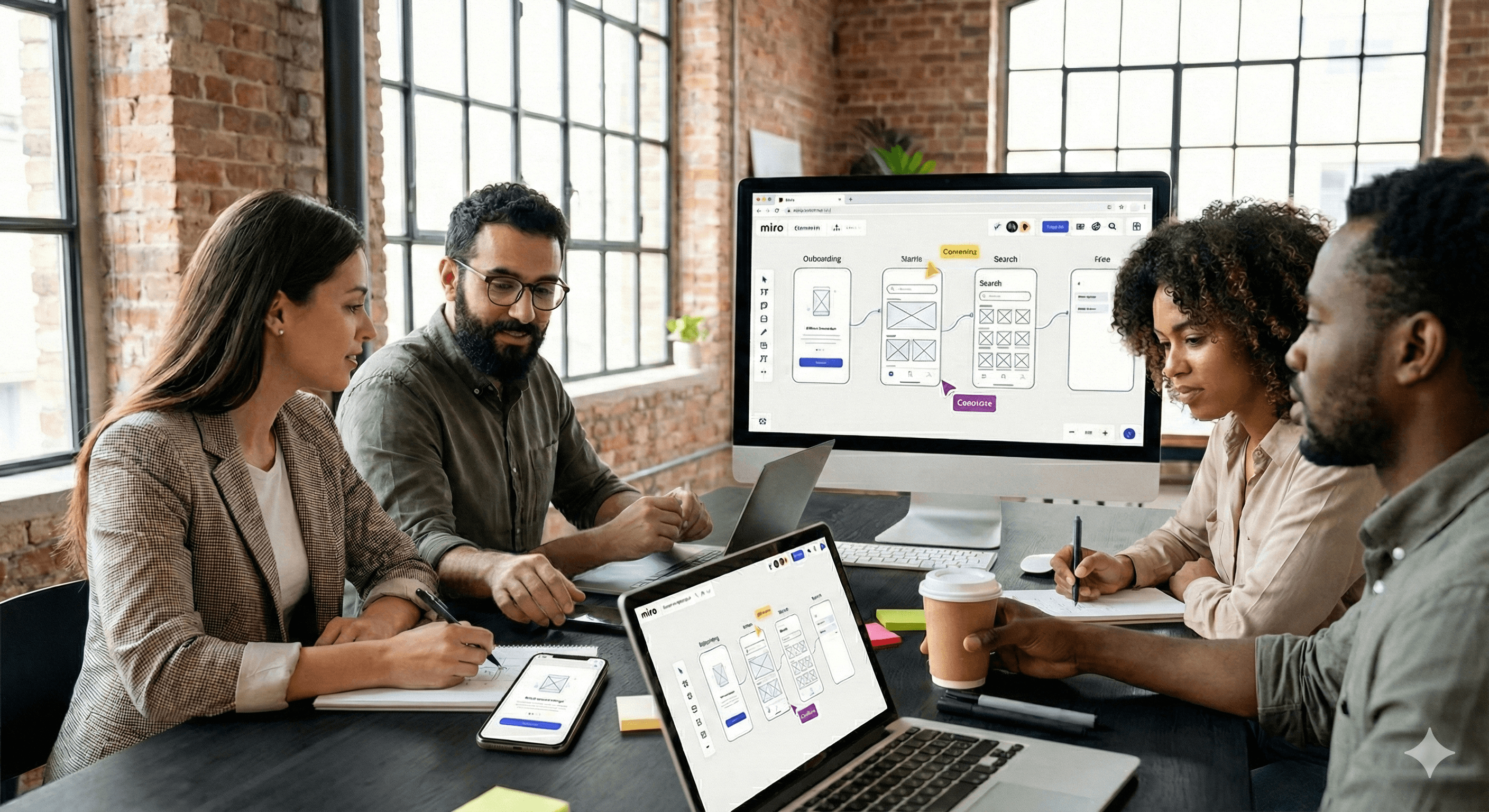
Miro permet aux équipes de créer rapidement des prototypes d'applications mobiles en utilisant des modèles prêts à l'emploi, une toile collaborative infinie et des intégrations pour le transfert de conception. Avec des modèles accélérés par l'IA et des commentaires intégrés, vous pouvez cartographier des flux, assembler des écrans et partager des prototypes cliquables pour obtenir des retours—sans changer d'outils.
Concevoir un prototype d'application mobile n'a pas à commencer par une page blanche. Avec Miro, vous pouvez passer de l'idée aux flux interactifs en quelques minutes—à l'aide de modèles, de l'accélération par l'IA et de la collaboration en temps réel pour garder toute l'équipe alignée. Les dernières versions ajoutent Adobe Express directement dans Miro et de nouveaux espaces de travail centrés sur l'IA, pour que vous puissiez créer et itérer sans changer de contexte.
Pourquoi prototyper des applications mobiles dans Miro?
Démarrage plus rapide avec des modèles
Ouvrez un prototype d'application mobile ou un modèle de wireframe et vous avez immédiatement des cadres d'appareils, des écrans et des flux à personnaliser. Les modèles réduisent le temps de configuration et encouragent la cohérence dans vos parcours.
Une toile partagée pour la collaboration en temps réel
Invitez les designers, chefs de produit, ingénieurs et parties prenantes à co-créer, commenter et voter—en direct ou de manière asynchrone. Les commentaires et mentions de Miro gardent les retours dans le contexte, sur le tableau.
Navigation cliquable pour les flux utilisateur
Utilisez des liens entre les cadres pour simuler le comportement cliquable et simplifier la navigation lors des évaluations et des tests. Idéal pour les sessions de validation précoce avant la conception en haute fidélité.
Transmission fluide et intégrations
Connectez-vous à Figma pour une interface utilisateur détaillée, et synchronisez avec Jira ou Asana pour transformer les décisions en tâches de livraison—sans copier-coller.
Quoi de neuf en 2026?
Modèle de prototype d'application mobile avec IA
Sortez du démarrage lent. Générez des flux et des écrans avec l'accélération par l'IA, puis affinez la structure dont votre équipe a besoin. Il est conçu pour vous faire passer rapidement de l'idée aux maquettes.
Adobe Express dans Miro
Ajustez des captures d'écran, supprimez les arrière-plans ou créez des éléments de marque sans quitter votre tableau. Idéal pour peaufiner les états de l’interface utilisateur et les artefacts de présentation lors des critiques.
Espace d'innovation IA & accélération produit
De nouveaux flux de travail centrés sur l'IA aident les équipes de produit, d'ingénierie et de design à passer plus rapidement du concept aux résultats livrés—en gardant l'idéation, l'alignement et les décisions sur la même toile.
Étape par étape : Créez un prototype d'application mobile dans Miro
Choisissez un point de départ
Ouvrez Prototype d'application mobile ou Wireframe d'application mobile dans la bibliothèque de modèles. Si vous voulez commencer rapidement avec une structure, essayez le Prototype d'application mobile avec IA.Cartographiez votre flux utilisateur principal
Placez les écrans clés (par ex., Onboarding → Accueil → Recherche → Détail → Paiement). Utilisez des flèches et des étiquettes pour clarifier les décisions et états.Assemblez les écrans avec des composants
Faites glisser des blocs d'interface utilisateur (en-têtes, cartes, formulaires) et annotez les comportements. Restez en basse fidélité pour encourager les retours, puis ajoutez progressivement de la fidélité là où c'est important.Rendez-le cliquable
Ajoutez des liens entre les cadres pour que les examinateurs puissent naviguer à travers le parcours idéal et les cas limites. Créez des flux séparés pour l'intégration, la gestion des erreurs et les états vides.Collaborez et recueillez des retours
Invitez les membres de l'équipe, ajoutez des commentaires directement sur les composants, et mentionnez les responsables via @. Utilisez des votes ou réactions emoji rapides pour prioriser les changements.Peaufinez les visuels si nécessaire
Ouvrez Adobe Express dans Miro pour recadrer, nettoyer ou brander des images pour les évaluations—sans onglet supplémentaire nécessaire.Transmission pour la livraison
Exportez des tableaux ou connectez-vous à Figma pour des designs en haute fidélité et à Jira/Asana pour des tickets. Gardez les spécifications, décisions et éléments traçables de la découverte à la livraison.
Exemples pratiques à copier
Revue de flux MVP : Utilisez le modèle de prototype d'application mobile pour vous aligner sur la portée du « premier envoi ». Ajoutez des commentaires pour capturer les compromis et taguer les responsables produit/ingénierie pour des estimations.
Test de chemin d'utilisabilité : Liez des cadres pour simuler la navigation et effectuez un parcours guidé basé sur des tâches de 15 minutes avec les parties prenantes. Notez les points de friction directement sur le flux.
Critique de design avec des modifications visuelles rapides : Gardez le tableau ouvert pendant qu'un designer utilise Adobe Express dans Miro pour ajuster les captures d'écran avant la validation finale.
Conseils pour de meilleurs prototypes
Restez en basse fidélité plus longtemps : Les wireframes encouragent des retours honnêtes sur le flux, pas sur les pixels.
Nommez clairement les cadres et les flux : Améliore la navigabilité et la compréhension des parties prenantes lors des évaluations.
Fermez la boucle : Convertissez les décisions en tickets via les intégrations Jira/Asana afin de ne pas perdre l'élan après l'évaluation.
Sommaire
Miro vous offre un chemin rapide et collaboratif vers des prototypes d'applications mobiles—avec des modèles accélérés par l'IA, des flux cliquables, une édition d'images intégrée, et une transmission aux outils que votre équipe utilise déjà. Commencez avec un modèle, liez vos écrans, collectez des retours dans le contexte, et avancez vers la livraison sans perdre de vitesse.
FAQ
Q1 : Puis-je créer des prototypes cliquables dans Miro?
Oui. Utilisez des liens internes entre les cadres pour simuler la navigation, idéal pour des démos de flux utilisateur et des validations préliminaires.
Q2 : Quels modèles devrais-je utiliser pour commencer ?
Essayez Prototype d'application mobile ou Wireframe d'application mobile pour cartographier rapidement les flux et les écrans. Les modèles accélérés par l'IA peuvent pré-structurer votre application.
Q3 : Comment Miro supporte-t-il la collaboration?
Miro supporte la co-édition en temps réel, les commentaires, les mentions, et le partage facile—gardant les retours dans le contexte sur le tableau.
Q4 : Comment puis-je transmettre aux outils de conception et de livraison?
Utilisez les intégrations avec Figma pour l’interface utilisateur en haute fidélité et Jira/Asana pour convertir les décisions en tâches suivies.
Prochaines étapes
Prêt à aller plus vite? Contactez Generation Digital pour déployer Miro, connecter votre chaîne d'outils et former les équipes à prototyper et livrer en toute confiance.
Recevez chaque semaine des nouvelles et des conseils sur l'IA directement dans votre boîte de réception
En vous abonnant, vous consentez à ce que Génération Numérique stocke et traite vos informations conformément à notre politique de confidentialité. Vous pouvez lire la politique complète sur gend.co/privacy.



Génération
Numérique

Bureau du Royaume-Uni
Génération Numérique Ltée
33 rue Queen,
Londres
EC4R 1AP
Royaume-Uni
Bureau au Canada
Génération Numérique Amériques Inc
181 rue Bay, Suite 1800
Toronto, ON, M5J 2T9
Canada
Bureau aux États-Unis
Generation Digital Americas Inc
77 Sands St,
Brooklyn, NY 11201,
États-Unis
Bureau de l'UE
Génération de logiciels numériques
Bâtiment Elgee
Dundalk
A91 X2R3
Irlande
Bureau du Moyen-Orient
6994 Alsharq 3890,
An Narjis,
Riyad 13343,
Arabie Saoudite







Numéro d'entreprise : 256 9431 77 | Droits d'auteur 2026 | Conditions générales | Politique de confidentialité