Descript multilingual dubbing: seamless AI localisation at scale
IA
Pas sûr de quoi faire ensuite avec l'IA?Évaluez la préparation, les risques et les priorités en moins d'une heure.
➔ Téléchargez notre kit de préparation à l'IA gratuit
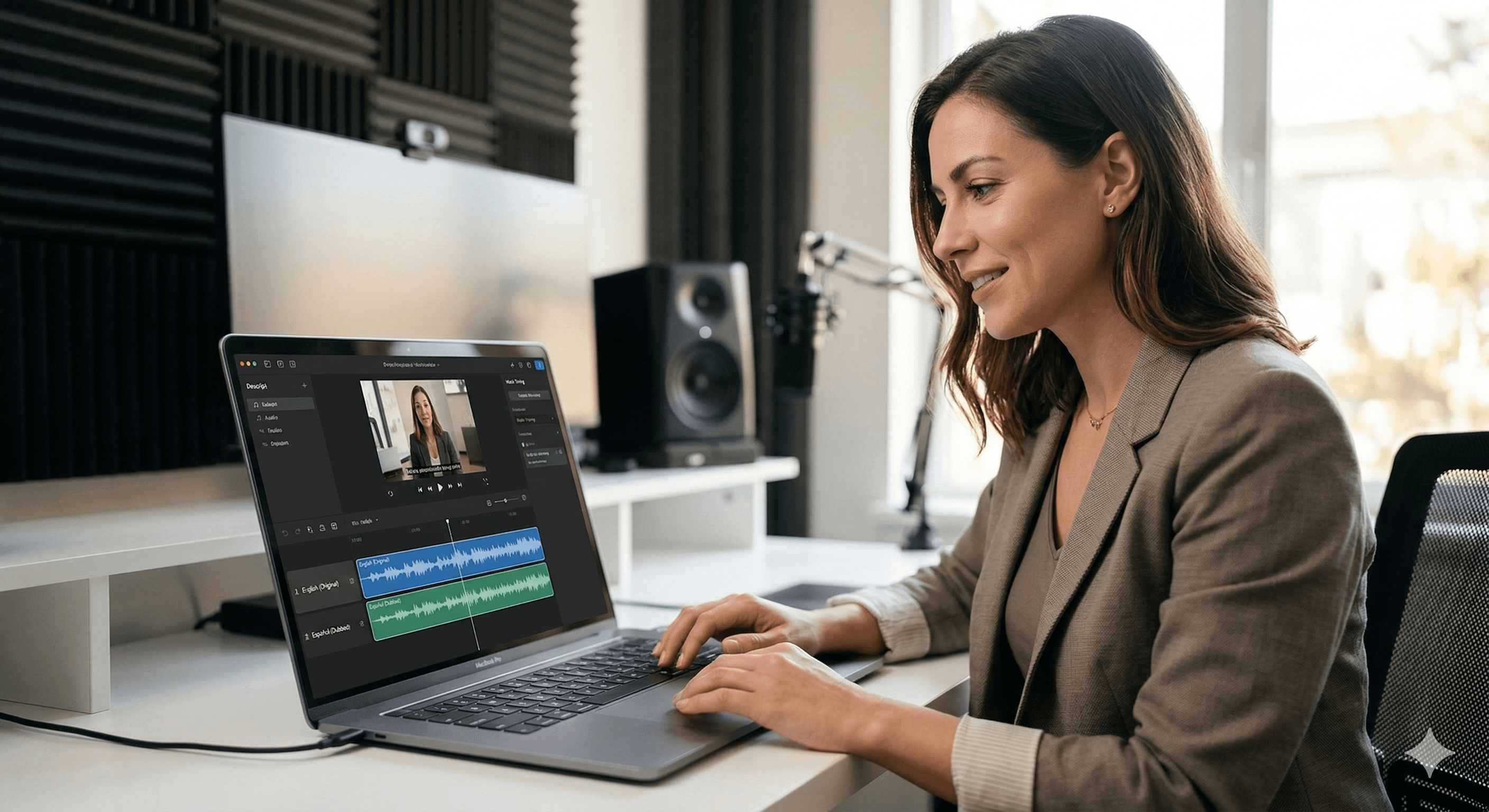
Descript’s multilingual dubbing uses OpenAI models to translate video speech while optimising for both meaning and timing. Instead of translating first and fixing pacing later, Descript targets a natural duration per segment (using syllable estimates and speaking-rate assumptions), then generates dubbed audio and optional lip sync—so localisation sounds natural at scale.
Multilingual dubbing usually breaks down for one simple reason: different languages take different amounts of time to say the same thing. A translation can be perfectly accurate and still sound awful if it has to be sped up to fit the original timeline—or slowed down until it feels unnatural.
Descript’s approach is designed for that reality. Drawing on OpenAI’s latest reasoning models, Descript rebuilt its translation pipeline to treat pacing as a first-class constraint, so teams can translate and dub large libraries without manually retiming every segment.
Updated as of 09/03/2026: OpenAI’s March 2026 case study details how Descript improved “duration adherence” (how closely the translated speech matches the original segment length) and increased adoption of translated video dubbing shortly after rollout.
Why “meaning and timing” is the real bar for dubbing quality
Captions can tolerate slight timing drift. Dubbing can’t.
When dubbed speech runs long or short, the edit becomes noticeable. The voice may sound rushed (“chipmunks”) or sluggish (“sleepy giant”). Descript’s goal is to keep speech in a natural-sounding pacing window without losing the original meaning.
That is the core difference between:
Translation for reading (captions): meaning first, timing second
Translation for speaking (dubbing): meaning and time budget together
What Descript does under the hood
OpenAI’s case study describes a pipeline shift: instead of translating normally and trying to correct timing afterwards, Descript optimises timing during generation.
1) Split the transcript into “timing-sized” chunks
Descript breaks the transcript into chunks based on sentence boundaries, pauses, and speaking patterns. Each chunk is small enough to manage as a timing unit, but coherent enough to preserve meaning.
2) Estimate pacing using syllables and speaking-rate assumptions
For each chunk, the system estimates how long the translated audio should take by targeting an appropriate number of syllables for the destination language.
This is crucial because it helps the model answer the question: How do I say the same thing… in the same amount of time?
3) Generate a translation that satisfies both constraints
The prompt asks the model to optimise for:
Semantic fidelity (keep meaning)
Duration adherence (fit the time window)
To keep coherence, surrounding chunks can be provided as context so the overall narrative doesn’t drift.
4) Create dubbed audio (and optionally lip sync)
Within Descript, the translation tools can be used separately or together:
Translate captions (new translated captions + transcript)
Dub speech (generate a translated voiceover using AI Speakers)
Lip sync (adjust mouth movements to match the translated audio)
Descript also provides translation style options, including a “match timing” approach designed to keep dubbing at a natural pace.
What’s new in Descript’s translation suite
If you’re evaluating Descript for localisation in 2026, these are the practical elements that matter most.
Match timing vs direct translation
Descript offers translation styles, including:
Match timing: Optimises phrasing to match the original speech timing (often better for dubbing)
Direct translation: A more literal translation approach (often quicker, and fine for captions)
The right choice depends on your content:
Training, tutorials, and marketing: match timing is usually worth the extra compute
Internal clips or drafts: direct translation can be a good first pass
More languages for translation and dubbing
Descript has expanded language coverage for caption translation and dubbing, including additional languages that support both captions and dubbing (and others that support captions only). If you’re rolling out localisation at scale, treat language coverage as a living checklist and confirm the latest availability before you commit a release schedule.
Batch localisation for libraries
Descript’s longer-term direction is clear: dubbing isn’t only for single videos. The aim is to make it viable to translate and lip-sync entire libraries with less manual work, while keeping pace natural.
A scalable workflow you can copy
If you want to localise without drowning in revisions, use a workflow that separates creation, translation, and QA.
Step 1: Finalise the source version first
Descript explicitly frames translation as a finishing step. Lock:
scenes and visuals
captions styling
any last script corrections
Changes after translation usually mean re-translating.
Step 2: Pick your translation strategy
Decide per language and per content type:
Captions-only (fastest)
Dubbed audio without lip sync (audio-first localisation)
Dubbed audio + lip sync (highest perceived quality)
Step 3: Build a QA loop (human-light, not human-free)
A lightweight QA process catches the issues AI is most likely to miss:
Proper nouns and brand terms (create a “do not translate” list)
Numbers, pricing, compliance statements
Pronunciation of product names
Pacing in dense segments (legal, technical, or acronym-heavy lines)
A useful pattern is:
auto-generate
spot-check the “hard segments”
adjust the transcript (not just the audio)
regenerate that section
Step 4: Keep the on-screen text consistent
If your videos include titles, labels, or UI callouts, you’ll usually want translated captions and translated text layers so the video looks native—not just sounds native.
When Descript is the right fit
Descript’s approach is strongest when you need:
speed across multiple languages
consistent output across a large library
natural pacing without manual retiming
an editor workflow where language versions can be managed as part of the same production system
If you need broadcast-grade voice acting nuance for premium brand films, you may still prefer human VO—yet for training, marketing libraries, product explainers, and support content, Descript can dramatically compress time-to-localisation.
Summary
Descript’s multilingual dubbing stands out because it treats timing as a core requirement, not a post-production fix. By combining chunked transcripts, syllable-based duration targets, and OpenAI reasoning models that can follow constraints reliably, Descript can generate dubbed speech that sounds natural—making global video localisation far more scalable.
Next steps
Audit your video library and prioritise what’s worth dubbing vs captions-only.
Start with 2–3 target languages and define a simple QA checklist.
If you’re scaling across teams, standardise your workflow and governance.
Talk to Generation Digital if you want help designing a scalable localisation process (tooling, governance, and operational playbooks).
FAQs
Q1: How does Descript ensure accuracy in translations?
Descript optimises for both semantic fidelity and timing. Its pipeline targets a natural duration per speech segment while preserving meaning, then generates dubbed audio (and optionally lip sync) so the result sounds like normal speech rather than a sped-up translation.
Q2: Can Descript handle multiple languages at scale?
Yes. Descript is designed to support localisation workflows for large video libraries, with translation and dubbing options that can be applied systematically, plus tooling to manage captions, voiceover and optional lip sync in a repeatable process.
Q3: What makes Descript’s dubbing solution unique?
Many dubbing tools translate first and adjust timing later. Descript’s approach optimises timing during translation—using duration targets per segment—so pacing stays within a natural window without extensive manual retiming.
Q4: What’s the difference between “match timing” and direct translation?
Match timing aims to keep dubbed speech pacing natural by adjusting phrasing to fit the original time window. Direct translation is more literal and often faster—useful for captions, drafts, or internal content.
Q5: Do I need lip sync for multilingual videos?
Not always. Lip sync is most valuable for talking-head content where viewers watch the speaker’s mouth closely. For screen recordings, training, or voiceover-led videos, dubbing without lip sync can be sufficient.
Recevez chaque semaine des nouvelles et des conseils sur l'IA directement dans votre boîte de réception
En vous abonnant, vous consentez à ce que Génération Numérique stocke et traite vos informations conformément à notre politique de confidentialité. Vous pouvez lire la politique complète sur gend.co/privacy.



Génération
Numérique

Bureau du Royaume-Uni
Génération Numérique Ltée
33 rue Queen,
Londres
EC4R 1AP
Royaume-Uni
Bureau au Canada
Génération Numérique Amériques Inc
181 rue Bay, Suite 1800
Toronto, ON, M5J 2T9
Canada
Bureau aux États-Unis
Generation Digital Americas Inc
77 Sands St,
Brooklyn, NY 11201,
États-Unis
Bureau de l'UE
Génération de logiciels numériques
Bâtiment Elgee
Dundalk
A91 X2R3
Irlande
Bureau du Moyen-Orient
6994 Alsharq 3890,
An Narjis,
Riyad 13343,
Arabie Saoudite







Numéro d'entreprise : 256 9431 77 | Droits d'auteur 2026 | Conditions générales | Politique de confidentialité