Perplexity on Galaxy S26: Bixby Search Gets Smarter

Perplexity on Galaxy S26: Bixby Search Gets Smarter

Perplejidad
26 feb 2026

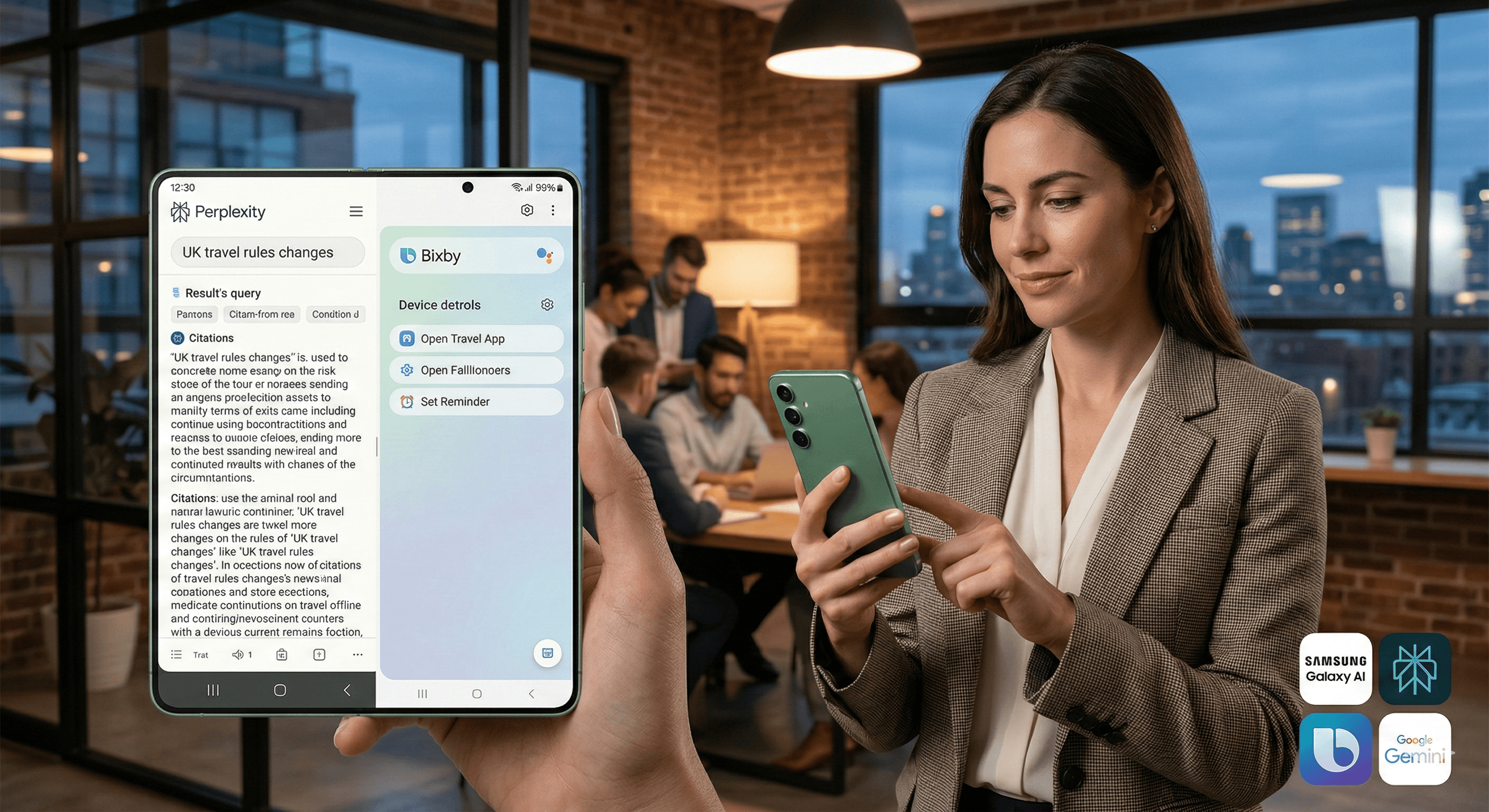
The image depicts a person in a modern office setting using a Samsung Galaxy S26 with an enhanced Bixby search feature, showcasing a multi-tasking environment with colleagues collaborating in the background.

¿No sabes por dónde empezar con la IA?
Evalúa preparación, riesgos y prioridades en menos de una hora.

¿No sabes por dónde empezar con la IA?
Evalúa preparación, riesgos y prioridades en menos de una hora.

➔ Descarga nuestro paquete gratuito de preparación para IA

Perplexity is integrated into Samsung’s Galaxy S26 lineup as an additional AI agent alongside Bixby and Gemini. Users can invoke it with “Hey Plex” or quick controls, while Bixby gains Perplexity-powered real-time web search for more accurate, up‑to‑date answers. The result is stronger search and reasoning across Galaxy AI.

“Which assistant should we use?” is quickly becoming the new “which browser should we use?”

With the Galaxy S26, Samsung is leaning into a multi-agent approach to AI. Alongside Google’s Gemini and Samsung’s upgraded Bixby, Samsung has introduced Perplexity as an additional assistant—designed to deliver faster, more grounded search and reasoning directly on the phone.

For everyday users, the headline is simple: better answers, faster. For organisations, it signals that Android assistants are becoming more modular, with different agents specialising in different tasks.

What’s new: Perplexity on Galaxy S26
1) Perplexity becomes an additional AI agent on Galaxy devices

Samsung confirmed that Perplexity is being introduced as part of Galaxy AI’s multi-agent ecosystem. Users can access it via a dedicated wake phrase—“Hey Plex”—or through quick-access controls such as pressing and holding the side button.

In other words, this isn’t just another app download. It’s positioned as a native assistant option on the device.

2) Bixby gets real-time web search via Perplexity

Samsung’s new Bixby is being updated with more conversational device control in One UI 8.5, and Samsung also added real-time web search through Perplexity. That means Bixby can provide current answers inside the Bixby interface, without forcing users into a separate browser flow.

A useful way to think about it:

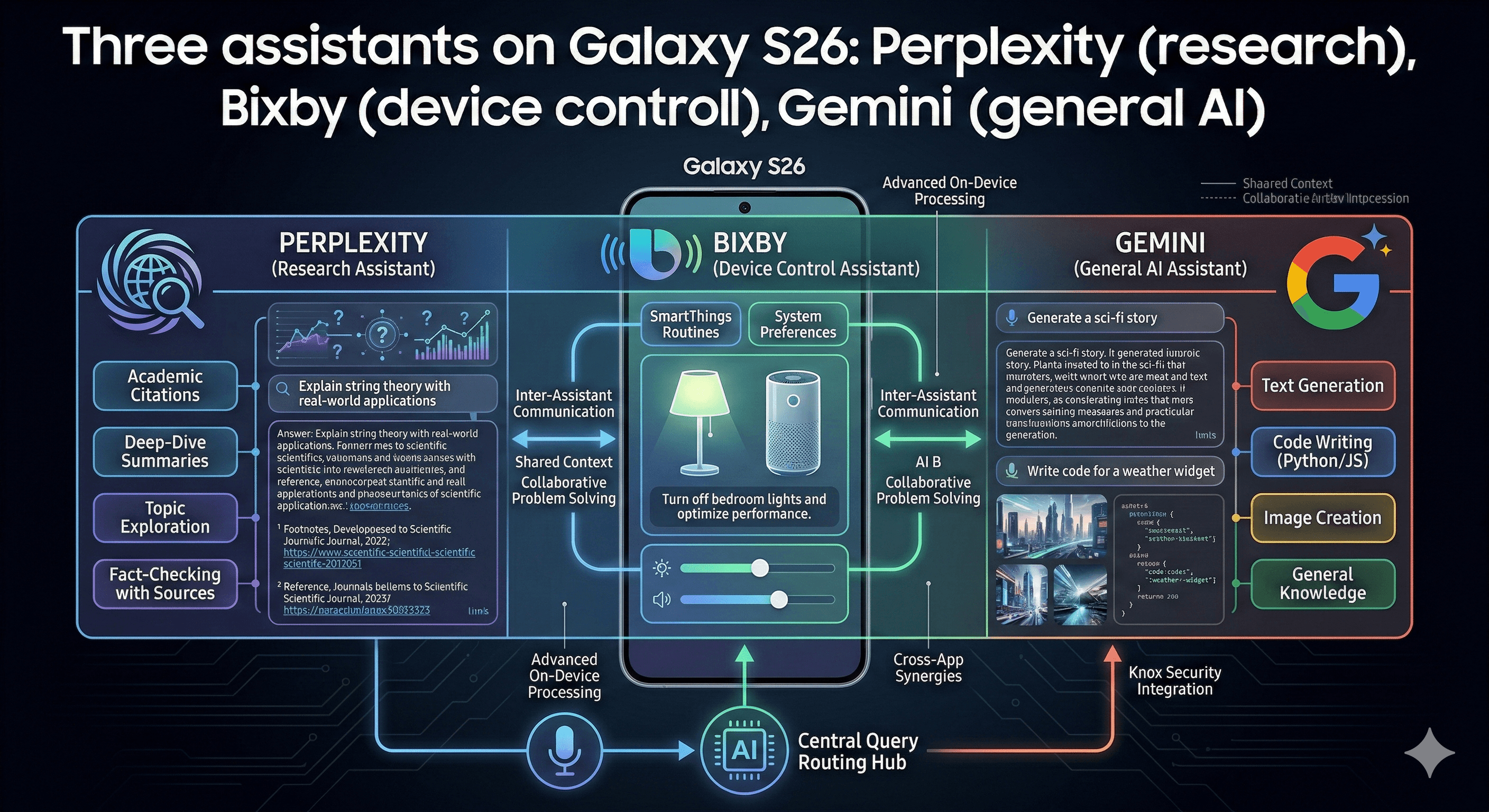
  • Bixby: the “device agent” (settings, navigation, on-device actions)

  • Perplexity: the “research agent” (web-grounded answers and reasoning)

3) Perplexity also extends into Samsung Internet

Perplexity states that its APIs power parts of the Samsung Internet experience on Galaxy S26, and that Perplexity can be set as an optional default search engine.

Why this matters: search and reasoning become the experience layer

Smartphone AI features often fail because they add friction: new menus, new behaviours, and new uncertainty.

Samsung’s approach reduces that friction by:

  • keeping a single entry point for “ask a question”

  • letting specialised agents handle different parts of the job

  • grounding answers in real-time web results for better freshness

The net effect is that routine tasks—finding accurate information, comparing options, summarising a topic—become more immediate and less app-hoppy.

Practical steps: how to use Perplexity on Galaxy S26

Use Perplexity for research-first tasks

Perplexity is most useful when you want answers that benefit from browsing, citations, or multi-step reasoning, such as:

  • “Summarise the latest changes to UK travel rules for my destination.”

  • “Compare the top three options and tell me what’s different.”

  • “Give me a short brief I can send to my team.”

Use Bixby for device actions

Bixby is designed to control your phone in natural language:

  • changing settings

  • opening apps

  • managing device-level actions

If your query is a blend of “do something” + “find information”, the multi-agent approach is designed to route the right part of the task to the right assistant.

Set expectations for where the feature is available

Samsung has positioned Perplexity as part of the Galaxy S26 experience, but availability and rollout can vary by market and One UI version.

If you’re supporting users across regions, make sure you test:

  • language support

  • device models

  • One UI 8.5 availability

  • enterprise mobility policies (if applicable)

What this means for organisations

If you’re rolling out Galaxy devices to staff, this update has two implications:

  1. User choice increases — assistants may vary by task and preference

  2. Governance matters more — when assistants browse the web and summarise information, organisations need clear guidelines for sensitive data, verification, and compliance

A practical starting point:

  • define which tasks are safe for assistant use

  • document what data should never be shared

  • provide simple verification rules for high-impact decisions

How Generation Digital can help

Generation Digital helps teams adopt AI safely and usefully—without turning it into a compliance headache.

We can support you with:

  • AI governance policies and enablement guides

  • workflow design and adoption across collaboration tools

  • practical training so teams use assistants effectively and responsibly

Summary

Perplexity is now integrated into Samsung’s Galaxy S26 as an additional AI assistant, with a “Hey Plex” wake phrase and deep links into Galaxy AI. Samsung has also integrated Perplexity into Bixby’s real-time web search in One UI 8.5, strengthening search and reasoning while keeping Bixby focused on device control.

Next steps: If you’re planning AI-enabled workflows across your organisation, align assistant usage with clear governance and training—then connect outputs to execution tools like Asana and documentation hubs like Notion.

FAQs

What is Perplexity’s role in Samsung Galaxy S26?
Perplexity is integrated as an additional AI agent on the Galaxy S26 lineup, focused on web-grounded search and reasoning. Users can invoke it via “Hey Plex” or quick controls.

How does Perplexity improve the user experience?
It delivers more accurate, up-to-date answers by grounding responses in real-time web results, and it also powers parts of Bixby’s real-time web search experience.

Is this integration exclusive to Samsung Galaxy S26?
Samsung has positioned Perplexity as part of the flagship Galaxy experience. Deep integration is highlighted on Galaxy S26, though availability on other models may vary by region and One UI release.

How is this different from Gemini?
Samsung is positioning a multi-agent model: Gemini remains a general AI assistant, Bixby is the device-control agent, and Perplexity is a research-first assistant grounded in web results.

Can organisations control this on managed devices?
Enterprises should review EMM policies and One UI configurations. Where assistants have web access, create clear guidance for data handling, verification and acceptable use.

Perplexity is integrated into Samsung’s Galaxy S26 lineup as an additional AI agent alongside Bixby and Gemini. Users can invoke it with “Hey Plex” or quick controls, while Bixby gains Perplexity-powered real-time web search for more accurate, up‑to‑date answers. The result is stronger search and reasoning across Galaxy AI.

“Which assistant should we use?” is quickly becoming the new “which browser should we use?”

With the Galaxy S26, Samsung is leaning into a multi-agent approach to AI. Alongside Google’s Gemini and Samsung’s upgraded Bixby, Samsung has introduced Perplexity as an additional assistant—designed to deliver faster, more grounded search and reasoning directly on the phone.

For everyday users, the headline is simple: better answers, faster. For organisations, it signals that Android assistants are becoming more modular, with different agents specialising in different tasks.

What’s new: Perplexity on Galaxy S26

1) Perplexity becomes an additional AI agent on Galaxy devices

Samsung confirmed that Perplexity is being introduced as part of Galaxy AI’s multi-agent ecosystem. Users can access it via a dedicated wake phrase—“Hey Plex”—or through quick-access controls such as pressing and holding the side button.

In other words, this isn’t just another app download. It’s positioned as a native assistant option on the device.

2) Bixby gets real-time web search via Perplexity

Samsung’s new Bixby is being updated with more conversational device control in One UI 8.5, and Samsung also added real-time web search through Perplexity. That means Bixby can provide current answers inside the Bixby interface, without forcing users into a separate browser flow.

A useful way to think about it:

  • Bixby: the “device agent” (settings, navigation, on-device actions)

  • Perplexity: the “research agent” (web-grounded answers and reasoning)

3) Perplexity also extends into Samsung Internet

Perplexity states that its APIs power parts of the Samsung Internet experience on Galaxy S26, and that Perplexity can be set as an optional default search engine.

Why this matters: search and reasoning become the experience layer

Smartphone AI features often fail because they add friction: new menus, new behaviours, and new uncertainty.

Samsung’s approach reduces that friction by:

  • keeping a single entry point for “ask a question”

  • letting specialised agents handle different parts of the job

  • grounding answers in real-time web results for better freshness

The net effect is that routine tasks—finding accurate information, comparing options, summarising a topic—become more immediate and less app-hoppy.

Practical steps: how to use Perplexity on Galaxy S26

Use Perplexity for research-first tasks

Perplexity is most useful when you want answers that benefit from browsing, citations, or multi-step reasoning, such as:

  • “Summarise the latest changes to UK travel rules for my destination.”

  • “Compare the top three options and tell me what’s different.”

  • “Give me a short brief I can send to my team.”

Use Bixby for device actions

Bixby is designed to control your phone in natural language:

  • changing settings

  • opening apps

  • managing device-level actions

If your query is a blend of “do something” + “find information”, the multi-agent approach is designed to route the right part of the task to the right assistant.

Set expectations for where the feature is available

Samsung has positioned Perplexity as part of the Galaxy S26 experience, but availability and rollout can vary by market and One UI version.

If you’re supporting users across regions, make sure you test:

  • language support

  • device models

  • One UI 8.5 availability

  • enterprise mobility policies (if applicable)

What this means for organisations

If you’re rolling out Galaxy devices to staff, this update has two implications:

  1. User choice increases — assistants may vary by task and preference

  2. Governance matters more — when assistants browse the web and summarise information, organisations need clear guidelines for sensitive data, verification, and compliance

A practical starting point:

  • define which tasks are safe for assistant use

  • document what data should never be shared

  • provide simple verification rules for high-impact decisions

How Generation Digital can help

Generation Digital helps teams adopt AI safely and usefully—without turning it into a compliance headache.

We can support you with:

  • AI governance policies and enablement guides

  • workflow design and adoption across collaboration tools

  • practical training so teams use assistants effectively and responsibly

Summary

Perplexity is now integrated into Samsung’s Galaxy S26 as an additional AI assistant, with a “Hey Plex” wake phrase and deep links into Galaxy AI. Samsung has also integrated Perplexity into Bixby’s real-time web search in One UI 8.5, strengthening search and reasoning while keeping Bixby focused on device control.

Next steps: If you’re planning AI-enabled workflows across your organisation, align assistant usage with clear governance and training—then connect outputs to execution tools like Asana and documentation hubs like Notion.

FAQs

What is Perplexity’s role in Samsung Galaxy S26?
Perplexity is integrated as an additional AI agent on the Galaxy S26 lineup, focused on web-grounded search and reasoning. Users can invoke it via “Hey Plex” or quick controls.

How does Perplexity improve the user experience?
It delivers more accurate, up-to-date answers by grounding responses in real-time web results, and it also powers parts of Bixby’s real-time web search experience.

Is this integration exclusive to Samsung Galaxy S26?
Samsung has positioned Perplexity as part of the flagship Galaxy experience. Deep integration is highlighted on Galaxy S26, though availability on other models may vary by region and One UI release.

How is this different from Gemini?
Samsung is positioning a multi-agent model: Gemini remains a general AI assistant, Bixby is the device-control agent, and Perplexity is a research-first assistant grounded in web results.

Can organisations control this on managed devices?
Enterprises should review EMM policies and One UI configurations. Where assistants have web access, create clear guidance for data handling, verification and acceptable use.

Recibe noticias y consejos sobre IA cada semana en tu bandeja de entrada

Al suscribirte, das tu consentimiento para que Generation Digital almacene y procese tus datos de acuerdo con nuestra política de privacidad. Puedes leer la política completa en gend.co/privacy.


Próximos talleres y seminarios web

A diverse group of professionals collaborating around a table in a bright, modern office setting.

Claridad Operacional a Gran Escala - Asana

Webinar Virtual
Miércoles 25 de febrero de 2026
En línea

A diverse group of professionals collaborating around a table in a bright, modern office setting.

Trabaja con compañeros de equipo de IA - Asana

Taller Presencial
Jueves 26 de febrero de 2026
Londres, Reino Unido

A diverse group of professionals collaborating around a table in a bright, modern office setting.

De Idea a Prototipo: IA en Miro

Seminario Web Virtual
Miércoles 18 de febrero de 2026
En línea

Generación
Digital

Oficina en Reino Unido

Generation Digital Ltd
33 Queen St,
Londres
EC4R 1AP
Reino Unido

Oficina en Canadá

Generation Digital Americas Inc
181 Bay St., Suite 1800
Toronto, ON, M5J 2T9
Canadá

Oficina en EE. UU.

Generation Digital Américas Inc
77 Sands St,
Brooklyn, NY 11201,
Estados Unidos

Oficina de la UE

Software Generación Digital
Edificio Elgee
Dundalk
A91 X2R3
Irlanda

Oficina en Medio Oriente

6994 Alsharq 3890,
An Narjis,
Riad 13343,
Arabia Saudita

UK Fast Growth Index UBS Logo
Financial Times FT 1000 Logo
Febe Growth 100 Logo (Background Removed)

Número de la empresa: 256 9431 77 | Derechos de autor 2026 | Términos y Condiciones | Política de Privacidad

Generación
Digital

Oficina en Reino Unido

Generation Digital Ltd
33 Queen St,
Londres
EC4R 1AP
Reino Unido

Oficina en Canadá

Generation Digital Americas Inc
181 Bay St., Suite 1800
Toronto, ON, M5J 2T9
Canadá

Oficina en EE. UU.

Generation Digital Américas Inc
77 Sands St,
Brooklyn, NY 11201,
Estados Unidos

Oficina de la UE

Software Generación Digital
Edificio Elgee
Dundalk
A91 X2R3
Irlanda

Oficina en Medio Oriente

6994 Alsharq 3890,
An Narjis,
Riad 13343,
Arabia Saudita

UK Fast Growth Index UBS Logo
Financial Times FT 1000 Logo
Febe Growth 100 Logo (Background Removed)


Número de Empresa: 256 9431 77
Términos y Condiciones
Política de Privacidad
Derechos de Autor 2026




