Sora Feed Philosophy: Creative, Safe, and Steerable

Sora Feed Philosophy: Creative, Safe, and Steerable

OpenAI

Sora

3 feb 2026

In a modern office filled with architectural plans, three colleagues collaborate on a creative project using a laptop and tablet, embodying the Sora Feed Philosophy: Creative, Safe, and Steerable.

¿No sabes por dónde empezar con la IA?
Evalúa preparación, riesgos y prioridades en menos de una hora.

¿No sabes por dónde empezar con la IA?
Evalúa preparación, riesgos y prioridades en menos de una hora.

➔ Descarga nuestro paquete gratuito de preparación para IA

The Sora feed is designed to inspire people to create, not maximise passive scrolling. It uses personalised recommendations based on signals such as your activity and engagement, while adding safety layers to filter harmful content. For families, parental controls can limit personalisation, continuous scrolling, and messaging for teen accounts.

Most feeds are built to keep you watching. The Sora feed is built to help you make—to show what’s possible, spark ideas, and encourage people to try creating for themselves. That philosophy matters, because discovery tools shape behaviour: what you see influences what you attempt next.

At the same time, OpenAI frames safety as part of the product design—not an afterthought. The feed is supported by layered guardrails and clear controls, including tools for parents managing teen accounts.
The Sora feed philosophy in plain English

OpenAI’s goal for the Sora feed is simple: inspire creation and learning. Instead of optimising only for attention, the feed aims to highlight ideas, formats, and techniques that nudge people from “watching” to “trying”.

This philosophy shows up in three practical ways:

  1. Personalised inspiration (the feed adapts to you)

  2. Steerability (you can shape what you see)

  3. Safety and control (guardrails plus parental options where needed)

How recommendations work

Sora’s recommendation system is designed to give you a feed that matches your interests and creative direction. OpenAI notes that personalisation can consider signals such as your activity and engagement in Sora, helping tailor what appears in your feed.

Practically, that means if you spend time on certain styles, subjects, or formats, the feed will tend to surface more content that feels relevant—so you can learn patterns, remix ideas, and build confidence faster.

Safety isn’t one feature—it’s a set of layers

OpenAI describes “layered” safety: guardrails at creation time, plus filtering and review designed to reduce harmful content in the feed, while still allowing room for experimentation and artistic expression.

For a creative platform, that balance is the point: too few safeguards and the feed becomes risky; too many blunt restrictions and it becomes sterile. The approach here is to combine automation with policies and intervention points where needed.

Parental controls: what parents can actually manage

Where your original copy mentioned parental controls in general terms, OpenAI’s documentation is specific. Parents can manage teen account settings for Sora via ChatGPT parental controls, including:

  • Personalised feed (opt out of a personalised feed)

  • Continuous feed (control uninterrupted scrolling)

  • Messaging (turn direct messages on/off)

That’s helpful because it maps neatly to common safety goals:

  • Reduce algorithmic rabbit holes (personalisation off)

  • Add friction to endless scrolling (continuous feed control)

  • Limit unwanted contact (messaging off)

Practical steps: how to customise Sora for creativity and safety

Here’s a simple setup that works for most people:

  1. Shape your feed intentionally
    Engage with the styles you want to learn from and skip what you don’t—recommendation signals are influenced by what you choose to watch and interact with.

  2. Use the controls that match your goal
    If you want broader discovery, keep personalisation on. If you want fewer surprises (especially for teens), consider turning personalisation off via parental controls.

  3. Understand what gets shared
    OpenAI’s Sora data controls explain that videos can be eligible for publication to the explore/feed experience depending on settings and content type, and that published videos can be remixed or downloaded by others (subject to rules).

Summary

The Sora feed is designed to push creativity forward—helping people learn what’s possible and encouraging them to create—while keeping safety and user control built into the experience. With steerable recommendations, layered safeguards, and parental controls for teen accounts, it aims to be a feed you can actually trust and tailor.

Next steps (Generation Digital): If you’re exploring Sora for brand, education, or internal innovation, we can help you define safe use cases, set governance, and design workflows that turn curiosity into outcomes.

FAQs

Q1: What makes the Sora feed unique?
It’s designed to inspire people to create—using recommendations that surface ideas and formats—rather than simply maximising passive consumption.

Q2: How does Sora help keep users safe?
OpenAI describes layered safety: guardrails during creation and filtering/review designed to reduce harmful content in the feed.

Q3: Can the Sora feed be personalised?
Yes. The feed can use signals such as your activity and engagement to tailor recommendations.

Q4: What parental controls are available for Sora?
Parents can manage teen settings such as personalised feed, continuous feed, and messaging via ChatGPT parental controls.

Recommended schema: FAQPage (plus Article)


Internal link opportunities on gend.co

  • A short “Responsible AI video in organisations” explainer (governance + brand safety)

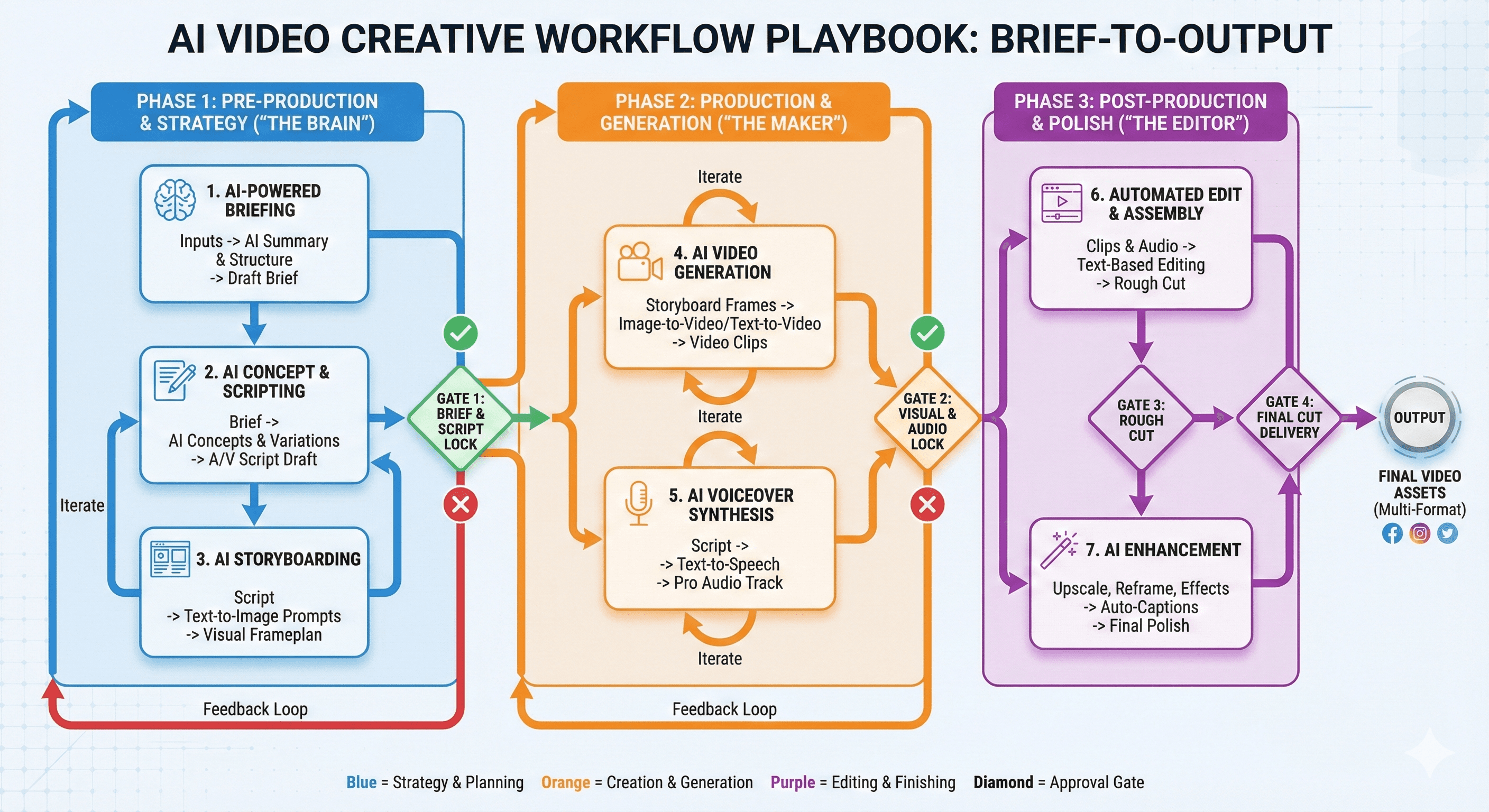
  • A “Creative workflow with AI video” playbook (brief-to-output process, approvals, templates)

  • A “Family and education safety” page (if you’re targeting schools/parents)

The Sora feed is designed to inspire people to create, not maximise passive scrolling. It uses personalised recommendations based on signals such as your activity and engagement, while adding safety layers to filter harmful content. For families, parental controls can limit personalisation, continuous scrolling, and messaging for teen accounts.

Most feeds are built to keep you watching. The Sora feed is built to help you make—to show what’s possible, spark ideas, and encourage people to try creating for themselves. That philosophy matters, because discovery tools shape behaviour: what you see influences what you attempt next.

At the same time, OpenAI frames safety as part of the product design—not an afterthought. The feed is supported by layered guardrails and clear controls, including tools for parents managing teen accounts.

The Sora feed philosophy in plain English

OpenAI’s goal for the Sora feed is simple: inspire creation and learning. Instead of optimising only for attention, the feed aims to highlight ideas, formats, and techniques that nudge people from “watching” to “trying”.

This philosophy shows up in three practical ways:

  1. Personalised inspiration (the feed adapts to you)

  2. Steerability (you can shape what you see)

  3. Safety and control (guardrails plus parental options where needed)

How recommendations work

Sora’s recommendation system is designed to give you a feed that matches your interests and creative direction. OpenAI notes that personalisation can consider signals such as your activity and engagement in Sora, helping tailor what appears in your feed.

Practically, that means if you spend time on certain styles, subjects, or formats, the feed will tend to surface more content that feels relevant—so you can learn patterns, remix ideas, and build confidence faster.

Safety isn’t one feature—it’s a set of layers

OpenAI describes “layered” safety: guardrails at creation time, plus filtering and review designed to reduce harmful content in the feed, while still allowing room for experimentation and artistic expression.

For a creative platform, that balance is the point: too few safeguards and the feed becomes risky; too many blunt restrictions and it becomes sterile. The approach here is to combine automation with policies and intervention points where needed.

Parental controls: what parents can actually manage

Where your original copy mentioned parental controls in general terms, OpenAI’s documentation is specific. Parents can manage teen account settings for Sora via ChatGPT parental controls, including:

  • Personalised feed (opt out of a personalised feed)

  • Continuous feed (control uninterrupted scrolling)

  • Messaging (turn direct messages on/off)

That’s helpful because it maps neatly to common safety goals:

  • Reduce algorithmic rabbit holes (personalisation off)

  • Add friction to endless scrolling (continuous feed control)

  • Limit unwanted contact (messaging off)

Practical steps: how to customise Sora for creativity and safety

Here’s a simple setup that works for most people:

  1. Shape your feed intentionally
    Engage with the styles you want to learn from and skip what you don’t—recommendation signals are influenced by what you choose to watch and interact with.

  2. Use the controls that match your goal
    If you want broader discovery, keep personalisation on. If you want fewer surprises (especially for teens), consider turning personalisation off via parental controls.

  3. Understand what gets shared
    OpenAI’s Sora data controls explain that videos can be eligible for publication to the explore/feed experience depending on settings and content type, and that published videos can be remixed or downloaded by others (subject to rules).

Summary

The Sora feed is designed to push creativity forward—helping people learn what’s possible and encouraging them to create—while keeping safety and user control built into the experience. With steerable recommendations, layered safeguards, and parental controls for teen accounts, it aims to be a feed you can actually trust and tailor.

Next steps (Generation Digital): If you’re exploring Sora for brand, education, or internal innovation, we can help you define safe use cases, set governance, and design workflows that turn curiosity into outcomes.

FAQs

Q1: What makes the Sora feed unique?
It’s designed to inspire people to create—using recommendations that surface ideas and formats—rather than simply maximising passive consumption.

Q2: How does Sora help keep users safe?
OpenAI describes layered safety: guardrails during creation and filtering/review designed to reduce harmful content in the feed.

Q3: Can the Sora feed be personalised?
Yes. The feed can use signals such as your activity and engagement to tailor recommendations.

Q4: What parental controls are available for Sora?
Parents can manage teen settings such as personalised feed, continuous feed, and messaging via ChatGPT parental controls.

Recommended schema: FAQPage (plus Article)


Internal link opportunities on gend.co

  • A short “Responsible AI video in organisations” explainer (governance + brand safety)

  • A “Creative workflow with AI video” playbook (brief-to-output process, approvals, templates)

  • A “Family and education safety” page (if you’re targeting schools/parents)

Recibe noticias y consejos sobre IA cada semana en tu bandeja de entrada

Al suscribirte, das tu consentimiento para que Generation Digital almacene y procese tus datos de acuerdo con nuestra política de privacidad. Puedes leer la política completa en gend.co/privacy.


Próximos talleres y seminarios web

A diverse group of professionals collaborating around a table in a bright, modern office setting.

Claridad Operacional a Gran Escala - Asana

Webinar Virtual
Miércoles 25 de febrero de 2026
En línea

A diverse group of professionals collaborating around a table in a bright, modern office setting.

Trabaja con compañeros de equipo de IA - Asana

Taller Presencial
Jueves 26 de febrero de 2026
Londres, Reino Unido

A diverse group of professionals collaborating around a table in a bright, modern office setting.

De Idea a Prototipo: IA en Miro

Seminario Web Virtual
Miércoles 18 de febrero de 2026
En línea

Generación
Digital

Oficina en Reino Unido

Generation Digital Ltd
33 Queen St,
Londres
EC4R 1AP
Reino Unido

Oficina en Canadá

Generation Digital Americas Inc
181 Bay St., Suite 1800
Toronto, ON, M5J 2T9
Canadá

Oficina en EE. UU.

Generation Digital Américas Inc
77 Sands St,
Brooklyn, NY 11201,
Estados Unidos

Oficina de la UE

Software Generación Digital
Edificio Elgee
Dundalk
A91 X2R3
Irlanda

Oficina en Medio Oriente

6994 Alsharq 3890,
An Narjis,
Riad 13343,
Arabia Saudita

UK Fast Growth Index UBS Logo
Financial Times FT 1000 Logo
Febe Growth 100 Logo (Background Removed)

Número de la empresa: 256 9431 77 | Derechos de autor 2026 | Términos y Condiciones | Política de Privacidad

Generación
Digital

Oficina en Reino Unido

Generation Digital Ltd
33 Queen St,
Londres
EC4R 1AP
Reino Unido

Oficina en Canadá

Generation Digital Americas Inc
181 Bay St., Suite 1800
Toronto, ON, M5J 2T9
Canadá

Oficina en EE. UU.

Generation Digital Américas Inc
77 Sands St,
Brooklyn, NY 11201,
Estados Unidos

Oficina de la UE

Software Generación Digital
Edificio Elgee
Dundalk
A91 X2R3
Irlanda

Oficina en Medio Oriente

6994 Alsharq 3890,
An Narjis,
Riad 13343,
Arabia Saudita

UK Fast Growth Index UBS Logo
Financial Times FT 1000 Logo
Febe Growth 100 Logo (Background Removed)


Número de Empresa: 256 9431 77
Términos y Condiciones
Política de Privacidad
Derechos de Autor 2026





