Confluence to Notion Migration Services
Confluence to Notion Migration Services
Conceptual
Jan 8, 2026
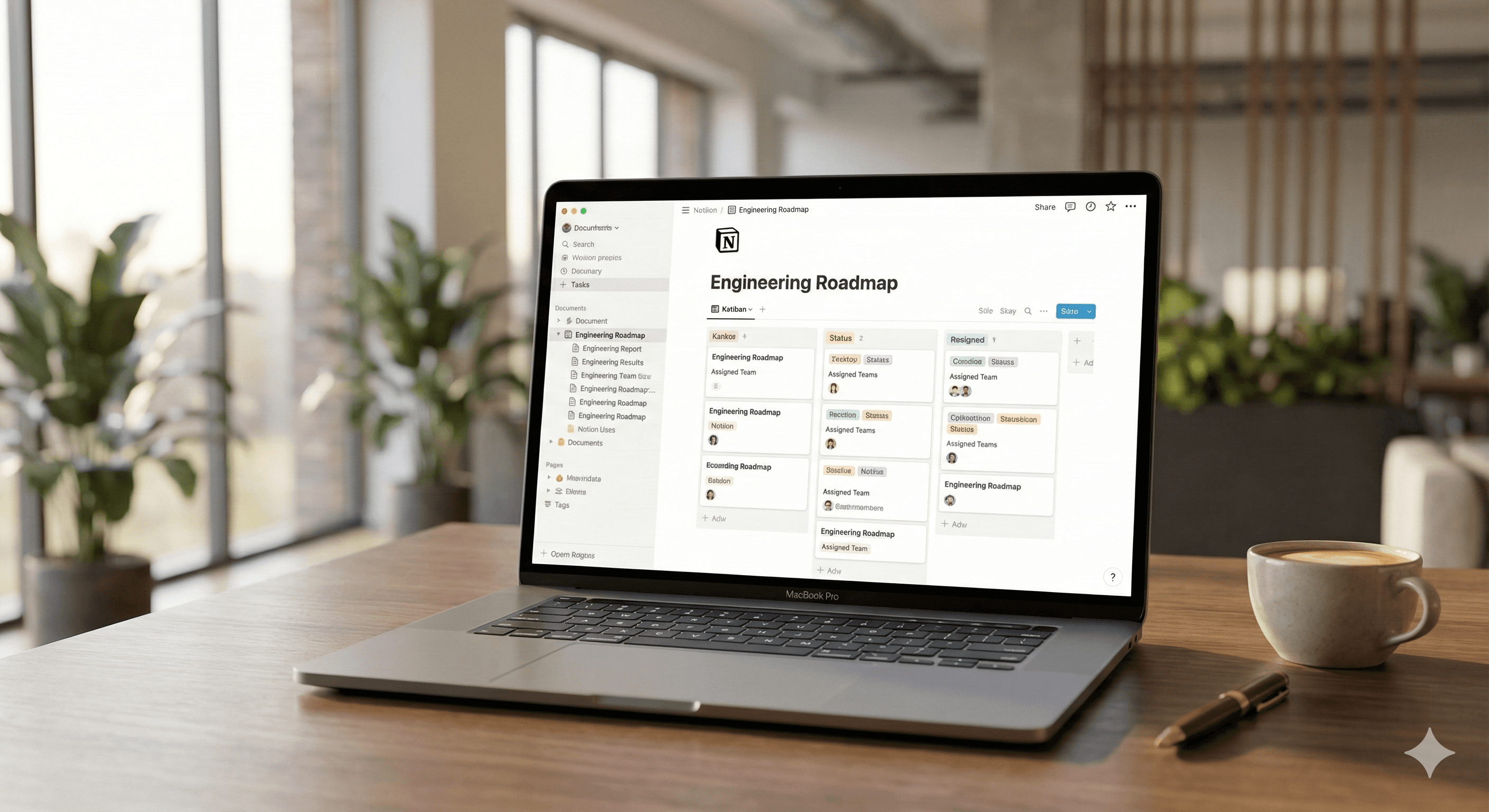
Notion has matured into a secure, flexible knowledge and work hub for enterprises. Many teams running Confluence (and often Jira) are now consolidating into Notion to reduce tool sprawl, speed up authoring, and centralise docs, projects, and AI. This guide explains how Generation Digital delivers safe, low-friction migrations from Atlassian tools to Notion — with a clear plan, realistic timelines, and enterprise controls.
Executive summary
Zero‑drama migration from Confluence spaces into Notion using the API importer or file import, including attachments and optional comments.
Jira continuity through Notion’s native Jira Sync, or a pragmatic databases approach when replacing selected Jira workflows.
Enterprise‑grade rollout with SSO/SCIM, permissions mapping, content governance, and change management.
Who this is for
Digital workplace, knowledge management, and engineering leaders who want to de‑risk a move from Confluence/Jira to Notion while improving search, authoring speed, and adoption.
Why switch from Confluence to Notion now
Authoring speed & adoption: Notion’s block editor, templates, and page databases encourage contribution and reduce time to publish.
Consolidation: Docs, projects, tasks, and lightweight CRM in a single surface with AI assistance.
Lower TCO: Fewer overlapping tools, simplified administration and training.
Better discoverability: Unified search across docs and structured data.
Migration options at a glance
Confluence → Notion
API Importer (recommended for full spaces under ~15 GB): brings pages, page tree, users, and (optionally) comments.
ZIP/HTML import (targeted): useful when you only want selected pages/sections or have niche constraints.
Jira → Notion
Jira Sync: two‑way authorised sync of Jira issues into Notion databases for reporting and collaboration.
Database replacement: for teams retiring Jira, we design Notion databases and workflows to match essential fields, views, and automations.
Our 6‑step migration framework
1) Discovery & scope
Inventory Confluence spaces (size, owners, last‑updated, attachments count, restricted pages).
Identify Jira projects and top workflows (issue types, fields, schemes, automations).
Define what must be migrated vs. archived, and success metrics (search success, time‑to‑page, adoption).
2) Information architecture (IA)
Map Confluence spaces to Notion workspaces, top‑level pages, and databases.
Standardise page templates (e.g., ADRs, runbooks, engineering RFCs, product specs).
Define page ownership, governance, and retention rules.
3) Readiness & governance
Configure SSO/SAML and SCIM (Just‑in‑Time or SCIM‑based provisioning), set default groups/permissions.
Establish naming conventions, content guidelines, and review flows.
Plan editors’ enablement and executive comms.
4) Pilot import
Run a representative pilot space via API importer; validate page tree, attachments, comments, backlinks.
Migrate a sample Jira project with Jira Sync; confirm fields mapping and filters.
Collect feedback; adjust templates, properties, and permissions.
5) Full import & cutover
Freeze changes in agreed spaces/projects; run API imports in waves (by space or department).
Quality‑assure links, images, and permissions; rebuild critical index pages where needed.
Switch search and links; redirect internal bookmarks/wiki links.
6) Hypercare & optimisation
On‑call support during the first 2–4 weeks.
Usage analytics review; tune IA, templates, and automations.
Train content owners; decommission Atlassian spaces/projects as policies allow.
What migrates well — and what needs attention
Migrates well from Confluence
Page structure (hierarchy), standard text blocks, images, attachments.
Labels/tags translated into Notion properties or inline tags.
Comments (when using the API importer) and basic permissions mapping.
Requires decisions
Macros & plugins: identify critical macros and replace with Notion equivalents or workarounds.
Page permissions: Notion prefers simpler, role‑based models; reduce per‑page complexity.
Archived content: move to an archive database to preserve search without cluttering navigation.
Jira considerations
Decide whether to keep Jira and integrate, or retire selected projects and rebuild in Notion databases.
Complex Jira workflows (custom transitions, heavy automations) are usually integrate‑don’t‑migrate.
Detailed migration steps (Confluence → Notion)
Export or connect
For full spaces: connect Notion’s API Importer with an admin account.
For selected content: export Confluence space/pages to HTML (ZIP) and import to Notion.
Pre‑mapping
Map Confluence spaces to Notion top‑level areas.
Decide how to represent labels, owner, last reviewed date (database properties).
Import execution
Run imports in a staging workspace; validate page count, media, links, and comments.
Resolve edge cases (very large attachments, restricted pages, legacy macros).
QA & reconciliation
Spot‑check 10–20 high‑value pages per space; fix formatting and navigation.
Confirm permissions; backfill owners and review cadence.
Cutover
Communicate freeze window; final delta import; update links and search shortcuts.
Detailed integration steps (Jira ↔ Notion)
Stand up Jira Sync and authorise the correct Jira site(s).
Choose projects, issue filters, and sync direction; map fields to Notion database properties.
Build views for squads: board, timeline, priority, and triage.
Add roll‑up dashboards; use Notion relations/rollups to connect RFCs, specs, and issues.
Security, identity, and compliance
SSO (SAML) & SCIM to manage access centrally (Azure AD/Entra, Google, Okta, OneLogin, Rippling supported).
Granular page/database permissions; private team areas; audit trails.
Data residency and export policies reviewed with your security team.
Timelines & pricing
Pilot: 2–4 weeks for one representative space + one Jira project.
Wave 1: 3–6 weeks for 3–5 spaces; training for editors and champions.
Waves 2+: depends on size/complexity; we schedule around your change windows.
Pricing is scoped on number/size of spaces, Jira complexity, and governance needs. Fixed‑price pilots available.
Common pitfalls and how we avoid them
Macros missed: we audit macros early and design replacements.
Over‑granular permissions: we simplify to team‑level defaults with exceptions.
Unowned content: every page/database gets an owner and review date.
Broken links after cutover: we rebuild key index pages and run link‑checking.
What you get with Generation Digital
A single partner for strategy, migration, security setup, and enablement.
Ready‑to‑use templates for specs, PRDs, OKRs, runbooks, and decision records.
Executive and editor training tailored to your teams.
Post‑migration optimisation and support.
FAQ
Can you migrate comments and users from Confluence?
Yes — when we use the API importer, we can bring comments and map users/groups to your IdP.
Do we have to move Jira?
No. Many clients keep Jira and sync issues into Notion for docs + reporting. Others retire simpler projects and rebuild them as Notion databases.
What about Confluence macros and apps?
We propose equivalents or redesigns. Critical macros are handled case‑by‑case during discovery.
How do you manage identity and access?
We configure SSO and SCIM provisioning with your IdP and map groups/permissions before cutover.
Can you run this outside the UK?
Yes — we deliver globally with UK‑aligned governance.
Do you support the UK and North America?
We deliver in the UK, US, and Canada (and globally) with region-aligned governance and data residency options.
Next Steps
Ready to plan your migration? Book a discovery call with Generation Digital. We’ll review your spaces, estimate effort, and propose a pilot within one week.
Notion has matured into a secure, flexible knowledge and work hub for enterprises. Many teams running Confluence (and often Jira) are now consolidating into Notion to reduce tool sprawl, speed up authoring, and centralise docs, projects, and AI. This guide explains how Generation Digital delivers safe, low-friction migrations from Atlassian tools to Notion — with a clear plan, realistic timelines, and enterprise controls.
Executive summary
Zero‑drama migration from Confluence spaces into Notion using the API importer or file import, including attachments and optional comments.
Jira continuity through Notion’s native Jira Sync, or a pragmatic databases approach when replacing selected Jira workflows.
Enterprise‑grade rollout with SSO/SCIM, permissions mapping, content governance, and change management.
Who this is for
Digital workplace, knowledge management, and engineering leaders who want to de‑risk a move from Confluence/Jira to Notion while improving search, authoring speed, and adoption.
Why switch from Confluence to Notion now
Authoring speed & adoption: Notion’s block editor, templates, and page databases encourage contribution and reduce time to publish.
Consolidation: Docs, projects, tasks, and lightweight CRM in a single surface with AI assistance.
Lower TCO: Fewer overlapping tools, simplified administration and training.
Better discoverability: Unified search across docs and structured data.
Migration options at a glance
Confluence → Notion
API Importer (recommended for full spaces under ~15 GB): brings pages, page tree, users, and (optionally) comments.
ZIP/HTML import (targeted): useful when you only want selected pages/sections or have niche constraints.
Jira → Notion
Jira Sync: two‑way authorised sync of Jira issues into Notion databases for reporting and collaboration.
Database replacement: for teams retiring Jira, we design Notion databases and workflows to match essential fields, views, and automations.
Our 6‑step migration framework
1) Discovery & scope
Inventory Confluence spaces (size, owners, last‑updated, attachments count, restricted pages).
Identify Jira projects and top workflows (issue types, fields, schemes, automations).
Define what must be migrated vs. archived, and success metrics (search success, time‑to‑page, adoption).
2) Information architecture (IA)
Map Confluence spaces to Notion workspaces, top‑level pages, and databases.
Standardise page templates (e.g., ADRs, runbooks, engineering RFCs, product specs).
Define page ownership, governance, and retention rules.
3) Readiness & governance
Configure SSO/SAML and SCIM (Just‑in‑Time or SCIM‑based provisioning), set default groups/permissions.
Establish naming conventions, content guidelines, and review flows.
Plan editors’ enablement and executive comms.
4) Pilot import
Run a representative pilot space via API importer; validate page tree, attachments, comments, backlinks.
Migrate a sample Jira project with Jira Sync; confirm fields mapping and filters.
Collect feedback; adjust templates, properties, and permissions.
5) Full import & cutover
Freeze changes in agreed spaces/projects; run API imports in waves (by space or department).
Quality‑assure links, images, and permissions; rebuild critical index pages where needed.
Switch search and links; redirect internal bookmarks/wiki links.
6) Hypercare & optimisation
On‑call support during the first 2–4 weeks.
Usage analytics review; tune IA, templates, and automations.
Train content owners; decommission Atlassian spaces/projects as policies allow.
What migrates well — and what needs attention
Migrates well from Confluence
Page structure (hierarchy), standard text blocks, images, attachments.
Labels/tags translated into Notion properties or inline tags.
Comments (when using the API importer) and basic permissions mapping.
Requires decisions
Macros & plugins: identify critical macros and replace with Notion equivalents or workarounds.
Page permissions: Notion prefers simpler, role‑based models; reduce per‑page complexity.
Archived content: move to an archive database to preserve search without cluttering navigation.
Jira considerations
Decide whether to keep Jira and integrate, or retire selected projects and rebuild in Notion databases.
Complex Jira workflows (custom transitions, heavy automations) are usually integrate‑don’t‑migrate.
Detailed migration steps (Confluence → Notion)
Export or connect
For full spaces: connect Notion’s API Importer with an admin account.
For selected content: export Confluence space/pages to HTML (ZIP) and import to Notion.
Pre‑mapping
Map Confluence spaces to Notion top‑level areas.
Decide how to represent labels, owner, last reviewed date (database properties).
Import execution
Run imports in a staging workspace; validate page count, media, links, and comments.
Resolve edge cases (very large attachments, restricted pages, legacy macros).
QA & reconciliation
Spot‑check 10–20 high‑value pages per space; fix formatting and navigation.
Confirm permissions; backfill owners and review cadence.
Cutover
Communicate freeze window; final delta import; update links and search shortcuts.
Detailed integration steps (Jira ↔ Notion)
Stand up Jira Sync and authorise the correct Jira site(s).
Choose projects, issue filters, and sync direction; map fields to Notion database properties.
Build views for squads: board, timeline, priority, and triage.
Add roll‑up dashboards; use Notion relations/rollups to connect RFCs, specs, and issues.
Security, identity, and compliance
SSO (SAML) & SCIM to manage access centrally (Azure AD/Entra, Google, Okta, OneLogin, Rippling supported).
Granular page/database permissions; private team areas; audit trails.
Data residency and export policies reviewed with your security team.
Timelines & pricing
Pilot: 2–4 weeks for one representative space + one Jira project.
Wave 1: 3–6 weeks for 3–5 spaces; training for editors and champions.
Waves 2+: depends on size/complexity; we schedule around your change windows.
Pricing is scoped on number/size of spaces, Jira complexity, and governance needs. Fixed‑price pilots available.
Common pitfalls and how we avoid them
Macros missed: we audit macros early and design replacements.
Over‑granular permissions: we simplify to team‑level defaults with exceptions.
Unowned content: every page/database gets an owner and review date.
Broken links after cutover: we rebuild key index pages and run link‑checking.
What you get with Generation Digital
A single partner for strategy, migration, security setup, and enablement.
Ready‑to‑use templates for specs, PRDs, OKRs, runbooks, and decision records.
Executive and editor training tailored to your teams.
Post‑migration optimisation and support.
FAQ
Can you migrate comments and users from Confluence?
Yes — when we use the API importer, we can bring comments and map users/groups to your IdP.
Do we have to move Jira?
No. Many clients keep Jira and sync issues into Notion for docs + reporting. Others retire simpler projects and rebuild them as Notion databases.
What about Confluence macros and apps?
We propose equivalents or redesigns. Critical macros are handled case‑by‑case during discovery.
How do you manage identity and access?
We configure SSO and SCIM provisioning with your IdP and map groups/permissions before cutover.
Can you run this outside the UK?
Yes — we deliver globally with UK‑aligned governance.
Do you support the UK and North America?
We deliver in the UK, US, and Canada (and globally) with region-aligned governance and data residency options.
Next Steps
Ready to plan your migration? Book a discovery call with Generation Digital. We’ll review your spaces, estimate effort, and propose a pilot within one week.
Receive practical advice directly in your inbox
By subscribing, you agree to allow Generation Digital to store and process your information according to our privacy policy. You can review the full policy at gend.co/privacy.




Generation
Digital

Canadian Office
33 Queen St,
Toronto
M5H 2N2
Canada
Canadian Office
1 University Ave,
Toronto,
ON M5J 1T1,
Canada
NAMER Office
77 Sands St,
Brooklyn,
NY 11201,
USA
Head Office
Charlemont St, Saint Kevin's, Dublin,
D02 VN88,
Ireland
Middle East Office
6994 Alsharq 3890,
An Narjis,
Riyadh 13343,
Saudi Arabia







Business Number: 256 9431 77 | Copyright 2026 | Terms and Conditions | Privacy Policy
Generation
Digital
Canadian Office
33 Queen St,
Toronto
M5H 2N2
Canada
Canadian Office
1 University Ave,
Toronto,
ON M5J 1T1,
Canada
NAMER Office
77 Sands St,
Brooklyn,
NY 11201,
USA
Head Office
Charlemont St, Saint Kevin's, Dublin,
D02 VN88,
Ireland
Middle East Office
6994 Alsharq 3890,
An Narjis,
Riyadh 13343,
Saudi Arabia