Miro AI Brand Campaign: Plan & Launch in Under 3 Months
Miro
Uncertain about how to get started with AI?Evaluate your readiness, potential risks, and key priorities in less than an hour.
➔ Download Our Free AI Preparedness Pack
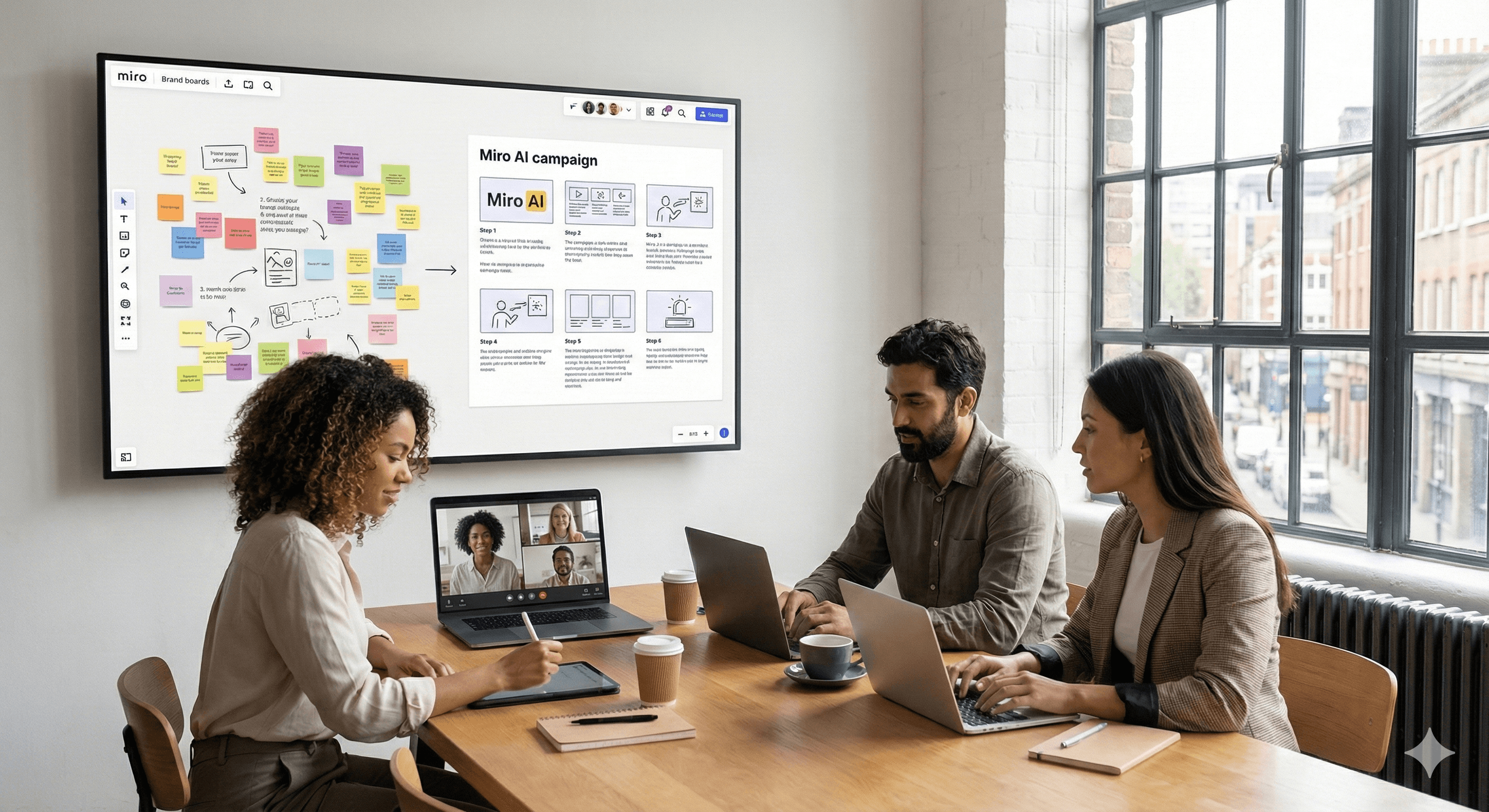
Miro AI helps brand teams launch campaigns faster by turning messy early ideas into structured scripts, storyboards, and assets on a shared canvas. In Miro’s own case study, the Brand team used Miro AI to concept and produce a global AI ad in under three months, coordinating across time zones and partners. Miro
Why this matters now
Campaign timelines are shrinking, while expectations for originality, cross-channel coherence, and measurable impact keep rising. Miro AI offers a pragmatic way to compress the creative cycle — from first spark to shipped asset — without losing team alignment. Miro’s Brand team proved it by using Miro AI to plan and launch a global campaign about… Miro AI. The result: an ad conceived, produced, and released in under three months.
The campaign at a glance
In January 2026, Miro published a behind-the-scenes account of its first AI brand campaign, kicked off after announcements at Canvas 25 about the AI Innovation Workspace. The team collaborated with production partner Tool of North America to produce a tongue-in-cheek film that demonstrates how ambitious work moves faster with AI-powered workflows in Miro.
What’s notable:
Speed: concept → launch in under three months.
Method: AI-assisted ideation, scripting, and asset orchestration on the Miro canvas.
Distributed teamwork: creatives across time zones aligned on one shared workspace.
How Miro AI streamlines brand creation
Miro AI is embedded directly on the canvas (the “AI Innovation Workspace”), which means ideation, synthesis, and structuring happen where everyone already collaborates. Key advantages for brand teams include:
From prompts to structure. Turn loose ideas into outlines, scripts, or storyboards; expand or condense content to fit media slots.
Context that compounds. Keep research, references, and feedback next to the work so the AI remains grounded in the latest thinking.
Cross-tool flow. With 2025 updates (Docs, Diagrams, Tables, and integrations), teams can move from concept to deliverables faster and with less tab-switching.
A practical workflow you can copy
1) Frame the creative problem (30–60 minutes).
Drop your brief, audience insights, and constraints into a Miro board. Use Miro AI to summarise the brief into a crisp challenge statement and to generate 3–5 campaign territories (with rationale and example lines). Tag each territory with goals and risks.
2) Pressure-test the platform (1–2 hours).
Ask Miro AI to produce variant headlines, VO scripts, and visual metaphors for each territory. Score them against your strategy pillars directly on the board. Use AI to condense scattered comments into “decision notes” that the team can approve asynchronously.
3) Build the narrative spine (half-day workshop).
Create a storyboard lane. Use Miro AI to expand the chosen concept into a 30/15/6-second script set, plus supers and end-cards. Generate beat-by-beat descriptions and suggested transitions. Capture stakeholder feedback inline; ask AI to reconcile conflicting notes.
4) Align production (1–2 days).
Map the production plan: casting, locations, props, post, versions. With Miro’s integrations and marketing workspace, attach budget trackers or script files; pull in Adobe Express or cloud docs as needed. Share a “single source of truth” board with agency partners.
5) Test and iterate (ongoing).
Paste early cuts or frame grabs; ask Miro AI to extract key moments, check message consistency, and suggest alt tags/captions for social variants. Use Tables to manage deliverables and approvals; use Docs for final scripts and creative rationale.
6) Launch and learn.
Pin performance dashboards and post-mortems to the same board so learnings inform the next sprint.
Outcome to aim for: a concept-to-launch path measured in weeks, not quarters — mirroring Miro’s internal campaign timeline.
What’s new or different vs. typical workflows
Canvas-native AI. Instead of jumping between copy tools, spreadsheets, and creative decks, Miro AI lives where the team already collaborates, reducing friction and keeping context intact.
Doc-level and canvas-level actions. 2025 releases added smarter Docs and diagramming, making it easier to translate strategy into assets without rebuilding structure each time.
Marketing-specific flows. The marketing workspace brings journey mapping, planning, and creative ops together, so brand, demand, and content teams can ship as one.
Results brand leaders can expect
While every campaign differs, teams adopting this approach typically see:
Shorter cycles from concept to first cut, due to AI-assisted ideation and decision synthesis.
Higher alignment across time zones and disciplines because feedback, versions, and plans sit on one shared canvas.
Fewer re-works thanks to structured storyboards and script variants generated to fit channel lengths — before production starts.
Miro’s own campaign demonstrates the model at enterprise scale, including partner collaboration, and proves that <3-month timelines are achievable.
Try it: a 60-minute starter sprint
Paste your latest brief into a Miro board.
Prompt Miro AI: “Summarise the brief; propose 5 campaign territories with headlines, VO, and visual motifs.”
Cluster and vote on territories; ask AI to revise the top two in your brand voice.
Storyboard three beats for a 15-second spot; have AI produce alt lines for each beat.
Create a one-page production plan with dependencies and a realistic two-month timeline.
FAQs
How does Miro AI assist in campaign creation?
It converts early-stage thinking into structured artefacts (brief summaries, outlines, scripts, and storyboards) on a shared canvas, keeping context intact and the team aligned. Miro
What’s the primary benefit for brand teams?
Speed with quality: Miro’s own case study shows an AI-assisted campaign launched in under three months, with cross-functional contributors working in one workspace. Miro
Can it complement existing brand strategies and tools?
Yes. Miro’s marketing workspace integrates planning, content, and partner workflows, and connects to design and productivity tools to minimise switching. Miro+1
Summary & next steps
Miro AI gives brand teams a realistic path to ship sharper campaigns faster, by keeping ideas, structure, production, and feedback together. Want help setting up your first AI-assisted sprint in Miro? Contact Generation Digital.
Receive weekly AI news and advice straight to your inbox
By subscribing, you agree to allow Generation Digital to store and process your information according to our privacy policy. You can review the full policy at gend.co/privacy.



Generation
Digital

Canadian Office
33 Queen St,
Toronto
M5H 2N2
Canada
Canadian Office
1 University Ave,
Toronto,
ON M5J 1T1,
Canada
NAMER Office
77 Sands St,
Brooklyn,
NY 11201,
USA
Head Office
Charlemont St, Saint Kevin's, Dublin,
D02 VN88,
Ireland
Middle East Office
6994 Alsharq 3890,
An Narjis,
Riyadh 13343,
Saudi Arabia







Business Number: 256 9431 77 | Copyright 2026 | Terms and Conditions | Privacy Policy