Miro Templates 2026: 185 New Ways to Plan and Execute
Miro
Uncertain about how to get started with AI?Evaluate your readiness, potential risks, and key priorities in less than an hour.
➔ Download Our Free AI Preparedness Pack
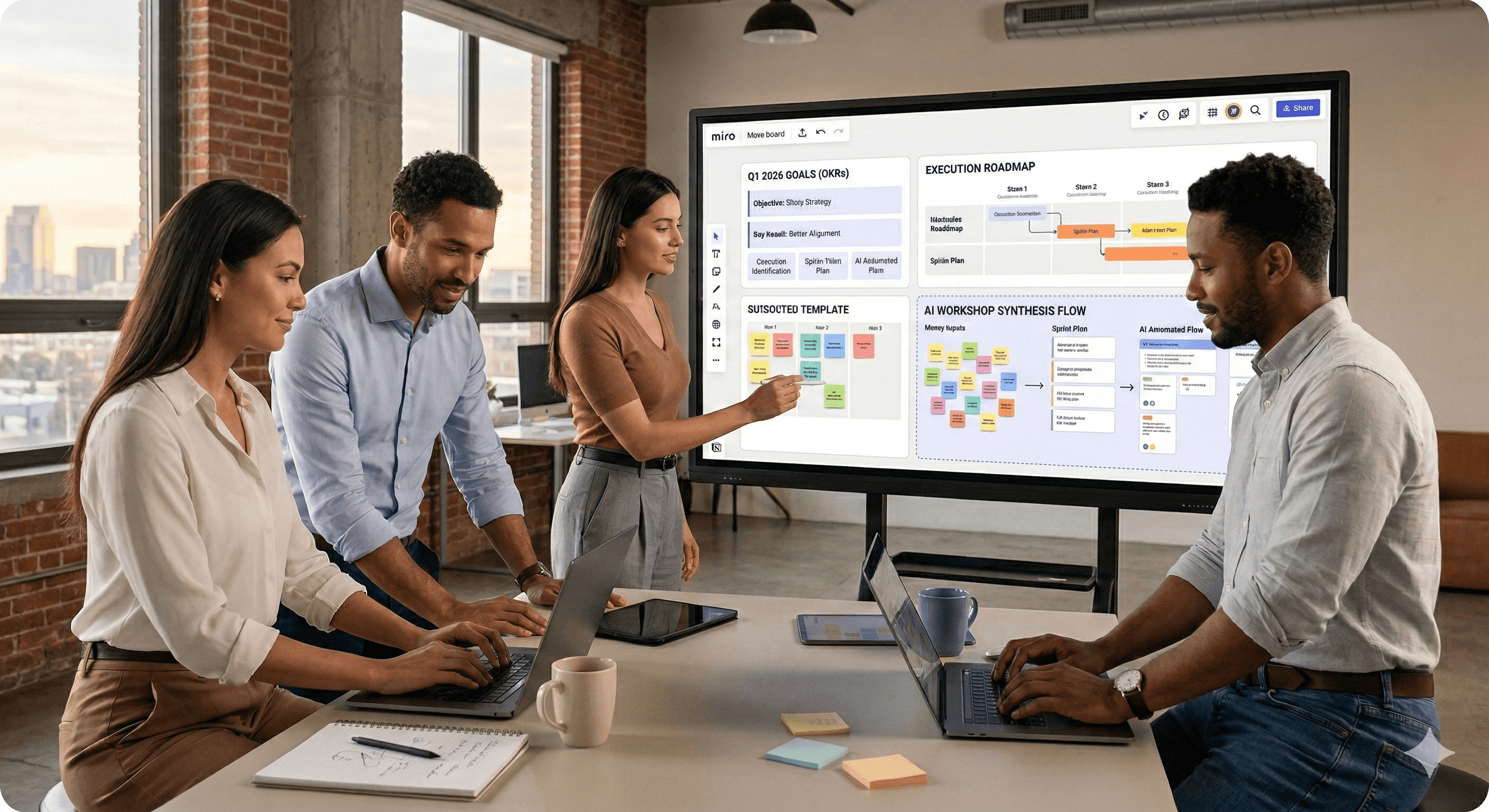
Miro’s 2026 templates are ready-made boards in Miroverse that help teams plan and execute faster. The latest release adds 185 new templates across planning and goal-setting, plus AI-powered Flows that automate repetitive steps (like turning workshop notes into structured plans). Use them to set clear objectives, track progress, and keep everyone aligned.
Planning looks easy when it’s a slide deck. Execution is the hard part.
That’s why Miro’s latest template updates matter: they don’t just make your board look tidy—they reduce the time it takes to move from “we discussed it” to “we’re doing it.” As of January 2026, Miroverse introduced 185 new templates, including refreshed planning formats, goal-setting activities, and AI-powered frameworks built around Miro Flows.
If your 2026 priorities include sharper strategy, better alignment, and fewer status meetings, these templates are a simple (and surprisingly powerful) place to start.
What’s new in Miro’s 2026 templates
Miro’s 2026 template push focuses on three things teams typically struggle with:
Turning plans into shared artefacts people can actually work from
Making goal-setting measurable (without turning it into admin)
Using AI to remove busywork, not add another tool to learn
1) More planning templates you’ll actually reuse
The new collection includes updated calendars, project and programme planning boards, and planning formats that suit both live workshops and async collaboration.
The key shift is reusability: templates are increasingly designed to become your standard operating rhythm—duplicated each quarter, shared across teams, and improved over time.
2) Fresh goal-setting formats for 2026
Miro’s goal-setting templates help teams move beyond vague intentions. You’ll see formats that encourage:
prioritising a small number of goals (so focus is real)
identifying obstacles early (so delivery risk is visible)
planning tasks and owners inside the same workspace
This is particularly useful for organisations adopting OKRs or quarterly planning, where the failure mode is rarely “we didn’t set goals” and more often “we didn’t keep them alive.”
3) AI-powered frameworks with Miro Flows
Flows are where the 2026 templates get interesting.
Instead of a static board, a Flow template can guide your team through a repeatable, multi-step workflow—often including AI actions that turn messy inputs into structured outputs. Think:
turning customer interviews into a sprint plan
converting brainstorm notes into prioritised options
generating first-draft strategy artefacts (then refining with humans)
If you’ve ever left a workshop with 200 sticky notes and no clear next steps, Flows are designed to close that gap.
Who these templates are best for
You don’t need a “template strategy” to benefit. But you do need to match templates to the job you’re trying to do.
Leadership and strategy teams
Use planning and strategy templates to align on:
company priorities
trade-offs and constraints
what success looks like this quarter
The win: fewer alignment loops and faster decisions.
Product and delivery teams
Use templates for:
roadmaps
dependency mapping
sprint planning and retros
discovery synthesis
The win: a single shared space from discovery through delivery.
PMO, ops, and enablement
Use templates to standardise:
quarterly planning cycles
reporting formats
portfolio reviews
governance and working agreements
The win: consistency without forcing every team into the same process.
How to use Miro’s 2026 templates in real planning work
Templates only create value when they’re used consistently. Here’s a practical way to adopt the 2026 release without overwhelming your teams.
Step 1: Start with a single planning ritual
Pick one repeatable moment in your calendar:
annual strategy refresh
quarterly goals and OKRs
monthly portfolio review
weekly prioritisation
Choose a template that matches that moment, not your entire operating model.
Step 2: Make the template your “single source of truth”
A template becomes powerful when it’s the place decisions live.
To make that happen:
link to the board from your meeting invite
keep the decisions on the canvas (not just in chat)
assign owners and deadlines where possible
keep updates inside the board so progress is visible
If you’re using goal-setting templates, consider using Miro Tables for status and ownership so updates don’t fragment across tools.
Step 3: Use Flows for the steps you always rush
Most teams rush the same steps:
synthesis after workshops
turning ideas into prioritised options
drafting a narrative or update for stakeholders
That’s where Flow templates help. You can run the same workflow each time, with the AI doing the repeatable work and your team doing the judgement.
A simple starting point:
Capture inputs (notes, stickies, data)
Use AI to cluster and summarise themes
Turn themes into options or risks
Convert decisions into a plan (owners, dates, milestones)
Export or sync the action layer to your delivery tool
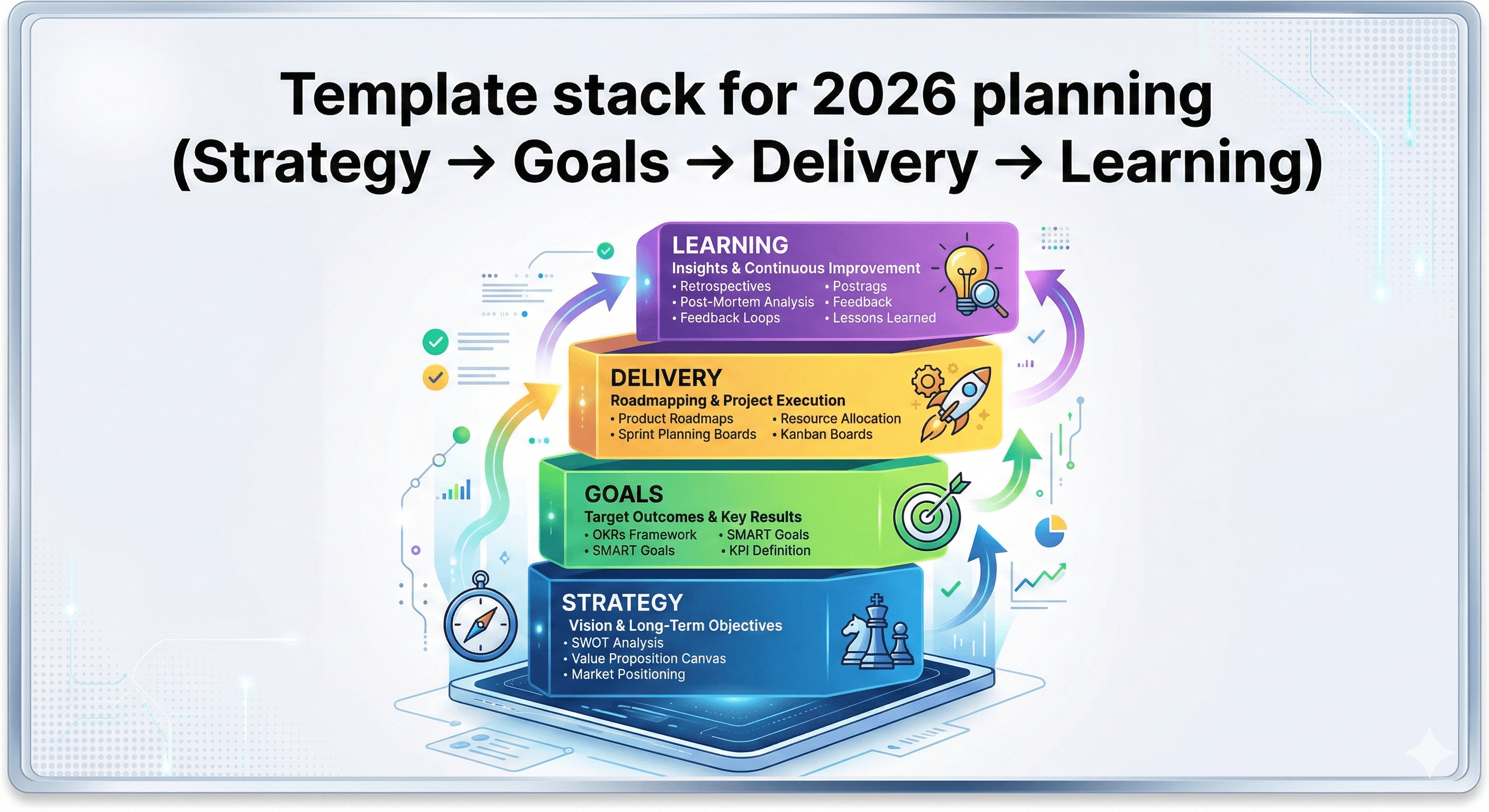
Step 4: Create a “template stack” for 2026
Once one ritual works, add a second.
A useful template stack looks like:
Annual direction: vision, themes, success measures
Quarterly goals: OKRs, initiatives, risks
Execution layer: roadmap, delivery plan, weekly updates
Learning loop: retro templates and insight capture
The point isn’t more boards. It’s fewer, better boards that your organisation trusts.
Practical examples your team can run this week
Example 1: Quarterly goals workshop (90 minutes)
Duplicate a quarterly goals or OKR template
Capture context: what changed, what we learned, what’s constrained
Draft 3–5 objectives, each with 2–4 key results
Decide ownership and review cadence
Create a “progress table” on the same board
Outcome: goals that are measurable and revisited, not forgotten.
Example 2: Turning a planning workshop into an execution plan (with Flows)
Run the session using a planning template
Use a Flow to summarise inputs and cluster themes
Generate a first pass at initiatives and milestones
Human review: cut scope, clarify dependencies, assign owners
Publish a one-page update from the board for stakeholders
Outcome: a workshop that ends with an action plan, not a backlog of notes.
Example 3: Standardising planning across teams (without killing autonomy)
Create a “golden template” versioned by your enablement/ops team
Allow teams to customise sections (but keep core fields consistent)
Roll out via a short training and examples board
Review adoption monthly and improve the template based on feedback
Outcome: consistent reporting and decision artefacts, without forcing identical processes.
Common pitfalls (and how to avoid them)
Pitfall 1: Too many templates, not enough habits
If you launch 20 templates at once, teams will ignore them.
Fix: pick one ritual and one template. Make it useful. Then expand.
Pitfall 2: AI used for “content”, not “structure”
AI is most useful when it gives shape to messy inputs.
Fix: use AI/Flows for clustering, summarising, turning notes into draft structures—then have humans refine.
Pitfall 3: No governance, so boards become messy fast
Without light rules, templates degrade into chaos.
Fix: define simple standards: naming, ownership, where decisions live, and what gets archived.
How Generation Digital can help you operationalise Miro templates
Templates are the start. Adoption and outcomes are the goal.
Generation Digital helps organisations make Miro a reliable planning and execution system—especially when you want to combine templates with AI safely.
We can help you:
select the right templates for your planning rituals
design a reusable “template stack” for 2026 (strategy → goals → delivery)
pilot and scale Miro Flows so AI reduces admin, not control
set lightweight governance for enterprise rollout
integrate Miro with tools like Asana, Notion, and Glean so execution stays connected
Summary
Miro’s 2026 template updates (including 185 new templates added in January 2026) make it easier to plan, set goals, and execute with less friction. Start with one planning ritual, adopt one template, and use Flows where you want repeatability and speed.
Next steps: If you want help choosing templates, building a 2026 planning system, or rolling out Miro Flows with the right guardrails, explore our Miro services page and speak to Generation Digital.
FAQs
Q1: What’s included in Miro’s 2026 template release?
A: The January 2026 Miroverse release adds 185 new templates, including updated planning boards, goal-setting activities, and AI-powered workflows using Miro Flows.
Q2: What are Miro Flows templates?
A: Flows templates are multi-step, on-canvas workflows that can automate repeatable planning tasks—such as summarising workshop notes, clustering themes, and drafting structured plans.
Q3: Which templates should we start with for goal-setting?
A: Start with a quarterly goals or OKR template. Limit yourself to 3–5 objectives and add a simple progress table for owners, status, and deadlines.
Q4: How do we roll templates out without overwhelming teams?
A: Adopt one template for one recurring ritual (e.g., quarterly planning). Prove it works, document the habit, then expand to a small “template stack.”
Q5: Can Miro templates connect to execution tools like Asana or Jira?
A: Yes. Many teams run planning in Miro and sync actions to delivery tools, keeping Miro as the decision space and the tracker as the execution system.
Receive weekly AI news and advice straight to your inbox
By subscribing, you agree to allow Generation Digital to store and process your information according to our privacy policy. You can review the full policy at gend.co/privacy.



Generation
Digital

Canadian Office
33 Queen St,
Toronto
M5H 2N2
Canada
Canadian Office
1 University Ave,
Toronto,
ON M5J 1T1,
Canada
NAMER Office
77 Sands St,
Brooklyn,
NY 11201,
USA
Head Office
Charlemont St, Saint Kevin's, Dublin,
D02 VN88,
Ireland
Middle East Office
6994 Alsharq 3890,
An Narjis,
Riyadh 13343,
Saudi Arabia






Business Number: 256 9431 77 | Copyright 2026 | Terms and Conditions | Privacy Policy