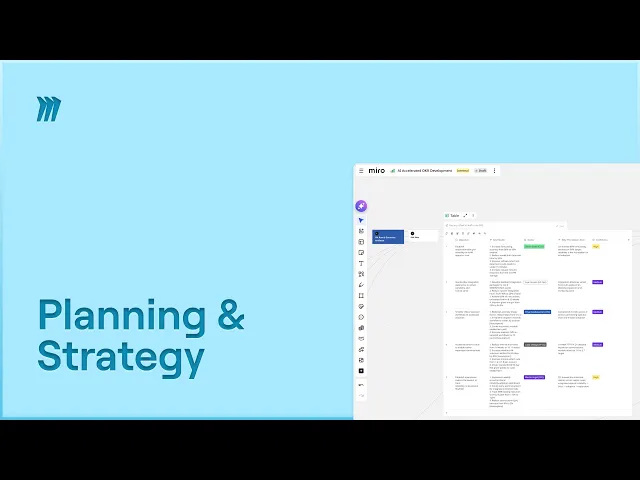
Speed Up Quarterly OKRs in Miro: Templates, AI Features & Tips

Speed Up Quarterly OKRs in Miro: Templates, AI Features & Tips

Miro

Artificial Intelligence
Jan 15, 2026

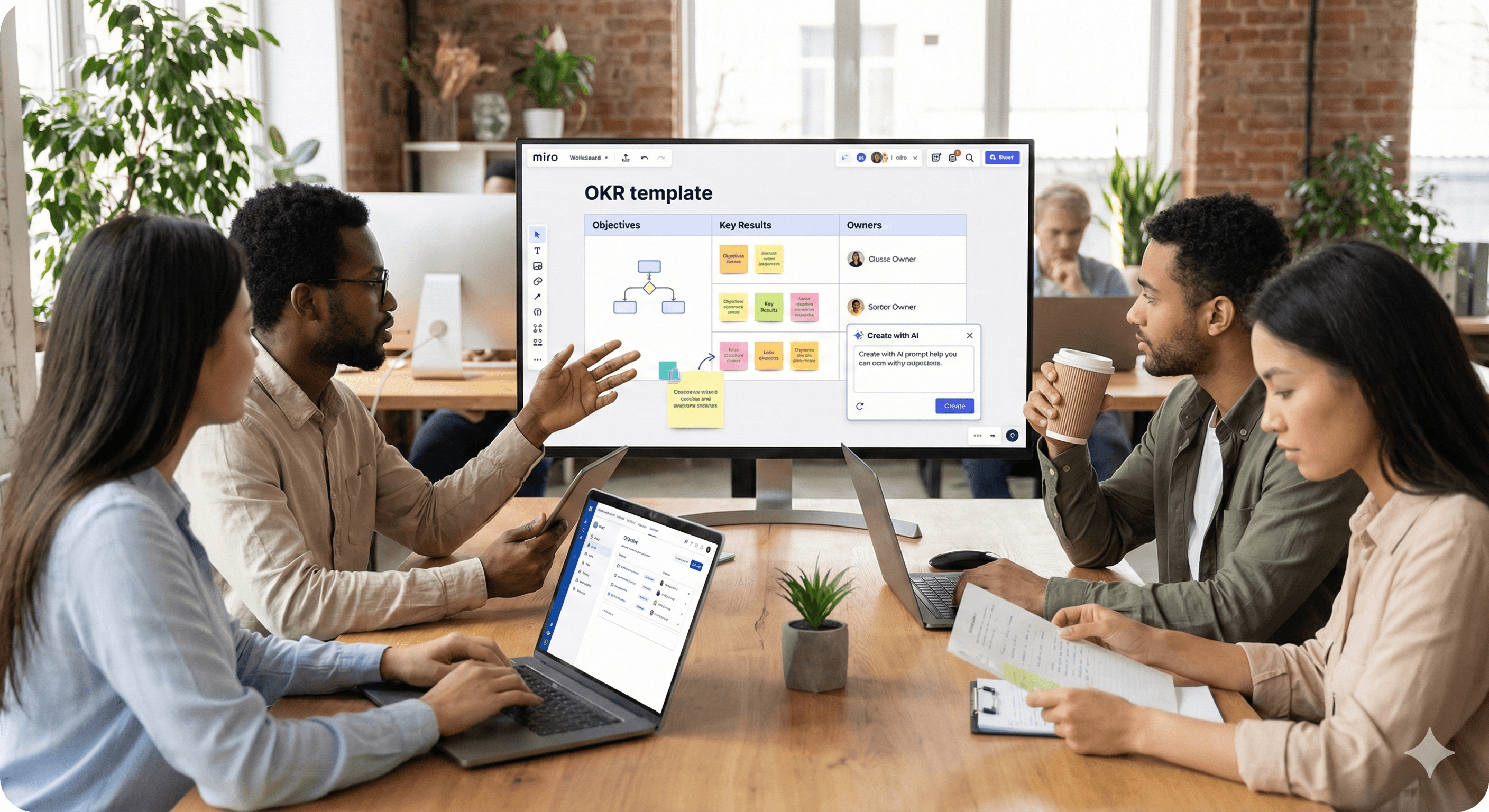
A diverse team of professionals is gathered around a table in a contemporary office, reviewing a digital OKR template displayed on a large screen from Miro, equipped with laptops and documents, highlighting teamwork and productivity.

Uncertain about how to get started with AI?
Evaluate your readiness, potential risks, and key priorities in less than an hour.

Uncertain about how to get started with AI?
Evaluate your readiness, potential risks, and key priorities in less than an hour.

➔ Download Our Free AI Preparedness Pack

Miro helps teams set their quarterly OKRs faster by combining ready-made OKR templates with on-canvas AI and seamless integrations. This enables you to draft objectives, align stakeholders in real-time, and track key results efficiently in Miro Tables synced with Jira or Asana, ensuring that progress updates and responsibilities remain transparent throughout the quarter.

Quarterly OKRs keep teams on target, but the initial task is transforming a blank page into shared, measurable goals swiftly. With Miro, you can move from brainstorming to committed OKRs in a single collaborative space, leveraging templates, AI, and live integrations that maintain coordination.

Why Choose Miro for OKRs Now

Miro’s newest features bring AI directly to the canvas and bolster the OKR toolkit with the OKR Tracker built on Miro Tables. Adding seamless integrations with Jira and Asana gives you the ability to plan and monitor in one place—without redundant updates.

The Efficient Route to Quarterly OKRs with Miro

1) Start with the Ideal Template

Unlock the OKR Planning template to execute your session—from preparation to alignment and approval. For continuous tracking, transition to the OKR Tracker template (Miro Tables) to manage objectives, key results, owners, deadlines, and status in one view.

Tip: If you’re new to OKRs, Miro’s “What is an OKR?” guide and Miroverse drafting templates offer sample structures and prompts you can customize.

2) Capture Inputs and Draft with AI

Utilize Create with AI to distill sticky-note insights into draft objectives and potential key results. Since the AI reads context from on-canvas selections, it can propose OKRs based on the precise notes, clusters, or diagrams you indicate.

Example prompt: “From the highlighted cluster of research findings, draft three outcome-based objectives with two measurable KRs each.”

3) Host a Focused Workshop

Conduct a 90-minute session using the Planning template frames: kickoff (purpose & company priorities), Q&A, brainstorming, proposal drafting, and alignment. Use the board timer for time management, apply comments for asynchronous input, and prioritize unresolved items in a backlog frame. (Refer to Miro’s OKR workshop guidance for flow and roles.)

4) Align and Assign Responsibilities

Transfer finalized OKRs into the OKR Tracker. Assign an owner to each objective/key result and agree on weekly check-ins. Tables facilitate visibility on ownership and status; views can be filtered by team or priority for leadership evaluations.

5) Connect Jira, Asana, or Azure DevOps

Include Jira/Asana/Azure cards so that delivery work is adjacent to your OKRs. With two-way synchronization, status changes in Jira or Asana revert to the board—cutting down on reporting efforts and ensuring confidence scores are accurate.

6) Maintain a Human and Visual Approach

Boost motivation with simple visuals: progress bars for KRs, straightforward traffic lights for confidence, and emojis for immediate sentiment. If you need to refine visuals, the Adobe Express integration allows you to modify images directly on the board.

Illustrative Quarterly Flow (12 Weeks)

Week 0–1: Plan

  • Pre-work: gather inputs, customer feedback, prior KR outcomes.

  • Workshop: utilize the Planning template, draft with AI, converge on 3–5 objectives.

Week 2–10: Execute & Track

  • Weekly: owners update KR figures in Tables; team assesses confidence.

  • Delivery: Jira/Asana tickets linked; burndown/velocity informs KR advancement.

Week 11–12: Review & Reset

  • Review outcomes, insights, and carryovers; archive in a “Past OKRs” frame.

  • Commence the next cycle with refined baselines (typical OKR cycles are quarterly).

Good OKRs vs. Bad OKRs (Quick Tips)

  • Outcome-focused, not tasks.

  • Measurable: numeric KRs with owners and deadlines.

  • Fewer, clearer: 3–5 objectives max for concentration.

  • Link to delivery: associated tickets or projects support each KR.

What’s New to Accelerate This Process

  • AI on the canvas: Create, revise, and summarize directly from chosen objects (notes, frames, diagrams).

  • Tables-based OKR Tracker: Designed for ownership, status, and integrations (e.g., Jira).

  • Enhanced integrations: Two-way synchronization with Jira/Confluence/Azure; popular integrations overview.

  • Creative enhancements: Adobe Express inside Miro for on-brand visuals.

Summary & Next Steps

Utilizing Miro’s OKR Planning + OKR Tracker, on-canvas AI, and Jira/Asana sync, you can plan, align, and track quarterly OKRs without leaving the board. If you need assistance tailoring this process to your team and technology stack, Generation Digital can design and guide your next OKR cycle.

FAQ

Q1: What are OKRs?
Objectives and Key Results (OKRs) are a goal-setting framework that defines what you want to achieve (objectives) and how you’ll measure success (key results), typically following a quarterly cycle.

Q2: Does Miro provide OKR templates?
Yes—utilize the OKR Planning template for the workshop flow and the OKR Tracker (Miro Tables) for continuous tracking and reporting.

Q3: How does Miro AI support OKRs?
Create with AI can translate sticky-note clusters and diagrams into draft OKRs, summarize discussions, and offer suggestions—because it derives context from what you select on the board.

Q4: Can Miro sync with Jira or Asana for KR updates?
Yes. Integrations allow you to visualize and modify Jira/Asana items from Miro. Changes synchronize in both directions, minimizing manual status updates.

Q5: How many objectives should be set?
Most teams aim to achieve 3–5 objectives per quarter, each with 2–4 measurable key results to maintain focus and accountability.

Miro helps teams set their quarterly OKRs faster by combining ready-made OKR templates with on-canvas AI and seamless integrations. This enables you to draft objectives, align stakeholders in real-time, and track key results efficiently in Miro Tables synced with Jira or Asana, ensuring that progress updates and responsibilities remain transparent throughout the quarter.

Quarterly OKRs keep teams on target, but the initial task is transforming a blank page into shared, measurable goals swiftly. With Miro, you can move from brainstorming to committed OKRs in a single collaborative space, leveraging templates, AI, and live integrations that maintain coordination.

Why Choose Miro for OKRs Now

Miro’s newest features bring AI directly to the canvas and bolster the OKR toolkit with the OKR Tracker built on Miro Tables. Adding seamless integrations with Jira and Asana gives you the ability to plan and monitor in one place—without redundant updates.

The Efficient Route to Quarterly OKRs with Miro

1) Start with the Ideal Template

Unlock the OKR Planning template to execute your session—from preparation to alignment and approval. For continuous tracking, transition to the OKR Tracker template (Miro Tables) to manage objectives, key results, owners, deadlines, and status in one view.

Tip: If you’re new to OKRs, Miro’s “What is an OKR?” guide and Miroverse drafting templates offer sample structures and prompts you can customize.

2) Capture Inputs and Draft with AI

Utilize Create with AI to distill sticky-note insights into draft objectives and potential key results. Since the AI reads context from on-canvas selections, it can propose OKRs based on the precise notes, clusters, or diagrams you indicate.

Example prompt: “From the highlighted cluster of research findings, draft three outcome-based objectives with two measurable KRs each.”

3) Host a Focused Workshop

Conduct a 90-minute session using the Planning template frames: kickoff (purpose & company priorities), Q&A, brainstorming, proposal drafting, and alignment. Use the board timer for time management, apply comments for asynchronous input, and prioritize unresolved items in a backlog frame. (Refer to Miro’s OKR workshop guidance for flow and roles.)

4) Align and Assign Responsibilities

Transfer finalized OKRs into the OKR Tracker. Assign an owner to each objective/key result and agree on weekly check-ins. Tables facilitate visibility on ownership and status; views can be filtered by team or priority for leadership evaluations.

5) Connect Jira, Asana, or Azure DevOps

Include Jira/Asana/Azure cards so that delivery work is adjacent to your OKRs. With two-way synchronization, status changes in Jira or Asana revert to the board—cutting down on reporting efforts and ensuring confidence scores are accurate.

6) Maintain a Human and Visual Approach

Boost motivation with simple visuals: progress bars for KRs, straightforward traffic lights for confidence, and emojis for immediate sentiment. If you need to refine visuals, the Adobe Express integration allows you to modify images directly on the board.

Illustrative Quarterly Flow (12 Weeks)

Week 0–1: Plan

  • Pre-work: gather inputs, customer feedback, prior KR outcomes.

  • Workshop: utilize the Planning template, draft with AI, converge on 3–5 objectives.

Week 2–10: Execute & Track

  • Weekly: owners update KR figures in Tables; team assesses confidence.

  • Delivery: Jira/Asana tickets linked; burndown/velocity informs KR advancement.

Week 11–12: Review & Reset

  • Review outcomes, insights, and carryovers; archive in a “Past OKRs” frame.

  • Commence the next cycle with refined baselines (typical OKR cycles are quarterly).

Good OKRs vs. Bad OKRs (Quick Tips)

  • Outcome-focused, not tasks.

  • Measurable: numeric KRs with owners and deadlines.

  • Fewer, clearer: 3–5 objectives max for concentration.

  • Link to delivery: associated tickets or projects support each KR.

What’s New to Accelerate This Process

  • AI on the canvas: Create, revise, and summarize directly from chosen objects (notes, frames, diagrams).

  • Tables-based OKR Tracker: Designed for ownership, status, and integrations (e.g., Jira).

  • Enhanced integrations: Two-way synchronization with Jira/Confluence/Azure; popular integrations overview.

  • Creative enhancements: Adobe Express inside Miro for on-brand visuals.

Summary & Next Steps

Utilizing Miro’s OKR Planning + OKR Tracker, on-canvas AI, and Jira/Asana sync, you can plan, align, and track quarterly OKRs without leaving the board. If you need assistance tailoring this process to your team and technology stack, Generation Digital can design and guide your next OKR cycle.

FAQ

Q1: What are OKRs?
Objectives and Key Results (OKRs) are a goal-setting framework that defines what you want to achieve (objectives) and how you’ll measure success (key results), typically following a quarterly cycle.

Q2: Does Miro provide OKR templates?
Yes—utilize the OKR Planning template for the workshop flow and the OKR Tracker (Miro Tables) for continuous tracking and reporting.

Q3: How does Miro AI support OKRs?
Create with AI can translate sticky-note clusters and diagrams into draft OKRs, summarize discussions, and offer suggestions—because it derives context from what you select on the board.

Q4: Can Miro sync with Jira or Asana for KR updates?
Yes. Integrations allow you to visualize and modify Jira/Asana items from Miro. Changes synchronize in both directions, minimizing manual status updates.

Q5: How many objectives should be set?
Most teams aim to achieve 3–5 objectives per quarter, each with 2–4 measurable key results to maintain focus and accountability.

Receive weekly AI news and advice straight to your inbox

By subscribing, you agree to allow Generation Digital to store and process your information according to our privacy policy. You can review the full policy at gend.co/privacy.


Upcoming Workshops and Webinars

A diverse group of professionals collaborating around a table in a bright, modern office setting.

Streamlined Operations for Canadian Businesses - Asana

Virtual Webinar
Wednesday, February 25, 2026
Online

A diverse group of professionals collaborating around a table in a bright, modern office setting.

Collaborate with AI Team Members - Asana

In-Person Workshop
Thursday, February 26, 2026
Toronto, Canada

A diverse group of professionals collaborating around a table in a bright, modern office setting.

From Concept to Prototype - AI in Miro

Online Webinar
Wednesday, February 18, 2026
Online

Generation
Digital

Canadian Office
33 Queen St,
Toronto
M5H 2N2
Canada

Canadian Office
1 University Ave,
Toronto,
ON M5J 1T1,
Canada

NAMER Office
77 Sands St,
Brooklyn,
NY 11201,
USA

Head Office
Charlemont St, Saint Kevin's, Dublin,
D02 VN88,
Ireland

Middle East Office
6994 Alsharq 3890,
An Narjis,
Riyadh 13343,
Saudi Arabia

UK Fast Growth Index UBS Logo
Financial Times FT 1000 Logo
Febe Growth 100 Logo (Background Removed)

Business Number: 256 9431 77 | Copyright 2026 | Terms and Conditions | Privacy Policy

Generation
Digital

Canadian Office
33 Queen St,
Toronto
M5H 2N2
Canada

Canadian Office
1 University Ave,
Toronto,
ON M5J 1T1,
Canada

NAMER Office
77 Sands St,
Brooklyn,
NY 11201,
USA

Head Office
Charlemont St, Saint Kevin's, Dublin,
D02 VN88,
Ireland

Middle East Office
6994 Alsharq 3890,
An Narjis,
Riyadh 13343,
Saudi Arabia

UK Fast Growth Index UBS Logo
Financial Times FT 1000 Logo
Febe Growth 100 Logo (Background Removed)


Business No: 256 9431 77
Terms and Conditions
Privacy Policy
© 2026





