Perplexity Personal Computer: Mac mini AI Agent 24/7

Perplexity Personal Computer: Mac mini AI Agent 24/7

Pérplexité
11 mars 2026

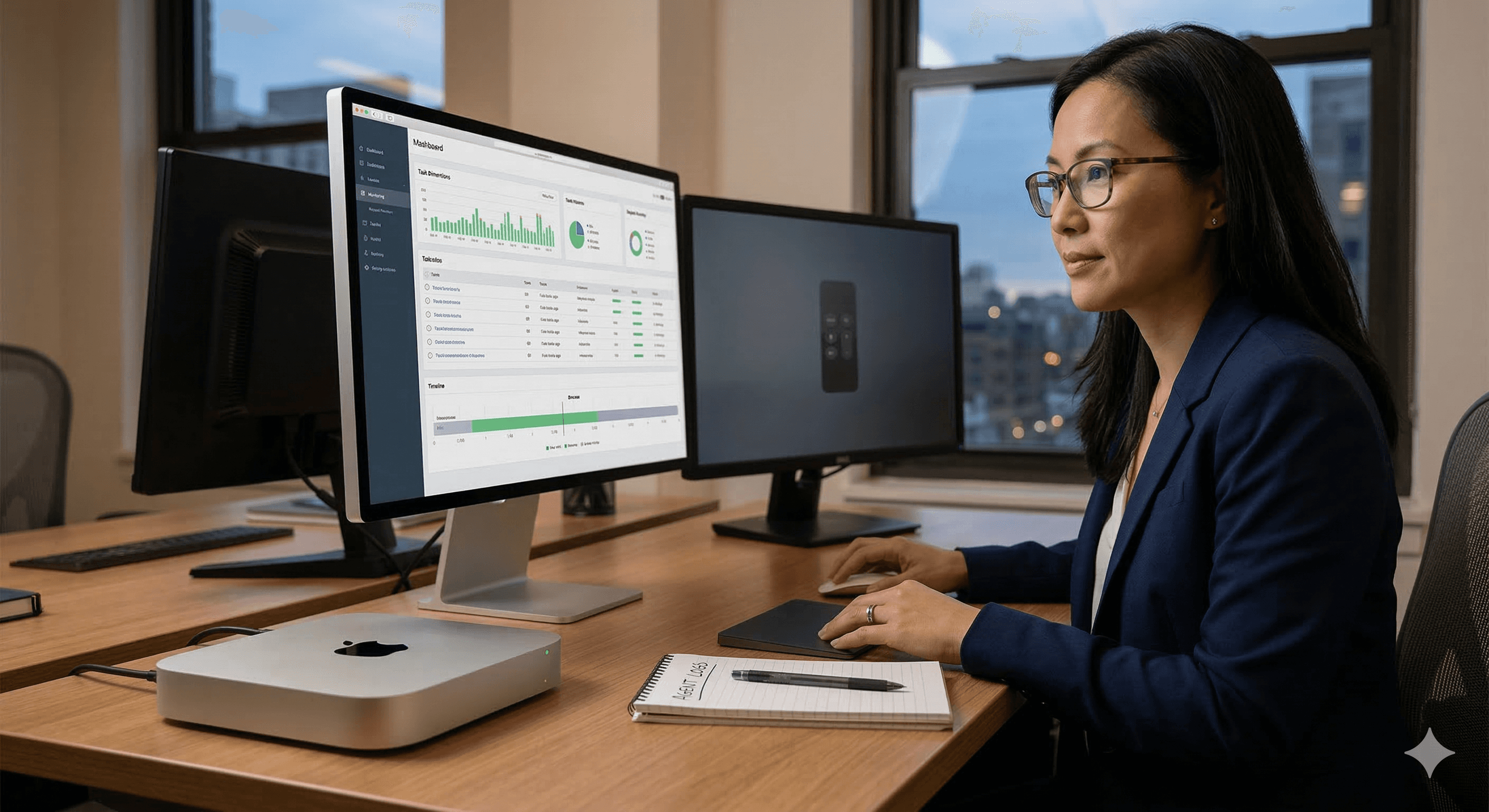
A person is working at a wooden desk, using a computer with dual monitors displaying data analytics, accompanied by a Mac mini, in a modern office setting; perfect for illustrating the efficiency and continuous operation of a Perplexity personal computer and AI agent 24/7.

Pas sûr de quoi faire ensuite avec l'IA?Évaluez la préparation, les risques et les priorités en moins d'une heure.

Pas sûr de quoi faire ensuite avec l'IA?Évaluez la préparation, les risques et les priorités en moins d'une heure.

➔ Téléchargez notre kit de préparation à l'IA gratuit

Perplexity Personal Computer is an always-on AI agent that runs on a dedicated Mac mini. It keeps a persistent session running 24/7, can access local files and applications, and can be controlled remotely. It’s designed to reduce copy-paste work between tools while adding safety measures like logs and emergency stop controls.

Most “AI assistants” stop when you close the tab. Perplexity Personal Computer is built around a different idea: put the agent on a dedicated Mac mini, keep it running continuously, and let it work across your local apps and files while coordinating with Perplexity’s secure services.

If your day is split between spreadsheets, inbox triage, decks, and admin-heavy workflows, the promise is simple: less context switching, fewer manual handovers, and more work done in the background — without giving an agent unlimited freedom.

What is Personal Computer?

Personal Computer is Perplexity’s always-on agent setup that runs on a dedicated Mac mini. The agent can keep a persistent working session alive, integrate with local files and apps, and be controlled remotely so work can continue even when you’re not actively at the keyboard.

Think of it as “a work computer for your AI”, rather than a chatbot you consult occasionally.

What’s new vs a normal AI assistant

Traditional assistants:

  • work inside one app (browser, chat window)

  • rely on you to paste context

  • lose continuity between tasks

Personal Computer is designed to:

  • run 24/7 on a dedicated device

  • keep working sessions open

  • access local files/apps (within the permissions you allow)

  • support remote control so tasks can continue outside working hours

How it works (conceptually)

You set up a dedicated Mac mini to run continuously. Personal Computer connects to your local environment (apps, files, sessions) and to Perplexity’s services for reasoning, planning, and coordination.

The key difference is persistence: your agent has an “always-on workspace” and can keep progress moving across tasks.

Built-in safety and control

Always-on agents are powerful — and that means governance matters.

Perplexity positions Personal Computer with safety and oversight features designed to reduce risk, such as:

  • activity logging / audit trail

  • reversible actions (where possible)

  • an emergency kill switch to stop the agent

For enterprise teams, the question becomes less “can it do it?” and more “can we deploy it responsibly?”

Practical workflows to try first

If you’re exploring Personal Computer, start with repeatable, bounded workflows where success is measurable.

1) Weekly reporting pack (Excel → PowerPoint)

  • Pull key metrics from a workbook

  • Draft a narrative summary

  • Build/update a slide deck from a template

2) Sales admin support

  • Tidy CRM exports

  • Draft follow-up emails from notes

  • Build a short account brief deck for meetings

3) Ops and IT triage

  • Summarise tickets into themes

  • Suggest priorities and next actions

  • Draft stakeholder updates with consistent formatting

4) Knowledge work across tools

  • Find, compare, and summarise internal docs

  • Turn notes into action lists

  • Keep a running project log without repeated prompting

A sensible rollout plan

To deploy with confidence, treat Personal Computer like a new automation capability — not a toy.

  1. Pilot with one team
    Pick one workflow and define success metrics.

  2. Define access boundaries
    Decide what the agent can access (files, apps, systems) and what is off-limits.

  3. Agree approval points
    Identify actions that must always require human approval.

  4. Monitor and iterate
    Review logs, failures, and outcomes. Tighten prompts, templates, and guardrails.

Limitations and considerations

Because the product is positioned as an always-on agent, it raises practical questions you should plan for:

  • device management (the Mac mini becomes part of your working infrastructure)

  • data handling and access policy

  • monitoring and incident response for agent actions

  • availability and rollout model (e.g., waitlist or staged access)

Where Generation Digital can help

If you want more than a demo, we can help you turn Personal Computer into a governed workflow that teams actually trust.

  • identify high-value agent use cases

  • create workflows and templates for repeatable output

  • set practical guardrails and governance

  • integrate with your existing tools (work management, collaboration, knowledge systems)

Summary

Personal Computer is Perplexity’s always-on agent approach: a dedicated Mac mini that can keep work moving 24/7 with local app access and remote control. The opportunity is speed and continuity. The requirement is governance: clear boundaries, oversight, and sensible rollout.

Next steps: If you’d like to explore what this could look like in your organisation, speak with Generation Digital: https://www.gend.co/contact

FAQs

1) What is Perplexity Personal Computer?
It’s an always-on AI agent setup that runs on a dedicated Mac mini, keeps a persistent session running 24/7, and can access local apps and files within the boundaries you allow.

2) How is it different from Perplexity Computer?
Personal Computer is positioned as the persistent, always-on version designed to run continuously and integrate more directly with your local environment.

3) Does it work when I’m not at my desk?
Yes — it’s designed to be controllable remotely so tasks can continue while you’re away, subject to your configuration.

4) What security controls are included?
Perplexity highlights measures such as activity logging/audit trails, the ability to reverse actions (where possible), and a kill switch to stop the agent.

5) Is it available to everyone?
Availability may be staged (for example via a waitlist), so enterprise teams should plan pilots around the current access model.

Perplexity Personal Computer is an always-on AI agent that runs on a dedicated Mac mini. It keeps a persistent session running 24/7, can access local files and applications, and can be controlled remotely. It’s designed to reduce copy-paste work between tools while adding safety measures like logs and emergency stop controls.

Most “AI assistants” stop when you close the tab. Perplexity Personal Computer is built around a different idea: put the agent on a dedicated Mac mini, keep it running continuously, and let it work across your local apps and files while coordinating with Perplexity’s secure services.

If your day is split between spreadsheets, inbox triage, decks, and admin-heavy workflows, the promise is simple: less context switching, fewer manual handovers, and more work done in the background — without giving an agent unlimited freedom.

What is Personal Computer?

Personal Computer is Perplexity’s always-on agent setup that runs on a dedicated Mac mini. The agent can keep a persistent working session alive, integrate with local files and apps, and be controlled remotely so work can continue even when you’re not actively at the keyboard.

Think of it as “a work computer for your AI”, rather than a chatbot you consult occasionally.

What’s new vs a normal AI assistant

Traditional assistants:

  • work inside one app (browser, chat window)

  • rely on you to paste context

  • lose continuity between tasks

Personal Computer is designed to:

  • run 24/7 on a dedicated device

  • keep working sessions open

  • access local files/apps (within the permissions you allow)

  • support remote control so tasks can continue outside working hours

How it works (conceptually)

You set up a dedicated Mac mini to run continuously. Personal Computer connects to your local environment (apps, files, sessions) and to Perplexity’s services for reasoning, planning, and coordination.

The key difference is persistence: your agent has an “always-on workspace” and can keep progress moving across tasks.

Built-in safety and control

Always-on agents are powerful — and that means governance matters.

Perplexity positions Personal Computer with safety and oversight features designed to reduce risk, such as:

  • activity logging / audit trail

  • reversible actions (where possible)

  • an emergency kill switch to stop the agent

For enterprise teams, the question becomes less “can it do it?” and more “can we deploy it responsibly?”

Practical workflows to try first

If you’re exploring Personal Computer, start with repeatable, bounded workflows where success is measurable.

1) Weekly reporting pack (Excel → PowerPoint)

  • Pull key metrics from a workbook

  • Draft a narrative summary

  • Build/update a slide deck from a template

2) Sales admin support

  • Tidy CRM exports

  • Draft follow-up emails from notes

  • Build a short account brief deck for meetings

3) Ops and IT triage

  • Summarise tickets into themes

  • Suggest priorities and next actions

  • Draft stakeholder updates with consistent formatting

4) Knowledge work across tools

  • Find, compare, and summarise internal docs

  • Turn notes into action lists

  • Keep a running project log without repeated prompting

A sensible rollout plan

To deploy with confidence, treat Personal Computer like a new automation capability — not a toy.

  1. Pilot with one team
    Pick one workflow and define success metrics.

  2. Define access boundaries
    Decide what the agent can access (files, apps, systems) and what is off-limits.

  3. Agree approval points
    Identify actions that must always require human approval.

  4. Monitor and iterate
    Review logs, failures, and outcomes. Tighten prompts, templates, and guardrails.

Limitations and considerations

Because the product is positioned as an always-on agent, it raises practical questions you should plan for:

  • device management (the Mac mini becomes part of your working infrastructure)

  • data handling and access policy

  • monitoring and incident response for agent actions

  • availability and rollout model (e.g., waitlist or staged access)

Where Generation Digital can help

If you want more than a demo, we can help you turn Personal Computer into a governed workflow that teams actually trust.

  • identify high-value agent use cases

  • create workflows and templates for repeatable output

  • set practical guardrails and governance

  • integrate with your existing tools (work management, collaboration, knowledge systems)

Summary

Personal Computer is Perplexity’s always-on agent approach: a dedicated Mac mini that can keep work moving 24/7 with local app access and remote control. The opportunity is speed and continuity. The requirement is governance: clear boundaries, oversight, and sensible rollout.

Next steps: If you’d like to explore what this could look like in your organisation, speak with Generation Digital: https://www.gend.co/contact

FAQs

1) What is Perplexity Personal Computer?
It’s an always-on AI agent setup that runs on a dedicated Mac mini, keeps a persistent session running 24/7, and can access local apps and files within the boundaries you allow.

2) How is it different from Perplexity Computer?
Personal Computer is positioned as the persistent, always-on version designed to run continuously and integrate more directly with your local environment.

3) Does it work when I’m not at my desk?
Yes — it’s designed to be controllable remotely so tasks can continue while you’re away, subject to your configuration.

4) What security controls are included?
Perplexity highlights measures such as activity logging/audit trails, the ability to reverse actions (where possible), and a kill switch to stop the agent.

5) Is it available to everyone?
Availability may be staged (for example via a waitlist), so enterprise teams should plan pilots around the current access model.

Recevez chaque semaine des nouvelles et des conseils sur l'IA directement dans votre boîte de réception

En vous abonnant, vous consentez à ce que Génération Numérique stocke et traite vos informations conformément à notre politique de confidentialité. Vous pouvez lire la politique complète sur gend.co/privacy.


Génération
Numérique

Bureau du Royaume-Uni

Génération Numérique Ltée
33 rue Queen,
Londres
EC4R 1AP
Royaume-Uni

Bureau au Canada

Génération Numérique Amériques Inc
181 rue Bay, Suite 1800
Toronto, ON, M5J 2T9
Canada

Bureau aux États-Unis

Generation Digital Americas Inc
77 Sands St,
Brooklyn, NY 11201,
États-Unis

Bureau de l'UE

Génération de logiciels numériques
Bâtiment Elgee
Dundalk
A91 X2R3
Irlande

Bureau du Moyen-Orient

6994 Alsharq 3890,
An Narjis,
Riyad 13343,
Arabie Saoudite

UK Fast Growth Index UBS Logo
Financial Times FT 1000 Logo
Febe Growth 100 Logo (Background Removed)

Numéro d'entreprise : 256 9431 77 | Droits d'auteur 2026 | Conditions générales | Politique de confidentialité

Génération
Numérique

Bureau du Royaume-Uni

Génération Numérique Ltée
33 rue Queen,
Londres
EC4R 1AP
Royaume-Uni

Bureau au Canada

Génération Numérique Amériques Inc
181 rue Bay, Suite 1800
Toronto, ON, M5J 2T9
Canada

Bureau aux États-Unis

Generation Digital Americas Inc
77 Sands St,
Brooklyn, NY 11201,
États-Unis

Bureau de l'UE

Génération de logiciels numériques
Bâtiment Elgee
Dundalk
A91 X2R3
Irlande

Bureau du Moyen-Orient

6994 Alsharq 3890,
An Narjis,
Riyad 13343,
Arabie Saoudite

UK Fast Growth Index UBS Logo
Financial Times FT 1000 Logo
Febe Growth 100 Logo (Background Removed)


Numéro d'entreprise : 256 9431 77
Conditions générales
Politique de confidentialité
Droit d'auteur 2026




