Work Smarter: Connect Company Knowledge to ChatGPT
ChatGPT
Free AI at Work Playbook for managers using ChatGPT, Claude and Gemini.
➔ Download the Playbook
Work Smarter: Giving ChatGPT Access to Your Company’s Internal Knowledge
Why this matters now
Generic AI can’t answer questions about your policies, projects, or governance. In 2025, ChatGPT added company knowledge and connectors so teams can ground answers in internal context (SharePoint, Google Drive, Outlook, GitHub and more). Done well, this eliminates context‑switching, reduces rework, and turns AI into an expert colleague rather than a clever guesser.
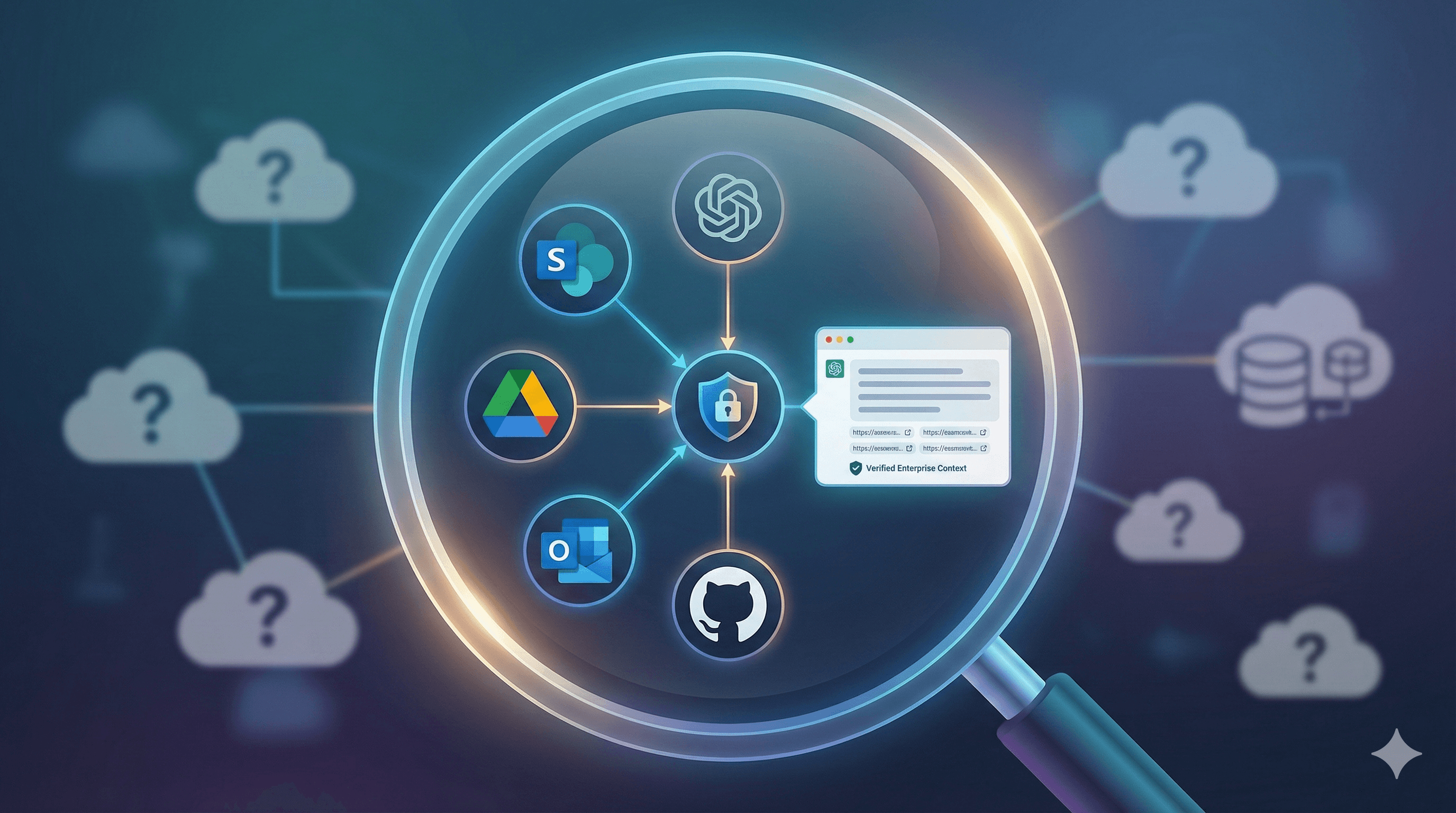
Company knowledge in ChatGPT lets you securely connect internal sources (e.g., SharePoint, Google Drive, Outlook) so answers reflect your organisation’s files, permissions and vocabulary. With admin controls, SSO, and optional custom connectors, teams get cited, contextual responses without copying data between tools.
What “ChatGPT with company knowledge” actually means
Contextual answers: ChatGPT brings in content from your connected apps and files, respecting your existing permissions.
Connectors: Prebuilt links to tools like SharePoint, Google Drive, Outlook Email/Calendar, GitHub and others for search and retrieval inside the chat.
Projects & files: Group chats, data and uploads; Business/Enterprise support larger file allowances per project.
SSO & governance: Enterprise sign‑in, role‑based controls, data retention policies, and audit‑friendly admin settings.
Custom connectors (advanced): Extend company knowledge with your own MCP connectors for specific repositories and query types.
Bottom line: You ask a natural question; ChatGPT answers with your data, citations and links back to the source, following the access you already have.
Implementation playbook (fast path)
1) Prepare the workspace
Choose ChatGPT Business or Enterprise (or Edu for schools) and enable SSO with your identity provider.
Define a data governance profile: retention, export, and admin visibility; document what is in scope on day one.
2) Connect priority sources
Start with SharePoint and Google Drive (documents), then add Outlook Email/Calendar (communications) and GitHub (engineering).
Use Projects to group files, chats and tasks for a team, programme, or portfolio.
3) Pilot “trusted answers” use cases
Policy Q&A (HR/Legal), project history (PMO), customer context (CS), sprint/PRD discovery (Product/Engineering).
Require source‑linked answers and capture feedback inside the project to improve coverage.
4) Extend via custom connectors (optional)
Where gaps remain (e.g., legacy DMS, bespoke knowledge bases), add custom MCP connectors that expose search/fetch.
5) Operationalise governance
Turn on admin guardrails: which connectors are allowed, who can enable them, and retention defaults.
Add usage dashboards, periodic permission recertification, and a sunset plan for overlapping search tools.
Benefits you can measure
Time saved: Fewer hops between systems; answers include citations and links.
Fewer mistakes: Outputs grounded in approved documents and up‑to‑date source of truth.
Happier teams: Less context switching; clarity replaces guesswork.
Lower tool sprawl: Consolidate overlapping search, wiki, and assistant tools.
Security, privacy, and compliance (in brief)
Data control: Your business owns inputs/outputs; enterprise workspaces have configurable retention.
No training on your data by default: Business/Enterprise/Edu data is not used to train OpenAI models by default.
Permissions respected: Company knowledge and connectors reflect existing access controls in your repositories.
Admin controls: Allow/deny specific connectors; configure SSO; monitor usage.
Tip: Document which repositories are in scope for day one and how you’ll handle highly sensitive data (e.g., legal holds, restricted sites).
Example prompts your teams can use
“Summarise our Q3 product roadmap from the latest PRD folder in SharePoint and list risks with owners.”
“Search customer ABC email threads this quarter and extract renewal blockers; link to the original messages.”
“Draft a release note from the GitHub PRs merged in the last 7 days; include commit links.”
“Compare our Expense Policy to the draft in /Policies/2025; call out changes in per‑diem rates.”
FAQs
Is ChatGPT safe for regulated data? Enterprise has admin controls, SSO, and retention settings. You decide scope and connectors; start with low‑risk repositories and expand gradually.
Does ChatGPT train on our content? Not by default for Business/Enterprise/Edu. You control retention and exports.
What if we need a niche source (legacy DMS)? Use custom MCP connectors to add search/fetch capabilities to company knowledge.
Can we limit who uses which connector? Yes—workspace admins can allow/deny connectors and set defaults per group.
How many files can we attach? Projects support generous file limits on Business/Enterprise; use Projects to keep context together.
How Generation Digital helps
Discovery & governance design: Scope repositories, risk tiers, SSO, and retention.
Connection & pilots: Enable connectors, configure Projects, and run real use‑case sprints with measurable outcomes.
Enablement: Admin playbooks, prompt patterns, and team training.
Scale & optimise: Add custom connectors, improve retrieval quality, and deprecate overlapping tools.
Ready to get trustworthy, cited answers that truly know your business? Contact us to plan your company‑knowledge rollout.
Get weekly AI news and advice delivered to your inbox
By subscribing you consent to Generation Digital storing and processing your details in line with our privacy policy. You can read the full policy at gend.co/privacy.



Generation
Digital

UK Office
Generation Digital Ltd
33 Queen St,
London
EC4R 1AP
United Kingdom
Canada Office
Generation Digital Americas Inc
181 Bay St., Suite 1800
Toronto, ON, M5J 2T9
Canada
USA Office
Generation Digital Americas Inc
77 Sands St,
Brooklyn, NY 11201,
United States
EU Office
Generation Digital Software
Elgee Building
Dundalk
A91 X2R3
Ireland
Middle East Office
6994 Alsharq 3890,
An Narjis,
Riyadh 13343,
Saudi Arabia






Company No: 256 9431 77 | Copyright 2026 | Terms and Conditions | Privacy Policy