ChatGPT Lockdown Mode: Reduce Prompt Injection Risk
ChatGPT
Feb 12, 2026


Not sure where to start with AI?
Assess readiness, risk, and priorities in under an hour.
Not sure where to start with AI?
Assess readiness, risk, and priorities in under an hour.
➔ Download Our Free AI Readiness Pack
Lockdown Mode is an optional advanced security setting in ChatGPT that disables or tightly limits network-enabled tools to reduce prompt-injection data exfiltration risk. Web browsing is restricted to cached content, and features like Agent Mode and Deep Research are disabled. “Elevated Risk” labels flag higher-risk capabilities so users can make informed choices.
As AI systems become more useful when connected to the web and workplace apps, they also become more attractive targets. One of the most important emerging threats is prompt injection—where a third party tries to trick an AI system into following malicious instructions or revealing sensitive information.
To address this, OpenAI has introduced two new protections:
Lockdown Mode, an optional advanced setting that restricts high-risk capabilities to reduce prompt injection–based data exfiltration.
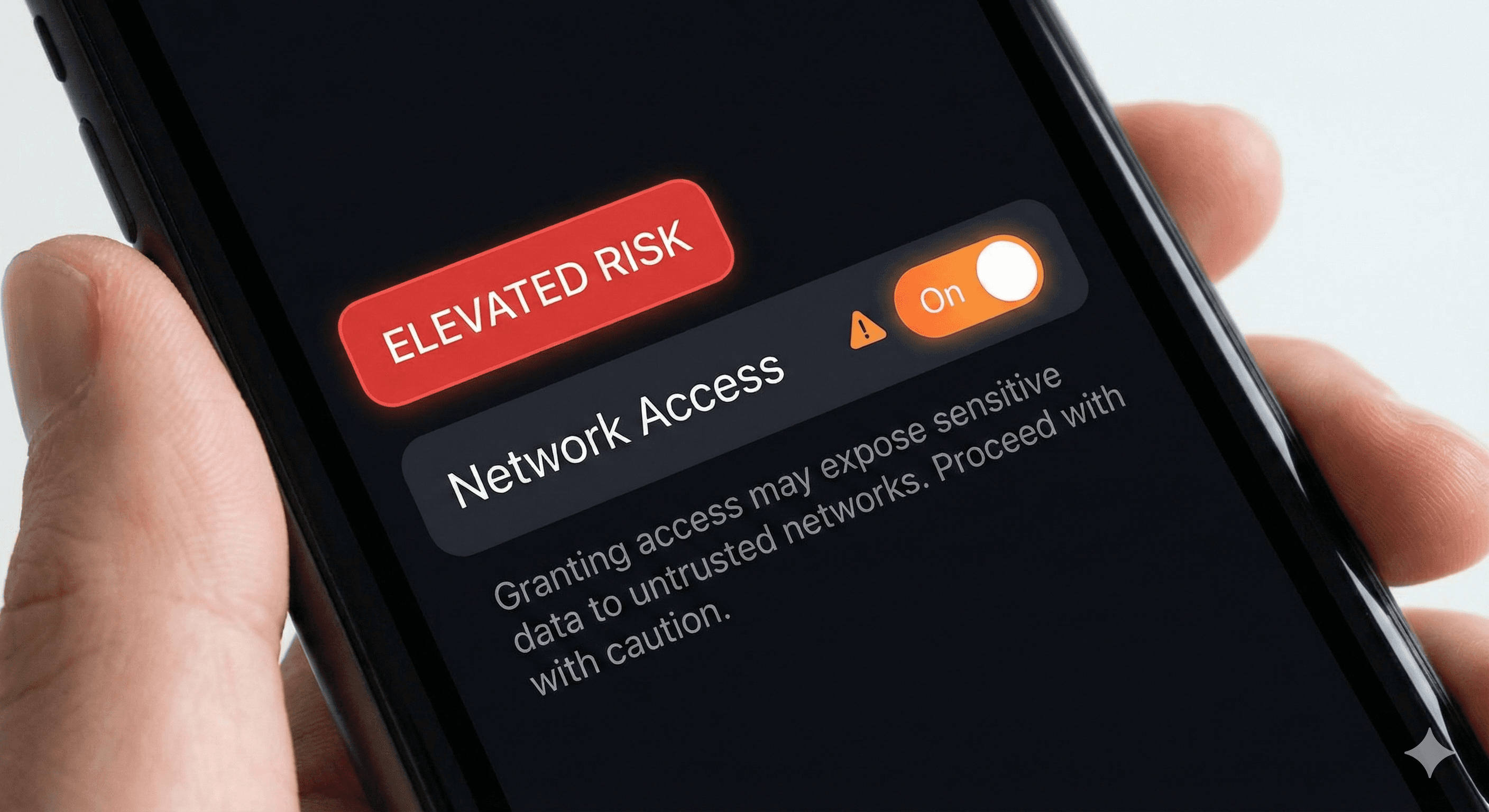
“Elevated Risk” labels, a standardised label that flags a short list of capabilities that can introduce additional risk, so users understand the trade-offs before enabling them.
What is Lockdown Mode?
Lockdown Mode is designed for a small set of highly security-conscious users—for example, executives and security teams—who need stronger protection against advanced threats. It works by deterministically disabling or limiting tools that could be exploited for exfiltration.
A key example is browsing: in Lockdown Mode, web browsing is limited to cached content, so no live requests leave OpenAI’s controlled network—reducing the chance an attacker can trick the system into sending sensitive data out through browsing.
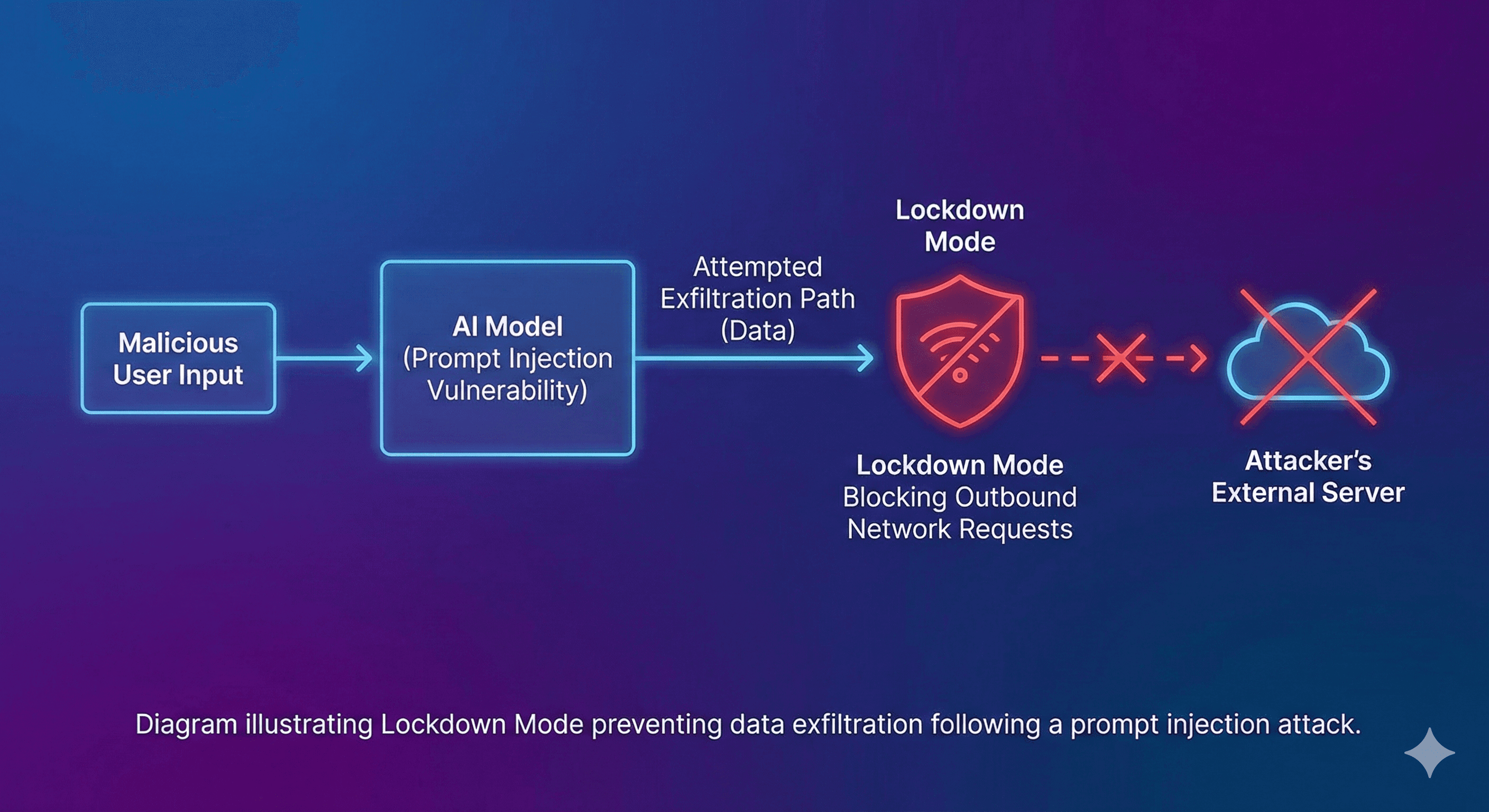
What Lockdown Mode disables (at the time of writing)
OpenAI’s Help Centre lists the following restrictions for users in Lockdown Mode:
Live web browsing disabled (browsing limited to cached content)
Deep Research disabled
Agent Mode disabled
Canvas networking blocked (users can’t approve Canvas-generated code to access the network)
File downloads disabled (ChatGPT can’t download files for analysis; it can still use files you upload manually)
Image support limited (ChatGPT responses can’t include images, though users can still upload images and use image generation)
Important nuance: Lockdown Mode is designed to reduce the risk of exfiltration by preventing outbound network paths. It does not guarantee prompt injections can’t appear in context (for example, a malicious instruction could still exist in content you view).
How “Elevated Risk” labels work
Some features are inherently riskier because they involve network access or actions with side effects. OpenAI is standardising an “Elevated Risk” label across ChatGPT, ChatGPT Atlas, and Codex so users receive consistent guidance wherever they encounter these capabilities.
OpenAI’s example is Codex: enabling agent internet access is labelled “Elevated Risk” and accompanied by an explanation of what changes, what risks are introduced, and when it’s appropriate.
OpenAI also notes that labels may be removed as mitigations improve, and the set of labelled features may change over time.
Practical steps: how to implement this in an organisation
1) Decide who actually needs Lockdown Mode
Lockdown Mode is not intended for everyone. Start with users who:
handle the most sensitive data (legal, finance, M&A, security)
are likely to be targeted (executives, public-facing leaders)
rely heavily on connected tools and could be exposed to injection via web/app content
2) Enable Lockdown Mode via roles
OpenAI states that admins enable Lockdown Mode in Workspace Settings by creating a custom role and designating it as a Lockdown Mode role, then assigning users to that role.
3) Tighten app and action permissions (the critical control)
Apps/connectors can interact with the internet and can introduce risk. Lockdown Mode does not automatically disable apps; instead, OpenAI recommends admins carefully configure which apps and which actions (read vs write) are enabled, keeping them to the minimum required.
The Help Centre guidance highlights that:
Sync connectors and read actions in trusted apps are lower risk as “sinks”, but can still be sensitive “sources”.
Write actions are inherently riskier because they create observable side effects; enable only where you’re confident no malicious actor can observe the outcome.
4) Use “Elevated Risk” labels as a policy trigger
Treat Elevated Risk labels as a prompt for controls such as:
requiring a business justification to enable the feature
requiring allowlists (domains, actions)
scoping to a specific group or role
ensuring audit / compliance logging is enabled
Summary
Lockdown Mode provides a stricter operating environment in ChatGPT by disabling or limiting network-enabled tools (including restricting browsing to cached content) to reduce prompt injection–based data exfiltration risk. Elevated Risk labels add clear visibility for capabilities that can introduce additional security exposure, helping teams decide what to enable and under what controls.
Next steps: Generation Digital can help you map these controls to your security posture—who should be in Lockdown Mode, what connectors/actions are safe to allow, and how to communicate usage guidelines that stand up to audit.
FAQs
Q1: What is Lockdown Mode in ChatGPT?
Lockdown Mode is an optional advanced security setting that disables or limits network-enabled tools and capabilities to reduce the risk of prompt injection–based data exfiltration. (help.openai.com)
Q2: What changes when Lockdown Mode is enabled?
Live browsing is disabled (browsing is limited to cached content), and features such as Deep Research and Agent Mode are disabled. Some other capabilities, like file downloads for analysis, are also blocked. (help.openai.com)
Q3: How do Elevated Risk labels work?
Elevated Risk labels flag a short list of capabilities that may introduce additional security exposure (often due to network access). The label is paired with guidance explaining the risks and when enabling the capability is appropriate. (openai.com)
Q4: Is Lockdown Mode available on all ChatGPT plans?
Not yet. OpenAI states it is available for ChatGPT Enterprise, ChatGPT Edu, ChatGPT for Healthcare, and ChatGPT for Teachers, with consumer availability planned for the coming months. (openai.com)
Lockdown Mode is an optional advanced security setting in ChatGPT that disables or tightly limits network-enabled tools to reduce prompt-injection data exfiltration risk. Web browsing is restricted to cached content, and features like Agent Mode and Deep Research are disabled. “Elevated Risk” labels flag higher-risk capabilities so users can make informed choices.
As AI systems become more useful when connected to the web and workplace apps, they also become more attractive targets. One of the most important emerging threats is prompt injection—where a third party tries to trick an AI system into following malicious instructions or revealing sensitive information.
To address this, OpenAI has introduced two new protections:
Lockdown Mode, an optional advanced setting that restricts high-risk capabilities to reduce prompt injection–based data exfiltration.
“Elevated Risk” labels, a standardised label that flags a short list of capabilities that can introduce additional risk, so users understand the trade-offs before enabling them.
What is Lockdown Mode?
Lockdown Mode is designed for a small set of highly security-conscious users—for example, executives and security teams—who need stronger protection against advanced threats. It works by deterministically disabling or limiting tools that could be exploited for exfiltration.
A key example is browsing: in Lockdown Mode, web browsing is limited to cached content, so no live requests leave OpenAI’s controlled network—reducing the chance an attacker can trick the system into sending sensitive data out through browsing.

What Lockdown Mode disables (at the time of writing)
OpenAI’s Help Centre lists the following restrictions for users in Lockdown Mode:
Live web browsing disabled (browsing limited to cached content)
Deep Research disabled
Agent Mode disabled
Canvas networking blocked (users can’t approve Canvas-generated code to access the network)
File downloads disabled (ChatGPT can’t download files for analysis; it can still use files you upload manually)
Image support limited (ChatGPT responses can’t include images, though users can still upload images and use image generation)
Important nuance: Lockdown Mode is designed to reduce the risk of exfiltration by preventing outbound network paths. It does not guarantee prompt injections can’t appear in context (for example, a malicious instruction could still exist in content you view).
How “Elevated Risk” labels work
Some features are inherently riskier because they involve network access or actions with side effects. OpenAI is standardising an “Elevated Risk” label across ChatGPT, ChatGPT Atlas, and Codex so users receive consistent guidance wherever they encounter these capabilities.
OpenAI’s example is Codex: enabling agent internet access is labelled “Elevated Risk” and accompanied by an explanation of what changes, what risks are introduced, and when it’s appropriate.
OpenAI also notes that labels may be removed as mitigations improve, and the set of labelled features may change over time.
Practical steps: how to implement this in an organisation
1) Decide who actually needs Lockdown Mode
Lockdown Mode is not intended for everyone. Start with users who:
handle the most sensitive data (legal, finance, M&A, security)
are likely to be targeted (executives, public-facing leaders)
rely heavily on connected tools and could be exposed to injection via web/app content
2) Enable Lockdown Mode via roles
OpenAI states that admins enable Lockdown Mode in Workspace Settings by creating a custom role and designating it as a Lockdown Mode role, then assigning users to that role.
3) Tighten app and action permissions (the critical control)
Apps/connectors can interact with the internet and can introduce risk. Lockdown Mode does not automatically disable apps; instead, OpenAI recommends admins carefully configure which apps and which actions (read vs write) are enabled, keeping them to the minimum required.
The Help Centre guidance highlights that:
Sync connectors and read actions in trusted apps are lower risk as “sinks”, but can still be sensitive “sources”.
Write actions are inherently riskier because they create observable side effects; enable only where you’re confident no malicious actor can observe the outcome.
4) Use “Elevated Risk” labels as a policy trigger
Treat Elevated Risk labels as a prompt for controls such as:
requiring a business justification to enable the feature
requiring allowlists (domains, actions)
scoping to a specific group or role
ensuring audit / compliance logging is enabled
Summary
Lockdown Mode provides a stricter operating environment in ChatGPT by disabling or limiting network-enabled tools (including restricting browsing to cached content) to reduce prompt injection–based data exfiltration risk. Elevated Risk labels add clear visibility for capabilities that can introduce additional security exposure, helping teams decide what to enable and under what controls.
Next steps: Generation Digital can help you map these controls to your security posture—who should be in Lockdown Mode, what connectors/actions are safe to allow, and how to communicate usage guidelines that stand up to audit.
FAQs
Q1: What is Lockdown Mode in ChatGPT?
Lockdown Mode is an optional advanced security setting that disables or limits network-enabled tools and capabilities to reduce the risk of prompt injection–based data exfiltration. (help.openai.com)
Q2: What changes when Lockdown Mode is enabled?
Live browsing is disabled (browsing is limited to cached content), and features such as Deep Research and Agent Mode are disabled. Some other capabilities, like file downloads for analysis, are also blocked. (help.openai.com)
Q3: How do Elevated Risk labels work?
Elevated Risk labels flag a short list of capabilities that may introduce additional security exposure (often due to network access). The label is paired with guidance explaining the risks and when enabling the capability is appropriate. (openai.com)
Q4: Is Lockdown Mode available on all ChatGPT plans?
Not yet. OpenAI states it is available for ChatGPT Enterprise, ChatGPT Edu, ChatGPT for Healthcare, and ChatGPT for Teachers, with consumer availability planned for the coming months. (openai.com)
Get weekly AI news and advice delivered to your inbox
By subscribing you consent to Generation Digital storing and processing your details in line with our privacy policy. You can read the full policy at gend.co/privacy.

Upcoming Workshops and Webinars


Operational Clarity at Scale - Asana
Virtual Webinar
Weds 25th February 2026
Online


Work With AI Teammates - Asana
In-Person Workshop
Thurs 26th February 2026
London, UK


From Idea to Prototype - AI in Miro
Virtual Webinar
Weds 18th February 2026
Online
Generation
Digital

UK Office
Generation Digital Ltd
33 Queen St,
London
EC4R 1AP
United Kingdom
Canada Office
Generation Digital Americas Inc
181 Bay St., Suite 1800
Toronto, ON, M5J 2T9
Canada
USA Office
Generation Digital Americas Inc
77 Sands St,
Brooklyn, NY 11201,
United States
EU Office
Generation Digital Software
Elgee Building
Dundalk
A91 X2R3
Ireland
Middle East Office
6994 Alsharq 3890,
An Narjis,
Riyadh 13343,
Saudi Arabia

Company No: 256 9431 77 | Copyright 2026 | Terms and Conditions | Privacy Policy
Generation
Digital

UK Office
Generation Digital Ltd
33 Queen St,
London
EC4R 1AP
United Kingdom
Canada Office
Generation Digital Americas Inc
181 Bay St., Suite 1800
Toronto, ON, M5J 2T9
Canada
USA Office
Generation Digital Americas Inc
77 Sands St,
Brooklyn, NY 11201,
United States
EU Office
Generation Digital Software
Elgee Building
Dundalk
A91 X2R3
Ireland
Middle East Office
6994 Alsharq 3890,
An Narjis,
Riyadh 13343,
Saudi Arabia











