Miro + ChatGPT in 2026: Faster Workshops with AI
Miro
Sep 10, 2025


The Ultimate 2026 Guide: Using Miro + ChatGPT Together
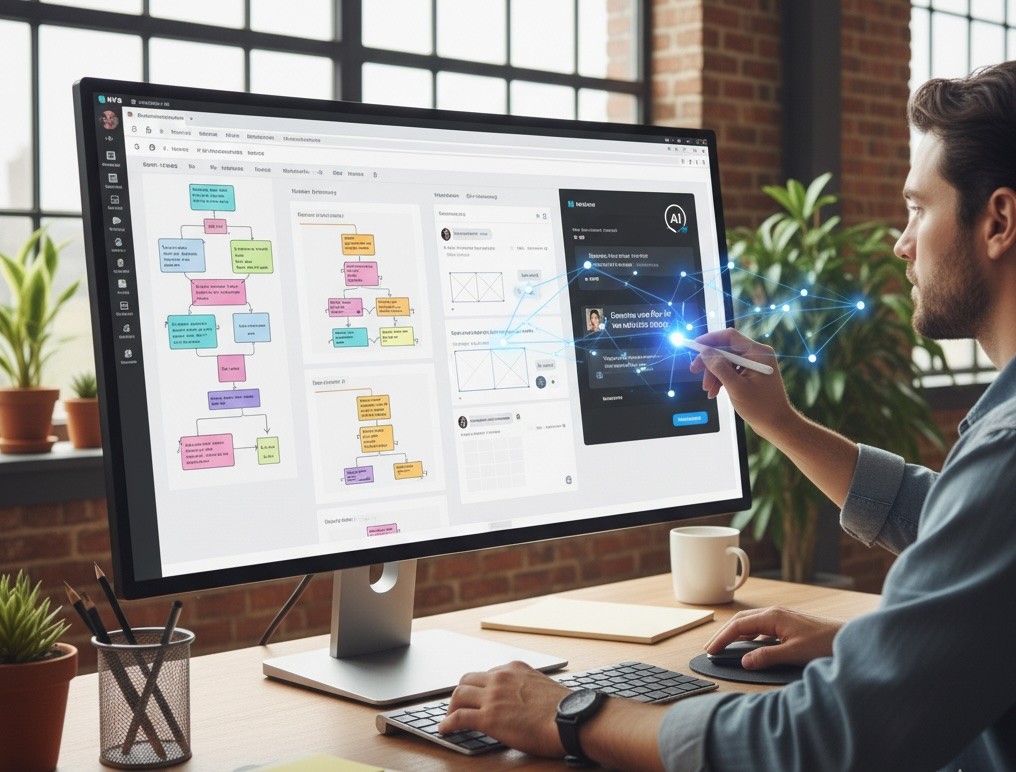
In 2026, the fastest teams pair ChatGPT for high-quality text generation with Miro’s on-canvas AI for structure and action. Generate ideas and drafts in ChatGPT, import to a Miro board, then use Miro AI (Flows, Sidekicks, and Prototyping) to cluster, map, and turn notes into testable plans—securely and at enterprise scale.
TL;DR
Create with ChatGPT: briefs, ideas, user stories, workshop content, draft copy.
Structure with Miro AI: cluster stickies, summarise, build mind maps, diagram flows, create action items.
New in 2026: use Flows to automate multi-step on-board tasks, Sidekicks to act on selected content, and Prototyping to turn frames into clickable tests.
Govern responsibly: enable Miro AI for the right workspaces; keep sensitive boards AI-off.
Why Use ChatGPT with Miro?
ChatGPT helps break creative blocks and produces strong first drafts. Miro turns that content into structured, collaborative outcomes—live on one canvas. Together they:
Save hours on planning, summarising and formatting.
Improve decisions with clear clusters, themes and next steps.
Keep context by keeping notes, diagrams, actions and prototypes on the same board.
What’s New in 2025 → Why It Matters in 2026
On-canvas AI workspace: Generate, summarise and structure directly on the board.
Smarter diagramming: Faster process maps with rich shape libraries and AI assist.
Sticky Capture + clustering: Photos of sticky walls → editable notes → auto-themes.
AI for mind maps: Generate/expand multi-branch maps from a prompt or selected nodes.
Creative tooling on canvas: Light editing for images and short video during workshops.
Enterprise controls: Admin toggles for AI by workspace/board, prompt redaction, and auditability.
Flows, Sidekicks & Prototyping: The 2026 Toolkit
Flows (AI workflows on the canvas)
What it is: Multi-step AI workflows that run directly on a Miro board (e.g., “cluster notes → name themes → propose actions”).
How ChatGPT helps:
Draft the logic and prompts for a Flow (inputs, constraints, outputs) before you build it.
Generate evaluation examples (“good/bad outputs”) to test and refine your Flow.
Quick recipe: Paste discovery notes → run Interview Synthesis Flow → auto-cluster, name themes, draft actions → review together.
Sidekicks (on-canvas AI agents)
What it is: Conversational agents that use the context of objects you select (stickies, shapes, frames) to create or transform content (summaries, action lists, diagrams, slides).
How ChatGPT helps:
Author a knowledge pack (brand voice, do/don’ts, examples) the Sidekick should follow.
Produce structured checklists or rubrics (e.g., “good summary” vs “bad summary”) to keep outputs consistent.
Facilitator move: Select a cluster → Ask Sidekick: “Summarise in 5 bullets with evidence lines; then draft 3 SMART actions and owners.”
Prototyping (from concept to testable flows)
What it is: Turn frames into clickable prototypes for quick validation—without leaving the board.
How ChatGPT helps:
Generate UX microcopy, A/B variants, task scripts, and acceptance criteria.
Create test questionnaires and debrief templates you keep on the same board.
Quick loop: Map flow → draft microcopy in ChatGPT (tone/reading level) → apply to frames → build prototype → use ChatGPT to generate test tasks & success metrics → capture findings on the board.
Set-Up: Best-Practice Board for AI Workshops
Create a clean board with frames for: Goals, Inputs, Ideas, Clusters, Decisions, Actions, Prototype.
Add starter templates: Kanban, Mind Map, User Story Map, Journey Map, or your own frameworks.
Turn AI on/off per team/board depending on sensitivity.
Paste “prompt cards” (below) so facilitators can reuse proven prompts.
Step-by-Step: ChatGPT → Miro → Miro AI
Step 1 — Draft in ChatGPT
Create briefs, value propositions, user stories, JTBD, workshop exercises.
Ask for outputs in board-ready formats: bullet lists, tables, or comma-separated stickies.
Step 2 — Import to Miro
Paste as stickies, text, tables, or mind-map branches.
Use Sticky Capture if your inputs are physical post-its (photos → editable notes).
Step 3 — Structure with Miro AI
Cluster related stickies automatically and name the clusters.
Summarise clusters/threads; request themes and next steps.
Mind map / diagram key flows (onboarding, incident response, marketing funnel).
Turn notes into actions: draft tasks, user stories, or acceptance criteria.
Step 4 — Automate with Flows and Sidekicks
Build a Flow to repeat your synthesis process (cluster → theme → actions).
Use a Sidekick on selected content to generate summaries, slide outlines, or diagrams on the spot.
Step 5 — Prototype, Decide & Assign
Convert frames into a clickable prototype and run quick tests.
Log decisions in a Decision Log frame; assign owners, due dates and links (Jira/Asana).
Step 6 — Share & Iterate
Export frames for slides—or keep everything on the board.
Keep a lightweight Miro Doc attached for change notes, assumptions, and links.
Proven Use Cases (with board recipes)
1) Product discovery workshop
Inputs: research notes, call summaries.
AI flow: Summarise → Theme clustering → JTBD → Prioritisation grid → Draft user stories → Prototype key path.
2) Campaign planning
Inputs: brief, audience insights.
AI flow: Idea generation (ChatGPT) → Mind map (Miro AI) → Message matrix → Content calendar → Actions → Prototype landing flow.
3) Process mapping & handoffs
Inputs: SOPs, swimlane notes.
AI flow: Extract steps → Diagram flow → Identify bottlenecks → Propose improvements → Assign tasks.
4) Post-mortem / retro
Inputs: incident notes, metrics.
AI flow: Summarise → Group by theme → Five Whys → Action plan (owners/dates).
Facilitator Toolkit
Idea burst
“Generate 12 ideas for <goal>, grouped by 3 themes. For each idea: 1-line description, expected impact, effort.”
Theme finder
“From these sticky notes, create 5 themes with names and a one-sentence rationale. Return a summary paragraph and a bullet list of actions.”
Decision helper
“Based on these options and constraints, propose a decision with trade-offs and risks in 5 bullets.”
Story shaper
“Turn these requirements into 8 user stories with acceptance criteria. Flag missing dependencies.”
Retro kit
“Group this feedback into Keep/Start/Stop. Suggest top 5 improvements with owners.”
Flow logic writer (for Flows)
“Create a 4-step Flow to synthesise 30 interview notes into themes and actions. Specify input objects, constraints, output format, and two ‘red flags’ to catch.”
Sidekick knowledge pack (for Sidekicks)
“Turn these brand/voice guidelines into a Sidekick brief with do/don’ts, examples, and a rubric for a ‘good summary’ vs a ‘bad summary’.”
Prototype copy kit (for Prototyping)
“Write UX microcopy for these screens in <tone>, max 8 words per CTA, with A/B variants and accessibility notes.”
Governance & Security (practical checklist)
Classify boards by sensitivity; default AI “on”, switch AI off on confidential boards.
Use prompt redaction and set role-based AI access in Admin.
Avoid copying sensitive text into prompts; paste references or IDs instead.
Log decisions in a Miro Doc; keep sources and assumptions in the frame.
EU/UK compliance: document purpose, data sources, reviewers and sign-off for AI-assisted work.
Troubleshooting & Tips
If clusters look random, trim noisy notes first or re-run with fewer items.
Use frames to limit AI scope to relevant content.
Prefer board objects (stickies, shapes) over screenshots for best AI results.
For mind maps, start with a clear root node; expand branch-by-branch.
Maintain a Prompt Log frame; when something works, save it to your team template.
Next Steps
Ready to pilot Flows, Sidekicks and Prototyping on your next workshop? Book a free AI workflow consultation with Generation Digital
FAQs (2026)
Can I run AI directly on the board?
Yes. Use the on-canvas AI workspace to generate, summarise, cluster, and draft next steps with live collaborators.
Can Miro turn photos of stickies into editable notes?
Yes. Use Sticky Capture, then cluster and summarise.
What are Flows and Sidekicks—and when should I use them?
Flows automate multi-step on-board tasks (e.g., synthesis → actions). Sidekicks act on selected content to create/transform outputs instantly. Use both for repeatable facilitation at speed.
How does Prototyping fit in?
Turn frames into clickable journeys for quick tests. ChatGPT provides microcopy, tasks, and success metrics; log findings on the same board.
Will AI touch sensitive content?
Admins can block AI on specific boards and redact prompts. Treat confidential projects as AI-off by default.
What’s the best split: ChatGPT vs Miro AI?
Use ChatGPT for deep, long-form and brainstorming text. Use Miro AI to structure, summarise and convert content into maps, diagrams, actions and prototypes.
The Ultimate 2026 Guide: Using Miro + ChatGPT Together
In 2026, the fastest teams pair ChatGPT for high-quality text generation with Miro’s on-canvas AI for structure and action. Generate ideas and drafts in ChatGPT, import to a Miro board, then use Miro AI (Flows, Sidekicks, and Prototyping) to cluster, map, and turn notes into testable plans—securely and at enterprise scale.
TL;DR
Create with ChatGPT: briefs, ideas, user stories, workshop content, draft copy.
Structure with Miro AI: cluster stickies, summarise, build mind maps, diagram flows, create action items.
New in 2026: use Flows to automate multi-step on-board tasks, Sidekicks to act on selected content, and Prototyping to turn frames into clickable tests.
Govern responsibly: enable Miro AI for the right workspaces; keep sensitive boards AI-off.
Why Use ChatGPT with Miro?
ChatGPT helps break creative blocks and produces strong first drafts. Miro turns that content into structured, collaborative outcomes—live on one canvas. Together they:
Save hours on planning, summarising and formatting.
Improve decisions with clear clusters, themes and next steps.
Keep context by keeping notes, diagrams, actions and prototypes on the same board.
What’s New in 2025 → Why It Matters in 2026
On-canvas AI workspace: Generate, summarise and structure directly on the board.
Smarter diagramming: Faster process maps with rich shape libraries and AI assist.
Sticky Capture + clustering: Photos of sticky walls → editable notes → auto-themes.
AI for mind maps: Generate/expand multi-branch maps from a prompt or selected nodes.
Creative tooling on canvas: Light editing for images and short video during workshops.
Enterprise controls: Admin toggles for AI by workspace/board, prompt redaction, and auditability.
Flows, Sidekicks & Prototyping: The 2026 Toolkit
Flows (AI workflows on the canvas)
What it is: Multi-step AI workflows that run directly on a Miro board (e.g., “cluster notes → name themes → propose actions”).
How ChatGPT helps:
Draft the logic and prompts for a Flow (inputs, constraints, outputs) before you build it.
Generate evaluation examples (“good/bad outputs”) to test and refine your Flow.
Quick recipe: Paste discovery notes → run Interview Synthesis Flow → auto-cluster, name themes, draft actions → review together.
Sidekicks (on-canvas AI agents)
What it is: Conversational agents that use the context of objects you select (stickies, shapes, frames) to create or transform content (summaries, action lists, diagrams, slides).
How ChatGPT helps:
Author a knowledge pack (brand voice, do/don’ts, examples) the Sidekick should follow.
Produce structured checklists or rubrics (e.g., “good summary” vs “bad summary”) to keep outputs consistent.
Facilitator move: Select a cluster → Ask Sidekick: “Summarise in 5 bullets with evidence lines; then draft 3 SMART actions and owners.”
Prototyping (from concept to testable flows)
What it is: Turn frames into clickable prototypes for quick validation—without leaving the board.
How ChatGPT helps:
Generate UX microcopy, A/B variants, task scripts, and acceptance criteria.
Create test questionnaires and debrief templates you keep on the same board.
Quick loop: Map flow → draft microcopy in ChatGPT (tone/reading level) → apply to frames → build prototype → use ChatGPT to generate test tasks & success metrics → capture findings on the board.
Set-Up: Best-Practice Board for AI Workshops
Create a clean board with frames for: Goals, Inputs, Ideas, Clusters, Decisions, Actions, Prototype.
Add starter templates: Kanban, Mind Map, User Story Map, Journey Map, or your own frameworks.
Turn AI on/off per team/board depending on sensitivity.
Paste “prompt cards” (below) so facilitators can reuse proven prompts.
Step-by-Step: ChatGPT → Miro → Miro AI
Step 1 — Draft in ChatGPT
Create briefs, value propositions, user stories, JTBD, workshop exercises.
Ask for outputs in board-ready formats: bullet lists, tables, or comma-separated stickies.
Step 2 — Import to Miro
Paste as stickies, text, tables, or mind-map branches.
Use Sticky Capture if your inputs are physical post-its (photos → editable notes).
Step 3 — Structure with Miro AI
Cluster related stickies automatically and name the clusters.
Summarise clusters/threads; request themes and next steps.
Mind map / diagram key flows (onboarding, incident response, marketing funnel).
Turn notes into actions: draft tasks, user stories, or acceptance criteria.
Step 4 — Automate with Flows and Sidekicks
Build a Flow to repeat your synthesis process (cluster → theme → actions).
Use a Sidekick on selected content to generate summaries, slide outlines, or diagrams on the spot.
Step 5 — Prototype, Decide & Assign
Convert frames into a clickable prototype and run quick tests.
Log decisions in a Decision Log frame; assign owners, due dates and links (Jira/Asana).
Step 6 — Share & Iterate
Export frames for slides—or keep everything on the board.
Keep a lightweight Miro Doc attached for change notes, assumptions, and links.
Proven Use Cases (with board recipes)
1) Product discovery workshop
Inputs: research notes, call summaries.
AI flow: Summarise → Theme clustering → JTBD → Prioritisation grid → Draft user stories → Prototype key path.
2) Campaign planning
Inputs: brief, audience insights.
AI flow: Idea generation (ChatGPT) → Mind map (Miro AI) → Message matrix → Content calendar → Actions → Prototype landing flow.
3) Process mapping & handoffs
Inputs: SOPs, swimlane notes.
AI flow: Extract steps → Diagram flow → Identify bottlenecks → Propose improvements → Assign tasks.
4) Post-mortem / retro
Inputs: incident notes, metrics.
AI flow: Summarise → Group by theme → Five Whys → Action plan (owners/dates).
Facilitator Toolkit
Idea burst
“Generate 12 ideas for <goal>, grouped by 3 themes. For each idea: 1-line description, expected impact, effort.”
Theme finder
“From these sticky notes, create 5 themes with names and a one-sentence rationale. Return a summary paragraph and a bullet list of actions.”
Decision helper
“Based on these options and constraints, propose a decision with trade-offs and risks in 5 bullets.”
Story shaper
“Turn these requirements into 8 user stories with acceptance criteria. Flag missing dependencies.”
Retro kit
“Group this feedback into Keep/Start/Stop. Suggest top 5 improvements with owners.”
Flow logic writer (for Flows)
“Create a 4-step Flow to synthesise 30 interview notes into themes and actions. Specify input objects, constraints, output format, and two ‘red flags’ to catch.”
Sidekick knowledge pack (for Sidekicks)
“Turn these brand/voice guidelines into a Sidekick brief with do/don’ts, examples, and a rubric for a ‘good summary’ vs a ‘bad summary’.”
Prototype copy kit (for Prototyping)
“Write UX microcopy for these screens in <tone>, max 8 words per CTA, with A/B variants and accessibility notes.”
Governance & Security (practical checklist)
Classify boards by sensitivity; default AI “on”, switch AI off on confidential boards.
Use prompt redaction and set role-based AI access in Admin.
Avoid copying sensitive text into prompts; paste references or IDs instead.
Log decisions in a Miro Doc; keep sources and assumptions in the frame.
EU/UK compliance: document purpose, data sources, reviewers and sign-off for AI-assisted work.
Troubleshooting & Tips
If clusters look random, trim noisy notes first or re-run with fewer items.
Use frames to limit AI scope to relevant content.
Prefer board objects (stickies, shapes) over screenshots for best AI results.
For mind maps, start with a clear root node; expand branch-by-branch.
Maintain a Prompt Log frame; when something works, save it to your team template.
Next Steps
Ready to pilot Flows, Sidekicks and Prototyping on your next workshop? Book a free AI workflow consultation with Generation Digital
FAQs (2026)
Can I run AI directly on the board?
Yes. Use the on-canvas AI workspace to generate, summarise, cluster, and draft next steps with live collaborators.
Can Miro turn photos of stickies into editable notes?
Yes. Use Sticky Capture, then cluster and summarise.
What are Flows and Sidekicks—and when should I use them?
Flows automate multi-step on-board tasks (e.g., synthesis → actions). Sidekicks act on selected content to create/transform outputs instantly. Use both for repeatable facilitation at speed.
How does Prototyping fit in?
Turn frames into clickable journeys for quick tests. ChatGPT provides microcopy, tasks, and success metrics; log findings on the same board.
Will AI touch sensitive content?
Admins can block AI on specific boards and redact prompts. Treat confidential projects as AI-off by default.
What’s the best split: ChatGPT vs Miro AI?
Use ChatGPT for deep, long-form and brainstorming text. Use Miro AI to structure, summarise and convert content into maps, diagrams, actions and prototypes.
Get practical advice delivered to your inbox
By subscribing you consent to Generation Digital storing and processing your details in line with our privacy policy. You can read the full policy at gend.co/privacy.


McKinsey State of AI 2025: Key Findings & What to Do

Notion vs Confluence (2026): features, pricing, migration

From AI silos to systems: Miro workflows that scale

Notion in healthcare: military-grade decision templates & governance

Claude Skills and CLAUDE.md: a practical 2026 guide for teams

Perplexity partners with Cristiano Ronaldo: what it means for AI search

Gemini 3 Deep Think: how it works and how to turn it on

Stop Repeating Yourself: AI Assistants that Remember Your Work

Stop the Hype, Start the Handbook: Making Enterprise AI Work (Securely) at Scale

Asana for Manufacturing: Build an Intelligent Operational Backbone

McKinsey State of AI 2025: Key Findings & What to Do

Notion vs Confluence (2026): features, pricing, migration

From AI silos to systems: Miro workflows that scale

Notion in healthcare: military-grade decision templates & governance

Claude Skills and CLAUDE.md: a practical 2026 guide for teams

Perplexity partners with Cristiano Ronaldo: what it means for AI search

Gemini 3 Deep Think: how it works and how to turn it on

Stop Repeating Yourself: AI Assistants that Remember Your Work

Stop the Hype, Start the Handbook: Making Enterprise AI Work (Securely) at Scale

Asana for Manufacturing: Build an Intelligent Operational Backbone
Generation
Digital

UK Office
33 Queen St,
London
EC4R 1AP
United Kingdom
Canada Office
1 University Ave,
Toronto,
ON M5J 1T1,
Canada
NAMER Office
77 Sands St,
Brooklyn,
NY 11201,
United States
EMEA Office
Charlemont St, Saint Kevin's, Dublin,
D02 VN88,
Ireland
Middle East Office
6994 Alsharq 3890,
An Narjis,
Riyadh 13343,
Saudi Arabia

Company No: 256 9431 77 | Copyright 2026 | Terms and Conditions | Privacy Policy
Generation
Digital

UK Office
33 Queen St,
London
EC4R 1AP
United Kingdom
Canada Office
1 University Ave,
Toronto,
ON M5J 1T1,
Canada
NAMER Office
77 Sands St,
Brooklyn,
NY 11201,
United States
EMEA Office
Charlemont St, Saint Kevin's, Dublin,
D02 VN88,
Ireland
Middle East Office
6994 Alsharq 3890,
An Narjis,
Riyadh 13343,
Saudi Arabia







