Mastering Project Planning with Miro’s Intelligent Canvas

Mastering Project Planning with Miro’s Intelligent Canvas

Miro
Jan 30, 2026

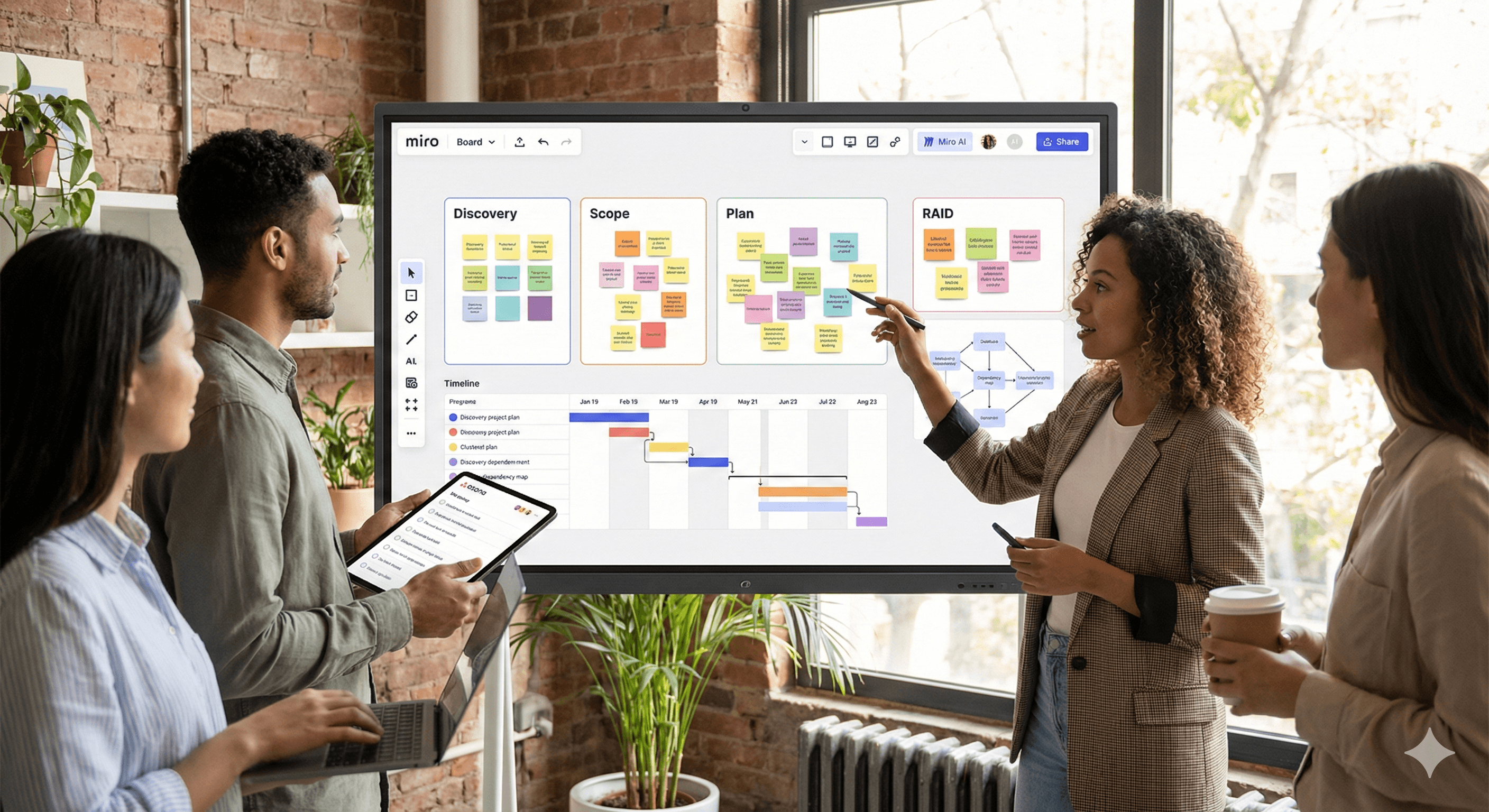
Team members engage in a project planning session using Miro's intelligent canvas, featuring sticky notes and a timeline on a digital board, set in a modern, plant-filled workspace.

Not sure where to start with AI?
Assess readiness, risk, and priorities in under an hour.

Not sure where to start with AI?
Assess readiness, risk, and priorities in under an hour.

➔ Download Our Free AI Readiness Pack

Miro’s Intelligent Canvas combines infinite boards, AI assistance, and integrations to turn messy brainstorming into an executable plan. Use it to structure discovery, cluster insights, map dependencies, generate timelines, and push actions into tools like Asana/Jira. This guide shares setup, board patterns, AI prompts, governance, and playbooks for project leaders.

Who this guide is for

Delivery leads, PMO, product managers, and cross-functional teams who want a repeatable way to go from ideas → scope → roadmap → execution using Miro’s AI. We focus on practical templates, prompts, and quality controls that reduce rework.

TL;DR checklist

  • Create a Project Planning hub board with sections: Discovery, Scope, Plan, Risks, Dependencies, Decisions.

  • Turn on Miro AI; use clustering, summarisation, diagram checks, and auto-layout.

  • Apply board patterns (workflows below) and prompt recipes.

  • Sync actions to Asana/Jira; keep sources on the board for traceability.

  • Review with a cadence: weekly decision review + risk/dep sweep.

Part 1 — Setup & structure

1) Project Planning hub board

Lay out clearly labelled frames:

  1. Discovery (research, user quotes, competitor notes).

  2. Scope (goals, out-of-scope, acceptance criteria).

  3. Plan (workstreams, timeline, milestones).

  4. Risks & Assumptions (RAID table).

  5. Dependencies (systems, teams, external).

  6. Decisions Log (owner, date, rationale, link to artefacts).

2) Turn on Miro AI

Enable AI features on the board. Favourites:

  • Sticky clustering by topic/sentiment.

  • Summaries of large frames into concise briefs.

  • Diagram assist (flowchart/autolayout, error checks).

  • Mind-map/outline generation from stickies or prompts.

3) Integrations

  • Asana/Jira: convert stickies/cards to tasks, sync status/assignee, keep backlink.

  • Drive/Confluence: attach specs and research; keep single source of truth.

  • Calendar/Video: embed sprint reviews, planning ceremonies, and replays.

Part 2 — Board patterns that always pay off

Pattern A — Discovery → Insights → Themes

Goal: compress raw notes into themes with evidence.
Steps:

  1. Capture notes as stickies with tags (persona, feature, pain).

  2. Ask AI to cluster by theme; colour by persona.

  3. Generate a one-page insight brief with citations to original notes.

  4. Move top themes into the Scope frame.

Pattern B — Scope to Workstreams (with acceptance criteria)

Goal: create clear, testable scope.
Steps:

  1. Start from goals & constraints.

  2. Use AI to draft workstreams and initial acceptance criteria.

  3. Add effort t-shirt sizes and risks per workstream.

  4. Convert to tasks in Asana/Jira.

Pattern C — Dependency Mapping

Goal: expose cross-team/system blockers early.
Steps:

  1. Map systems/teams as nodes; draw edges for data or sequencing.

  2. Run AI diagram checks to spot dangling items or circular paths.

  3. Label critical path and create mitigation tasks.

Pattern D — Timeline & Milestones

Goal: transparent, realistic schedule.
Steps:

  1. Generate a draft timeline from workstreams (AI).

  2. Drag milestones and add buffers; tag external dependencies.

  3. Snap to Quarter/Month/Sprint zoom levels for reviews.

Pattern E — RAID (Risks, Assumptions, Issues, Decisions)

Goal: keep governance lightweight but rigorous.
Steps:

  1. Maintain a RAID table with owners, likelihood/impact, next action.

  2. AI suggests mitigations and escalations.

  3. Link decisions to scope/timeline changes for audit.

Part 3 — Prompt recipes for Miro AI

Insight clustering

“Group these stickies into 5–8 themes. Name each theme, list top evidence snippets, and highlight conflicts.”

Scope outline

“Turn the selected insights into a scope outline: goals, non-goals, 3–5 workstreams, acceptance criteria per workstream, and initial risks.”

Timeline draft

“From the workstreams and dependencies, propose a timeline for {timeframe}. Mark the critical path and suggest buffers.”

Dependency risks

“Analyse this dependency map. Flag single points of failure, external dependencies, and sequence conflicts. Suggest mitigations.”

Exec summary

“Summarise frames Discovery, Scope and Plan into a 200-word status brief for execs. Use neutral tone and include top 3 risks.”

Decision log entry

“Create a decision entry with context, options considered, selected option, rationale, date, and owner.”

Part 4 — Playbooks

Playbook 1: From brainstorm to executable plan in 90 minutes

  1. 15 min: Stakeholders add stickies (problems, user quotes, constraints).

  2. 10 min: AI cluster and label themes.

  3. 15 min: Pick top 3 themes; AI creates scope outline.

  4. 20 min: Build dependency map and run checks.

  5. 20 min: Generate timeline + buffers; push actions to Asana/Jira.

Playbook 2: PI/Quarterly Planning on a single board

  1. Import team backlogs; auto-group by value/effort.

  2. Align on objectives and guardrails.

  3. Draft cross-team dependencies; escalate conflicts.

  4. Produce quarterly roadmap frames per team; sync to execution tools.

  5. Record decisions + risks; export a read-only link for stakeholders.

Playbook 3: Risk & dependency sweep (weekly)

  1. Filter risk table for High/Medium.

  2. Ask AI for mitigation updates and owners.

  3. Re-run diagram checks on the dependency map.

  4. Create/Update tasks in Asana/Jira; share a 150-word exec brief.

Part 5 — Governance, quality & board hygiene

  • Frames as source of truth: Discovery, Scope, Plan, RAID, Dependencies, Decisions.

  • Versioning: duplicate the board per planning cycle; lock legacy frames.

  • Evidence links: keep docs, research and specs attached near insights.

  • Roles: Facilitator (runs the board), Scribe (curates), Owners (approve scope & changes).

  • Definition of done: scope approved, timeline baselined, dependencies captured, actions synced, RAID current.

Measuring impact

Track: planning cycle time, rework (% scope changes after sign-off), decision latency, number of unmapped dependencies found later, and hours saved on status/RAID updates. Display on a simple Miro dashboard frame.

Troubleshooting & FAQs

The board gets chaotic.
Use frames, colour conventions, and locked templates. Keep a legend.

AI summaries feel generic.
Select specific frames and provide context; ask for citations back to stickies.

Stakeholders prefer slides.
Use Miro’s presentation mode or export selected frames to PDF. Keep the board as the living source.

Nothing syncs to Asana/Jira.
Reconnect the integration, check permissions, and confirm mapping (project, issue type, fields).

Call to action

Want this board in your workspace?
Book a 60-minute planning workshop. We’ll install the hub board, tailor prompts, wire Asana/Jira sync, and run a live session with your stakeholders.

Miro’s Intelligent Canvas combines infinite boards, AI assistance, and integrations to turn messy brainstorming into an executable plan. Use it to structure discovery, cluster insights, map dependencies, generate timelines, and push actions into tools like Asana/Jira. This guide shares setup, board patterns, AI prompts, governance, and playbooks for project leaders.

Who this guide is for

Delivery leads, PMO, product managers, and cross-functional teams who want a repeatable way to go from ideas → scope → roadmap → execution using Miro’s AI. We focus on practical templates, prompts, and quality controls that reduce rework.

TL;DR checklist

  • Create a Project Planning hub board with sections: Discovery, Scope, Plan, Risks, Dependencies, Decisions.

  • Turn on Miro AI; use clustering, summarisation, diagram checks, and auto-layout.

  • Apply board patterns (workflows below) and prompt recipes.

  • Sync actions to Asana/Jira; keep sources on the board for traceability.

  • Review with a cadence: weekly decision review + risk/dep sweep.

Part 1 — Setup & structure

1) Project Planning hub board

Lay out clearly labelled frames:

  1. Discovery (research, user quotes, competitor notes).

  2. Scope (goals, out-of-scope, acceptance criteria).

  3. Plan (workstreams, timeline, milestones).

  4. Risks & Assumptions (RAID table).

  5. Dependencies (systems, teams, external).

  6. Decisions Log (owner, date, rationale, link to artefacts).

2) Turn on Miro AI

Enable AI features on the board. Favourites:

  • Sticky clustering by topic/sentiment.

  • Summaries of large frames into concise briefs.

  • Diagram assist (flowchart/autolayout, error checks).

  • Mind-map/outline generation from stickies or prompts.

3) Integrations

  • Asana/Jira: convert stickies/cards to tasks, sync status/assignee, keep backlink.

  • Drive/Confluence: attach specs and research; keep single source of truth.

  • Calendar/Video: embed sprint reviews, planning ceremonies, and replays.

Part 2 — Board patterns that always pay off

Pattern A — Discovery → Insights → Themes

Goal: compress raw notes into themes with evidence.
Steps:

  1. Capture notes as stickies with tags (persona, feature, pain).

  2. Ask AI to cluster by theme; colour by persona.

  3. Generate a one-page insight brief with citations to original notes.

  4. Move top themes into the Scope frame.

Pattern B — Scope to Workstreams (with acceptance criteria)

Goal: create clear, testable scope.
Steps:

  1. Start from goals & constraints.

  2. Use AI to draft workstreams and initial acceptance criteria.

  3. Add effort t-shirt sizes and risks per workstream.

  4. Convert to tasks in Asana/Jira.

Pattern C — Dependency Mapping

Goal: expose cross-team/system blockers early.
Steps:

  1. Map systems/teams as nodes; draw edges for data or sequencing.

  2. Run AI diagram checks to spot dangling items or circular paths.

  3. Label critical path and create mitigation tasks.

Pattern D — Timeline & Milestones

Goal: transparent, realistic schedule.
Steps:

  1. Generate a draft timeline from workstreams (AI).

  2. Drag milestones and add buffers; tag external dependencies.

  3. Snap to Quarter/Month/Sprint zoom levels for reviews.

Pattern E — RAID (Risks, Assumptions, Issues, Decisions)

Goal: keep governance lightweight but rigorous.
Steps:

  1. Maintain a RAID table with owners, likelihood/impact, next action.

  2. AI suggests mitigations and escalations.

  3. Link decisions to scope/timeline changes for audit.

Part 3 — Prompt recipes for Miro AI

Insight clustering

“Group these stickies into 5–8 themes. Name each theme, list top evidence snippets, and highlight conflicts.”

Scope outline

“Turn the selected insights into a scope outline: goals, non-goals, 3–5 workstreams, acceptance criteria per workstream, and initial risks.”

Timeline draft

“From the workstreams and dependencies, propose a timeline for {timeframe}. Mark the critical path and suggest buffers.”

Dependency risks

“Analyse this dependency map. Flag single points of failure, external dependencies, and sequence conflicts. Suggest mitigations.”

Exec summary

“Summarise frames Discovery, Scope and Plan into a 200-word status brief for execs. Use neutral tone and include top 3 risks.”

Decision log entry

“Create a decision entry with context, options considered, selected option, rationale, date, and owner.”

Part 4 — Playbooks

Playbook 1: From brainstorm to executable plan in 90 minutes

  1. 15 min: Stakeholders add stickies (problems, user quotes, constraints).

  2. 10 min: AI cluster and label themes.

  3. 15 min: Pick top 3 themes; AI creates scope outline.

  4. 20 min: Build dependency map and run checks.

  5. 20 min: Generate timeline + buffers; push actions to Asana/Jira.

Playbook 2: PI/Quarterly Planning on a single board

  1. Import team backlogs; auto-group by value/effort.

  2. Align on objectives and guardrails.

  3. Draft cross-team dependencies; escalate conflicts.

  4. Produce quarterly roadmap frames per team; sync to execution tools.

  5. Record decisions + risks; export a read-only link for stakeholders.

Playbook 3: Risk & dependency sweep (weekly)

  1. Filter risk table for High/Medium.

  2. Ask AI for mitigation updates and owners.

  3. Re-run diagram checks on the dependency map.

  4. Create/Update tasks in Asana/Jira; share a 150-word exec brief.

Part 5 — Governance, quality & board hygiene

  • Frames as source of truth: Discovery, Scope, Plan, RAID, Dependencies, Decisions.

  • Versioning: duplicate the board per planning cycle; lock legacy frames.

  • Evidence links: keep docs, research and specs attached near insights.

  • Roles: Facilitator (runs the board), Scribe (curates), Owners (approve scope & changes).

  • Definition of done: scope approved, timeline baselined, dependencies captured, actions synced, RAID current.

Measuring impact

Track: planning cycle time, rework (% scope changes after sign-off), decision latency, number of unmapped dependencies found later, and hours saved on status/RAID updates. Display on a simple Miro dashboard frame.

Troubleshooting & FAQs

The board gets chaotic.
Use frames, colour conventions, and locked templates. Keep a legend.

AI summaries feel generic.
Select specific frames and provide context; ask for citations back to stickies.

Stakeholders prefer slides.
Use Miro’s presentation mode or export selected frames to PDF. Keep the board as the living source.

Nothing syncs to Asana/Jira.
Reconnect the integration, check permissions, and confirm mapping (project, issue type, fields).

Call to action

Want this board in your workspace?
Book a 60-minute planning workshop. We’ll install the hub board, tailor prompts, wire Asana/Jira sync, and run a live session with your stakeholders.

Get weekly AI news and advice delivered to your inbox

By subscribing you consent to Generation Digital storing and processing your details in line with our privacy policy. You can read the full policy at gend.co/privacy.


Upcoming Workshops and Webinars

A diverse group of professionals collaborating around a table in a bright, modern office setting.

Operational Clarity at Scale - Asana

Virtual Webinar
Weds 25th February 2026
Online

A diverse group of professionals collaborating around a table in a bright, modern office setting.

Work With AI Teammates - Asana

In-Person Workshop
Thurs 26th February 2026
London, UK

A diverse group of professionals collaborating around a table in a bright, modern office setting.

From Idea to Prototype - AI in Miro

Virtual Webinar
Weds 18th February 2026
Online

Generation
Digital

UK Office

Generation Digital Ltd
33 Queen St,
London
EC4R 1AP
United Kingdom

Canada Office

Generation Digital Americas Inc
181 Bay St., Suite 1800
Toronto, ON, M5J 2T9
Canada

USA Office

Generation Digital Americas Inc
77 Sands St,
Brooklyn, NY 11201,
United States

EU Office

Generation Digital Software
Elgee Building
Dundalk
A91 X2R3
Ireland

Middle East Office

6994 Alsharq 3890,
An Narjis,
Riyadh 13343,
Saudi Arabia

UK Fast Growth Index UBS Logo
Financial Times FT 1000 Logo
Febe Growth 100 Logo (Background Removed)

Company No: 256 9431 77 | Copyright 2026 | Terms and Conditions | Privacy Policy

Generation
Digital

UK Office

Generation Digital Ltd
33 Queen St,
London
EC4R 1AP
United Kingdom

Canada Office

Generation Digital Americas Inc
181 Bay St., Suite 1800
Toronto, ON, M5J 2T9
Canada

USA Office

Generation Digital Americas Inc
77 Sands St,
Brooklyn, NY 11201,
United States

EU Office

Generation Digital Software
Elgee Building
Dundalk
A91 X2R3
Ireland

Middle East Office

6994 Alsharq 3890,
An Narjis,
Riyadh 13343,
Saudi Arabia

UK Fast Growth Index UBS Logo
Financial Times FT 1000 Logo
Febe Growth 100 Logo (Background Removed)


Company No: 256 9431 77
Terms and Conditions
Privacy Policy
Copyright 2026




