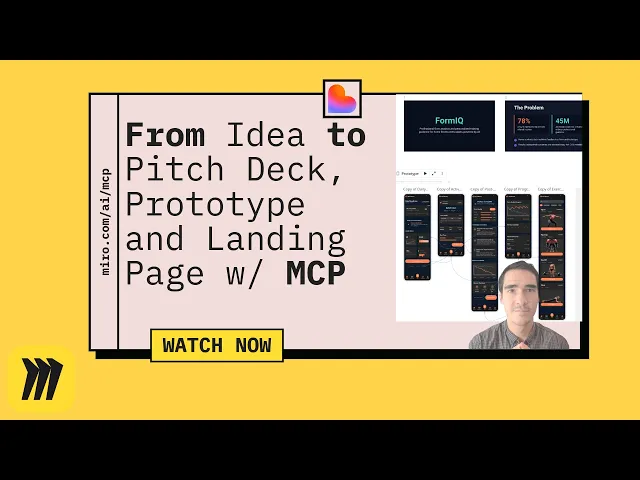
Build a ‘Lovable’ Landing Page from Your Miro Board (MCP + Lovable)

Build a ‘Lovable’ Landing Page from Your Miro Board (MCP + Lovable)

Miro Featured
Dec 22, 2025

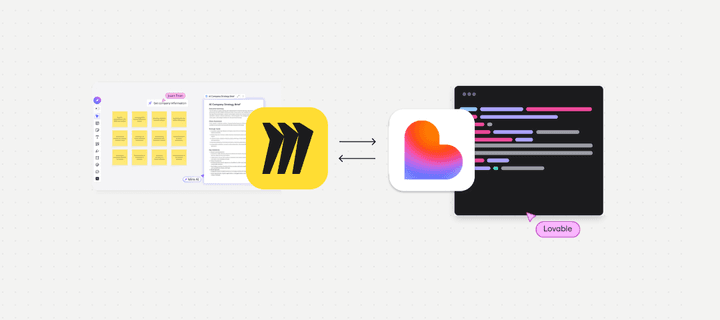
This image illustrates a Miro board with sticky notes, a Lovable app logo, and lines of code, symbolizing a workflow or integration between the two applications.

Why this matters now

Your best product thinking already lives on Miro boards—value props, personas, flows, even scrappy mock‑ups. With Miro’s MCP and modern AI, the canvas becomes the prompt: you can pass board context directly to a site builder like Lovable and generate a credible first draft in minutes. This guide shows a safe, repeatable workflow for teams.

What you’ll need

  • A Miro workspace with a board containing your proposition artefacts: problem, audience, benefits, proof, visuals.

  • Access to Miro MCP and permission to connect an MCP‑compatible client.

  • A Lovable account (or trial) to receive content and generate the page.

  • Brand assets: voice & tone guide, logo, palette, CTA framework.

The workflow at a glance

  1. Prepare the board → 2) Connect via MCP → 3) Generate from context → 4) Review & harden → 5) Publish & measure.

Step 1: Prepare your board for generation

Curate context: Group stickies by theme (problem, audience, benefits, features, proof). Use frames to mark sections like “Hero”, “Features”, “Social proof”, “FAQ”.

Use clear labels: Rename frames and key objects so AI can identify them (“Hero value proposition”, “Feature 1: real‑time sync”).

Include assets: Add key visuals (screens, diagrams), and capture any important phrases, customer quotes, or outcomes.

Decide your CTA: One primary action (e.g., “Start free trial”) and one secondary action (e.g., “Book a demo”).

Step 2: Connect Lovable to your Miro board via MCP

Authorise once, with least‑privilege scopes: From Lovable, add the Miro MCP integration and grant access to the specific workspace/board. Confirm scopes are limited to what’s needed (read items and content).

Pick the right board: Use the board URL or picker to connect. If you work multi‑board, start with a single “source of truth” board to avoid mixed signals.

Tip for admins: Maintain an “Approved Integrations” space and a standard request/approval flow so teams don’t bypass governance.

Step 3: Generate a landing page from board context

Select the right objects: Choose the frames and items that represent the core story—hero proposition, benefit bullets, key features, proof points. Avoid early‑stage doodles.

Run a focussed prompt:

Create a responsive SaaS landing page draft. Hero: [value prop from frame]. Audience: [persona]. Benefits: [list]. Features: [list]. Proof: [logos, quotes]. Tone: confident, clear, British English. Output sections: Hero, Benefits (3), Features (3), Social proof, Pricing teaser, FAQ, Footer.

Review the draft: Lovable will generate a page layout and copy. Expect a solid first draft that needs brand and compliance edits.

Step 4: Harden for brand, compliance and SEO

Brand voice: Swap generic phrases for your approved language. Check sentence length and reading level.

Accessibility (quick checks):

  • Headings are hierarchical; no skipped levels.

  • Button text is descriptive (“Book a demo”), not “Click here”.

  • Alt text on key images; sufficient colour contrast.

SEO basics:

  • Target 55–60‑char title and 145–160‑char meta description.

  • One H1; keyword appears naturally in the first 100 words.

  • Use internal links to key pages (solutions, services, pricing, case studies).

Analytics & privacy:

  • Add your consent banner and analytics tags.

  • Ensure form tracking works (events for submissions and CTA clicks).

Step 5: Publish and iterate

Draft domain: Publish to a preview URL for stakeholder review.

Feedback loop: Capture edits in the Miro board; regenerate specific sections (e.g., features or FAQs) rather than the whole page.

Ship: When signed off, publish to production and submit the URL for indexing. Add it to your site map and link from relevant pages.

Prompts you can reuse

  • “Summarise only the yellow stickies in the ‘Benefits’ frame into three crisp bullets.”

  • “Rewrite the hero statement for product‑led growth buyers; keep under 12 words.”

  • “Turn the ‘Proof’ frame into a 3‑logo social proof strip with short captions.”

Common pitfalls (and fixes)

  • Too much context selected: Result feels generic. Fix: Limit to final artefacts and labelled frames.

  • Weak CTAs: No clear conversion path. Fix: One primary CTA across hero and sticky CTA in features.

  • Accessibility gaps: Alt text and contrast missed. Fix: Use your accessibility checklist before publish.

  • Governance gaps: Unreviewed claims. Fix: Add a compliance review lane and require approval before go‑live.

What’s new in 2026 to make this better

  • Canvas as the prompt: Smarter selection of board objects to drive generation.

  • MCP ecosystem: Easier connections to tools like Lovable and code assistants.

  • Translate & localise: Use AI to create variants for priority markets, then have humans review.

Template: page outline you can paste into Lovable

  • Hero: Value prop, 1–2 sentence support, primary CTA, secondary CTA.

  • Benefits: Three scannable bullets with outcomes.

  • Features: Three subsections with headline, 1–2 lines, supporting image.

  • Social proof: Logos + 2 short quotes.

  • Pricing teaser: Anchor to pricing page; avoid duplicating tables.

  • FAQ: 4–6 questions that reduce anxiety (security, migration, time to value).

  • Footer: Trust badges, contact, legal.

Summary

Turning a Miro board into a landing page isn’t magic—it’s a disciplined hand‑off from discovery to delivery. With MCP as the bridge and Lovable as the generator, you’ll ship validated pages faster, while keeping brand and compliance intact.

Talk to Generation Digital about Miro, AI workflows, and website acceleration. We can help you set up MCP safely, design your prompt library, and run a two‑week landing page sprint.

FAQ

Can I use multiple boards? Yes, but start with one curated board to reduce noise. Use frames as section markers and regenerate sections selectively.

Is this only for developers? No—non‑technical teams can run the workflow once MCP is connected in your workspace, with admin approval.

How do we keep copy on‑brand? Lock a brand voice guide and approved phrases on the board; run prompts that reference them and include a human editorial pass.

What about security and permissions? Use least‑privilege access when connecting MCP and restrict to required boards. Keep a simple integration approval checklist.

Why this matters now

Your best product thinking already lives on Miro boards—value props, personas, flows, even scrappy mock‑ups. With Miro’s MCP and modern AI, the canvas becomes the prompt: you can pass board context directly to a site builder like Lovable and generate a credible first draft in minutes. This guide shows a safe, repeatable workflow for teams.

What you’ll need

  • A Miro workspace with a board containing your proposition artefacts: problem, audience, benefits, proof, visuals.

  • Access to Miro MCP and permission to connect an MCP‑compatible client.

  • A Lovable account (or trial) to receive content and generate the page.

  • Brand assets: voice & tone guide, logo, palette, CTA framework.

The workflow at a glance

  1. Prepare the board → 2) Connect via MCP → 3) Generate from context → 4) Review & harden → 5) Publish & measure.

Step 1: Prepare your board for generation

Curate context: Group stickies by theme (problem, audience, benefits, features, proof). Use frames to mark sections like “Hero”, “Features”, “Social proof”, “FAQ”.

Use clear labels: Rename frames and key objects so AI can identify them (“Hero value proposition”, “Feature 1: real‑time sync”).

Include assets: Add key visuals (screens, diagrams), and capture any important phrases, customer quotes, or outcomes.

Decide your CTA: One primary action (e.g., “Start free trial”) and one secondary action (e.g., “Book a demo”).

Step 2: Connect Lovable to your Miro board via MCP

Authorise once, with least‑privilege scopes: From Lovable, add the Miro MCP integration and grant access to the specific workspace/board. Confirm scopes are limited to what’s needed (read items and content).

Pick the right board: Use the board URL or picker to connect. If you work multi‑board, start with a single “source of truth” board to avoid mixed signals.

Tip for admins: Maintain an “Approved Integrations” space and a standard request/approval flow so teams don’t bypass governance.

Step 3: Generate a landing page from board context

Select the right objects: Choose the frames and items that represent the core story—hero proposition, benefit bullets, key features, proof points. Avoid early‑stage doodles.

Run a focussed prompt:

Create a responsive SaaS landing page draft. Hero: [value prop from frame]. Audience: [persona]. Benefits: [list]. Features: [list]. Proof: [logos, quotes]. Tone: confident, clear, British English. Output sections: Hero, Benefits (3), Features (3), Social proof, Pricing teaser, FAQ, Footer.

Review the draft: Lovable will generate a page layout and copy. Expect a solid first draft that needs brand and compliance edits.

Step 4: Harden for brand, compliance and SEO

Brand voice: Swap generic phrases for your approved language. Check sentence length and reading level.

Accessibility (quick checks):

  • Headings are hierarchical; no skipped levels.

  • Button text is descriptive (“Book a demo”), not “Click here”.

  • Alt text on key images; sufficient colour contrast.

SEO basics:

  • Target 55–60‑char title and 145–160‑char meta description.

  • One H1; keyword appears naturally in the first 100 words.

  • Use internal links to key pages (solutions, services, pricing, case studies).

Analytics & privacy:

  • Add your consent banner and analytics tags.

  • Ensure form tracking works (events for submissions and CTA clicks).

Step 5: Publish and iterate

Draft domain: Publish to a preview URL for stakeholder review.

Feedback loop: Capture edits in the Miro board; regenerate specific sections (e.g., features or FAQs) rather than the whole page.

Ship: When signed off, publish to production and submit the URL for indexing. Add it to your site map and link from relevant pages.

Prompts you can reuse

  • “Summarise only the yellow stickies in the ‘Benefits’ frame into three crisp bullets.”

  • “Rewrite the hero statement for product‑led growth buyers; keep under 12 words.”

  • “Turn the ‘Proof’ frame into a 3‑logo social proof strip with short captions.”

Common pitfalls (and fixes)

  • Too much context selected: Result feels generic. Fix: Limit to final artefacts and labelled frames.

  • Weak CTAs: No clear conversion path. Fix: One primary CTA across hero and sticky CTA in features.

  • Accessibility gaps: Alt text and contrast missed. Fix: Use your accessibility checklist before publish.

  • Governance gaps: Unreviewed claims. Fix: Add a compliance review lane and require approval before go‑live.

What’s new in 2026 to make this better

  • Canvas as the prompt: Smarter selection of board objects to drive generation.

  • MCP ecosystem: Easier connections to tools like Lovable and code assistants.

  • Translate & localise: Use AI to create variants for priority markets, then have humans review.

Template: page outline you can paste into Lovable

  • Hero: Value prop, 1–2 sentence support, primary CTA, secondary CTA.

  • Benefits: Three scannable bullets with outcomes.

  • Features: Three subsections with headline, 1–2 lines, supporting image.

  • Social proof: Logos + 2 short quotes.

  • Pricing teaser: Anchor to pricing page; avoid duplicating tables.

  • FAQ: 4–6 questions that reduce anxiety (security, migration, time to value).

  • Footer: Trust badges, contact, legal.

Summary

Turning a Miro board into a landing page isn’t magic—it’s a disciplined hand‑off from discovery to delivery. With MCP as the bridge and Lovable as the generator, you’ll ship validated pages faster, while keeping brand and compliance intact.

Talk to Generation Digital about Miro, AI workflows, and website acceleration. We can help you set up MCP safely, design your prompt library, and run a two‑week landing page sprint.

FAQ

Can I use multiple boards? Yes, but start with one curated board to reduce noise. Use frames as section markers and regenerate sections selectively.

Is this only for developers? No—non‑technical teams can run the workflow once MCP is connected in your workspace, with admin approval.

How do we keep copy on‑brand? Lock a brand voice guide and approved phrases on the board; run prompts that reference them and include a human editorial pass.

What about security and permissions? Use least‑privilege access when connecting MCP and restrict to required boards. Keep a simple integration approval checklist.

Get practical advice delivered directly to your inbox

By subscribing you consent to Generation Digital storing and processing your details in line with our privacy policy. You can read the full policy at gend.co/privacy.


Ready to get the support your organisation needs to successfully use AI?

Miro Solutions Partner
Asana Platinum Solutions Partner
Notion Platinum Solutions Partner
Glean Certified Partner

Ready to get the support your organisation needs to successfully use AI?

Miro Solutions Partner
Asana Platinum Solutions Partner
Notion Platinum Solutions Partner
Glean Certified Partner

Generation
Digital

UK Office
33 Queen St,
London
EC4R 1AP
United Kingdom

Canada Office
1 University Ave,
Toronto,
ON M5J 1T1,
Canada

NAMER Office
77 Sands St,
Brooklyn,
NY 11201,
United States

EMEA Office
Charlemont St, Saint Kevin's, Dublin,
D02 VN88,
Ireland

Middle East Office
6994 Alsharq 3890,
An Narjis,
Riyadh 13343,
Saudi Arabia

UK Fast Growth Index UBS Logo
Financial Times FT 1000 Logo
Febe Growth 100 Logo (Background Removed)

Company No: 256 9431 77 | Copyright 2026 | Terms and Conditions | Privacy Policy

Generation
Digital

UK Office
33 Queen St,
London
EC4R 1AP
United Kingdom

Canada Office
1 University Ave,
Toronto,
ON M5J 1T1,
Canada

NAMER Office
77 Sands St,
Brooklyn,
NY 11201,
United States

EMEA Office
Charlemont St, Saint Kevin's, Dublin,
D02 VN88,
Ireland

Middle East Office
6994 Alsharq 3890,
An Narjis,
Riyadh 13343,
Saudi Arabia

UK Fast Growth Index UBS Logo
Financial Times FT 1000 Logo
Febe Growth 100 Logo (Background Removed)


Company No: 256 9431 77
Terms and Conditions
Privacy Policy
Copyright 2026





