Miro for Strategy & Planning with AI: From OKRs to Delivery

Miro for Strategy & Planning with AI: From OKRs to Delivery
Miro

Dec 10, 2025

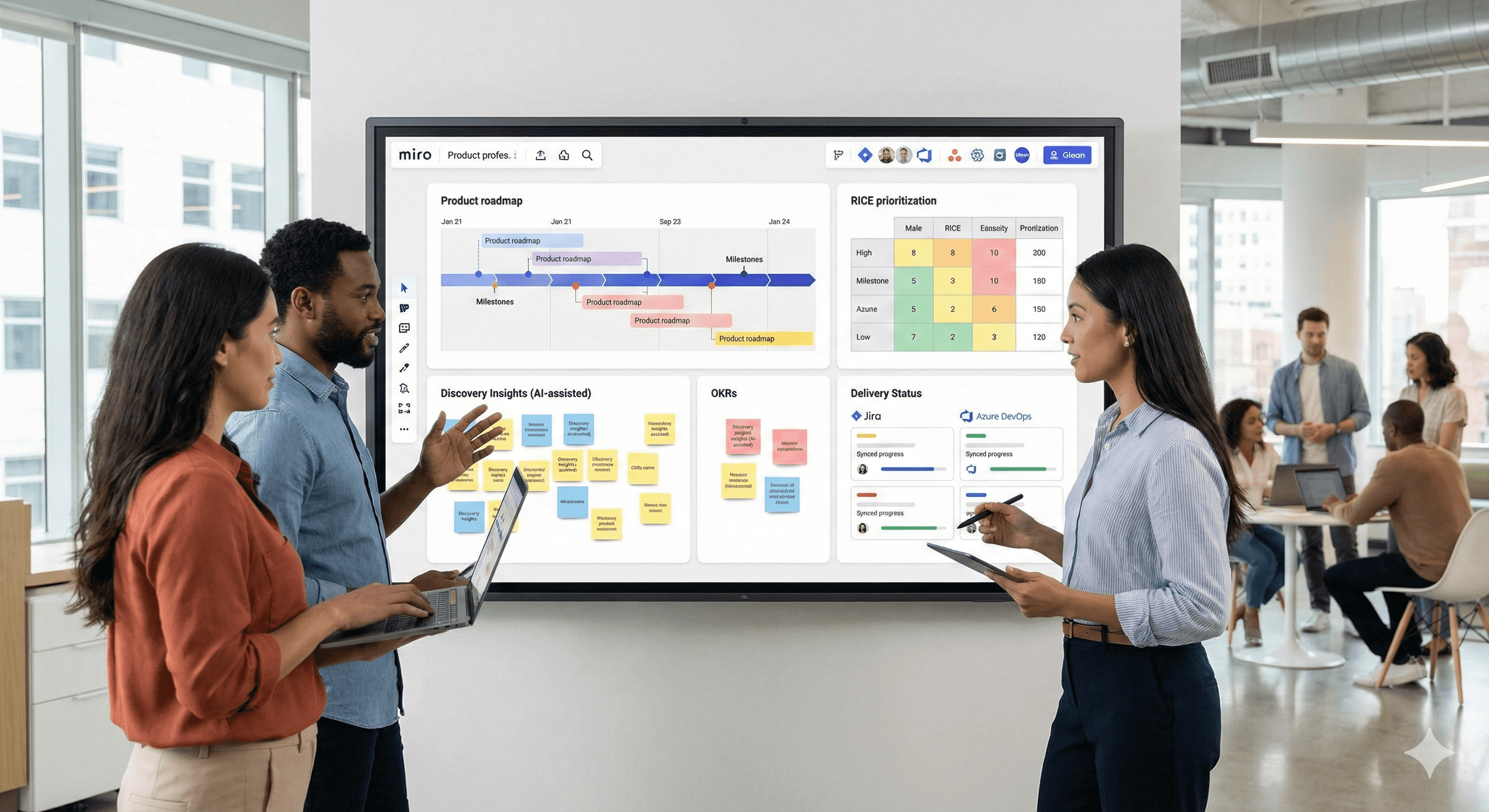
Three people are discussing strategy and planning around a digital whiteboard displaying a product roadmap on Miro, with post-it notes and charts in a modern office setting.

Learn how product leaders can turn strategy-to-execution into a continuous, intelligent flow with Miro—combining AI-assisted insight, prioritisation, timelines/roadmaps and live sync with your delivery tools.

Why this matters in 2026

Plans stall when discovery, roadmaps and delivery live in different tools. Miro centralises planning—workshops, prioritisation, dependencies—and connects them to execution with Cards/Planner for Jira and Azure DevOps, plus Miro AI for clustering notes and summarising insights. The result: faster alignment, fewer handoffs.

Key points

  • Seamless integration of strategy and execution. Plan in Miro; sync issues both ways with Jira Cards and Azure Cards/Planner, so updates in Miro reflect in the systems of record (and vice-versa).

  • Enhanced collaboration and facilitation. Run engaging sessions with Voting, Attention management (“Follow” / “Bring everyone to me”), Smart Meetings templates and Talktrack for async walkthroughs.

  • Improved outcomes with a structured workflow. Move from OKRs → discovery synthesis → RICE → timeline/roadmap on one canvas using Tables and Timeline, then track dependencies across teams.

How it works

Miro provides a full strategy & planning toolkit: facilitator controls, planning templates (OKR, roadmap, PI planning), integrations with task trackers, and AI to speed up synthesis. You can run the planning event, prioritise, and track progress—all in Miro.

AI highlights for planning

  • Cluster & summarise research: Select stickies → Miro AI → Cluster (by keyword/sentiment) → Summarise to create themes fast.

  • Create with AI: Generate content and structured artefacts directly on the canvas (Docs, Tables, Prototypes) using your board context.

  • Sticky capture: Photograph physical notes and convert to editable stickies for distributed teams.

  • AI prototyping (for concept alignment): Turn text or screenshots into clickable prototypes to validate flows before build.

A practical blueprint

  1. Set the North Star and OKRs
    Open the OKR Planning/OKR templates to co-create objectives and key results; use Smart Meetings to guide the workshop. Keep ownership and progress in a Table on the board.

  2. Synthesize discovery with Miro AI
    Paste interview notes or survey signal as stickies, then Cluster by keyword/sentiment and Summarise into themes. Link evidence to each theme for auditability.

  3. Prioritise with RICE (in context)
    Use the RICE template (built on Tables) so rationales sit next to scores and research.

  4. Build the delivery plan
    Drop initiatives into Timeline for quarters/months and/or the Roadmap view to connect work to strategic themes.

  5. Connect strategy to execution

  • Jira Cards / Planner for Jira: Import/create issues, change status, and sync both ways. Use the Dependencies app during planning to visualise cross-team blockers.

  • Azure DevOps: Use Azure Cards and Planner for Azure; drag items across iterations to update Azure in real time. Map dependencies across teams.

  1. Facilitate decisively
    Run Voting, keep participants together with Attention management, and record an async Talktrack so stakeholders can review decisions without another meeting.

  2. Share, govern, and iterate
    Present plans via Interactive Presentation Mode; log decisions and PRDs in Notion; orchestrate tasks in Asana; make research/findings instantly discoverable with Glean; keep your Miro service hub at Miro.


Deep-dive examples

  • Quarterly planning in one canvas: OKRs → AI-assisted synthesis → RICE → Timeline → push epics/issues to Jira/Azure; use Dependencies to surface cross-team risk.

  • Exec review without a meeting: Record a Talktrack over your planning frames; stakeholders watch on the board and comment inline.

  • Scaled planning (PI/Big Room): Run the event in Miro with Planner + Dependencies; decisions sync to Azure/Jira instantly.

FAQs

Q1: How does Miro help in strategy execution?

A: Miro brings planning and delivery together: run sessions, prioritise in Tables, timeline your roadmap, and sync with Jira/Azure so board changes and issue updates stay aligned. help.miro.com

Q2: Can Miro improve team collaboration?

A: Yes—use Voting, Attention management, Smart Meetings and Talktrack to keep decisions moving and engage stakeholders both live and async. help.miro.com

Q3: What AI features matter most here?

A: Miro AI clusters/summarises stickies, captures physical notes, and can generate content and prototypes from prompts—speeding up synthesis and alignment. help.miro.com

Q4: Will Miro connect with our wider toolstack?

A: Yes—Miro offers 250+ apps and integrations (incl. Jira, Azure DevOps, Asana, Slack, Teams and more) to keep plans connected. Miro

Summary

Miro lets product leaders run a continuous planning loop: set OKRs, synthesise evidence with AI, prioritise transparently, plan on timelines/roadmaps, map dependencies, and sync to delivery tools—then share updates asynchronously. Want a guided rollout for 2026? Generation Digital can design your Miro boards, governance and integrations—paired with Asana, Notion and Glean—so strategy and execution finally move as one.

Learn how product leaders can turn strategy-to-execution into a continuous, intelligent flow with Miro—combining AI-assisted insight, prioritisation, timelines/roadmaps and live sync with your delivery tools.

Why this matters in 2026

Plans stall when discovery, roadmaps and delivery live in different tools. Miro centralises planning—workshops, prioritisation, dependencies—and connects them to execution with Cards/Planner for Jira and Azure DevOps, plus Miro AI for clustering notes and summarising insights. The result: faster alignment, fewer handoffs.

Key points

  • Seamless integration of strategy and execution. Plan in Miro; sync issues both ways with Jira Cards and Azure Cards/Planner, so updates in Miro reflect in the systems of record (and vice-versa).

  • Enhanced collaboration and facilitation. Run engaging sessions with Voting, Attention management (“Follow” / “Bring everyone to me”), Smart Meetings templates and Talktrack for async walkthroughs.

  • Improved outcomes with a structured workflow. Move from OKRs → discovery synthesis → RICE → timeline/roadmap on one canvas using Tables and Timeline, then track dependencies across teams.

How it works

Miro provides a full strategy & planning toolkit: facilitator controls, planning templates (OKR, roadmap, PI planning), integrations with task trackers, and AI to speed up synthesis. You can run the planning event, prioritise, and track progress—all in Miro.

AI highlights for planning

  • Cluster & summarise research: Select stickies → Miro AI → Cluster (by keyword/sentiment) → Summarise to create themes fast.

  • Create with AI: Generate content and structured artefacts directly on the canvas (Docs, Tables, Prototypes) using your board context.

  • Sticky capture: Photograph physical notes and convert to editable stickies for distributed teams.

  • AI prototyping (for concept alignment): Turn text or screenshots into clickable prototypes to validate flows before build.

A practical blueprint

  1. Set the North Star and OKRs
    Open the OKR Planning/OKR templates to co-create objectives and key results; use Smart Meetings to guide the workshop. Keep ownership and progress in a Table on the board.

  2. Synthesize discovery with Miro AI
    Paste interview notes or survey signal as stickies, then Cluster by keyword/sentiment and Summarise into themes. Link evidence to each theme for auditability.

  3. Prioritise with RICE (in context)
    Use the RICE template (built on Tables) so rationales sit next to scores and research.

  4. Build the delivery plan
    Drop initiatives into Timeline for quarters/months and/or the Roadmap view to connect work to strategic themes.

  5. Connect strategy to execution

  • Jira Cards / Planner for Jira: Import/create issues, change status, and sync both ways. Use the Dependencies app during planning to visualise cross-team blockers.

  • Azure DevOps: Use Azure Cards and Planner for Azure; drag items across iterations to update Azure in real time. Map dependencies across teams.

  1. Facilitate decisively
    Run Voting, keep participants together with Attention management, and record an async Talktrack so stakeholders can review decisions without another meeting.

  2. Share, govern, and iterate
    Present plans via Interactive Presentation Mode; log decisions and PRDs in Notion; orchestrate tasks in Asana; make research/findings instantly discoverable with Glean; keep your Miro service hub at Miro.


Deep-dive examples

  • Quarterly planning in one canvas: OKRs → AI-assisted synthesis → RICE → Timeline → push epics/issues to Jira/Azure; use Dependencies to surface cross-team risk.

  • Exec review without a meeting: Record a Talktrack over your planning frames; stakeholders watch on the board and comment inline.

  • Scaled planning (PI/Big Room): Run the event in Miro with Planner + Dependencies; decisions sync to Azure/Jira instantly.

FAQs

Q1: How does Miro help in strategy execution?

A: Miro brings planning and delivery together: run sessions, prioritise in Tables, timeline your roadmap, and sync with Jira/Azure so board changes and issue updates stay aligned. help.miro.com

Q2: Can Miro improve team collaboration?

A: Yes—use Voting, Attention management, Smart Meetings and Talktrack to keep decisions moving and engage stakeholders both live and async. help.miro.com

Q3: What AI features matter most here?

A: Miro AI clusters/summarises stickies, captures physical notes, and can generate content and prototypes from prompts—speeding up synthesis and alignment. help.miro.com

Q4: Will Miro connect with our wider toolstack?

A: Yes—Miro offers 250+ apps and integrations (incl. Jira, Azure DevOps, Asana, Slack, Teams and more) to keep plans connected. Miro

Summary

Miro lets product leaders run a continuous planning loop: set OKRs, synthesise evidence with AI, prioritise transparently, plan on timelines/roadmaps, map dependencies, and sync to delivery tools—then share updates asynchronously. Want a guided rollout for 2026? Generation Digital can design your Miro boards, governance and integrations—paired with Asana, Notion and Glean—so strategy and execution finally move as one.

Get practical advice delivered to your inbox

By subscribing you consent to Generation Digital storing and processing your details in line with our privacy policy. You can read the full policy at gend.co/privacy.


Ready to get the support your organisation needs to successfully use AI?

Miro Solutions Partner
Asana Platinum Solutions Partner
Notion Platinum Solutions Partner
Glean Certified Partner

Ready to get the support your organisation needs to successfully use AI?

Miro Solutions Partner
Asana Platinum Solutions Partner
Notion Platinum Solutions Partner
Glean Certified Partner

Generation
Digital

UK Office
33 Queen St,
London
EC4R 1AP
United Kingdom

Canada Office
1 University Ave,
Toronto,
ON M5J 1T1,
Canada

NAMER Office
77 Sands St,
Brooklyn,
NY 11201,
United States

EMEA Office
Charlemont St, Saint Kevin's, Dublin,
D02 VN88,
Ireland

Middle East Office
6994 Alsharq 3890,
An Narjis,
Riyadh 13343,
Saudi Arabia

UK Fast Growth Index UBS Logo
Financial Times FT 1000 Logo
Febe Growth 100 Logo

Company No: 256 9431 77 | Copyright 2026 | Terms and Conditions | Privacy Policy

Generation
Digital

UK Office
33 Queen St,
London
EC4R 1AP
United Kingdom

Canada Office
1 University Ave,
Toronto,
ON M5J 1T1,
Canada

NAMER Office
77 Sands St,
Brooklyn,
NY 11201,
United States

EMEA Office
Charlemont St, Saint Kevin's, Dublin,
D02 VN88,
Ireland

Middle East Office
6994 Alsharq 3890,
An Narjis,
Riyadh 13343,
Saudi Arabia

UK Fast Growth Index UBS Logo
Financial Times FT 1000 Logo
Febe Growth 100 Logo


Company No: 256 9431 77
Terms and Conditions
Privacy Policy
Copyright 2026





