Zapier’s AI Guidebook: Effective Strategies for 2026
Artificial Intelligence
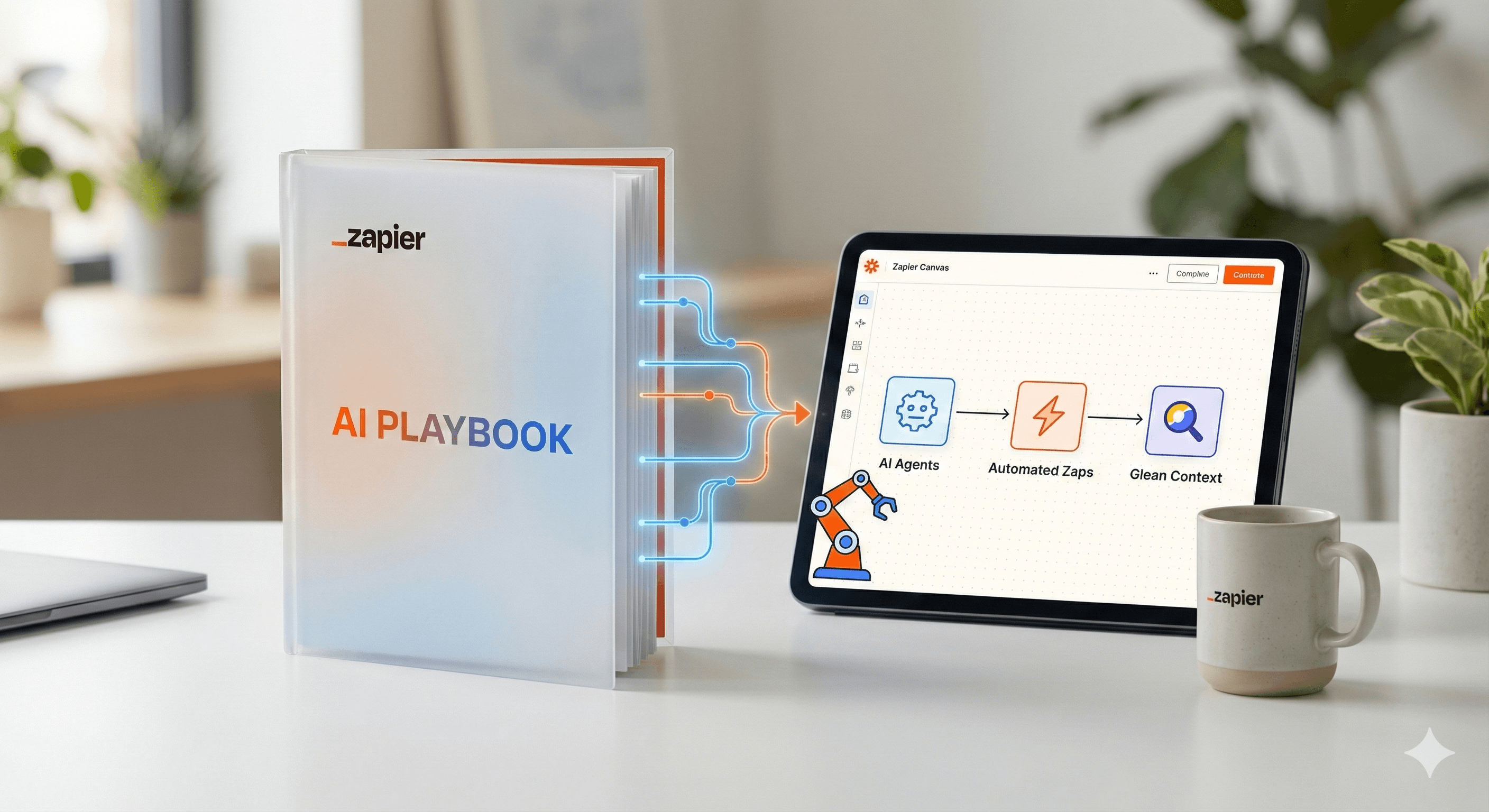
Uncertain about how to get started with AI?Evaluate your readiness, potential risks, and key priorities in less than an hour.
➔ Download Our Free AI Preparedness Pack
Discover the most practical insights from Zapier's AI Playbook—presented in collaboration with Glean—and learn how to transition from trials to real business benefits. You'll find out how Zapier achieved widespread AI implementation across their organization and how to apply these strategies with Agents, Canvas, and orchestration methods within your own team.
Why it matters in 2026
Zapier openly shared how it achieved company-wide AI adoption—reaching 89% active usage by spring 2025—and has since open-sourced further strategies, reporting 97% weekly usage company-wide. Their playbook highlights urgency (“Code Red”), essential frameworks (safeguards, facilitation), and building habits (hackathons, champions). Implement the same approach to convert pilots into tangible results.
Main points / advantages
Unlock new efficiencies. Integrate AI directly where work occurs—workflows, agents, and chatbots—rather than isolating AI.
Enhance teamwork. Design and communicate comprehensive systems in Canvas, then deploy automations and agents that fit the design.
Standardize and then expand. Use consistent templates, AI literacy sprints, and hackathons to extend capabilities beyond a single team.
What's new or how it operates
Zapier as an AI orchestration platform. You can integrate AI at three levels—AI steps in Zaps, Agents, and customer chatbots—and link it to numerous tools your teams already utilize. This centralizes prompts, data, and actions.
Canvas for strategy → implementation. Canvas is a free, AI-enhanced tool that assists in designing processes, mapping dependencies, and transforming ideas into automations through AI suggestions. Use it to align participants before you develop Zaps or Agents.
Agents for multi-step tasks. With Zapier Agents, you can create AI co-workers that leverage company knowledge and work with 8,000+ apps, pausing for human input at decision points and recording activities.
Actionable steps
Establish urgency and a secure foundation
Initiate a time-constrained effort (Zapier’s “Code Red” event), disseminate AI use guidelines, and assign champions. This stimulates momentum while ensuring data usage remains secure.Conduct an AI fluency sprint and hackathon
Offer approximately 25 hours of self-guided learning, then organize a company hackathon to translate learning into practical prototypes. Celebrate successes and document patterns for future use.Design in Canvas, execute with Zaps and Agents
Develop the workflow in Canvas; confirm triggers, systems, and approvals. Then, implement with Zaps (for linear processes) or Agents (for goal-oriented, multi-step tasks).Begin with 2–3 impactful use cases
Examples that generalize effectively:
Inbox & scheduling triage: prepare replies, route emails, and schedule meetings.
Lead management: enrich, qualify, and notify sales development representatives with summaries.
Support deflection: provide answer suggestions with references, create/update tickets.
Use Glean to access internal knowledge and references in these workflows.
Monitor and evaluate
Activate human review where necessary, ensure audit trails, and track completion time, accuracy, deflections, and percentage of human approvals. Expand successes into shared templates, extending to nearby teams.
Examples you can replicate
AI inbox assistant
Map the flow → Agent drafts responses, suggests next actions, and schedules using your calendar app; a Zap records outcomes to CRM and Slack/Teams.Marketing content factory
Utilize orchestration patterns to transform call notes and webinars into posts, briefs, and emails across platforms—automatically.Support knowledge loop
Agent searches internal knowledge (e.g., Glean) with references, drafts responses, and updates ServiceNow/Zendesk. A Zap captures unresolved issues for weekly analysis.
FAQs
Q1: What is Zapier’s AI Playbook?
A: It's a collection of strategies Zapier employed to enhance company-wide AI adoption—89% by spring 2025—including “Code Red” urgency, safeguards, enablement, hackathons, and champions. Zapier has subsequently open-sourced additional methods (97% weekly usage). Zapier+1
Q2: How does AI enhance workflow efficiency with Zapier?
A: Incorporate AI where it fits best: as a step in a Zap, as a goal-oriented Agent, or as a customer chatbot. Canvas aids in designing the system; Zaps/Agents execute; everything links to the apps your teams use. Zapier+1
Q3: What tools are recommended for starting?
A: Canvas for mapping, Zaps for linear automation, Agents for multi-step tasks that require context and pause points, plus knowledge tools like Glean for references and internal responses. Zapier+1
Summary
Zapier’s AI Playbook provides a feasible path to scale: create urgency, ensure safety and fluency, design in Canvas, then automate with Zaps and Agents across 8,000+ apps—with Glean offering enterprise context and citations. Looking for guided implementation for 2026? Generation Digital can assist in designing your program, templates, and governance.
Receive weekly AI news and advice straight to your inbox
By subscribing, you agree to allow Generation Digital to store and process your information according to our privacy policy. You can review the full policy at gend.co/privacy.



Generation
Digital

Canadian Office
33 Queen St,
Toronto
M5H 2N2
Canada
Canadian Office
1 University Ave,
Toronto,
ON M5J 1T1,
Canada
NAMER Office
77 Sands St,
Brooklyn,
NY 11201,
USA
Head Office
Charlemont St, Saint Kevin's, Dublin,
D02 VN88,
Ireland
Middle East Office
6994 Alsharq 3890,
An Narjis,
Riyadh 13343,
Saudi Arabia







Business Number: 256 9431 77 | Copyright 2026 | Terms and Conditions | Privacy Policy