Connected AI Workspace: Why Teams Are Consolidating in Notion

Connected AI Workspace: Why Teams Are Consolidating in Notion

Notion

24 févr. 2026

Pas sûr de quoi faire ensuite avec l'IA?
Évaluez la préparation, les risques et les priorités en moins d'une heure.

Pas sûr de quoi faire ensuite avec l'IA?
Évaluez la préparation, les risques et les priorités en moins d'une heure.

➔ Téléchargez notre kit de préparation à l'IA gratuit

A connected AI workspace brings your docs, projects, and team knowledge into one place—then layers AI on top to search, summarise, write, and automate workflows. Instead of juggling disconnected tools and fragmented information, teams use a connected workspace to reduce admin overhead, improve adoption, and unlock AI agents that can act directly on their work.

Most organisations didn’t choose “fragmentation”. It just happened.

A wiki here. A project tracker there. A chat tool that quietly becomes your knowledge base. Add an AI writing tool, a meeting notes app, and an enterprise search platform… and suddenly you’re spending more time managing tools than doing work.

Notion’s Connected AI Workspace positioning is built around a simple claim: fragmentation kills productivity and AI potential.

In this post, we’ll unpack what a connected AI workspace actually means, why it matters now, and what to do if you’re trying to simplify your stack without slowing your teams down.
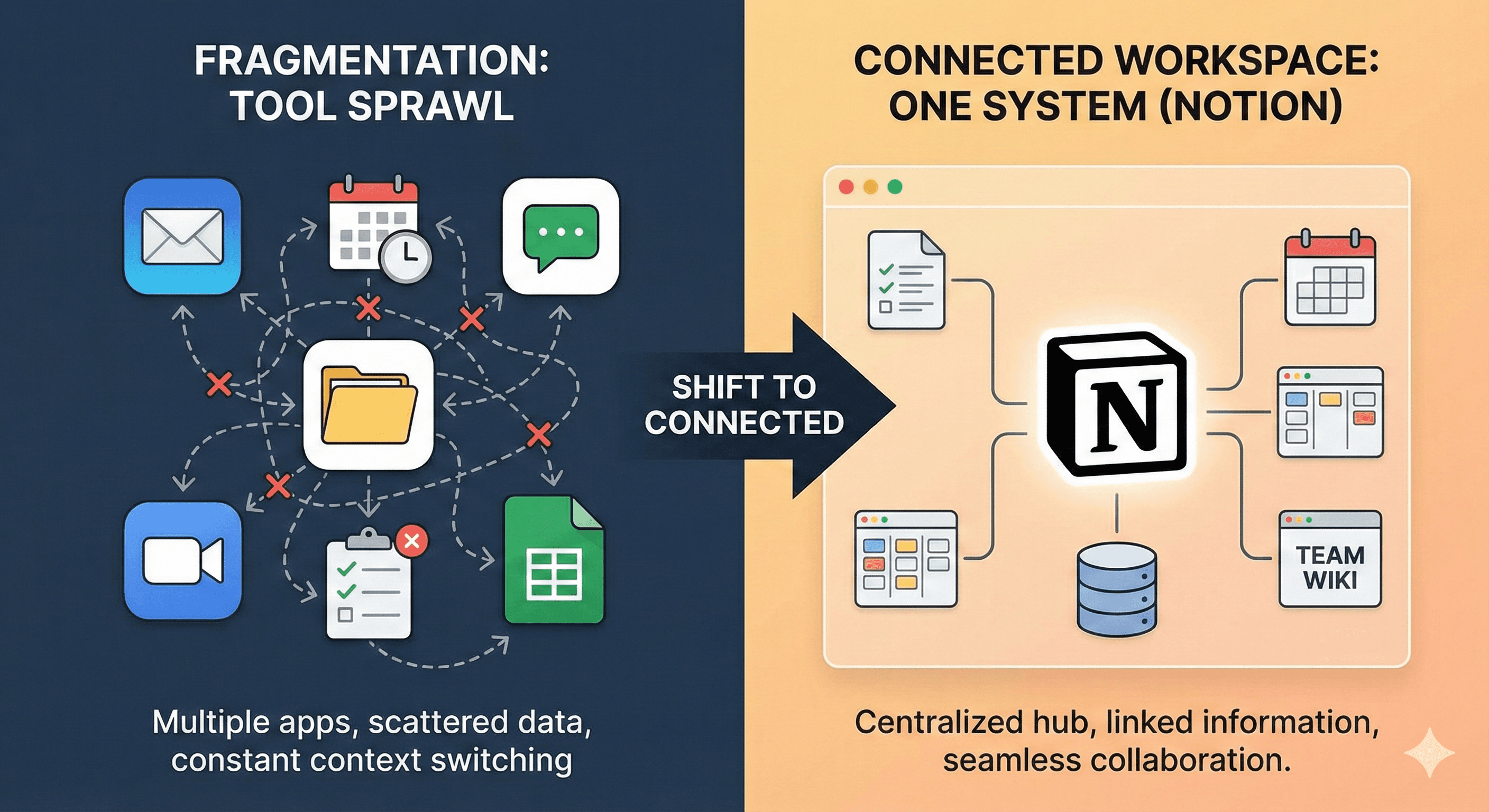
The problem: wasted time, duplicated work, and rising SaaS costs

The deck highlights three common symptoms of fragmented work:

  1. Too many overlapping tools (docs, wikis, task trackers, chat, analytics, whiteboards).

  2. Information scattered across systems, which leads to slower projects and missed goals.

  3. Tool overload, which reduces adoption and confidence in work quality.

There’s a very human cost here: employees can waste 4–6 hours per week searching for information when knowledge is scattered.

And the financial cost stacks up too. A pricing comparison on “software sprawl” is reported at $172/user versus Notion “starting at $20/user”.

What a connected AI workspace actually is

A connected AI workspace isn’t just “one more tool with AI”. It’s an operating model:

  • One home for knowledge (docs, wikis, policies, playbooks)

  • One system for delivery (projects, tasks, timelines, OKRs)

  • One layer for collaboration (real-time editing, version control, permissions)

  • One AI layer that can search, summarise, write, take notes, and automate workflows where the work already lives

“One connected workspace to bring work and teams together. Unify knowledge, projects, and teams.”

The AI layer: from useful tools to helpful teammates (and agents)

Notion’s view of AI maturity in the workplace follows a three-step arc:

  1. Useful tools: search, summarise, write, edit, take notes, and build workflows.

  2. Helpful teammates: custom and automated AI, like an “agent for bug triaging” or “agent for feedback”.

  3. Skilled workers (future): more autonomous, anticipatory AI and “self-healing” knowledge bases and projects.

This matters because it changes how teams should approach adoption. If AI is going to move beyond drafting and summarising, it needs:

  • trusted context (real knowledge, not guesses)

  • permissions and security controls

  • workflows that are structured enough for agents to act safely

A connected workspace gives you that foundation.

What Notion includes in the “connected” part

The connected workspace story has four building blocks:

1) Knowledge that adapts to every team

Docs, wikis, and knowledge structures that can fit different functions.

2) Projects that connect teams, tasks, and timelines

A single place to plan and track delivery without losing context in separate tools.

3) Collaboration and control

Real-time collaboration plus enterprise-ready governance: advanced permissions, version control, and security guardrails.

4) AI where the work happens

Notion includes several AI capabilities:

  • Enterprise Search across apps so teams can access company knowledge quickly

  • AI Meeting Notes to transcribe, summarise, and track actions

  • Research Mode to generate collaborative documents like PRDs, policies, onboarding guides, and proposals

  • Notion Agents that can take multi-step actions inside Notion

Proof points: what outcomes a connected workspace can drive

Notion also has a number of outcome claims and customer examples, including:

  • Vercel shipping 35% faster and reclaiming 9 hours weekly per employee

  • Toyota reducing approval timelines by

  • Ramp cutting tool costs by 70%+

  • OpenAI using Notion AI to reduce time spent debugging (“minutes” vs “hours”)

Treat these as directional examples: your mileage depends on your baseline tool sprawl, content hygiene, and adoption approach.

Security and compliance: what IT teams usually ask first

The deck positions Notion as “built for business—secure, compliant, and scalable”, listing controls such as:

  • SCIM user provisioning and SAML SSO

  • managed users dashboard and security/admin tools

  • advanced permissions and data retention settings

  • compliance references including SOC 2 Type 2, HIPAA, GDPR, and CCPA

  • a statement that data is not used or stored to train AI models

(As always, validate exact requirements with your security team and Notion documentation for your plan and region.)

A practical decision table for Notion buyers

If your challenge is…

A connected AI workspace helps by…

What to do first

People can’t find the latest info

Centralising knowledge + enterprise search

Define sources of truth + taxonomy

Teams are duplicating work

Shared projects and templates

Standardise project + meeting formats

Too many apps and rising spend

Consolidation of wiki, projects, AI tools

Audit overlapping tools and licences

AI experiments aren’t sticking

Embedding AI in real workflows

Pick one workflow and measure impact

How to get started (without disrupting delivery)

A good rollout doesn’t start with “move everything”. It starts with one clear path:

  1. Consolidate knowledge: pick the top 10–20 docs people search for every week. Clean them up and make ownership clear.

  2. Standardise delivery: implement a lightweight project hub + meeting notes + decision log.

  3. Layer AI on top: start with enterprise search and meeting notes, then expand into agents for repeatable workflows.

  4. Measure: time saved finding info, reduced status chasing, faster onboarding, fewer duplicated artefacts.

This mirrors the deck’s “path to a connected workspace”: from organic adoption, to consolidated knowledge, to integrated workflows, then a fully connected workspace.

Next steps

If tool sprawl is slowing you down, the goal isn’t consolidation for its own sake—it’s making knowledge usable and making AI reliable.

Start with the pain that’s easiest to prove:

  • one team

  • one workflow

  • one measurable outcome

Then scale what works.

FAQs

What’s the difference between an AI tool and an AI workspace?
An AI tool helps with a specific task (writing, summarising, searching). An AI workspace puts your knowledge and workflows in one place so AI can work with trusted context and help across the full delivery lifecycle.

How does an AI workspace reduce time wasted searching
By centralising key knowledge and enabling enterprise search across content and connected tools—so people can ask for answers instead of hunting through systems.

What are Notion Agents?
The deck describes Notion Agents as capable of taking multi-step actions inside Notion—automating manual work within the workspace.

Is Notion secure enough for enterprise use?
The deck lists enterprise controls such as SAML SSO, SCIM, advanced permissions, custom data retention settings, and compliance references including SOC 2 Type 2. Always validate against your own requirements and Notion’s latest documentation.

What’s a realistic first use case?
Enterprise search + a standard meeting notes workflow is often the fastest win: it reduces time wasted searching and improves follow-through on actions.

A connected AI workspace brings your docs, projects, and team knowledge into one place—then layers AI on top to search, summarise, write, and automate workflows. Instead of juggling disconnected tools and fragmented information, teams use a connected workspace to reduce admin overhead, improve adoption, and unlock AI agents that can act directly on their work.

Most organisations didn’t choose “fragmentation”. It just happened.

A wiki here. A project tracker there. A chat tool that quietly becomes your knowledge base. Add an AI writing tool, a meeting notes app, and an enterprise search platform… and suddenly you’re spending more time managing tools than doing work.

Notion’s Connected AI Workspace positioning is built around a simple claim: fragmentation kills productivity and AI potential.

In this post, we’ll unpack what a connected AI workspace actually means, why it matters now, and what to do if you’re trying to simplify your stack without slowing your teams down.

The problem: wasted time, duplicated work, and rising SaaS costs

The deck highlights three common symptoms of fragmented work:

  1. Too many overlapping tools (docs, wikis, task trackers, chat, analytics, whiteboards).

  2. Information scattered across systems, which leads to slower projects and missed goals.

  3. Tool overload, which reduces adoption and confidence in work quality.

There’s a very human cost here: employees can waste 4–6 hours per week searching for information when knowledge is scattered.

And the financial cost stacks up too. A pricing comparison on “software sprawl” is reported at $172/user versus Notion “starting at $20/user”.

What a connected AI workspace actually is

A connected AI workspace isn’t just “one more tool with AI”. It’s an operating model:

  • One home for knowledge (docs, wikis, policies, playbooks)

  • One system for delivery (projects, tasks, timelines, OKRs)

  • One layer for collaboration (real-time editing, version control, permissions)

  • One AI layer that can search, summarise, write, take notes, and automate workflows where the work already lives

“One connected workspace to bring work and teams together. Unify knowledge, projects, and teams.”

The AI layer: from useful tools to helpful teammates (and agents)

Notion’s view of AI maturity in the workplace follows a three-step arc:

  1. Useful tools: search, summarise, write, edit, take notes, and build workflows.

  2. Helpful teammates: custom and automated AI, like an “agent for bug triaging” or “agent for feedback”.

  3. Skilled workers (future): more autonomous, anticipatory AI and “self-healing” knowledge bases and projects.

This matters because it changes how teams should approach adoption. If AI is going to move beyond drafting and summarising, it needs:

  • trusted context (real knowledge, not guesses)

  • permissions and security controls

  • workflows that are structured enough for agents to act safely

A connected workspace gives you that foundation.

What Notion includes in the “connected” part

The connected workspace story has four building blocks:

1) Knowledge that adapts to every team

Docs, wikis, and knowledge structures that can fit different functions.

2) Projects that connect teams, tasks, and timelines

A single place to plan and track delivery without losing context in separate tools.

3) Collaboration and control

Real-time collaboration plus enterprise-ready governance: advanced permissions, version control, and security guardrails.

4) AI where the work happens

Notion includes several AI capabilities:

  • Enterprise Search across apps so teams can access company knowledge quickly

  • AI Meeting Notes to transcribe, summarise, and track actions

  • Research Mode to generate collaborative documents like PRDs, policies, onboarding guides, and proposals

  • Notion Agents that can take multi-step actions inside Notion

Proof points: what outcomes a connected workspace can drive

Notion also has a number of outcome claims and customer examples, including:

  • Vercel shipping 35% faster and reclaiming 9 hours weekly per employee

  • Toyota reducing approval timelines by

  • Ramp cutting tool costs by 70%+

  • OpenAI using Notion AI to reduce time spent debugging (“minutes” vs “hours”)

Treat these as directional examples: your mileage depends on your baseline tool sprawl, content hygiene, and adoption approach.

Security and compliance: what IT teams usually ask first

The deck positions Notion as “built for business—secure, compliant, and scalable”, listing controls such as:

  • SCIM user provisioning and SAML SSO

  • managed users dashboard and security/admin tools

  • advanced permissions and data retention settings

  • compliance references including SOC 2 Type 2, HIPAA, GDPR, and CCPA

  • a statement that data is not used or stored to train AI models

(As always, validate exact requirements with your security team and Notion documentation for your plan and region.)

A practical decision table for Notion buyers

If your challenge is…

A connected AI workspace helps by…

What to do first

People can’t find the latest info

Centralising knowledge + enterprise search

Define sources of truth + taxonomy

Teams are duplicating work

Shared projects and templates

Standardise project + meeting formats

Too many apps and rising spend

Consolidation of wiki, projects, AI tools

Audit overlapping tools and licences

AI experiments aren’t sticking

Embedding AI in real workflows

Pick one workflow and measure impact

How to get started (without disrupting delivery)

A good rollout doesn’t start with “move everything”. It starts with one clear path:

  1. Consolidate knowledge: pick the top 10–20 docs people search for every week. Clean them up and make ownership clear.

  2. Standardise delivery: implement a lightweight project hub + meeting notes + decision log.

  3. Layer AI on top: start with enterprise search and meeting notes, then expand into agents for repeatable workflows.

  4. Measure: time saved finding info, reduced status chasing, faster onboarding, fewer duplicated artefacts.

This mirrors the deck’s “path to a connected workspace”: from organic adoption, to consolidated knowledge, to integrated workflows, then a fully connected workspace.

Next steps

If tool sprawl is slowing you down, the goal isn’t consolidation for its own sake—it’s making knowledge usable and making AI reliable.

Start with the pain that’s easiest to prove:

  • one team

  • one workflow

  • one measurable outcome

Then scale what works.

FAQs

What’s the difference between an AI tool and an AI workspace?
An AI tool helps with a specific task (writing, summarising, searching). An AI workspace puts your knowledge and workflows in one place so AI can work with trusted context and help across the full delivery lifecycle.

How does an AI workspace reduce time wasted searching
By centralising key knowledge and enabling enterprise search across content and connected tools—so people can ask for answers instead of hunting through systems.

What are Notion Agents?
The deck describes Notion Agents as capable of taking multi-step actions inside Notion—automating manual work within the workspace.

Is Notion secure enough for enterprise use?
The deck lists enterprise controls such as SAML SSO, SCIM, advanced permissions, custom data retention settings, and compliance references including SOC 2 Type 2. Always validate against your own requirements and Notion’s latest documentation.

What’s a realistic first use case?
Enterprise search + a standard meeting notes workflow is often the fastest win: it reduces time wasted searching and improves follow-through on actions.

Recevez chaque semaine des nouvelles et des conseils sur l'IA directement dans votre boîte de réception

En vous abonnant, vous consentez à ce que Génération Numérique stocke et traite vos informations conformément à notre politique de confidentialité. Vous pouvez lire la politique complète sur gend.co/privacy.


Ateliers et webinaires à venir

A diverse group of professionals collaborating around a table in a bright, modern office setting.

Clarté opérationnelle à grande échelle - Asana

Webinaire Virtuel
Mercredi 25 février 2026
En ligne

A diverse group of professionals collaborating around a table in a bright, modern office setting.

Collaborez avec des coéquipiers IA - Asana

Atelier en personne
Jeudi 26 février 2026
London, UK

A diverse group of professionals collaborating around a table in a bright, modern office setting.

De l'idée au prototype - L'IA dans Miro

Webinaire virtuel
Mercredi 18 février 2026
En ligne

Génération
Numérique

Bureau du Royaume-Uni

Génération Numérique Ltée
33 rue Queen,
Londres
EC4R 1AP
Royaume-Uni

Bureau au Canada

Génération Numérique Amériques Inc
181 rue Bay, Suite 1800
Toronto, ON, M5J 2T9
Canada

Bureau aux États-Unis

Generation Digital Americas Inc
77 Sands St,
Brooklyn, NY 11201,
États-Unis

Bureau de l'UE

Génération de logiciels numériques
Bâtiment Elgee
Dundalk
A91 X2R3
Irlande

Bureau du Moyen-Orient

6994 Alsharq 3890,
An Narjis,
Riyad 13343,
Arabie Saoudite

UK Fast Growth Index UBS Logo
Financial Times FT 1000 Logo
Febe Growth 100 Logo (Background Removed)

Numéro d'entreprise : 256 9431 77 | Droits d'auteur 2026 | Conditions générales | Politique de confidentialité

Génération
Numérique

Bureau du Royaume-Uni

Génération Numérique Ltée
33 rue Queen,
Londres
EC4R 1AP
Royaume-Uni

Bureau au Canada

Génération Numérique Amériques Inc
181 rue Bay, Suite 1800
Toronto, ON, M5J 2T9
Canada

Bureau aux États-Unis

Generation Digital Americas Inc
77 Sands St,
Brooklyn, NY 11201,
États-Unis

Bureau de l'UE

Génération de logiciels numériques
Bâtiment Elgee
Dundalk
A91 X2R3
Irlande

Bureau du Moyen-Orient

6994 Alsharq 3890,
An Narjis,
Riyad 13343,
Arabie Saoudite

UK Fast Growth Index UBS Logo
Financial Times FT 1000 Logo
Febe Growth 100 Logo (Background Removed)


Numéro d'entreprise : 256 9431 77
Conditions générales
Politique de confidentialité
Droit d'auteur 2026





