Why Agents Benefit from Sandboxes Over Larger Contexts
Glean
Feb 18, 2026


Not sure where to start with AI?
Assess readiness, risk, and priorities in under an hour.
Not sure where to start with AI?
Assess readiness, risk, and priorities in under an hour.
➔ Download Our Free AI Readiness Pack
A sandbox lets an AI agent run code and tools in a controlled environment with clear permission boundaries and audit logs. Unlike larger context windows—which only let the model “see” more text—sandboxes enable repeatable computation, secure access to data, and verifiable results, improving accuracy and scalability in real workflows.
Agents can feel like magic when they work: you ask for an outcome, and the system plans, executes, checks its work, and returns something you can trust.
But that “trust” is exactly where many agent projects stall.
When teams hit reliability issues, the first instinct is often: give the model more context. Bigger context windows do help. They reduce truncation, keep conversations coherent for longer, and make it easier to provide detailed background.
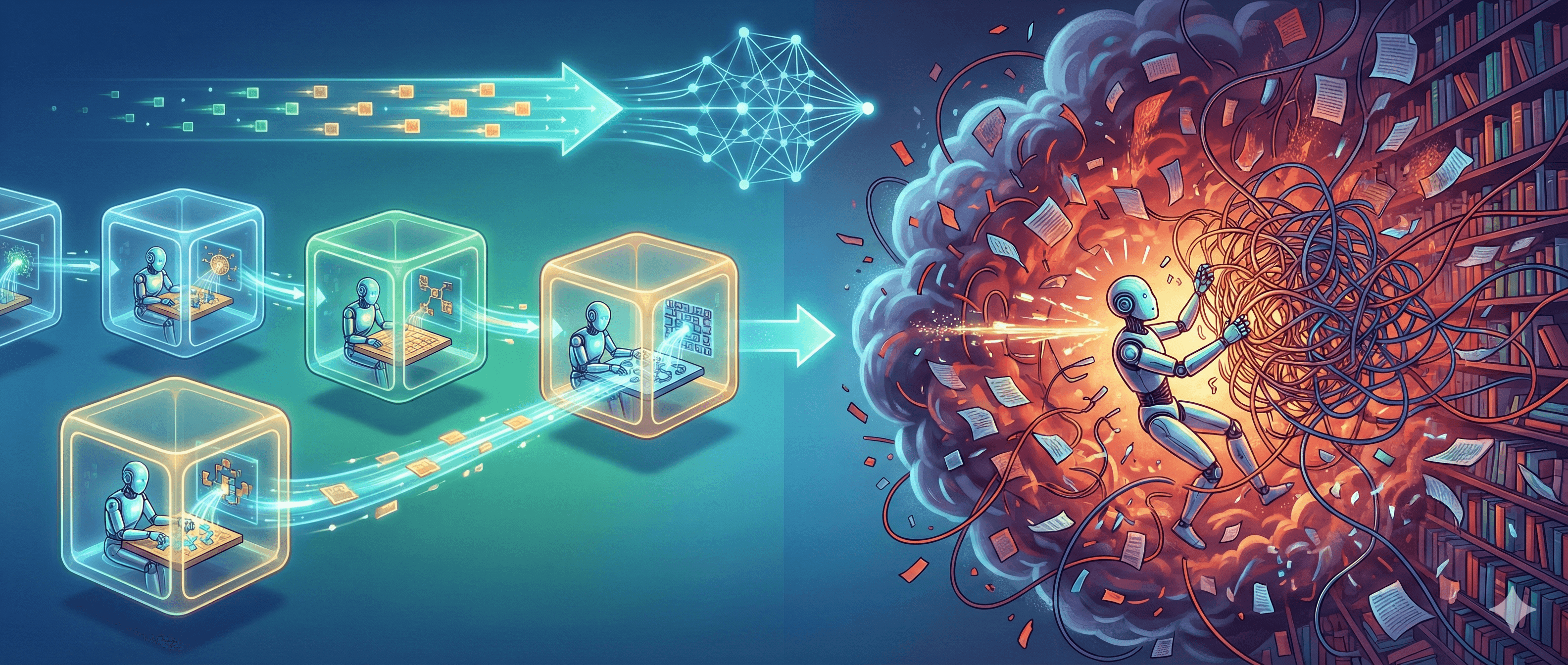
Yet, in practice, the biggest unlock for agent capability isn’t just more text. It’s the ability to do work in a sandbox—a controlled execution environment where the agent can run code, manipulate data, call tools, and produce outputs that can be validated.
This article explains why.
What “sandbox” means in agent design
A sandbox is an isolated environment where an agent can execute actions (like running Python, calling APIs, using a shell, or transforming files) within strict limits. Those limits usually include:
What files can be read/written
n- What network access is allowed (if any)What tools are permitted
Resource constraints (time, memory, CPU)
Logging and auditability
The core idea is simple: separate thinking from doing.
The LLM does the reasoning and planning. The sandbox does the execution and keeps it bounded.
Why larger context windows alone don’t solve “agent scaling”
Large context windows aim to solve a memory problem: how much information the model can consider at once.
That’s useful—but it doesn’t address four other problems that show up quickly in real agent workflows:
1) Computation isn’t memory
Many tasks aren’t about remembering more text. They’re about computing reliably:
reconciling spreadsheets
analysing datasets
validating claims against source material
transforming files (PDF → CSV, logs → summaries)
generating repeatable reports
Trying to do that inside the model’s context forces the LLM to “simulate” the computation in text. A sandbox lets it actually compute, and then show its working.
2) Bigger context can still mean bigger noise
When you expand context, you don’t only add signal—you often add irrelevant detail. That can lead to:
contradictions (different parts of the context disagree)
attention dilution (important lines get less weight)
reasoning drift (the agent follows the wrong thread)
A sandbox flips the pattern: the agent can fetch or load what it needs, compute, and return the result, rather than dragging everything into a single prompt.
3) Context is expensive; tools can be cheaper
Long contexts can increase latency and cost, especially when you’re feeding multi-document background to every step.
With a sandboxed approach, you can keep context lean:
Put large artefacts (datasets, logs, codebases) into the sandbox.
Pass references and summaries to the model.
Use structured outputs (tables, JSON, diffs) instead of re-sending raw content.
4) Security and governance need boundaries, not more tokens
If your agent can take actions—send emails, create tickets, update records—you need clear controls.
A sandbox gives you a natural place to implement:
allow/deny lists for tools and domains
secret management and redaction
safe file boundaries
step-level approval gates
full audit logs of actions and outputs
This is especially important for enterprise use, where “helpful” can quickly become “risky” without guardrails.
What sandboxes give agents that large contexts can’t
Verifiable outputs (not just plausible ones)
Sandboxes let agents prove their work.
Instead of: “Here’s what I think the answer is.”
You get: “Here’s the answer, the calculation that produced it, and the file you can inspect.”
That shift—from plausible language to reproducible artefacts—is where agent trust starts to scale.
A working memory the model doesn’t have to carry
In a sandbox, the agent can write intermediate results to disk or structured stores:
cached query results
intermediate tables
partial transformations
test artefacts
evaluation notes
That becomes a working memory outside the LLM context window. The model can return to it without re-ingesting everything.
Controlled autonomy
Autonomy is only valuable when it’s bounded.
A good sandbox design lets you tune autonomy by task type. For example:
Low risk: allow autonomous data analysis on a supplied dataset.
Medium risk: allow tool calls, but require approval before writing to production systems.
High risk: block network access entirely, or restrict to a small set of internal services.
This enables “move fast without breaking trust”.
Better evaluation and continuous improvement
Sandboxed workflows are easier to evaluate because they naturally produce structured artefacts:
inputs and outputs
tool call logs
intermediate files
test results
That makes it simpler to build evaluation harnesses, regression tests, and quality metrics—essential for enterprise deployment.
Sandboxes in practice: three common patterns
Most modern agent systems end up using one (or a blend) of these patterns.
Pattern 1: Code sandbox (Python / notebook-style)
Best for:
data analysis
reporting
ETL-like transformations
charting and summarisation
The agent writes code, runs it, iterates, and returns outputs (tables, files, graphs).
Pattern 2: Tool sandbox (API + restricted connectors)
Best for:
RAG and enterprise search
summarising or drafting against internal knowledge
workflow actions (tickets, CRM updates, approvals)
The sandbox isn’t “code” so much as a controlled tool layer: permission-aware connectors, safe search, structured retrieval, and audited write actions.
Pattern 3: Shell / runtime sandbox (dev + ops workflows)
Best for:
agentic coding
test execution
codebase analysis
environment setup
This is powerful—but it’s also where governance matters most.
Practical implementation: a clear checklist
If you’re building an agent that needs to scale beyond toy demos, treat sandboxes as a design requirement.
Step 1: Define what the agent is allowed to do
Write an “agent contract” in plain English:
What systems can it read?
What systems can it write?
What counts as success?
What requires human approval?
This becomes the foundation for policy controls.
Step 2: Choose an isolation boundary
Common options:
Containers/VMs: strong isolation, good for enterprise environments.
WASM/Pyodide-style sandboxes: lightweight and portable.
Managed execution tools: fastest to adopt, often with built-in guardrails.
Step 3: Design tool permissions like you design user permissions
Use the same discipline you’d apply to identity and access management:
least privilege by default
explicit allow lists
environment separation (dev vs prod)
clear ownership and review processes
Step 4: Keep the LLM context lean and structured
Instead of injecting everything:
store artefacts in the sandbox
pass references, summaries, and structured outputs
standardise the agent’s “working format” (tables, JSON, diffs)
Step 5: Add logging, monitoring, and evaluation
At minimum:
tool-call logs (what was called, when, with what inputs)
artefact tracking (files created/modified)
“why” traces (brief reasoning summaries)
automated checks (tests, validators, policy scanners)
Step 6: Build in a human review loop
Even with excellent sandboxes, humans matter. Review loops prevent subtle failures from becoming repeated failures.
A strong pattern is:
agent drafts and produces evidence
human approves or edits
system learns via updated templates, prompts, or Skills
Practical examples you can steal
Example A: Finance reconciliation agent
Input: multiple CSVs and a set of reconciliation rules
Sandbox: Python execution
Output: a reconciled report, flagged exceptions, and a downloadable spreadsheet
Why sandbox wins: repeatable arithmetic, clear audit trail, minimal hallucination risk
Example B: Knowledge answer agent for support teams
Input: permissioned enterprise knowledge sources
Sandbox: tool layer + connector governance
Output: a sourced answer with links and confidence signals
Why sandbox wins: retrieval stays permission-aware; the model doesn’t need full documents in context
Example C: Engineering “fix + test” agent
Input: repository snapshot
Sandbox: shell/runtime with strict filesystem boundaries
Output: PR diff, test results, and a short explanation
Why sandbox wins: actual tests run; output is verifiable and reviewable
Common pitfalls (and how to avoid them)
Pitfall 1: Treating the sandbox as a magic security solution
A sandbox is a boundary—not a guarantee.
You still need:
permission-aware connectors
secrets handling
prompt injection defences
human approval gates for high-risk actions
Pitfall 2: Letting the agent “drag the world into context” anyway
If your agent is pasting huge documents into prompts, you’re missing the benefit.
Prefer:
retrieval + citations
structured extracts
targeted summaries
artefact references
Pitfall 3: No evaluation harness
Without tests, you won’t know if your agent is improving or regressing.
Start with simple metrics:
answer quality (rated samples)
policy violations
tool-call success rate
time-to-resolution
adoption and satisfaction
Where Generation Digital fits
If you’re moving from experimentation to enterprise deployment, sandboxes are one of the fastest ways to improve agent reliability—without relying solely on “bigger model, bigger context”.
Generation Digital helps teams:
design safe, governed agent workflows
connect tools and enterprise knowledge sources responsibly
measure answer quality and adoption
implement change management so AI becomes part of how teams work
Next steps:
Explore AI Readiness & Execution Pack to identify gaps in data, governance, and adoption.
If you’re evaluating knowledge agents, see Glean Implementation & AI Search Consulting.
If you’re struggling with trust and measurement, read Trustworthy AI Answers and Measure What Matters.
FAQ
What is an agent sandbox?
An agent sandbox is an isolated execution environment where an AI agent can run code or tools under strict permissions, resource limits, and logging. It separates reasoning from action so outputs can be verified and controlled.
Why not just use a larger context window?
A larger context window helps the model consider more text, but it doesn’t provide reliable computation, repeatable artefacts, or security boundaries. Sandboxes let the agent execute tasks, validate results, and keep sensitive actions governed.
Do sandboxes make agents completely safe?
No. Sandboxes reduce risk by limiting access and enforcing boundaries, but you still need governance: least-privilege permissions, secrets handling, monitoring, evaluation, and human approval for higher-risk actions.
What’s the simplest way to start using sandboxes?
Start with one workflow where correctness matters (e.g., data analysis or reporting). Put the dataset in a sandboxed environment, restrict tool access, log actions, and require human review before outputs are shared widely.
What challenges should we plan for?
Initial integration (permissions, connectors, and logging) is the main hurdle. The payoff is better reliability, clearer audit trails, and easier evaluation—critical for scaling beyond pilots.
A sandbox lets an AI agent run code and tools in a controlled environment with clear permission boundaries and audit logs. Unlike larger context windows—which only let the model “see” more text—sandboxes enable repeatable computation, secure access to data, and verifiable results, improving accuracy and scalability in real workflows.
Agents can feel like magic when they work: you ask for an outcome, and the system plans, executes, checks its work, and returns something you can trust.
But that “trust” is exactly where many agent projects stall.
When teams hit reliability issues, the first instinct is often: give the model more context. Bigger context windows do help. They reduce truncation, keep conversations coherent for longer, and make it easier to provide detailed background.
Yet, in practice, the biggest unlock for agent capability isn’t just more text. It’s the ability to do work in a sandbox—a controlled execution environment where the agent can run code, manipulate data, call tools, and produce outputs that can be validated.
This article explains why.
What “sandbox” means in agent design
A sandbox is an isolated environment where an agent can execute actions (like running Python, calling APIs, using a shell, or transforming files) within strict limits. Those limits usually include:
What files can be read/written
n- What network access is allowed (if any)What tools are permitted
Resource constraints (time, memory, CPU)
Logging and auditability
The core idea is simple: separate thinking from doing.
The LLM does the reasoning and planning. The sandbox does the execution and keeps it bounded.
Why larger context windows alone don’t solve “agent scaling”
Large context windows aim to solve a memory problem: how much information the model can consider at once.
That’s useful—but it doesn’t address four other problems that show up quickly in real agent workflows:
1) Computation isn’t memory
Many tasks aren’t about remembering more text. They’re about computing reliably:
reconciling spreadsheets
analysing datasets
validating claims against source material
transforming files (PDF → CSV, logs → summaries)
generating repeatable reports
Trying to do that inside the model’s context forces the LLM to “simulate” the computation in text. A sandbox lets it actually compute, and then show its working.
2) Bigger context can still mean bigger noise
When you expand context, you don’t only add signal—you often add irrelevant detail. That can lead to:
contradictions (different parts of the context disagree)
attention dilution (important lines get less weight)
reasoning drift (the agent follows the wrong thread)
A sandbox flips the pattern: the agent can fetch or load what it needs, compute, and return the result, rather than dragging everything into a single prompt.
3) Context is expensive; tools can be cheaper
Long contexts can increase latency and cost, especially when you’re feeding multi-document background to every step.
With a sandboxed approach, you can keep context lean:
Put large artefacts (datasets, logs, codebases) into the sandbox.
Pass references and summaries to the model.
Use structured outputs (tables, JSON, diffs) instead of re-sending raw content.
4) Security and governance need boundaries, not more tokens
If your agent can take actions—send emails, create tickets, update records—you need clear controls.
A sandbox gives you a natural place to implement:
allow/deny lists for tools and domains
secret management and redaction
safe file boundaries
step-level approval gates
full audit logs of actions and outputs
This is especially important for enterprise use, where “helpful” can quickly become “risky” without guardrails.
What sandboxes give agents that large contexts can’t
Verifiable outputs (not just plausible ones)
Sandboxes let agents prove their work.
Instead of: “Here’s what I think the answer is.”
You get: “Here’s the answer, the calculation that produced it, and the file you can inspect.”
That shift—from plausible language to reproducible artefacts—is where agent trust starts to scale.
A working memory the model doesn’t have to carry
In a sandbox, the agent can write intermediate results to disk or structured stores:
cached query results
intermediate tables
partial transformations
test artefacts
evaluation notes
That becomes a working memory outside the LLM context window. The model can return to it without re-ingesting everything.
Controlled autonomy
Autonomy is only valuable when it’s bounded.
A good sandbox design lets you tune autonomy by task type. For example:
Low risk: allow autonomous data analysis on a supplied dataset.
Medium risk: allow tool calls, but require approval before writing to production systems.
High risk: block network access entirely, or restrict to a small set of internal services.
This enables “move fast without breaking trust”.
Better evaluation and continuous improvement
Sandboxed workflows are easier to evaluate because they naturally produce structured artefacts:
inputs and outputs
tool call logs
intermediate files
test results
That makes it simpler to build evaluation harnesses, regression tests, and quality metrics—essential for enterprise deployment.
Sandboxes in practice: three common patterns
Most modern agent systems end up using one (or a blend) of these patterns.
Pattern 1: Code sandbox (Python / notebook-style)
Best for:
data analysis
reporting
ETL-like transformations
charting and summarisation
The agent writes code, runs it, iterates, and returns outputs (tables, files, graphs).
Pattern 2: Tool sandbox (API + restricted connectors)
Best for:
RAG and enterprise search
summarising or drafting against internal knowledge
workflow actions (tickets, CRM updates, approvals)
The sandbox isn’t “code” so much as a controlled tool layer: permission-aware connectors, safe search, structured retrieval, and audited write actions.
Pattern 3: Shell / runtime sandbox (dev + ops workflows)
Best for:
agentic coding
test execution
codebase analysis
environment setup
This is powerful—but it’s also where governance matters most.
Practical implementation: a clear checklist
If you’re building an agent that needs to scale beyond toy demos, treat sandboxes as a design requirement.
Step 1: Define what the agent is allowed to do
Write an “agent contract” in plain English:
What systems can it read?
What systems can it write?
What counts as success?
What requires human approval?
This becomes the foundation for policy controls.
Step 2: Choose an isolation boundary
Common options:
Containers/VMs: strong isolation, good for enterprise environments.
WASM/Pyodide-style sandboxes: lightweight and portable.
Managed execution tools: fastest to adopt, often with built-in guardrails.
Step 3: Design tool permissions like you design user permissions
Use the same discipline you’d apply to identity and access management:
least privilege by default
explicit allow lists
environment separation (dev vs prod)
clear ownership and review processes
Step 4: Keep the LLM context lean and structured
Instead of injecting everything:
store artefacts in the sandbox
pass references, summaries, and structured outputs
standardise the agent’s “working format” (tables, JSON, diffs)
Step 5: Add logging, monitoring, and evaluation
At minimum:
tool-call logs (what was called, when, with what inputs)
artefact tracking (files created/modified)
“why” traces (brief reasoning summaries)
automated checks (tests, validators, policy scanners)
Step 6: Build in a human review loop
Even with excellent sandboxes, humans matter. Review loops prevent subtle failures from becoming repeated failures.
A strong pattern is:
agent drafts and produces evidence
human approves or edits
system learns via updated templates, prompts, or Skills
Practical examples you can steal
Example A: Finance reconciliation agent
Input: multiple CSVs and a set of reconciliation rules
Sandbox: Python execution
Output: a reconciled report, flagged exceptions, and a downloadable spreadsheet
Why sandbox wins: repeatable arithmetic, clear audit trail, minimal hallucination risk
Example B: Knowledge answer agent for support teams
Input: permissioned enterprise knowledge sources
Sandbox: tool layer + connector governance
Output: a sourced answer with links and confidence signals
Why sandbox wins: retrieval stays permission-aware; the model doesn’t need full documents in context
Example C: Engineering “fix + test” agent
Input: repository snapshot
Sandbox: shell/runtime with strict filesystem boundaries
Output: PR diff, test results, and a short explanation
Why sandbox wins: actual tests run; output is verifiable and reviewable
Common pitfalls (and how to avoid them)
Pitfall 1: Treating the sandbox as a magic security solution
A sandbox is a boundary—not a guarantee.
You still need:
permission-aware connectors
secrets handling
prompt injection defences
human approval gates for high-risk actions
Pitfall 2: Letting the agent “drag the world into context” anyway
If your agent is pasting huge documents into prompts, you’re missing the benefit.
Prefer:
retrieval + citations
structured extracts
targeted summaries
artefact references
Pitfall 3: No evaluation harness
Without tests, you won’t know if your agent is improving or regressing.
Start with simple metrics:
answer quality (rated samples)
policy violations
tool-call success rate
time-to-resolution
adoption and satisfaction
Where Generation Digital fits
If you’re moving from experimentation to enterprise deployment, sandboxes are one of the fastest ways to improve agent reliability—without relying solely on “bigger model, bigger context”.
Generation Digital helps teams:
design safe, governed agent workflows
connect tools and enterprise knowledge sources responsibly
measure answer quality and adoption
implement change management so AI becomes part of how teams work
Next steps:
Explore AI Readiness & Execution Pack to identify gaps in data, governance, and adoption.
If you’re evaluating knowledge agents, see Glean Implementation & AI Search Consulting.
If you’re struggling with trust and measurement, read Trustworthy AI Answers and Measure What Matters.
FAQ
What is an agent sandbox?
An agent sandbox is an isolated execution environment where an AI agent can run code or tools under strict permissions, resource limits, and logging. It separates reasoning from action so outputs can be verified and controlled.
Why not just use a larger context window?
A larger context window helps the model consider more text, but it doesn’t provide reliable computation, repeatable artefacts, or security boundaries. Sandboxes let the agent execute tasks, validate results, and keep sensitive actions governed.
Do sandboxes make agents completely safe?
No. Sandboxes reduce risk by limiting access and enforcing boundaries, but you still need governance: least-privilege permissions, secrets handling, monitoring, evaluation, and human approval for higher-risk actions.
What’s the simplest way to start using sandboxes?
Start with one workflow where correctness matters (e.g., data analysis or reporting). Put the dataset in a sandboxed environment, restrict tool access, log actions, and require human review before outputs are shared widely.
What challenges should we plan for?
Initial integration (permissions, connectors, and logging) is the main hurdle. The payoff is better reliability, clearer audit trails, and easier evaluation—critical for scaling beyond pilots.
Get weekly AI news and advice delivered to your inbox
By subscribing you consent to Generation Digital storing and processing your details in line with our privacy policy. You can read the full policy at gend.co/privacy.

Upcoming Workshops and Webinars


Operational Clarity at Scale - Asana
Virtual Webinar
Weds 25th February 2026
Online


Work With AI Teammates - Asana
In-Person Workshop
Thurs 26th February 2026
London, UK


From Idea to Prototype - AI in Miro
Virtual Webinar
Weds 18th February 2026
Online
Generation
Digital

UK Office
Generation Digital Ltd
33 Queen St,
London
EC4R 1AP
United Kingdom
Canada Office
Generation Digital Americas Inc
181 Bay St., Suite 1800
Toronto, ON, M5J 2T9
Canada
USA Office
Generation Digital Americas Inc
77 Sands St,
Brooklyn, NY 11201,
United States
EU Office
Generation Digital Software
Elgee Building
Dundalk
A91 X2R3
Ireland
Middle East Office
6994 Alsharq 3890,
An Narjis,
Riyadh 13343,
Saudi Arabia

Company No: 256 9431 77 | Copyright 2026 | Terms and Conditions | Privacy Policy
Generation
Digital

UK Office
Generation Digital Ltd
33 Queen St,
London
EC4R 1AP
United Kingdom
Canada Office
Generation Digital Americas Inc
181 Bay St., Suite 1800
Toronto, ON, M5J 2T9
Canada
USA Office
Generation Digital Americas Inc
77 Sands St,
Brooklyn, NY 11201,
United States
EU Office
Generation Digital Software
Elgee Building
Dundalk
A91 X2R3
Ireland
Middle East Office
6994 Alsharq 3890,
An Narjis,
Riyadh 13343,
Saudi Arabia











