Claude + Diode Zener: Faster, Better PCB Reference Designs
Claude
Dec 15, 2025


Why this partnership matters
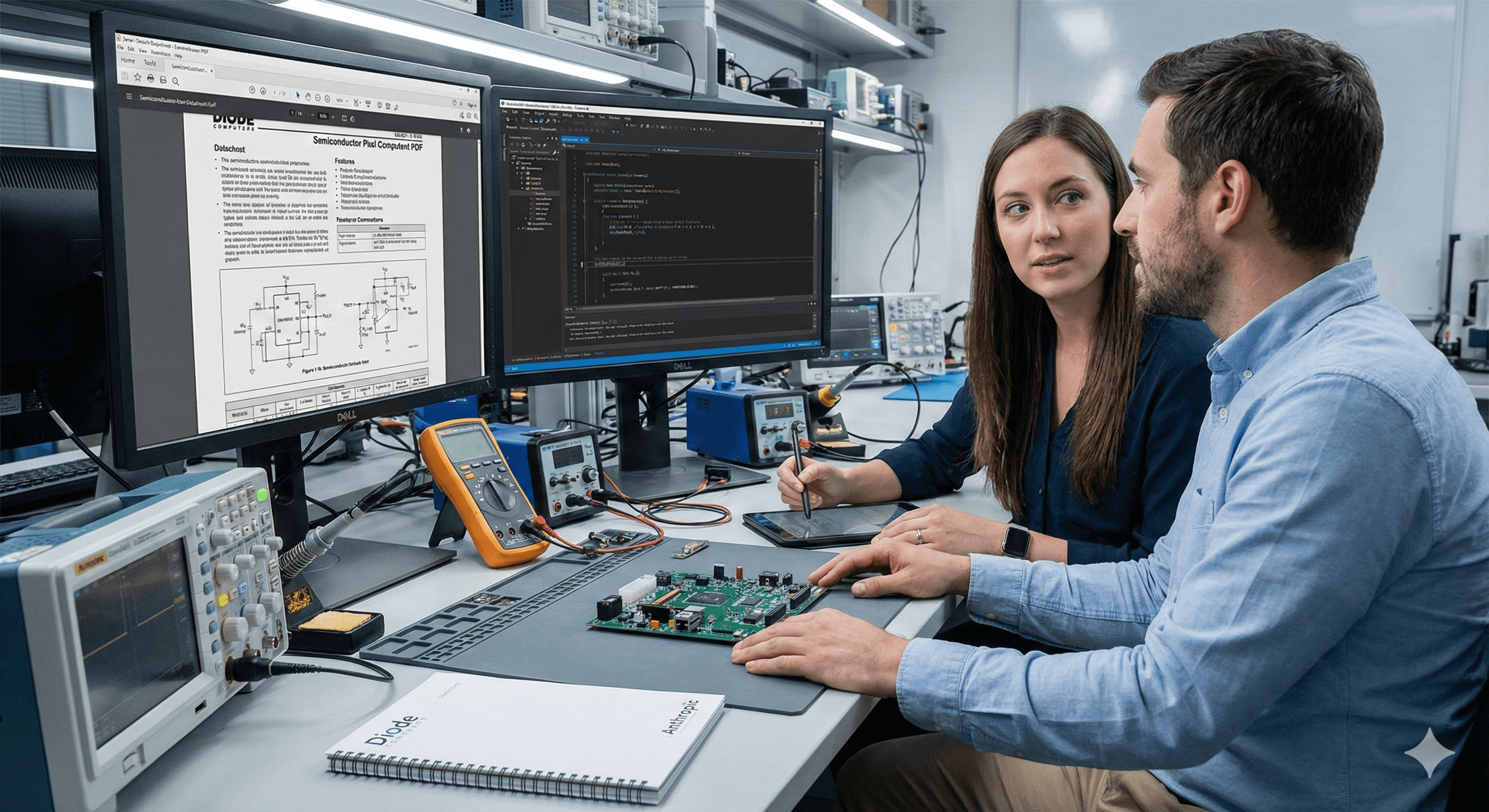
Designing reliable PCB reference designs from chip datasheets is painstaking: engineers read hundreds of pages, interpret figures, and wire supporting components correctly. By collaborating with Diode Computers, Anthropic focused Claude on this exact agentic task—reading chip documentation and outputting a complete, configurable Zener schematic.
What’s Zener—and why use it?
Zener is Diode’s domain-specific language (built on Starlark) for describing PCB schematics as code. Diode’s open tooling—including the pcb CLI—compiles Zener to EDA tools like KiCad, bringing software-style linting, versioning, and automation to hardware design.
What’s new: measurable gains with Sonnet 4.5
Anthropic and Diode scoped a realistic, tool-use workflow: Claude reads/writes files, runs the Zener compiler, and consults the language docs—then produces a reference design that’s graded with a testbench (e.g., “≥ 22 µF between power and ground” rather than brittle, component-exact checks). In blind, head-to-head evaluations across Claude models, Sonnet 4.5’s outputs were preferred 8/10 times by Diode’s engineers. Detailed splits: 60% vs 40% vs Opus 4 and 82% vs 18% vs Sonnet 4.
Key benefits (for teams adopting the approach)
Fewer datasheet misses: Better capture of small configuration nuances and schematic semantics.
Code-first schematics: Zener enables diffs, reviews, CI checks, and templating—then exports to familiar EDA.
Agentic workflow readiness: The setup mirrors production agent patterns (tool calling, file ops, graded outcomes).
How it works (at a glance)
Provide Claude with the chip datasheet and a Zener project skeleton.
Allow controlled tool use: Zener docs,
pcbcompiler, read/write, limited shell.Ask Claude to generate a full, configurable reference design in Zener.
Grade with a testbench that encodes outcome-level requirements (capacitance, modes).
Export to KiCad for human review, DRC, and BOM checks.
Practical steps you can run this week
Set up Zener + pcb: Follow Diode’s quickstart and VS Code extension; create a sample project.
Create a grading harness: Encode higher-level requirements (e.g., allowable ranges, placements) so the model gets useful signals.
Start with a narrow chip family: Provide 1–2 representative datasheets and a minimal parts library to reduce ambiguity.
Run a small H2L loop (human-to-loop): Review Claude’s output, correct misinterpretations, and feed examples back as reference modules.
Export and verify in KiCad: Perform ERC/DRC, generate a BOM, and document deltas from the datasheet’s application circuits.
What to watch out for
Underspecified datasheets: Some requirements aren’t explicit; the graded testbench approach helps avoid over-fitting to brittle checks.
Language semantics: Early failures included misunderstanding Zener conventions—keep a short “style guide” with common patterns for your team.
Human sign-off: Treat Claude’s output as a draft; always run engineering review and toolchain verification before fabrication.
Why this is credible
Diode has been building a code-first PCB design stack and recently raised funding to accelerate AI-assisted board design, positioning it as a serious player in EDA-adjacent tooling.
FAQs
What improvements has Claude made in PCB design?
With the Zener workflow and a graded testbench, Claude better captures datasheet nuances and Zener semantics; Sonnet 4.5 designs were preferred 8/10 times versus earlier Claude models. website.claude.com
Who partnered with Anthropic for this enhancement?
Diode Computers, creators of the Zener language and the pcb toolchain that compiles to KiCad. website.claude.com+1
What measurable gains were achieved?
In blind evaluations by Diode engineers: 60% vs 40% over Opus 4 and 82% vs 18% over Sonnet 4; overall, Sonnet 4.5 was preferred 8/10 times. website.claude.com
Can teams try this today?
Yes—install Zener/pcb, set up a controlled agent environment (file I/O, compiler access), and start with a single chip family plus a grading harness. docs.pcb.new+1
Why this partnership matters
Designing reliable PCB reference designs from chip datasheets is painstaking: engineers read hundreds of pages, interpret figures, and wire supporting components correctly. By collaborating with Diode Computers, Anthropic focused Claude on this exact agentic task—reading chip documentation and outputting a complete, configurable Zener schematic.
What’s Zener—and why use it?
Zener is Diode’s domain-specific language (built on Starlark) for describing PCB schematics as code. Diode’s open tooling—including the pcb CLI—compiles Zener to EDA tools like KiCad, bringing software-style linting, versioning, and automation to hardware design.
What’s new: measurable gains with Sonnet 4.5
Anthropic and Diode scoped a realistic, tool-use workflow: Claude reads/writes files, runs the Zener compiler, and consults the language docs—then produces a reference design that’s graded with a testbench (e.g., “≥ 22 µF between power and ground” rather than brittle, component-exact checks). In blind, head-to-head evaluations across Claude models, Sonnet 4.5’s outputs were preferred 8/10 times by Diode’s engineers. Detailed splits: 60% vs 40% vs Opus 4 and 82% vs 18% vs Sonnet 4.
Key benefits (for teams adopting the approach)
Fewer datasheet misses: Better capture of small configuration nuances and schematic semantics.
Code-first schematics: Zener enables diffs, reviews, CI checks, and templating—then exports to familiar EDA.
Agentic workflow readiness: The setup mirrors production agent patterns (tool calling, file ops, graded outcomes).
How it works (at a glance)
Provide Claude with the chip datasheet and a Zener project skeleton.
Allow controlled tool use: Zener docs,
pcbcompiler, read/write, limited shell.Ask Claude to generate a full, configurable reference design in Zener.
Grade with a testbench that encodes outcome-level requirements (capacitance, modes).
Export to KiCad for human review, DRC, and BOM checks.
Practical steps you can run this week
Set up Zener + pcb: Follow Diode’s quickstart and VS Code extension; create a sample project.
Create a grading harness: Encode higher-level requirements (e.g., allowable ranges, placements) so the model gets useful signals.
Start with a narrow chip family: Provide 1–2 representative datasheets and a minimal parts library to reduce ambiguity.
Run a small H2L loop (human-to-loop): Review Claude’s output, correct misinterpretations, and feed examples back as reference modules.
Export and verify in KiCad: Perform ERC/DRC, generate a BOM, and document deltas from the datasheet’s application circuits.
What to watch out for
Underspecified datasheets: Some requirements aren’t explicit; the graded testbench approach helps avoid over-fitting to brittle checks.
Language semantics: Early failures included misunderstanding Zener conventions—keep a short “style guide” with common patterns for your team.
Human sign-off: Treat Claude’s output as a draft; always run engineering review and toolchain verification before fabrication.
Why this is credible
Diode has been building a code-first PCB design stack and recently raised funding to accelerate AI-assisted board design, positioning it as a serious player in EDA-adjacent tooling.
FAQs
What improvements has Claude made in PCB design?
With the Zener workflow and a graded testbench, Claude better captures datasheet nuances and Zener semantics; Sonnet 4.5 designs were preferred 8/10 times versus earlier Claude models. website.claude.com
Who partnered with Anthropic for this enhancement?
Diode Computers, creators of the Zener language and the pcb toolchain that compiles to KiCad. website.claude.com+1
What measurable gains were achieved?
In blind evaluations by Diode engineers: 60% vs 40% over Opus 4 and 82% vs 18% over Sonnet 4; overall, Sonnet 4.5 was preferred 8/10 times. website.claude.com
Can teams try this today?
Yes—install Zener/pcb, set up a controlled agent environment (file I/O, compiler access), and start with a single chip family plus a grading harness. docs.pcb.new+1
Get practical advice delivered to your inbox
By subscribing you consent to Generation Digital storing and processing your details in line with our privacy policy. You can read the full policy at gend.co/privacy.


Notion vs Confluence (2026): features, pricing, migration

From AI silos to systems: Miro workflows that scale

Notion in healthcare: military-grade decision templates & governance

Claude Skills and CLAUDE.md: a practical 2026 guide for teams

Perplexity partners with Cristiano Ronaldo: what it means for AI search

Gemini 3 Deep Think: how it works and how to turn it on

Stop Repeating Yourself: AI Assistants that Remember Your Work

Stop the Hype, Start the Handbook: Making Enterprise AI Work (Securely) at Scale

Asana for Manufacturing: Build an Intelligent Operational Backbone

From Excitement to Assurance: Making Your AI Programme Compliant by Design

Notion vs Confluence (2026): features, pricing, migration

From AI silos to systems: Miro workflows that scale

Notion in healthcare: military-grade decision templates & governance

Claude Skills and CLAUDE.md: a practical 2026 guide for teams

Perplexity partners with Cristiano Ronaldo: what it means for AI search

Gemini 3 Deep Think: how it works and how to turn it on

Stop Repeating Yourself: AI Assistants that Remember Your Work

Stop the Hype, Start the Handbook: Making Enterprise AI Work (Securely) at Scale

Asana for Manufacturing: Build an Intelligent Operational Backbone

From Excitement to Assurance: Making Your AI Programme Compliant by Design
Generation
Digital

UK Office
33 Queen St,
London
EC4R 1AP
United Kingdom
Canada Office
1 University Ave,
Toronto,
ON M5J 1T1,
Canada
NAMER Office
77 Sands St,
Brooklyn,
NY 11201,
United States
EMEA Office
Charlemont St, Saint Kevin's, Dublin,
D02 VN88,
Ireland
Middle East Office
6994 Alsharq 3890,
An Narjis,
Riyadh 13343,
Saudi Arabia

Company No: 256 9431 77 | Copyright 2026 | Terms and Conditions | Privacy Policy
Generation
Digital

UK Office
33 Queen St,
London
EC4R 1AP
United Kingdom
Canada Office
1 University Ave,
Toronto,
ON M5J 1T1,
Canada
NAMER Office
77 Sands St,
Brooklyn,
NY 11201,
United States
EMEA Office
Charlemont St, Saint Kevin's, Dublin,
D02 VN88,
Ireland
Middle East Office
6994 Alsharq 3890,
An Narjis,
Riyadh 13343,
Saudi Arabia








