Gemini Enhances Google TV
Gemini
Free AI at Work Playbook for managers using ChatGPT, Claude and Gemini.
➔ Download the Playbook
Why this matters now
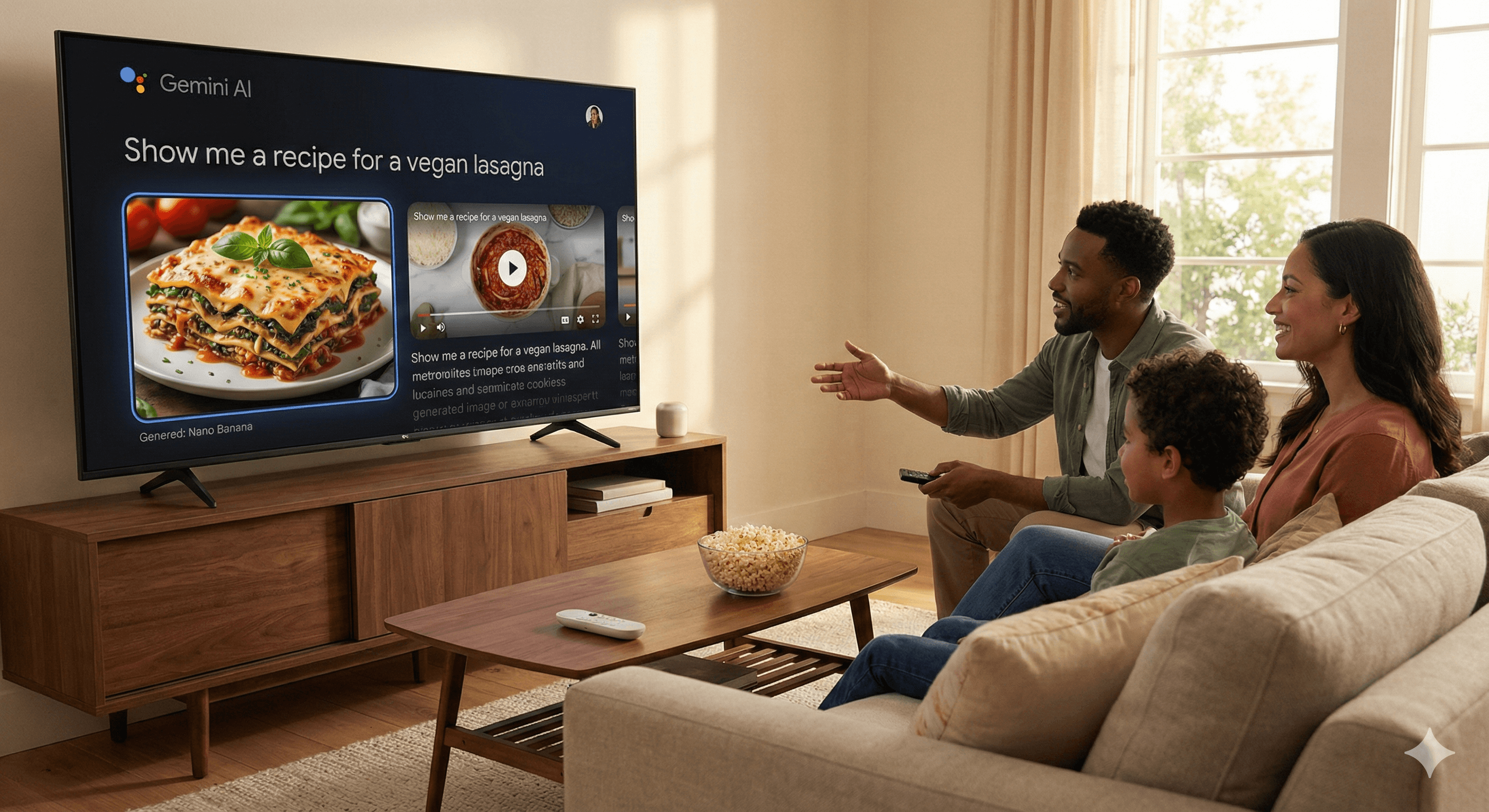
Google is turning the TV into a helpful, conversational surface. Gemini on Google TV moves beyond simple recommendations to visually rich answers, interactive explainers, and hands-free control, so you spend less time hunting through menus and more time watching.
What’s new
Richer answers on your telly. Gemini responses can now include imagery, video context and real-time sports updates, with Deep Dives that narrate and guide you through more complex topics.
Say it, don’t search it (settings). Skip the maze of menus. Ask naturally—“The screen’s too dark,” “boost the dialogue,” “turn on captions”—and Gemini adjusts supported picture/audio settings.
Google Photos, on tap. Pull up memories, create stylised slideshows, and explore personal media from the sofa with tighter Gemini-Photos integration.
Create on the big screen. On supported models, Gemini taps Nano Banana (image) and Veo (video) so you can generate or tweak visuals right on your TV.
Rollout & devices. New experiences start on select TCL Google TV models and expand; features require Android TV OS 14+ and a Google account, with language/region limits at launch.
Already on Google TV since late 2025: chatty content discovery (e.g., “What’s a cosy crime drama tonight?”) and learning with YouTube support on the big screen. blog.google
Practical ways to use it today
Find something great, faster. Ask follow-ups like “What are the reviews?” or “Similar to Derry Girls but newer.” Gemini’s answers can include clips, trailers and critic context to help you choose.
Tune your TV by voice. Try “I can’t hear the dialogue,” “reduce motion blur,” or “turn on captions.” Gemini adjusts supported settings without you opening menus.
Bring your photos to life. Say “Show my Cornwall 2024 album,” then create a slideshow—handy when family’s round.
Learn or explore with Deep Dives. Ask a how-to or topic; get a narrated, visual walkthrough with related videos.
Get creative on TV (supported models). Generate a background for your party playlist or a short clip for your board—right from the remote.
Availability & notes
Devices/OS: Android TV OS 14 or higher; staged by region and model.
Account/online: Requires a Google account and internet connection; some features, languages and countries aren’t available at launch.
Assistant transition: Google is moving ecosystems from Assistant to Gemini; timelines vary by device category.
FAQs
What is Gemini?
Google’s multimodal AI assistant that powers conversational answers, media understanding and on-device controls across products—including Google TV. Android Developers Blog
How does Gemini improve Google TV?
You’ll see visually rich answers, Deep Dives, and voice-controlled settings; plus deeper Google Photos and creative tools on supported models. Thurrott.com
Is it on my device yet?
Rollout begins with select TCL Google TV models, then broader Google TV devices. Check you’re on Android TV OS 14+ and watch for updates in your region. Android Authority
Get weekly AI news and advice delivered to your inbox
By subscribing you consent to Generation Digital storing and processing your details in line with our privacy policy. You can read the full policy at gend.co/privacy.



Generation
Digital

UK Office
Generation Digital Ltd
33 Queen St,
London
EC4R 1AP
United Kingdom
Canada Office
Generation Digital Americas Inc
181 Bay St., Suite 1800
Toronto, ON, M5J 2T9
Canada
USA Office
Generation Digital Americas Inc
77 Sands St,
Brooklyn, NY 11201,
United States
EU Office
Generation Digital Software
Elgee Building
Dundalk
A91 X2R3
Ireland
Middle East Office
6994 Alsharq 3890,
An Narjis,
Riyadh 13343,
Saudi Arabia







Company No: 256 9431 77 | Copyright 2026 | Terms and Conditions | Privacy Policy