How to Identify and Scale AI Use Cases (2026 Playbook)
OpenAI

Feb 24, 2026

Not sure where to start with AI?
Assess readiness, risk, and priorities in under an hour.
Not sure where to start with AI?
Assess readiness, risk, and priorities in under an hour.
➔ Download Our Free AI Readiness Pack
To identify and scale AI use cases, start by targeting work that is repetitive, bottlenecked by scarce skills, or blocked by ambiguity. Then teach teams six reusable “use case primitives” (content creation, research, automation, coding, data analysis, and ideation/strategy). Finally, collect ideas broadly and prioritise a small set for measurable pilots.
Most organisations don’t struggle to find AI ideas. They struggle to pick the ones that deliver value—and then scale them without turning AI into another disconnected tool.
OpenAI’s guide on identifying and scaling AI use cases shares a useful pattern from early adopters: make discovery easy for employees, then apply a simple prioritisation method. (cdn.openai.com)
This post distils that guidance into a practical approach you can run as a workshop, a hackathon, or a departmental rollout.
Step 1: Identify where AI can have immediate impact
OpenAI recommends starting with three “opportunity zones” where AI consistently helps knowledge workers:
1) Repetitive, low-value tasks
These are the tasks people do constantly but wish they didn’t: summarising meeting notes, drafting standard documents, pulling trends from spreadsheets, or answering the same questions repeatedly.
A practical prompt: ask teams to create an anti to-do list—everything they find annoying or low-value and would rather not do again.
2) Skill bottlenecks
Work slows when someone needs an expert (data, design, writing, engineering) and has to wait. AI can bridge some gaps by helping people draft, prototype, analyse, or translate specialist thinking into a usable first pass.
3) Navigating ambiguity
Many projects stall because people don’t know how to start. AI can help teams brainstorm, structure ideas, propose next steps, and turn raw inputs into a direction.
Action to run in 15 minutes: Ask each person to list:
where they get blocked and struggle to start
where they do manual work that isn’t the best use of their time
where they hit a skills bottleneck and need another team to help
Step 2: Teach teams the six AI use case “primitives”
A common reason AI programmes stay small is that discovery relies on a handful of enthusiasts. OpenAI proposes a fix: teach teams a handful of repeatable patterns that cover most real-world use cases.
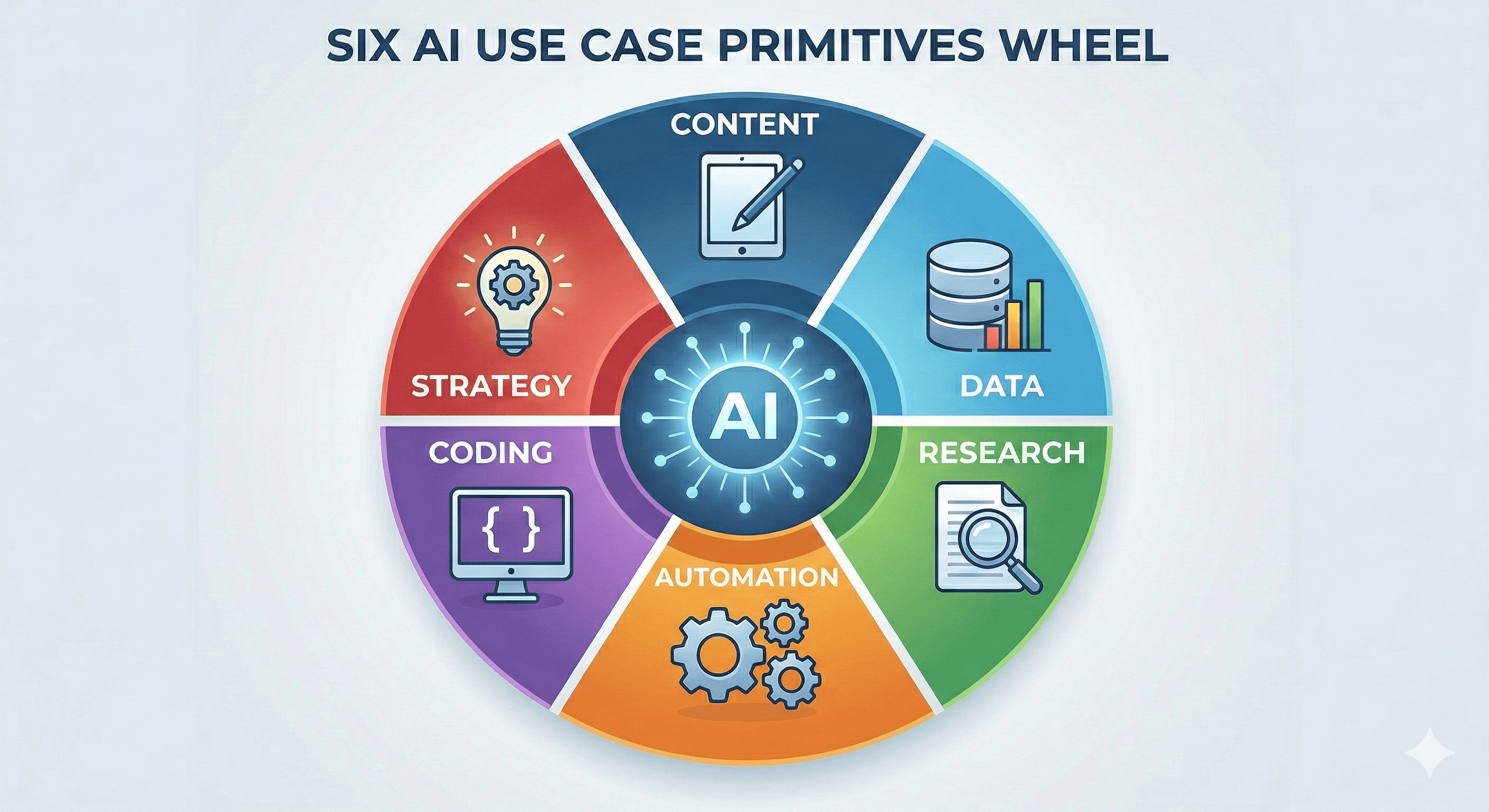
After analysing 600+ customer use cases, OpenAI found most fall into six fundamental types (or “primitives”):
Content creation
Research
Automation
Coding
Data analysis
Ideation / strategy
The power of this approach is speed. Instead of asking “What should we do with AI?”, you ask “Which primitive maps to our work?”
Example: Content creation (a high-volume primitive)
OpenAI highlights content creation across teams: drafting documents, summarising conversations, polishing writing, translating, and repurposing content for different audiences and channels.
The guide also recommends using AI to learn your organisation’s tone and structure by providing examples (like your best blog posts or your writing guide).
A referenced customer example: Promega used ChatGPT Enterprise for first-draft email campaigns and reported time savings (135 hours in six months) while scaling messaging across markets.
Step 3: Collect and prioritise use cases (without killing momentum)
OpenAI’s approach combines breadth and discipline:
Breadth: encourage ideas via workshops, hackathons, and peer-led learning.
Discipline: prioritise a small set of use cases that can be measured and scaled.
A simple prioritisation checklist
Use these criteria to filter use cases quickly:
Frequency: does this happen daily/weekly across roles?
Time saved: can you estimate minutes saved per occurrence?
Quality improvement: will it reduce errors or rework?
Risk level: what’s the impact of a wrong output, and can humans review?
Data readiness: do people have the context AI needs (documents, taxonomy, source of truth)?
Change impact: will people actually adopt it inside their workflow?
Tip: Avoid the temptation to start with the most complex, impressive use case. The guide explicitly notes that complex use cases can slow progress, and empowering employees to find what works for them can be a faster path to success.
The next move: workflow mapping by department
Once you’ve piloted a few wins, OpenAI recommends moving from isolated use cases to department workflow mapping—a structured way to see where AI can reduce friction across an end-to-end process.
This is where AI stops being a tool and becomes a capability: you’re redesigning how work moves, not just speeding up tasks.
What to do this week (a practical starting plan)
If you want progress without a six-month strategy deck:
Run a 60–90 minute workshop using the three opportunity zones (repetitive work, bottlenecks, ambiguity).
Teach the six primitives and ask teams to map ideas to them.
Pick 2–3 use cases with clear measurement and low-to-medium risk.
Pilot for two weeks with human review, then document what worked.
Expand by mapping a single department workflow and identifying the best AI “inserts”.
Next steps
AI value comes from the boring bits done well: repeatability, measurement, and adoption.
Start with use cases that remove friction today, then scale toward workflow-level redesign. If you’d like support, we typically start by mapping your workflows, selecting high-impact use cases, and designing guardrails so pilots can scale safely.
FAQs
What’s the fastest way to find useful AI use cases?
Target repetitive tasks, skill bottlenecks, and ambiguous work where people struggle to start—then run a workshop to collect ideas and prioritise a small set for pilots. (cdn.openai.com)
What are the “six primitives” of AI use cases?
OpenAI groups most business AI use cases into: content creation, research, automation, coding, data analysis, and ideation/strategy. (cdn.openai.com)
Should we start with one big AI transformation project?
Usually not. OpenAI notes complex use cases can slow you down, and empowering employees to find practical use cases is often faster—then you scale the winners. (cdn.openai.com)
How do we prioritise which use cases to build first?
Prioritise work that’s frequent, measurable, and low enough risk to run with human review. Ensure the data and context exist so AI can be accurate.
What comes after the first pilots?
Workflow mapping by department—so you redesign an end-to-end process rather than bolting AI onto isolated tasks. (cdn.openai.com)
To identify and scale AI use cases, start by targeting work that is repetitive, bottlenecked by scarce skills, or blocked by ambiguity. Then teach teams six reusable “use case primitives” (content creation, research, automation, coding, data analysis, and ideation/strategy). Finally, collect ideas broadly and prioritise a small set for measurable pilots.
Most organisations don’t struggle to find AI ideas. They struggle to pick the ones that deliver value—and then scale them without turning AI into another disconnected tool.
OpenAI’s guide on identifying and scaling AI use cases shares a useful pattern from early adopters: make discovery easy for employees, then apply a simple prioritisation method. (cdn.openai.com)
This post distils that guidance into a practical approach you can run as a workshop, a hackathon, or a departmental rollout.

Step 1: Identify where AI can have immediate impact
OpenAI recommends starting with three “opportunity zones” where AI consistently helps knowledge workers:
1) Repetitive, low-value tasks
These are the tasks people do constantly but wish they didn’t: summarising meeting notes, drafting standard documents, pulling trends from spreadsheets, or answering the same questions repeatedly.
A practical prompt: ask teams to create an anti to-do list—everything they find annoying or low-value and would rather not do again.
2) Skill bottlenecks
Work slows when someone needs an expert (data, design, writing, engineering) and has to wait. AI can bridge some gaps by helping people draft, prototype, analyse, or translate specialist thinking into a usable first pass.
3) Navigating ambiguity
Many projects stall because people don’t know how to start. AI can help teams brainstorm, structure ideas, propose next steps, and turn raw inputs into a direction.
Action to run in 15 minutes: Ask each person to list:
where they get blocked and struggle to start
where they do manual work that isn’t the best use of their time
where they hit a skills bottleneck and need another team to help
Step 2: Teach teams the six AI use case “primitives”
A common reason AI programmes stay small is that discovery relies on a handful of enthusiasts. OpenAI proposes a fix: teach teams a handful of repeatable patterns that cover most real-world use cases.
After analysing 600+ customer use cases, OpenAI found most fall into six fundamental types (or “primitives”):
Content creation
Research
Automation
Coding
Data analysis
Ideation / strategy
The power of this approach is speed. Instead of asking “What should we do with AI?”, you ask “Which primitive maps to our work?”
Example: Content creation (a high-volume primitive)
OpenAI highlights content creation across teams: drafting documents, summarising conversations, polishing writing, translating, and repurposing content for different audiences and channels.
The guide also recommends using AI to learn your organisation’s tone and structure by providing examples (like your best blog posts or your writing guide).
A referenced customer example: Promega used ChatGPT Enterprise for first-draft email campaigns and reported time savings (135 hours in six months) while scaling messaging across markets.
Step 3: Collect and prioritise use cases (without killing momentum)
OpenAI’s approach combines breadth and discipline:
Breadth: encourage ideas via workshops, hackathons, and peer-led learning.
Discipline: prioritise a small set of use cases that can be measured and scaled.
A simple prioritisation checklist
Use these criteria to filter use cases quickly:
Frequency: does this happen daily/weekly across roles?
Time saved: can you estimate minutes saved per occurrence?
Quality improvement: will it reduce errors or rework?
Risk level: what’s the impact of a wrong output, and can humans review?
Data readiness: do people have the context AI needs (documents, taxonomy, source of truth)?
Change impact: will people actually adopt it inside their workflow?
Tip: Avoid the temptation to start with the most complex, impressive use case. The guide explicitly notes that complex use cases can slow progress, and empowering employees to find what works for them can be a faster path to success.
The next move: workflow mapping by department
Once you’ve piloted a few wins, OpenAI recommends moving from isolated use cases to department workflow mapping—a structured way to see where AI can reduce friction across an end-to-end process.
This is where AI stops being a tool and becomes a capability: you’re redesigning how work moves, not just speeding up tasks.
What to do this week (a practical starting plan)
If you want progress without a six-month strategy deck:
Run a 60–90 minute workshop using the three opportunity zones (repetitive work, bottlenecks, ambiguity).
Teach the six primitives and ask teams to map ideas to them.
Pick 2–3 use cases with clear measurement and low-to-medium risk.
Pilot for two weeks with human review, then document what worked.
Expand by mapping a single department workflow and identifying the best AI “inserts”.
Next steps
AI value comes from the boring bits done well: repeatability, measurement, and adoption.
Start with use cases that remove friction today, then scale toward workflow-level redesign. If you’d like support, we typically start by mapping your workflows, selecting high-impact use cases, and designing guardrails so pilots can scale safely.
FAQs
What’s the fastest way to find useful AI use cases?
Target repetitive tasks, skill bottlenecks, and ambiguous work where people struggle to start—then run a workshop to collect ideas and prioritise a small set for pilots. (cdn.openai.com)
What are the “six primitives” of AI use cases?
OpenAI groups most business AI use cases into: content creation, research, automation, coding, data analysis, and ideation/strategy. (cdn.openai.com)
Should we start with one big AI transformation project?
Usually not. OpenAI notes complex use cases can slow you down, and empowering employees to find practical use cases is often faster—then you scale the winners. (cdn.openai.com)
How do we prioritise which use cases to build first?
Prioritise work that’s frequent, measurable, and low enough risk to run with human review. Ensure the data and context exist so AI can be accurate.
What comes after the first pilots?
Workflow mapping by department—so you redesign an end-to-end process rather than bolting AI onto isolated tasks. (cdn.openai.com)
Get weekly AI news and advice delivered to your inbox
By subscribing you consent to Generation Digital storing and processing your details in line with our privacy policy. You can read the full policy at gend.co/privacy.

Upcoming Workshops and Webinars

Operational Clarity at Scale - Asana
Virtual Webinar
Weds 25th February 2026
Online

Work With AI Teammates - Asana
In-Person Workshop
Thurs 26th February 2026
London, UK

From Idea to Prototype - AI in Miro
Virtual Webinar
Weds 18th February 2026
Online
Generation
Digital

UK Office
Generation Digital Ltd
33 Queen St,
London
EC4R 1AP
United Kingdom
Canada Office
Generation Digital Americas Inc
181 Bay St., Suite 1800
Toronto, ON, M5J 2T9
Canada
USA Office
Generation Digital Americas Inc
77 Sands St,
Brooklyn, NY 11201,
United States
EU Office
Generation Digital Software
Elgee Building
Dundalk
A91 X2R3
Ireland
Middle East Office
6994 Alsharq 3890,
An Narjis,
Riyadh 13343,
Saudi Arabia

Company No: 256 9431 77 | Copyright 2026 | Terms and Conditions | Privacy Policy
Generation
Digital

UK Office
Generation Digital Ltd
33 Queen St,
London
EC4R 1AP
United Kingdom
Canada Office
Generation Digital Americas Inc
181 Bay St., Suite 1800
Toronto, ON, M5J 2T9
Canada
USA Office
Generation Digital Americas Inc
77 Sands St,
Brooklyn, NY 11201,
United States
EU Office
Generation Digital Software
Elgee Building
Dundalk
A91 X2R3
Ireland
Middle East Office
6994 Alsharq 3890,
An Narjis,
Riyadh 13343,
Saudi Arabia











