From AI silos to systems: Miro workflows that scale
Miro
Free AI at Work Playbook for managers using ChatGPT, Claude and Gemini.
➔ Download the Playbook
AI wins don’t compound when work lives in tool silos, ad‑hoc files, and one‑off prototypes. Product leaders are consolidating experiments into system‑level workflows: shared canvases, standard artefacts, and Miro AI Sidekicks embedded into rituals. The payoff is faster alignment, fewer handoff failures, visible audit trails, and measurable delivery. This guide shows exactly how to implement the model in Miro, with templates, governance, metrics, and rollout steps.
Why systems beat silos (and why Miro)
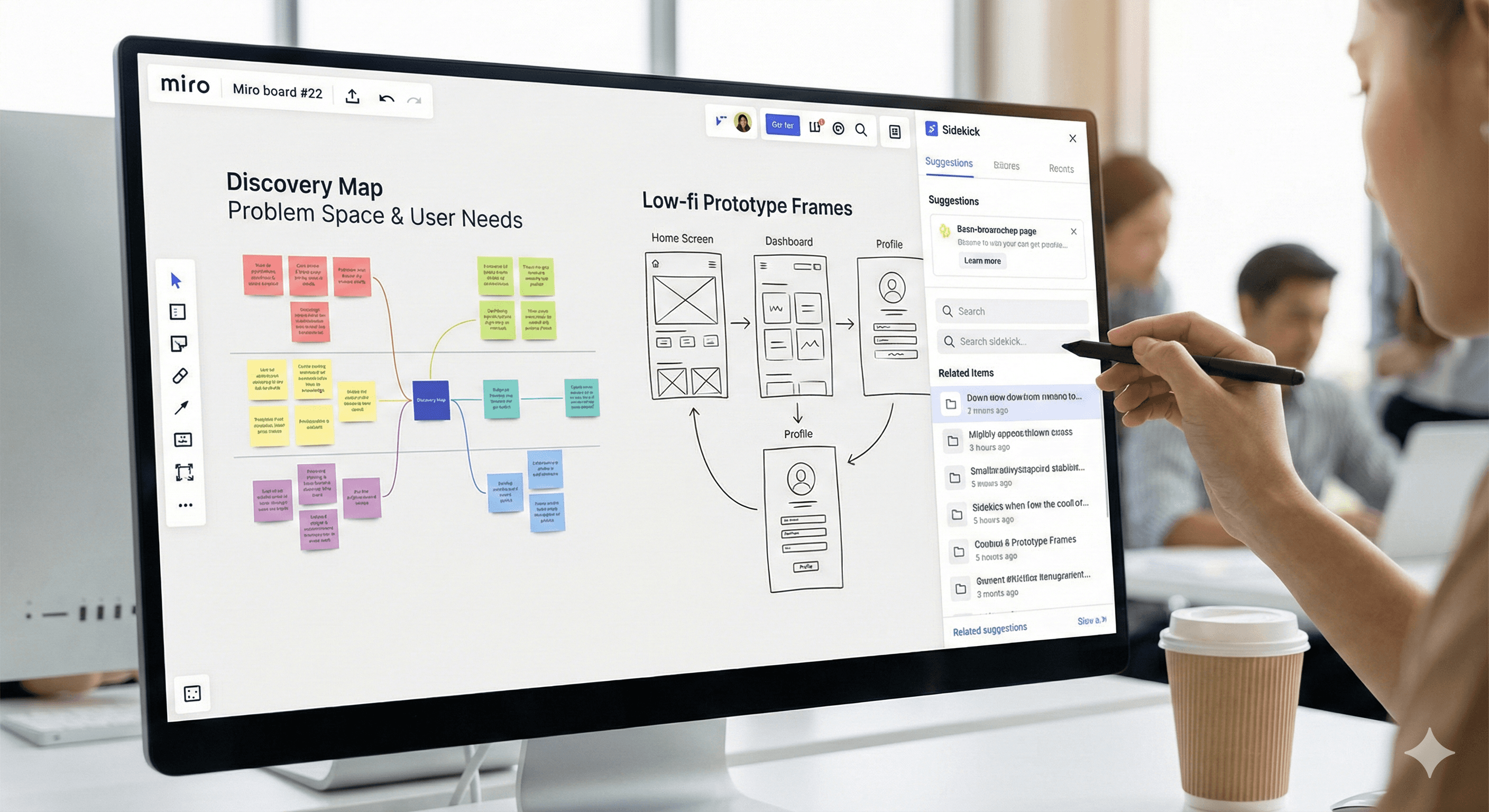
Siloed AI pilots create local wins—then stall at handoff. Requirements drift, intent gets lost, and teams duplicate work. Miro provides a single, visual operating surface for discovery → design → delivery, with Sidekicks to automate summaries, draft flows, and review checklists. Standard artefacts + shared canvases + metrics = repeatable alignment.
Operating Model: The Product Acceleration Space
Create a named, branded space in Miro with four linked boards (or one master board with frames):
Discovery Map
Purpose: turn raw research into problem definitions and opportunity areas.
Core artefacts: Research digest, problem statements (Jobs‑to‑Be‑Done), user journeys, opportunity sizing.
Sidekick prompts: “Summarise these 6 interviews into 5 insights and 3 risks.” / “Extract JTBD from notes and cluster by theme.”
Governance: Source tags (internal, customer, market), date, researcher owner.
Low‑Fi Prototypes
Purpose: align on direction quickly with click‑through frames.
Core artefacts: Wireframes, flow sketches, heuristic notes, design principles.
Sidekick prompts: “Propose 2 alternative flows for onboarding with .” / “List accessibility risks for this flow.”
Handoff rule: No specs until at least one customer problem is evidenced on Discovery Map.
Spec Workspace
Purpose: write clear, testable specifications linked to discovery and prototypes.
Spec template (copy‑ready fields):
Epic / Feature name
Problem (linked insights from Discovery)
Outcome & metrics (what must move)
User stories (Given/When/Then)
Constraints (tech, data, regulatory)
Risks & assumptions
Open questions
Acceptance criteria (testable; numbered)
Definition of Ready / Done
Links (prototype frames, data models, Jira tickets)
Sidekick prompts: “Convert these user stories to acceptance criteria (numbered, testable).” / “Identify missing edge cases from this flow.”
Delivery Board
Purpose: make handoffs explicit and measurable.
Swimlanes: Ready for Tech Review → In Build → In Test → In Review → Ready to Ship → Shipped.
Sidekick prompts: “Summarise change requests since last review.” / “Generate release notes from the approved spec and PR titles.”
Integrations: Jira (tickets), GitHub (PRs), Figma (final UI), Confluence/Notion (policies).
Tip: Use a single master board with colour‑coded frames (Discovery/Prototype/Spec/Delivery) and a board index. Add Quick‑Create widgets for new specs and checklists.
Standard Artefacts (with acceptance bars)
A) Research Digest (Discovery)
Minimum bar: 3+ independent sources; tagged insight; confidence level.
Fields: Source, Date, Persona/Segment, Insight, Evidence link, Confidence (High/Med/Low).
B) User Flow (Prototype)
Minimum bar: start/end states, error handling, accessibility note.
Fields: Owner, Version, States, Edge cases, Risks, Link to spec.
C) Specification (Spec Workspace)
Minimum bar: outcome defined, five acceptance criteria, perf budget, risks.
Fields: as above; Sidekick‑generated checklist present.
D) Handoff Packet (Delivery)
Minimum bar: signed spec, linked prototype, dependency list, test plan.
Fields: Spec link, Prototype link, Dependencies, Test plan, Owner, Target release.
Lock the artefact frames with a clear header and a small legend explaining what good looks like.
Sidekicks Embedded in Rituals
Daily Stand‑up
Input: open tickets, latest comments.
Sidekick: “Summarise blockers by lane; propose next action for each blocker.”
Output: annotated board section with owner + due.
Backlog Grooming
Input: epics, insights, requests.
Sidekick: “Cluster items by theme and suggest priority based on outcome impact and effort notes.”
Spec Review
Input: draft spec.
Sidekick: “Generate review checklist from acceptance criteria and constraints.” / “Flag ambiguous terms or missing data contracts.”
Release Planning
Input: specs marked Ready to Ship.
Sidekick: “Produce release notes and customer‑facing summary at 150 words.”
Add a small ‘Rituals’ frame with prompts prewritten so teams reuse them consistently.
Metrics that Matter (with formulas)
Track these on a visible Product Analytics frame. Start baseline in Week 0; review weekly.
Time‑to‑Alignment (TTA): first working agreement from discovery start.
Formula:TTA = date(First Aligned Spec) − date(Discovery Kickoff)
Goal: ↓ 30–50% within 2 sprints.Spec Completeness Index (SCI): % of specs meeting the minimum bar.
Formula:SCI = (# specs with outcome + ≥5 AC + risks + perf budget) ÷ (total specs)
Goal: ≥ 80% by Sprint 3.Handoff Time: spec approved → work started.
Formula:Handoff = date(“In Build”) − date(“Approved”)
Goal: ≤ 3 working days.Rework Rate: items reopened after Review/Test.
Formula:Rework = reopened tickets ÷ total tickets shipped (last 4 weeks)
Goal: ≤ 10%.Cycle Time to First Release (CTFR): discovery start → first GA/feature flag.
Goal: tailored per team; trend down > 20%.Stakeholder Satisfaction: pulse after review/ship (1–5).
Goal: ≥ 4.2 average with ≥ 60% response rate.
Visualise trends as simple line charts on the board and annotate changes with “what changed” notes after each ceremony.
Governance & Guardrails
Branded templates: lock headers, colour tokens, and legends so artefacts remain recognisable across teams.
Naming conventions:
EPIC_KEY – Short Verb‑Led Title – v1.2andSPEC_<Team>_<Feature>_<Date>.Change logs: a small frame noting what changed, why, who approved; retain previous versions as collapsed frames.
Approved sources: maintain a small “Evidence Policy” frame: internal analytics, research repo, support data, public studies; mark vendor claims as vendor‑provided.
Publishing gate: anything external (press, customer decks) passes through a single “External Review” frame with checkboxes for privacy, claims, and brand.
Regulated teams: refusal rules and no‑PHI datasets; Sidekick prompts that avoid sensitive data; audit trail links to Jira/Confluence.
Rollout Plan (4 weeks)
Week 1: Foundation
Stand up the Product Acceleration board; install templates; connect Jira/Figma.
Train a pilot squad (PM, Designer, Tech Lead, QA, Analyst).
Baseline metrics (TTA, SCI, Handoff, Rework).
Week 2: Rituals + Sidekicks
Embed Sidekick prompts into stand‑ups, grooming, and spec reviews.
Enforce minimum bars on artefacts; ship first two specs.
Week 3: Expand
Add a second squad; reuse the same board pattern.
Start weekly metrics review on the board; publish a short “what changed” note.
Week 4: Codify
Lock templates; publish naming conventions; open a lightweight Template Council (15 minutes weekly) to manage changes.
Compare metrics to Week 0; capture before/after visuals.
Anti‑patterns (and fixes)
Canvas sprawl: too many boards. → Use one master with frames and an index; archive per quarter.
Specs without outcomes: busy, unclear work. → Block development until outcome + metrics exist.
Unbounded AI prompts: hallucinated outputs. → Provide vetted prompt library; require manual review gate.
Ritual drift: stand‑ups become status theatre. → Sidekick produces a blockers list; meeting ends when each blocker has a next step.
Late compliance review: surprises near release. → Add a “Regulatory Checklist” to the spec template and review at Draft stage.
Integrations that matter
Jira: 2‑way links to epics/stories; status auto‑updates on the Delivery swimlanes.
Figma: embed frames near specs; lock the “source of truth” frame ID.
GitHub/GitLab: pull PR titles for release note generation.
Miro Cards / Smart Meetings: run reviews on the board with timer and attendee list.
Calendars: link ceremonies to the relevant frames (deep links).
FAQ
How do we start?
Pilot with one cross‑functional squad; after two sprints, roll the templates org‑wide. Baseline metrics first so you can show deltas.
What about regulated teams?
Embed refusal rules, use no‑PHI datasets, add an audit frame, and publish a Regulatory Checklist in the spec template.
Do we need separate tools for analytics?
Not initially. Track the six metrics on the board; export to BI later if you need deeper trends.
How do we keep the board tidy?
Quarterly archive, naming conventions, and a 15‑minute Template Council to approve changes.
What proves this is working?
Shorter Time‑to‑Alignment, higher Spec Completeness, reduced Handoff time and Rework rate—visible week by week on the same board.
Want the Product Acceleration Miro board prebuilt—with the Discovery, Prototype, Spec and Delivery frames; Sidekick prompt library; and KPI widgets? We can customise and roll it out to two squads in under two weeks. Contact our team to get started.
Get weekly AI news and advice delivered to your inbox
By subscribing you consent to Generation Digital storing and processing your details in line with our privacy policy. You can read the full policy at gend.co/privacy.



Generation
Digital

UK Office
Generation Digital Ltd
33 Queen St,
London
EC4R 1AP
United Kingdom
Canada Office
Generation Digital Americas Inc
181 Bay St., Suite 1800
Toronto, ON, M5J 2T9
Canada
USA Office
Generation Digital Americas Inc
77 Sands St,
Brooklyn, NY 11201,
United States
EU Office
Generation Digital Software
Elgee Building
Dundalk
A91 X2R3
Ireland
Middle East Office
6994 Alsharq 3890,
An Narjis,
Riyadh 13343,
Saudi Arabia






Company No: 256 9431 77 | Copyright 2026 | Terms and Conditions | Privacy Policy