Notion in healthcare: military-grade decision templates & governance
Notion
Free AI at Work Playbook for managers using ChatGPT, Claude and Gemini.
➔ Download the Playbook
Why this matters now
Healthcare organisations drown in notes, chats, and ad-hoc documents. That noise slows decisions, inflates risk, and compromises auditability. Militaries face the same chaos—but counter it with doctrine, standard operating procedures, and strict information hygiene. You can apply the same discipline in Notion: codify decisions into reusable templates, constrain inputs, permission the views, and measure cycle time end-to-end. The payoff is faster, safer, and more defensible decisions.
The military-intelligence pattern, translated for healthcare
Military intelligence turns signals into decisions by enforcing three things: standard artefacts, information discipline, and review cadence. In Notion, that becomes:
Standard artefacts: shared templates for decision logs, incident briefs, and handovers.
Information discipline: required fields, trusted sources, SME sign-off, and status transitions.
Review cadence: scheduled debriefs, trend analysis, and template iteration.
What “good” looks like in Notion
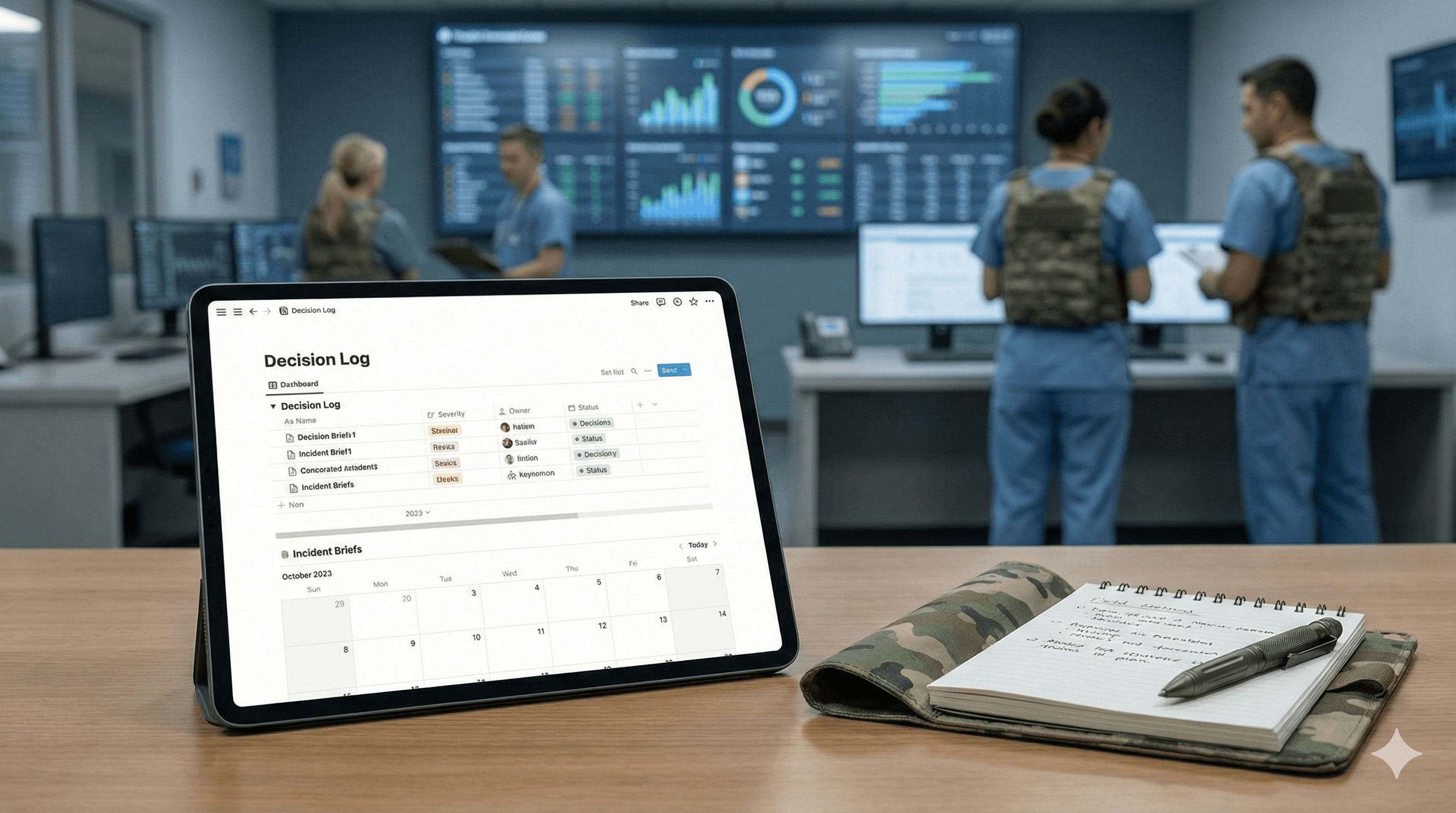
A Decision Hub database with every consequential choice, its rationale, sources, risks, and sign-offs.
An Incident Briefs database with severity, scope, actions, owners, and communication records.
Handover pages that auto-pull live items for clinical or operations shifts.
Role-based dashboards for clinicians, operations, governance, and executives—each filtered to what’s relevant.
Analytics that track time from signal → draft → decision, escalation rates, reopen rates, and policy exceptions.
Least-privilege permissions with PHI/PII guardrails and auditable changes.
Step-by-step implementation
1) Define outcomes, guardrails, and roles
Outcomes: faster decisions with lower variance and stronger audit trails.
Guardrails: PHI/PII handling, retention periods, and “red-line” topics requiring DPO or Clinical Safety Officer review.
Roles:
Owner (Decision/Incident): accountable for completeness and accuracy.
SME Reviewer: validates sources and risk assessment.
Approver: final sign-off; sets decision status.
Observer: read-only stakeholders.
Create a short Decision SLA (e.g., “Priority 1 decisions resolved in ≤ 48h with SME review and two independent sources”).
2) Ship a template kit (copy-ready specs)
A. Decision Log (database) – required properties
Title (text): Decision summary (verb-led).
Decision Type (select): Clinical, Ops, Vendor, Security, Policy.
Status (select): Draft → In Review → Approved → Superseded.
Owner (person): Accountable lead.
SME Reviewer (person): Subject matter expert.
Approver (person): Final approver.
Sources (relation/files/links): Evidence items (see Evidence Discipline below).
Source Credibility (multi-select): Internal record, peer-reviewed, vendor claim, regulatory, anecdotal.
Risks & Mitigations (rich text): Key risks with mitigations.
Decision Rationale (rich text): Why this option over alternatives.
Impacted Teams (multi-select): Clinical, Ops, IT, Data, Legal.
Effective From / Review By (dates): Lifecycle management.
PHI/PII Present? (checkbox): Triggers privacy workflow.
Linked Incidents (relation): Back-references to Incident Briefs.
Outcome Metrics (rich text/roll-ups): What success looks like.
B. Incident Brief (database) – required properties
Title (text): Concise incident name.
Severity (select): P1 (critical), P2, P3.
Scope (multi-select): Systems, Clinics, Regions.
Owner (person) & Commander of the Watch (person): Clear accountability.
Start / End (dates): Timeline anchors.
Root Cause (suspected/confirmed) (rich text): Update as investigation matures.
Actions & Owners (tasks or linked tasks): Remediation plan.
Communications Log (rich text): What was told to whom and when.
Linked Decisions (relation): Downstream decisions the incident triggered.
PHI/PII Present? (checkbox) → auto-route to DPO/Privacy.
Post-Incident Review Due (date): Schedules the debrief.
C. Handover Page (template page with synced blocks)
Critical open incidents (P1/P2) (filtered linked view).
Decisions awaiting review (filtered linked view by team).
Risks at threshold (roll-up from Decision Log).
Escalation tree (static SOP block).
3) Views and permissions (least-privilege by default)
Clinician Dashboard: filtered views of Decision Log (Clinical), open P1/P2 incidents, and upcoming reviews.
Ops Dashboard: Incident Briefs (all severities in their region), Decisions (Ops), and SLA widgets.
Governance & Safety: all incidents with PHI/PII flag, all policy decisions, export-ready audit view.
Exec Overview: approved decisions in last 30 days, cycle-time trend, top 5 risks.
Permissions:
Databases: Editors limited to Owners/SMEs; Approvers need comment + approve rights; others read-only.
Sensitive pages: restrict by group; store PHI in dedicated sub-spaces with shorter retention.
Change visibility: keep version history on; require reason for major template edits (log in a “Template Change Log”).
4) Evidence discipline (this is your quality moat)
Trusted repositories only (policy page lists allowed sources).
Two-source rule for P1/P2 decisions unless regulator mandates otherwise.
Citations required with short evidence summaries (e.g., “Randomised study n=312—reduction in …”).
SME sign-off gates status transition from In Review → Approved.
Vendor claims must be tagged as such and corroborated.
5) Analytics & KPIs (what to track from day one)
Stand up a simple Analytics database and/or roll-ups:
Signal → Draft (hours) and Draft → Decision (hours) by severity and type.
Escalation rate (% of incidents moving up a tier).
Reopen rate (decisions revised or reversed within 60 days).
Exception rate (decisions that bypassed standard templates).
Coverage (% of incidents with a linked decision).
Review debt (items past “Review By” date).
Training adoption (% of active teams using templates weekly).
Benchmark lightly in month 0, then compare at month 2 and month 3.
6) Enablement (60 minutes to change behaviour)
Stage 1 (15m): Why discipline beats ad-hoc notes; show before/after dashboards.
Stage 2 (20m): Hands-on: raise an incident, create a decision log, attach sources, route for approval.
Stage 3 (10m): Privacy & PHI: red-lines, retention, and shared pitfalls.
Stage 4 (10m): Interpreting analytics; what good looks like.
Stage 5 (5m): How to ask for template changes (governed backlog).
Provide Quick-Create buttons on the home page and pin a 2-minute Loom walkthrough.
7) Continuous improvement (monthly rhythm)
Run a Decision & Incident Review:
Review top 10 decisions and all P1 incidents.
Compare cycle-time and reopen trends; identify bottlenecks.
Archive or iterate templates (log changes in the Template Change Log).
Publish a one-page “doctrine update” summarising what changed and why.
Common pitfalls—and how to fix them fast
Shadow pages: untracked notes outside the databases. → Publish a Workspace Map and lock down edit access to official spaces; auto-archive old spaces.
Inconsistent fields: users add/remove properties ad-hoc. → Lock properties, and expose a “Request a field” form.
Slow adoption: too many clicks. → Add Quick-Create buttons, default filters, and inline examples.
Analysis paralysis: waiting on perfect data. → Define a Minimum Evidence Bar and a timed review window (e.g., 24–48h) with authority to proceed.
What “military-grade” really means here
It doesn’t mean rigidity. It means repeatable judgement under pressure: shared language, shared artefacts, and visible trade-offs. In healthcare that translates to safer, faster, more defensible decisions—without drowning clinicians and operators in admin.
Summary & next step
Start small: ship the three core templates, lock properties, add Quick-Create, and measure signal→decision time. Within two sprints you’ll see tighter audit trails, fewer reopenings, and clearer ownership. If you want help templating this for your service lines or regions, we can implement and train teams in under two weeks.
Talk to our team about a Notion governance quick-start for healthcare and regulated enterprises.
FAQ
How do we prove impact?
Baseline average time from signal → decision and reopen rate. After two sprints using the templates, compare cycle-time deltas and reopen reductions. Add adoption % as a leading indicator.
What about sensitive data (PHI/PII)?
Use least-privilege spaces, keep PHI in restricted sub-workspaces with shorter retention, and add a PHI checkbox to templates to trigger privacy review before approval.
Can this work outside clinical settings?
Yes. The same discipline applies to IT incidents, vendor selection, security exceptions, and policy decisions—just adjust decision types and SME roles.
Do we need extra tools for analytics?
No to start. Use Notion relations and roll-ups for cycle times and reopen counts. If needed later, export to BI for trend charts.
How do we avoid template sprawl?
Lock the core properties, centralise template ownership, and run a monthly template council. Changes go through the Template Change Log with a rationale.
Get weekly AI news and advice delivered to your inbox
By subscribing you consent to Generation Digital storing and processing your details in line with our privacy policy. You can read the full policy at gend.co/privacy.



Generation
Digital

UK Office
Generation Digital Ltd
33 Queen St,
London
EC4R 1AP
United Kingdom
Canada Office
Generation Digital Americas Inc
181 Bay St., Suite 1800
Toronto, ON, M5J 2T9
Canada
USA Office
Generation Digital Americas Inc
77 Sands St,
Brooklyn, NY 11201,
United States
EU Office
Generation Digital Software
Elgee Building
Dundalk
A91 X2R3
Ireland
Middle East Office
6994 Alsharq 3890,
An Narjis,
Riyadh 13343,
Saudi Arabia






Company No: 256 9431 77 | Copyright 2026 | Terms and Conditions | Privacy Policy