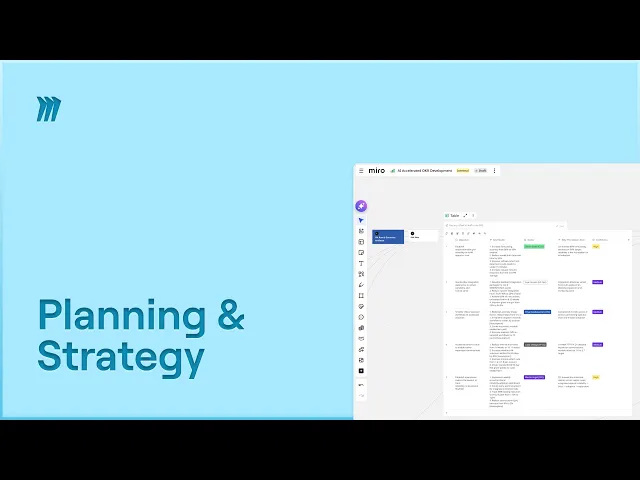
Build Quarterly OKRs Faster in Miro: Templates, AI & Tips

Build Quarterly OKRs Faster in Miro: Templates, AI & Tips

Miro

AI
Jan 15, 2026

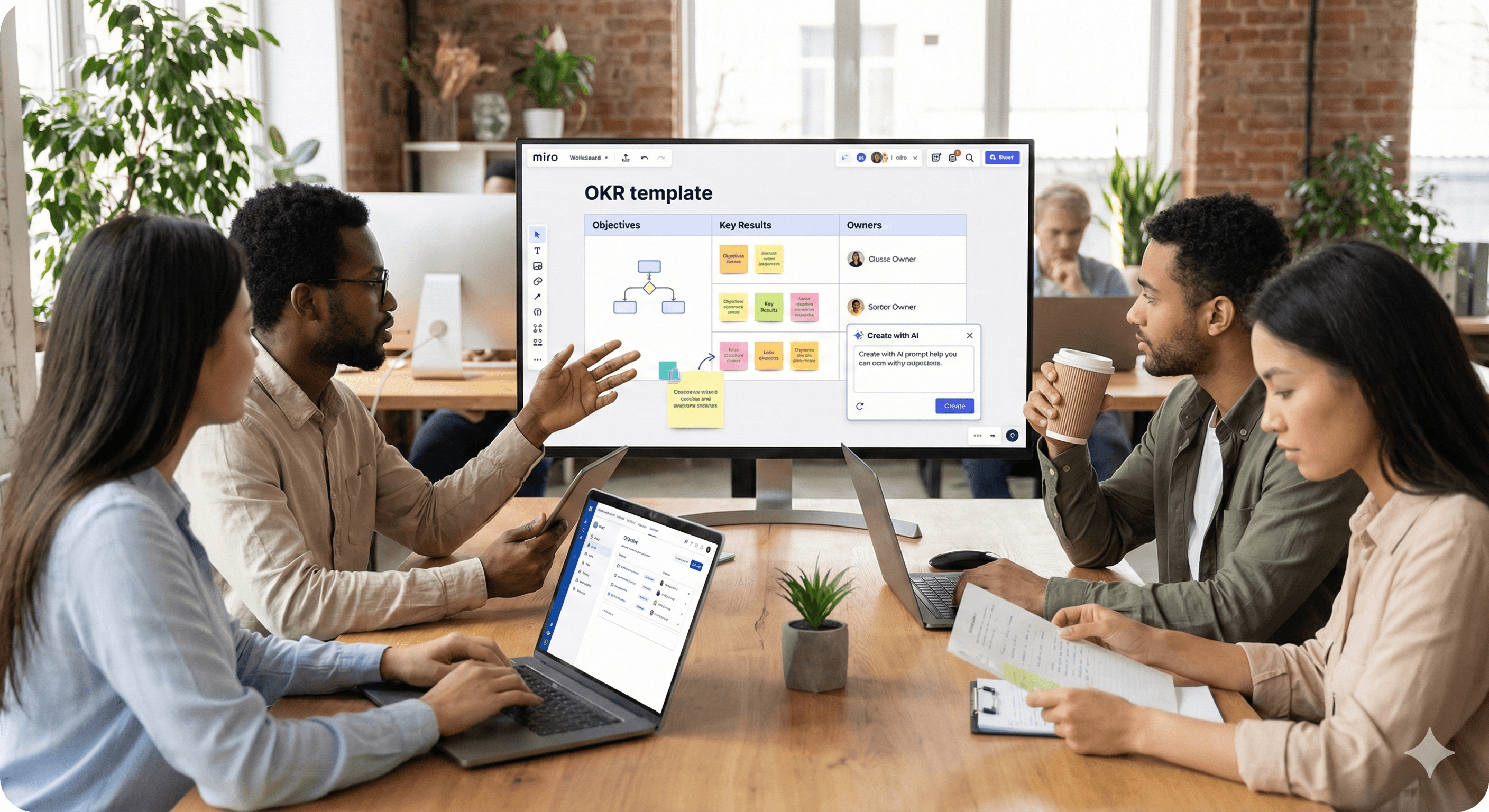
A diverse group of professionals collaborate around a table in a modern office, analyzing a digital OKR template displayed on a large screen from Miro, with laptops and documents, emphasizing teamwork and productivity.

Not sure what to do next with AI?
Assess readiness, risk, and priorities in under an hour.

Not sure what to do next with AI?
Assess readiness, risk, and priorities in under an hour.

➔ Start the AI Readiness Pack

Miro helps teams build quarterly OKRs faster by combining ready-made OKR templates with on-canvas AI and integrations. You can draft objectives, align stakeholders in real time, and track key results in Miro Tables synced with Jira or Asana—so progress updates and ownership stay visible throughout the quarter.

Quarterly OKRs keep teams focused—but the real challenge is turning a blank page into shared, measurable goals quickly. With Miro, you can move from brainstorming to committed OKRs in a single collaborative space, using templates, AI, and live integrations that keep work in sync.

Why Miro for OKRs now

Miro’s latest updates bring AI directly onto the canvas (AI Canvas, Create with AI) and expand the OKR toolset with the OKR Tracker built on Miro Tables. Add two-way integrations with Jira and Asana and you’ve got planning and tracking in one place—no duplicate updates.

The Fast Path to Quarterly OKRs in Miro

1) Start with the right template

Open the OKR Planning template to run your session—from pre-work to alignment and sign-off. For ongoing tracking, switch to the OKR Tracker template (Miro Tables) to manage objectives, key results, owners, due dates, and status in one view.

Tip: If you’re new to OKRs, Miro’s “What is an OKR?” guide and Miroverse drafting templates offer sample structures and prompts you can adapt.

2) Capture inputs and draft with AI

Use Create with AI to summarise sticky-note insights and transform them into draft objectives and candidate key results. Because AI reads context from on-canvas selections, it can propose OKRs from the exact notes, clusters, or diagrams you highlight.

Example prompt: “From the selected cluster of research findings, draft three outcome-based objectives with two measurable KRs each.”

3) Facilitate a focused workshop

Run a 90-minute session using the Planning template frames: kick-off (purpose & company priorities), Q&A, brainstorm, propose drafts, and converge. Time-box with the board timer, use comments for async input, and park unresolved items to a backlog frame. (See Miro’s OKR workshop guidance for flow and roles.)

4) Align and assign owners

Move finalised OKRs into the OKR Tracker. Assign an owner to each objective/KR and agree weekly check-ins. Tables make ownership and status visible; views can be filtered by team or priority for leadership reviews.

5) Connect Jira, Asana, or Azure DevOps

Add Jira/Asana/Azure cards so delivery work lives next to your OKRs. With two-way sync, status changes in Jira or Asana flow back to the board—reducing reporting overhead and keeping confidence scores honest.

6) Keep it human—and visual

Support motivation with lightweight visuals: progress bars for KRs, simple traffic-lights for confidence, and emojis for quick sentiment. If you need to polish visuals, the Adobe Express integration lets you tweak images directly on the board.

Example Quarterly Flow (12 Weeks)

Week 0–1: Plan

  • Pre-work: collect inputs, customer feedback, prior KR results.

  • Workshop: run the Planning template, draft in AI, converge on 3–5 objectives.

Week 2–10: Execute & track

  • Weekly: owners update KR values in Tables; team reviews confidence.

  • Delivery: Jira/Asana tickets linked; burndown/velocity informs KR progress.

Week 11–12: Review & reset

  • Review outcomes, learnings, and carry-overs; archive in a “Past OKRs” frame.

  • Start next cycle with improved baselines (typical OKR cycles are quarterly).

Good OKRs vs. Bad OKRs (Quick Checks)

  • Outcome-based, not tasks.

  • Measurable: numeric KRs with owners and dates.

  • Fewer, clearer: 3–5 objectives max for focus.

  • Traceable to delivery: linked tickets or projects underpin each KR.

What’s New That Speeds This Up

  • AI on the canvas: Generate, rewrite, and summarise directly from selected objects (notes, frames, diagrams).

  • Tables-based OKR Tracker: Built for ownership, status, and integrations (e.g., Jira).

  • Deeper integrations: Two-way sync with Jira/Confluence/Azure; popular integrations overview.

  • Creative polish: Adobe Express inside Miro for on-brand visuals.

Summary & Next Steps

Using Miro’s OKR Planning + OKR Tracker, on-canvas AI, and Jira/Asana sync, you can plan, align, and track quarterly OKRs without leaving the board. If you’d like help tailoring this flow to your team and stack, Generation Digital can design and facilitate your next OKR cycle.

FAQ

Q1: What are OKRs?
Objectives and Key Results (OKRs) are a goal-setting framework that clarifies what you want to achieve (objectives) and how you’ll measure success (key results), typically in a quarterly cycle.

Q2: Does Miro have OKR templates?
Yes—use the OKR Planning template for the workshop flow and the OKR Tracker (Miro Tables) for ongoing tracking and reporting.

Q3: How does Miro AI help with OKRs?
Create with AI can turn sticky-note clusters and diagrams into draft OKRs, summarise discussions, and suggest edits—because it reads context from what you select on the board.

Q4: Can Miro integrate with Jira or Asana for KR updates?
Yes. Integrations let you visualise and edit Jira/Asana items from Miro. Changes sync both ways, reducing manual status reporting.

Q5: How many objectives should we set?
Most teams commit to 3–5 objectives per quarter, each with 2–4 measurable key results to keep focus and accountability.

Miro helps teams build quarterly OKRs faster by combining ready-made OKR templates with on-canvas AI and integrations. You can draft objectives, align stakeholders in real time, and track key results in Miro Tables synced with Jira or Asana—so progress updates and ownership stay visible throughout the quarter.

Quarterly OKRs keep teams focused—but the real challenge is turning a blank page into shared, measurable goals quickly. With Miro, you can move from brainstorming to committed OKRs in a single collaborative space, using templates, AI, and live integrations that keep work in sync.

Why Miro for OKRs now

Miro’s latest updates bring AI directly onto the canvas (AI Canvas, Create with AI) and expand the OKR toolset with the OKR Tracker built on Miro Tables. Add two-way integrations with Jira and Asana and you’ve got planning and tracking in one place—no duplicate updates.

The Fast Path to Quarterly OKRs in Miro

1) Start with the right template

Open the OKR Planning template to run your session—from pre-work to alignment and sign-off. For ongoing tracking, switch to the OKR Tracker template (Miro Tables) to manage objectives, key results, owners, due dates, and status in one view.

Tip: If you’re new to OKRs, Miro’s “What is an OKR?” guide and Miroverse drafting templates offer sample structures and prompts you can adapt.

2) Capture inputs and draft with AI

Use Create with AI to summarise sticky-note insights and transform them into draft objectives and candidate key results. Because AI reads context from on-canvas selections, it can propose OKRs from the exact notes, clusters, or diagrams you highlight.

Example prompt: “From the selected cluster of research findings, draft three outcome-based objectives with two measurable KRs each.”

3) Facilitate a focused workshop

Run a 90-minute session using the Planning template frames: kick-off (purpose & company priorities), Q&A, brainstorm, propose drafts, and converge. Time-box with the board timer, use comments for async input, and park unresolved items to a backlog frame. (See Miro’s OKR workshop guidance for flow and roles.)

4) Align and assign owners

Move finalised OKRs into the OKR Tracker. Assign an owner to each objective/KR and agree weekly check-ins. Tables make ownership and status visible; views can be filtered by team or priority for leadership reviews.

5) Connect Jira, Asana, or Azure DevOps

Add Jira/Asana/Azure cards so delivery work lives next to your OKRs. With two-way sync, status changes in Jira or Asana flow back to the board—reducing reporting overhead and keeping confidence scores honest.

6) Keep it human—and visual

Support motivation with lightweight visuals: progress bars for KRs, simple traffic-lights for confidence, and emojis for quick sentiment. If you need to polish visuals, the Adobe Express integration lets you tweak images directly on the board.

Example Quarterly Flow (12 Weeks)

Week 0–1: Plan

  • Pre-work: collect inputs, customer feedback, prior KR results.

  • Workshop: run the Planning template, draft in AI, converge on 3–5 objectives.

Week 2–10: Execute & track

  • Weekly: owners update KR values in Tables; team reviews confidence.

  • Delivery: Jira/Asana tickets linked; burndown/velocity informs KR progress.

Week 11–12: Review & reset

  • Review outcomes, learnings, and carry-overs; archive in a “Past OKRs” frame.

  • Start next cycle with improved baselines (typical OKR cycles are quarterly).

Good OKRs vs. Bad OKRs (Quick Checks)

  • Outcome-based, not tasks.

  • Measurable: numeric KRs with owners and dates.

  • Fewer, clearer: 3–5 objectives max for focus.

  • Traceable to delivery: linked tickets or projects underpin each KR.

What’s New That Speeds This Up

  • AI on the canvas: Generate, rewrite, and summarise directly from selected objects (notes, frames, diagrams).

  • Tables-based OKR Tracker: Built for ownership, status, and integrations (e.g., Jira).

  • Deeper integrations: Two-way sync with Jira/Confluence/Azure; popular integrations overview.

  • Creative polish: Adobe Express inside Miro for on-brand visuals.

Summary & Next Steps

Using Miro’s OKR Planning + OKR Tracker, on-canvas AI, and Jira/Asana sync, you can plan, align, and track quarterly OKRs without leaving the board. If you’d like help tailoring this flow to your team and stack, Generation Digital can design and facilitate your next OKR cycle.

FAQ

Q1: What are OKRs?
Objectives and Key Results (OKRs) are a goal-setting framework that clarifies what you want to achieve (objectives) and how you’ll measure success (key results), typically in a quarterly cycle.

Q2: Does Miro have OKR templates?
Yes—use the OKR Planning template for the workshop flow and the OKR Tracker (Miro Tables) for ongoing tracking and reporting.

Q3: How does Miro AI help with OKRs?
Create with AI can turn sticky-note clusters and diagrams into draft OKRs, summarise discussions, and suggest edits—because it reads context from what you select on the board.

Q4: Can Miro integrate with Jira or Asana for KR updates?
Yes. Integrations let you visualise and edit Jira/Asana items from Miro. Changes sync both ways, reducing manual status reporting.

Q5: How many objectives should we set?
Most teams commit to 3–5 objectives per quarter, each with 2–4 measurable key results to keep focus and accountability.

Get practical advice delivered to your inbox

By subscribing you consent to Generation Digital storing and processing your details in line with our privacy policy. You can read the full policy at gend.co/privacy.


Ready to get the support your organisation needs to successfully use AI?

Miro Solutions Partner
Asana Platinum Solutions Partner
Notion Platinum Solutions Partner
Glean Certified Partner

Ready to get the support your organisation needs to successfully use AI?

Miro Solutions Partner
Asana Platinum Solutions Partner
Notion Platinum Solutions Partner
Glean Certified Partner

Generation
Digital

UK Office

Generation Digital Ltd
33 Queen St,
London
EC4R 1AP
United Kingdom

Canada Office

Generation Digital Americas Inc
181 Bay St., Suite 1800
Toronto, ON, M5J 2T9
Canada

USA Office

Generation Digital Americas Inc
77 Sands St,
Brooklyn, NY 11201,
United States

EU Office

Generation Digital Software
Elgee Building
Dundalk
A91 X2R3
Ireland

Middle East Office

6994 Alsharq 3890,
An Narjis,
Riyadh 13343,
Saudi Arabia

UK Fast Growth Index UBS Logo
Financial Times FT 1000 Logo
Febe Growth 100 Logo (Background Removed)

Company No: 256 9431 77 | Copyright 2026 | Terms and Conditions | Privacy Policy

Generation
Digital

UK Office

Generation Digital Ltd
33 Queen St,
London
EC4R 1AP
United Kingdom

Canada Office

Generation Digital Americas Inc
181 Bay St., Suite 1800
Toronto, ON, M5J 2T9
Canada

USA Office

Generation Digital Americas Inc
77 Sands St,
Brooklyn, NY 11201,
United States

EU Office

Generation Digital Software
Elgee Building
Dundalk
A91 X2R3
Ireland

Middle East Office

6994 Alsharq 3890,
An Narjis,
Riyadh 13343,
Saudi Arabia

UK Fast Growth Index UBS Logo
Financial Times FT 1000 Logo
Febe Growth 100 Logo (Background Removed)


Company No: 256 9431 77
Terms and Conditions
Privacy Policy
Copyright 2026





