New Miroverse Templates (2026): Flows, Sidekicks & Wins

New Miroverse Templates (2026): Flows, Sidekicks & Wins

Miro
Mar 10, 2026

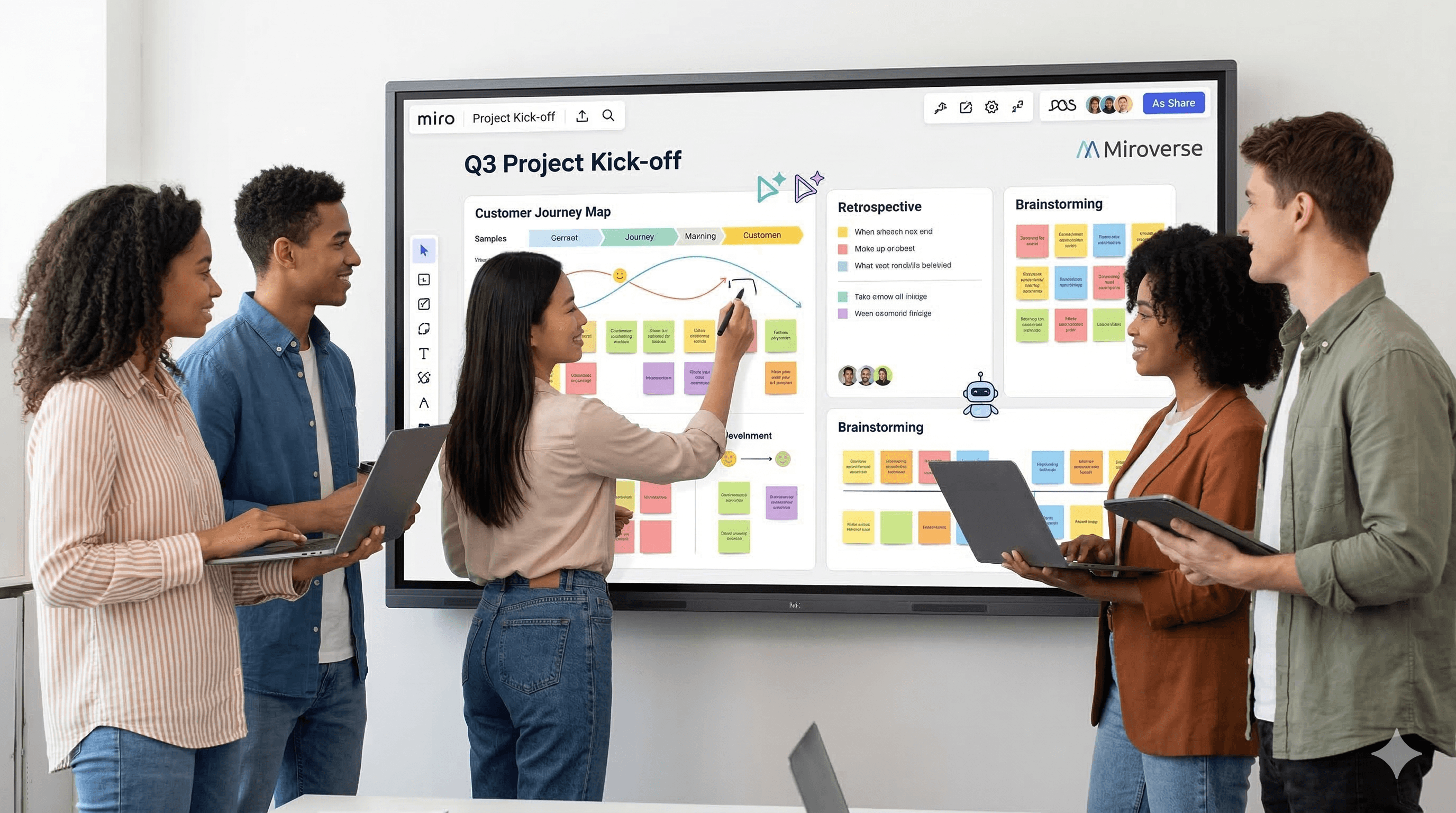
A diverse team collaborates and discusses in front of a digital interactive whiteboard displaying Q3 Project Kick-off templates, including a customer journey map, retrospective elements, and brainstorming sections, reflecting New Miroverse Templates (2026): Flows, Sidekicks & Wins.

Free AI at Work Playbook for managers using ChatGPT, Claude and Gemini.

Free AI at Work Playbook for managers using ChatGPT, Claude and Gemini.

➔ Download the Playbook

Miroverse is Miro’s template gallery, where teams can start faster with proven boards for planning, workshops and delivery. The latest templates increasingly include Flows (multi‑step workflows that do the busy work) and Sidekicks (AI agents that help teams think, summarise and create). Together, they turn templates into repeatable systems.

Templates aren’t just about saving five minutes at the start of a workshop. In 2026, they’re becoming a way to standardise how teams plan, decide and deliver — with AI doing more of the repetitive work.

That’s the promise behind the latest wave of Miroverse templates. Beyond fresh boards for planning and collaboration, many of the newest templates now build in Flows and Sidekicks — so you can move from “blank canvas” to “repeatable workflow” far more quickly.

What is Miroverse?

Miroverse is Miro’s template gallery where you can browse and reuse thousands of ready‑made boards. Instead of inventing a format every time, you can start with a proven structure — and customise it for your team.

The big shift is that templates are no longer purely static. Increasingly, they include interactive or AI‑accelerated elements that help you produce consistent outputs with less manual effort.

What’s new: Flows and Sidekicks (and why they matter)
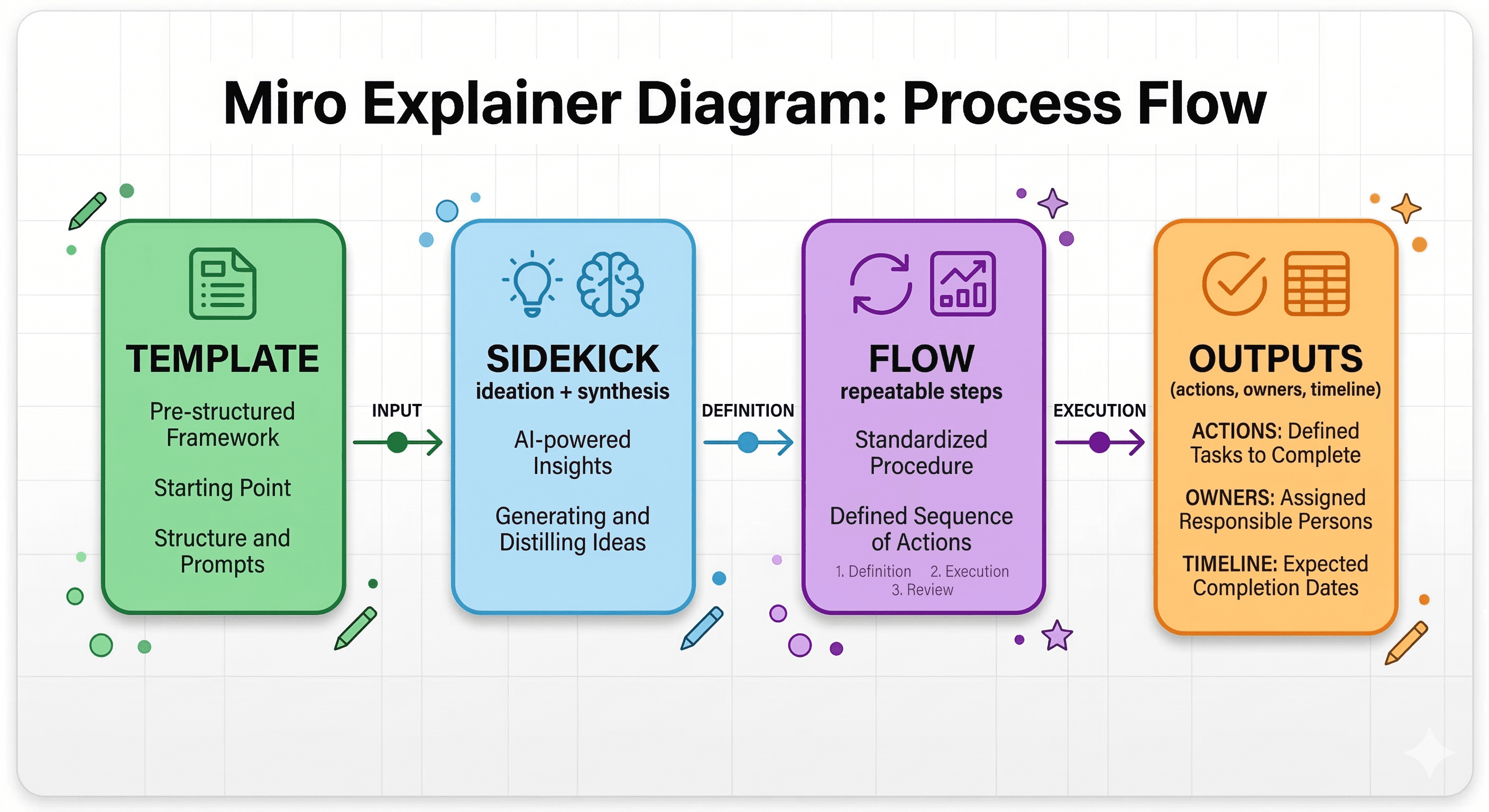
Flows: multi-step workflows that keep work moving

Flows turn a template into a guided process. Rather than asking a team to remember each step (“cluster themes, write insights, translate into actions”), a Flow can run those steps on the canvas and pass structured output forward.

That makes Flows especially useful for:

  • Workshop synthesis (notes → themes → insights → actions)

  • Planning cycles (objectives → initiatives → milestones → owners)

  • Repeatable analysis (customer feedback → patterns → opportunities)

Sidekicks: AI agents that collaborate on the canvas

Sidekicks are AI helpers that work alongside your team on the board. They can support exploratory thinking and “first draft” creation: summarising content, challenging assumptions, drafting a plan, or helping you turn rough ideas into structured artefacts.

In practice, Sidekicks are most valuable when:

  • You want fast synthesis without losing context

  • You need a second opinion (“what am I missing?”)

  • You’re creating a repeatable facilitation rhythm across teams

Why “new templates” can improve real workflows

Most workflow friction isn’t caused by a lack of ideas — it’s caused by inconsistency.

One team runs a brilliant retrospective. Another runs a messy one. A third skips it entirely because they don’t know where to start.

Templates fix that by providing a shared starting point. Flows and Sidekicks take it further by:

  • Reducing the facilitator burden

  • Turning best practice into repeatable steps

  • Producing more consistent outputs (not just nicer boards)

How to use the latest Miroverse templates (step by step)

1) Start with the work you repeat most

Pick one recurring workflow that has a clear output:

  • Sprint planning

  • Quarterly OKR planning

  • Project kick-off

  • Weekly prioritisation

  • Discovery synthesis

2) Choose a template that already matches your format

In Miroverse, search by outcome (e.g. “roadmap”, “retro”, “OKRs”), not by department. You’re looking for a structure that fits your decision-making style.

3) Look for AI-accelerated templates first

If your team is already using Miro AI, choose templates that include:

  • A Flow that runs the repeatable steps

  • Sidekicks that help with synthesis, drafting, or review

This helps you avoid building automation from scratch.

4) Customise once, then standardise

The best approach is:

  • Adapt the template for your terminology and governance

  • Save it as your organisation’s “default” version

  • Reuse it consistently for 4–6 cycles before you change anything

5) Add light governance (so it scales)

To keep quality high:

  • Define who can run Flows in production boards

  • Set naming conventions for outputs (actions, decisions, owners)

  • Add a quick review step for anything that’s published externally

Practical examples you can try this week

Example 1: Turn workshop notes into an action plan

Use a template that supports synthesis. Run a Flow (or ask a Sidekick) to:

  • Cluster notes into themes

  • Draft 3–5 insights with evidence

  • Convert insights into actions with owners and dates

Example 2: Make quarterly planning less chaotic

Start with a planning or OKR template. Use Sidekicks to draft first‑pass objectives, then use a Flow to structure:

  • Initiatives

  • Milestones

  • Risks and dependencies

Example 3: Standardise project kick-offs

Pick one kick-off board and make it your default.

Sidekicks can create an initial brief, while Flows can ensure every kick‑off captures the essentials: scope, success metrics, stakeholders, and next actions.

Common pitfalls (and how to avoid them)

Trying to adopt 20 templates at once

Pick one workflow. Make it excellent. Then expand.

Letting AI outputs become “the truth”

Use Sidekicks and Flows to accelerate creation — but keep human review for decisions, commitments and anything customer-facing.

Forgetting to measure impact

Track one simple metric for 4–6 weeks:

  • Less time spent in workshops

  • Faster time to action

  • Fewer rework cycles

  • Better stakeholder clarity

Summary

The newest Miroverse templates aren’t just more boards — they’re a move towards repeatable, AI‑accelerated workflows. By combining proven formats with Flows (multi‑step processes) and Sidekicks (on‑canvas AI agents), teams can plan and deliver faster with more consistent outputs.

Next steps (Generation Digital): If you want help choosing templates, building a rollout plan, or designing safe usage patterns for Flows and Sidekicks, Generation Digital can support adoption, enablement and governance.

FAQs

1) What are Flows and Sidekicks in Miroverse?

Flows are multi-step workflows that guide repeatable tasks on the canvas (for example, turning notes into insights and actions). Sidekicks are AI agents that collaborate with teams on the board, helping with synthesis, drafting and structured thinking.

2) How can I access the new Miroverse templates?

Open Miroverse from Miro’s templates gallery, then browse by category or search by outcome (roadmaps, planning, retrospectives, research synthesis). Choose a template and apply it to a new or existing board.

3) Who creates Miroverse templates?

Templates come from a mix of Miro and the Miro community (creators and experts). That variety is useful — it means you can adopt templates that reflect real facilitation styles across different teams and industries.

4) Do Flows and Sidekicks work for Enterprise teams?

Yes — but treat them like any enterprise capability: start with a pilot workflow, apply light governance, and standardise patterns before scaling across departments.

5) What’s the best first template to adopt?

Choose the workflow you repeat most (planning, kick-offs, retros) and pick a template that produces a clear output. Standardise that one template first, then expand.

Miroverse is Miro’s template gallery, where teams can start faster with proven boards for planning, workshops and delivery. The latest templates increasingly include Flows (multi‑step workflows that do the busy work) and Sidekicks (AI agents that help teams think, summarise and create). Together, they turn templates into repeatable systems.

Templates aren’t just about saving five minutes at the start of a workshop. In 2026, they’re becoming a way to standardise how teams plan, decide and deliver — with AI doing more of the repetitive work.

That’s the promise behind the latest wave of Miroverse templates. Beyond fresh boards for planning and collaboration, many of the newest templates now build in Flows and Sidekicks — so you can move from “blank canvas” to “repeatable workflow” far more quickly.

What is Miroverse?

Miroverse is Miro’s template gallery where you can browse and reuse thousands of ready‑made boards. Instead of inventing a format every time, you can start with a proven structure — and customise it for your team.

The big shift is that templates are no longer purely static. Increasingly, they include interactive or AI‑accelerated elements that help you produce consistent outputs with less manual effort.

What’s new: Flows and Sidekicks (and why they matter)

Flows: multi-step workflows that keep work moving

Flows turn a template into a guided process. Rather than asking a team to remember each step (“cluster themes, write insights, translate into actions”), a Flow can run those steps on the canvas and pass structured output forward.

That makes Flows especially useful for:

  • Workshop synthesis (notes → themes → insights → actions)

  • Planning cycles (objectives → initiatives → milestones → owners)

  • Repeatable analysis (customer feedback → patterns → opportunities)

Sidekicks: AI agents that collaborate on the canvas

Sidekicks are AI helpers that work alongside your team on the board. They can support exploratory thinking and “first draft” creation: summarising content, challenging assumptions, drafting a plan, or helping you turn rough ideas into structured artefacts.

In practice, Sidekicks are most valuable when:

  • You want fast synthesis without losing context

  • You need a second opinion (“what am I missing?”)

  • You’re creating a repeatable facilitation rhythm across teams

Why “new templates” can improve real workflows

Most workflow friction isn’t caused by a lack of ideas — it’s caused by inconsistency.

One team runs a brilliant retrospective. Another runs a messy one. A third skips it entirely because they don’t know where to start.

Templates fix that by providing a shared starting point. Flows and Sidekicks take it further by:

  • Reducing the facilitator burden

  • Turning best practice into repeatable steps

  • Producing more consistent outputs (not just nicer boards)

How to use the latest Miroverse templates (step by step)

1) Start with the work you repeat most

Pick one recurring workflow that has a clear output:

  • Sprint planning

  • Quarterly OKR planning

  • Project kick-off

  • Weekly prioritisation

  • Discovery synthesis

2) Choose a template that already matches your format

In Miroverse, search by outcome (e.g. “roadmap”, “retro”, “OKRs”), not by department. You’re looking for a structure that fits your decision-making style.

3) Look for AI-accelerated templates first

If your team is already using Miro AI, choose templates that include:

  • A Flow that runs the repeatable steps

  • Sidekicks that help with synthesis, drafting, or review

This helps you avoid building automation from scratch.

4) Customise once, then standardise

The best approach is:

  • Adapt the template for your terminology and governance

  • Save it as your organisation’s “default” version

  • Reuse it consistently for 4–6 cycles before you change anything

5) Add light governance (so it scales)

To keep quality high:

  • Define who can run Flows in production boards

  • Set naming conventions for outputs (actions, decisions, owners)

  • Add a quick review step for anything that’s published externally

Practical examples you can try this week

Example 1: Turn workshop notes into an action plan

Use a template that supports synthesis. Run a Flow (or ask a Sidekick) to:

  • Cluster notes into themes

  • Draft 3–5 insights with evidence

  • Convert insights into actions with owners and dates

Example 2: Make quarterly planning less chaotic

Start with a planning or OKR template. Use Sidekicks to draft first‑pass objectives, then use a Flow to structure:

  • Initiatives

  • Milestones

  • Risks and dependencies

Example 3: Standardise project kick-offs

Pick one kick-off board and make it your default.

Sidekicks can create an initial brief, while Flows can ensure every kick‑off captures the essentials: scope, success metrics, stakeholders, and next actions.

Common pitfalls (and how to avoid them)

Trying to adopt 20 templates at once

Pick one workflow. Make it excellent. Then expand.

Letting AI outputs become “the truth”

Use Sidekicks and Flows to accelerate creation — but keep human review for decisions, commitments and anything customer-facing.

Forgetting to measure impact

Track one simple metric for 4–6 weeks:

  • Less time spent in workshops

  • Faster time to action

  • Fewer rework cycles

  • Better stakeholder clarity

Summary

The newest Miroverse templates aren’t just more boards — they’re a move towards repeatable, AI‑accelerated workflows. By combining proven formats with Flows (multi‑step processes) and Sidekicks (on‑canvas AI agents), teams can plan and deliver faster with more consistent outputs.

Next steps (Generation Digital): If you want help choosing templates, building a rollout plan, or designing safe usage patterns for Flows and Sidekicks, Generation Digital can support adoption, enablement and governance.

FAQs

1) What are Flows and Sidekicks in Miroverse?

Flows are multi-step workflows that guide repeatable tasks on the canvas (for example, turning notes into insights and actions). Sidekicks are AI agents that collaborate with teams on the board, helping with synthesis, drafting and structured thinking.

2) How can I access the new Miroverse templates?

Open Miroverse from Miro’s templates gallery, then browse by category or search by outcome (roadmaps, planning, retrospectives, research synthesis). Choose a template and apply it to a new or existing board.

3) Who creates Miroverse templates?

Templates come from a mix of Miro and the Miro community (creators and experts). That variety is useful — it means you can adopt templates that reflect real facilitation styles across different teams and industries.

4) Do Flows and Sidekicks work for Enterprise teams?

Yes — but treat them like any enterprise capability: start with a pilot workflow, apply light governance, and standardise patterns before scaling across departments.

5) What’s the best first template to adopt?

Choose the workflow you repeat most (planning, kick-offs, retros) and pick a template that produces a clear output. Standardise that one template first, then expand.

Get weekly AI news and advice delivered to your inbox

By subscribing you consent to Generation Digital storing and processing your details in line with our privacy policy. You can read the full policy at gend.co/privacy.


Generation
Digital

UK Office

Generation Digital Ltd
33 Queen St,
London
EC4R 1AP
United Kingdom

Canada Office

Generation Digital Americas Inc
181 Bay St., Suite 1800
Toronto, ON, M5J 2T9
Canada

USA Office

Generation Digital Americas Inc
77 Sands St,
Brooklyn, NY 11201,
United States

EU Office

Generation Digital Software
Elgee Building
Dundalk
A91 X2R3
Ireland

Middle East Office

6994 Alsharq 3890,
An Narjis,
Riyadh 13343,
Saudi Arabia

UK Fast Growth Index UBS Logo
Financial Times FT 1000 Logo
Febe Growth 100 Logo (Background Removed)

Company No: 256 9431 77 | Copyright 2026 | Terms and Conditions | Privacy Policy

Generation
Digital

UK Office

Generation Digital Ltd
33 Queen St,
London
EC4R 1AP
United Kingdom

Canada Office

Generation Digital Americas Inc
181 Bay St., Suite 1800
Toronto, ON, M5J 2T9
Canada

USA Office

Generation Digital Americas Inc
77 Sands St,
Brooklyn, NY 11201,
United States

EU Office

Generation Digital Software
Elgee Building
Dundalk
A91 X2R3
Ireland

Middle East Office

6994 Alsharq 3890,
An Narjis,
Riyadh 13343,
Saudi Arabia

UK Fast Growth Index UBS Logo
Financial Times FT 1000 Logo
Febe Growth 100 Logo (Background Removed)


Company No: 256 9431 77
Terms and Conditions
Privacy Policy
Copyright 2026




